PS2 DVD Playback broken

Shadow_The_Hedgehog82

Well-Known Member
Member
Joined
Jul 22, 2018
Messages
405
Reaction score
252
Trophies
0
Age
44
XP
1,328
Country
Australia
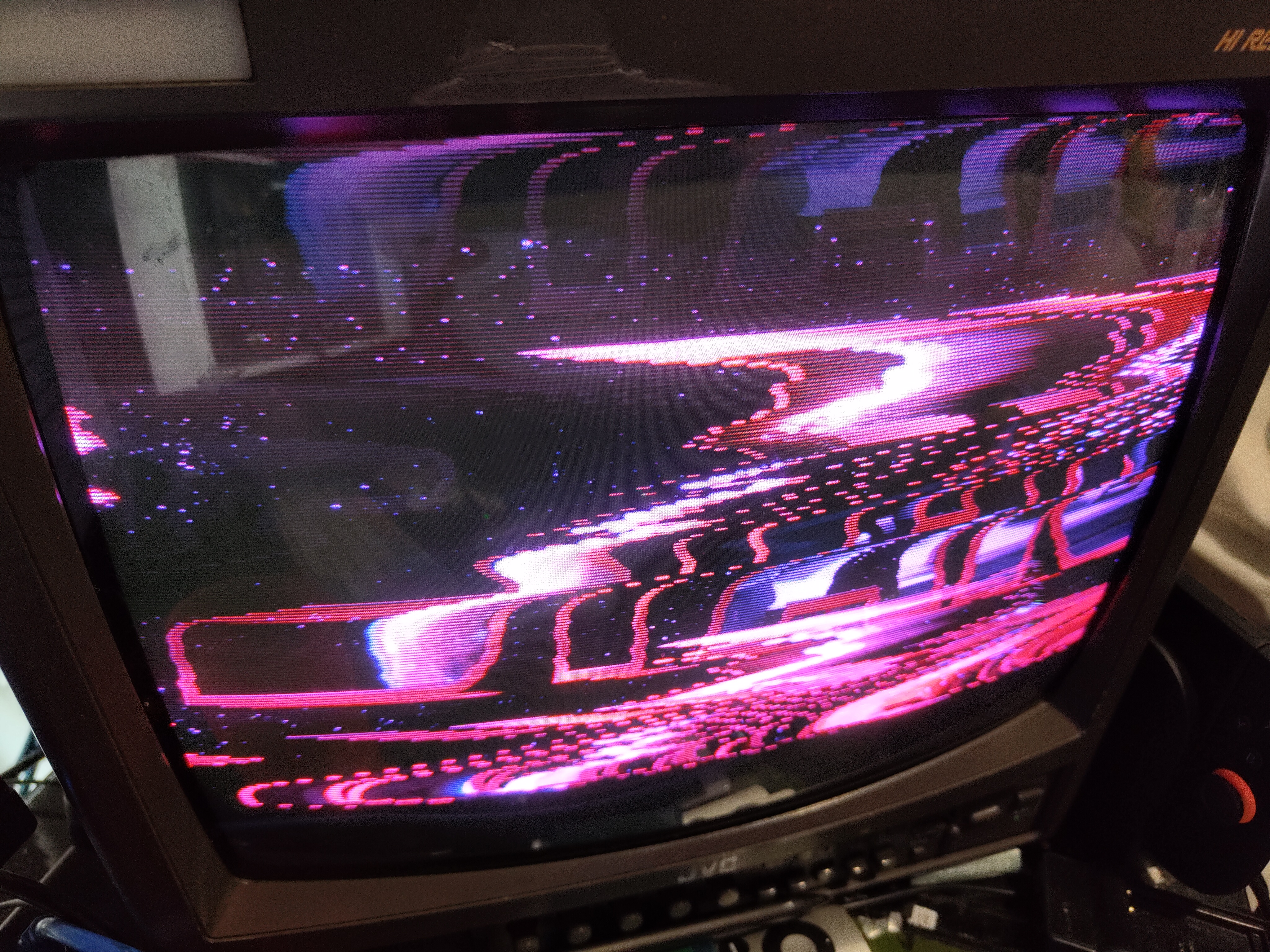
I have a ps2 with a modbo and cannot get dvds to play proeprly, i checked the region set in the matrix menu and i have set it to match the dvd but that didnt fix it the screen is all purple and messed up, it works fine in the menus and in games just not dvds

1000017842.jpg

1000017841.jpg
 
Never had a PS2, but this seems like a sync issue.
What region is your PS2, DVD and CRT?

CRT has sync issues with NTSC/PAL/PAL50/PAL60/480p, it's very rare when it works on the go.

Usually, CRTs wouldn't have image distortions with interlaced pictures and non matching region, so... if I were you, I'd check if the PS2 or whatever software you're using for DVD replay is not pushing a progressive scan picture instead of an interlaced scan picture.

In other words, check you're not using 480p instead of 480i.
 
Never had a PS2, but this seems like a sync issue.
What region is your PS2, DVD and CRT?

CRT has sync issues with NTSC/PAL/PAL50/PAL60/480p, it's very rare when it works on the go.

Usually, CRTs wouldn't have image distortions with interlaced pictures and non matching region, so... if I were you, I'd check if the PS2 or whatever software you're using for DVD replay is not pushing a progressive scan picture instead of an interlaced scan picture.

In other words, check you're not using 480p instead of 480i.
yeah i think youre right about it being pregressive that makes desne didnt think itd be that because when ive had 480p inputs connected in the past it dispalys correctly but is split down hte middle and duplicated, i found this thread https://www.neogaf.com/threads/help-how-to-turn-off-the-progressive-scan-on-ps2-movies.1891/ but the instructions dont help, in the version menu under dvd the dvd player has options the buttons mentioned dont seem to have any effect either
 
yeah i think youre right about it being pregressive that makes desne didnt think itd be that because when ive had 480p inputs connected in the past it dispalys correctly but is split down hte middle and duplicated, i found this thread https://www.neogaf.com/threads/help-how-to-turn-off-the-progressive-scan-on-ps2-movies.1891/ but the instructions dont help, in the version menu under dvd the dvd player has options the buttons mentioned dont seem to have any effect either
Lile I said, I don't know anything about PS2, let alone it's software.

But that kind of distortion in CRTs is mostly caused by progressive scans, the discoloration might either be damaged connectors or non matching region between console out and crt.

Wish I could help further but PS2 is out of my scope
 
Never had a PS2, but this seems like a sync issue.
What region is your PS2, DVD and CRT?

CRT has sync issues with NTSC/PAL/PAL50/PAL60/480p, it's very rare when it works on the go.

Usually, CRTs wouldn't have image distortions with interlaced pictures and non matching region, so... if I were you, I'd check if the PS2 or whatever software you're using for DVD replay is not pushing a progressive scan picture instead of an interlaced scan picture.

In other words, check you're not using 480p instead of 480i.

Could be. Some late model CRTs have YPbPr component inputs, yet positively do not support 480p progressive scan!
 
didnt work i have figured it out the the modchip is the problem if i boot holding start it disables the modbo and then dvd shows correctly in interlaced mode
Hold down Triangle+Circle on the 1st controller when powering on, and try setting the Video Mode to 'AUTO'. If green screen fix or Macrovision is affecting the image, try turning one of them either off or on to see if it makes a difference.
 

Site & Scene News

Popular threads in this forum