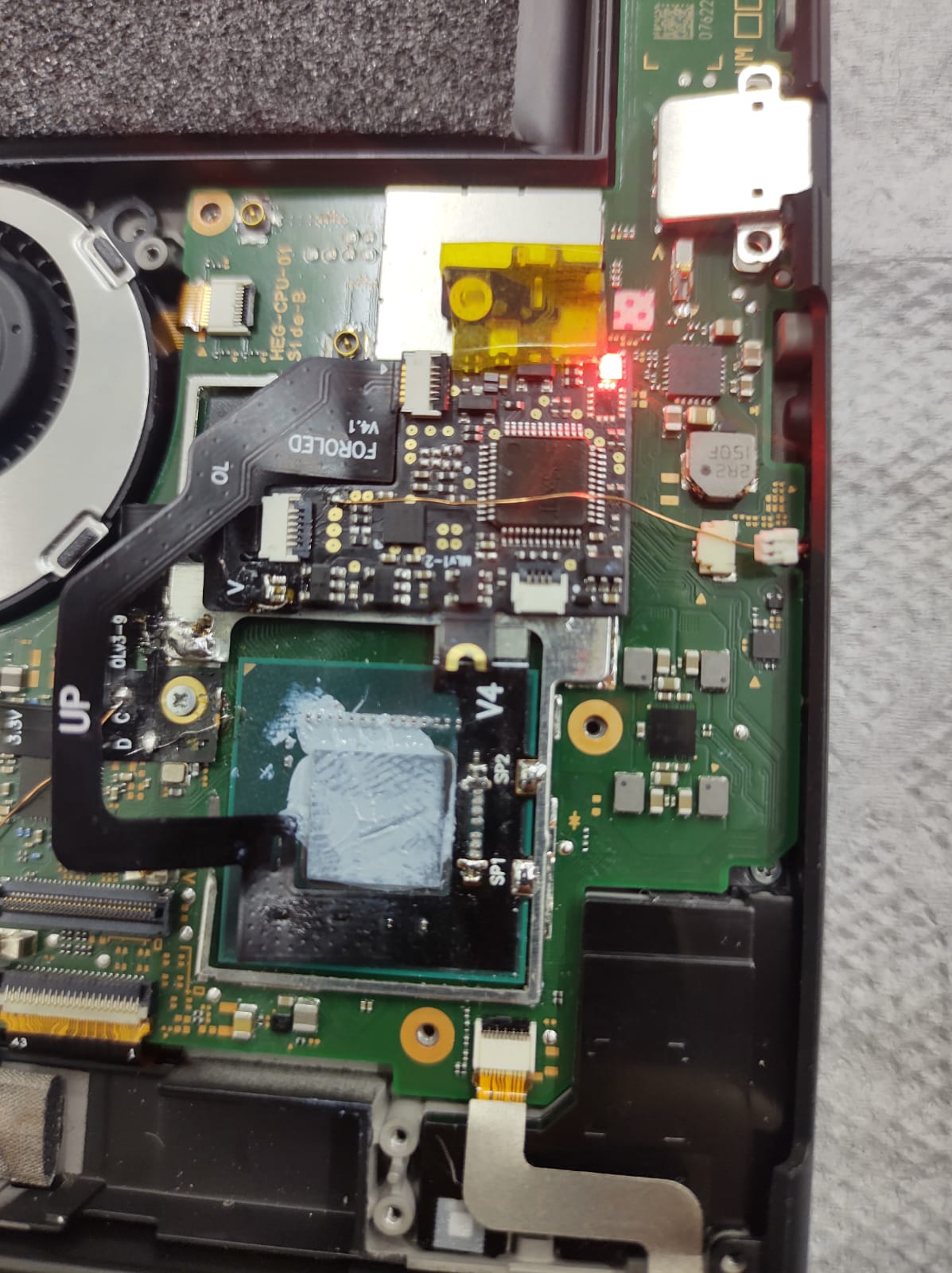
problem with hwfly oled v4.1

  • Thread starter Thread starter maykodo
  • Start date Start date
  • Views Views 4,534
  • Replies Replies 6

maykodo

New Member
Newbie
Joined
Jan 25, 2023
Messages
2
Reaction score
0
Trophies
0
Age
32
XP
41
Country
Brazil
Hello guys .
after installing hwfly v4.1 my switch oled is flashing the blue light and then turns red. sometimes it turns on normally without activating the chip and other times it gets a black screen.

sorry, my english is not good
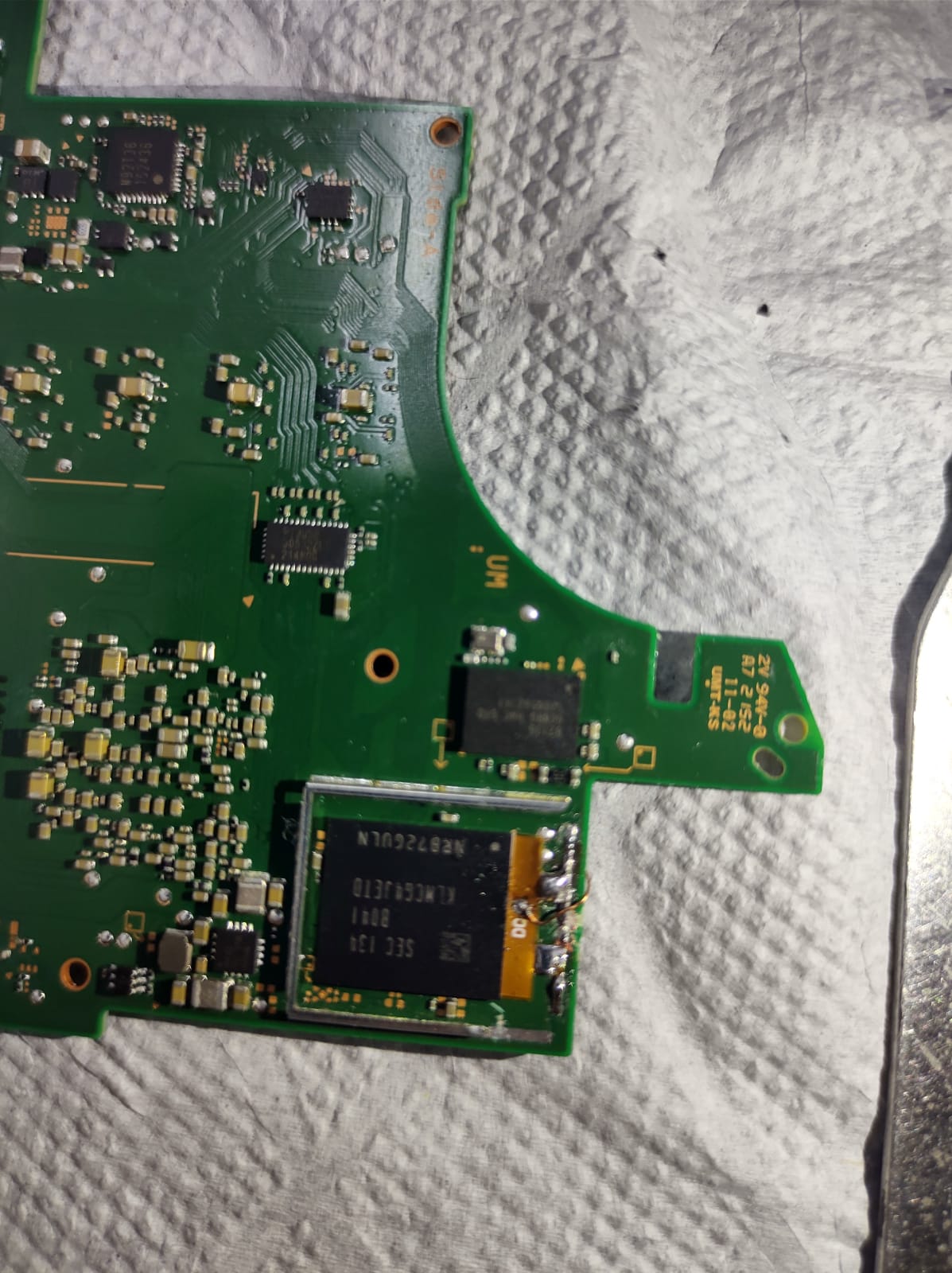
WhatsApp Image 2023-01-25 at 17.42.43.jpeg
WhatsApp Image 2023-01-25 at 17.42.43 (1).jpeg

 
Red error usually means either bad CLK, DAT0, or CMD connection, or bad eMMC.
You can check the connections with a multimeter in diode mode afaik.
 
  • Like
Reactions: maykodo
the problem that always happen in dat0 oled because using free-lead tin in emmc and dat0, so the only permanen fix is replace dat0 adapter using new green pcb adapter and reball with tin lead, or reball emmc and direct solder the pin and once again use lead tin
 
Sure you didn't mean the continuity test mode? That's what you'd normally use to test connections.
NO. You can use it to test ground, and to test from the point on the board to the test pad on the chip, but that's not what you want to test the actual connection to cmd, clk, or DAT 0. The diode check on most meters gives a reading in volts, which is what we want.

@maykodo these pictures aren't good at all. What kind of reading do you get on point D/clk? It really doesn't look good here... If your reading in diode is between 0.409 ~ 0.700, then try reading dat0.
 
Last edited by urherenow,
  • Like
Reactions: maykodo and whisky9
Verify your connections as suggested by others. If it's all good, connecting to the HWFLY chip through SSH (like Putty) should help you to diagnose the actual problem. Plug it via USB adapter, check the COM port number on the PC, open Putty and connect via the COM port. First run "r" for resetting the chip, and then "d" for diagnostics.

I had problems with exact the same chip as yours, it was faulty, and on some FWs I would get a black screen, while on others it would boot to the OFW. Hope it's not the case and you only need to re-do some connections.

Here are the reading that I got on my OLED.
 
  • Like
Reactions: Mauroz and maykodo

Site & Scene News

Popular threads in this forum