Hacking Wii U wireless controller extender hack

  • Thread starter Thread starter jayjay123
  • Start date Start date
  • Views Views 147,718
  • Replies Replies 84
  • Likes Likes 31
I made sure to follow the guide to the letter but my results were unfruitful. Like I said before though, I like the cosmetic/aesthetic of the external antennas anyway so no big loss.

Sent from my SM-G930V using Tapatalk

 
I made sure to follow the guide to the letter but my results were unfruitful. Like I said before though, I like the cosmetic/aesthetic of the external antennas anyway so no big loss.

Sent from my SM-G930V using Tapatalk

Do you remember to which chip did you plugged your antennas?
 
In the image that was provided by the author of the thread, once the board was flipped it was the one at the top right.

Sent from my SM-G930V using Tapatalk
 
Yeah, i got nothing.

Tried to plug both antennas on the other chip. NOthing. In fact the gamepad range got even worst.

Still got my WiiU open (but working, got to play zelda at night), but im running out of ideas

The last thing i could do is try to put one antenna on one chip and other antenna at other chip
 
The WiFi range for the wireless card that connects to your home network already has excellent range so no need for that. Try making "wind surfers" for your antennas, they'll help with range as long at you point them at the area in which you'll be using your gamepad. Wind surfers are directional so aiming them is key. Google wind surfer and you'll find what I'm talking about.

Sent from my SM-G930V using Tapatalk

Edit: Here's the link to the windsurfer tutorial.

https://rchelimenace.wordpress.com/how-to-build-your-own-windsurfer-antenna/
 
Last edited by Hyukishi,
So I decided to finally hack my Wii U to extend the range of the wireless controller and this is what I did... gamepad.


I wanted to post that I have updated both of my wires to connect to 2x 5ghz antennas.

Highfine 2 x 6dBi 2.4GHz 5GHz Dual Band WiFi RP-SMA Antenna + 2 x 35cm U.fl / IPEX Cable for Wireless Routers Mini PCIe Cards Network Extension Bulkhead Pigtail PCI WiFi WAN Repeater from amazon.


I also went with no solder. The results are night and day but it isn't perfect either. My problem is in the room in the basement, there is a 60 inch tv. I'm sure if the wii u could beer moved to the side of it, it would help a great deal.

I do have a question though, should the antennas be pointing in any particular direction? The default ones have one facing one way and the other going another.
 
jayjay123 this mod is AWESOME!! Can you tell me if you have optimize them??? I like them and I will try to do this on my wiiu! Thanks for sharing!
 
Have you guys tried patch/directional antennas? Those should yield the best range improvements (speaking from 10 years of FPV experience, of course no guarantees lol...)
 
Have you guys tried patch/directional antennas? Those should yield the best range improvements (speaking from 10 years of FPV experience, of course no guarantees lol...)

You know how can I do it?? (using your ten years of expirience.... what are the possible risks??) Thank you!!
 
That's what the console already uses.
Sorry only seeing this now. Yeah, those internal antennas do look the part. Not sure if the external antennas would really improve anything, then. If so, only marginally I guess...

--------------------- MERGED ---------------------------

You know how can I do it?? (using your ten years of expirience.... what are the possible risks??) Thank you!!

Follow the guide on page 1 and use a directional antenna, such as the spiroNET 5.8Ghz by Immersion. Not sure how much improved range you'll get
 
I'm thinking of only doing this mod but with stronger omni directional internal antennas for both the console and gamepad.

I don't like or have the space for eternal antennas where my Wii U is placed.

To be fair, my Wii U gamepad reception is quite good about 25 feet through one dry wall.

The stronger internal antennas will be longer than the current antennas in both the console and gamepad but I've looked at the internal layout and there should be enough space if I cut out some plastic internally.

I'm not hoping for anything drastic but a stronger more stable connection would suffice for my needs.
 
Last edited by Nemix77,
Does anyone know if the Wii U uses MIMO to maximize bandwith? If so it might be a good idea to replace both antennas instead of just one.

MIMO would make sense I guess. I mean for what except MIMO do both, the Wii U and the gamepad use two antennas? One of the two parts having two would be enough to keep the signal stable even if the gamepad gets rotated or the signal changes phases cause of interferences. Also Nintendo is known to produce as cheap as possible and 3 antennas would have been cheaper than 4.
 
Last edited by V10lator,
I performed this antenna mod and I can attest: It doesn't work! Don't do it!

I replaced both of the stock 5ghz antennas with these, and the reception was ~20% worse than before.
I tried moving them around (vertical, horizontal, different height) but the results were the same.
I installed them directly to the card and did not solder anything.

I am guessing the original 5ghz antennas that come in the WiiU are already optimized for their purpose.

That being said, I still think reception through walls can be improved with directional antennas.
 
  • Like
Reactions: piratesephiroth
I performed this antenna mod and I can attest: It doesn't work! Don't do it!

I replaced both of the stock 5ghz antennas with these, and the reception was ~20% worse than before.
I tried moving them around (vertical, horizontal, different height) but the results were the same.
I installed them directly to the card and did not solder anything.

I am guessing the original 5ghz antennas that come in the WiiU are already optimized for their purpose.

That being said, I still think reception through walls can be improved with directional antennas.
Yeah, the console's 5GHz antennas are already directional so switching them with omnidirectional ones is always going to be worse.
You have only one game pad. It would be an absolute waste not to make use of directional antennas.
 
Yeah, the console's 5GHz antennas are already directional so switching them with omnidirectional ones is always going to be worse.
You have only one game pad. It would be an absolute waste not to make use of directional antennas.

That's a good point.
Any idea where to get decent 5ghz directional antennas?

The only one I could find was this one on Amazon, and it says 2.4ghz.
 
The only one I could find was this one on Amazon, and it says 2.4ghz.
You're searching for the wrong terms. The one you found is a yagi and they are available for 5ghz, too, example: https://www.amazon.com/Tupavco-DB541-Yagi-WiFi-Antenna/dp/B015QEBC4W/ - Anyway, they are overkilled and way too directional (you would need to adjust them to point to the gamepad all the time). What you want are sector antennas, example: https://www.amazon.com/Meraki-14dB-Sector-Antenna-ANT-11/dp/B003W4VRNA/

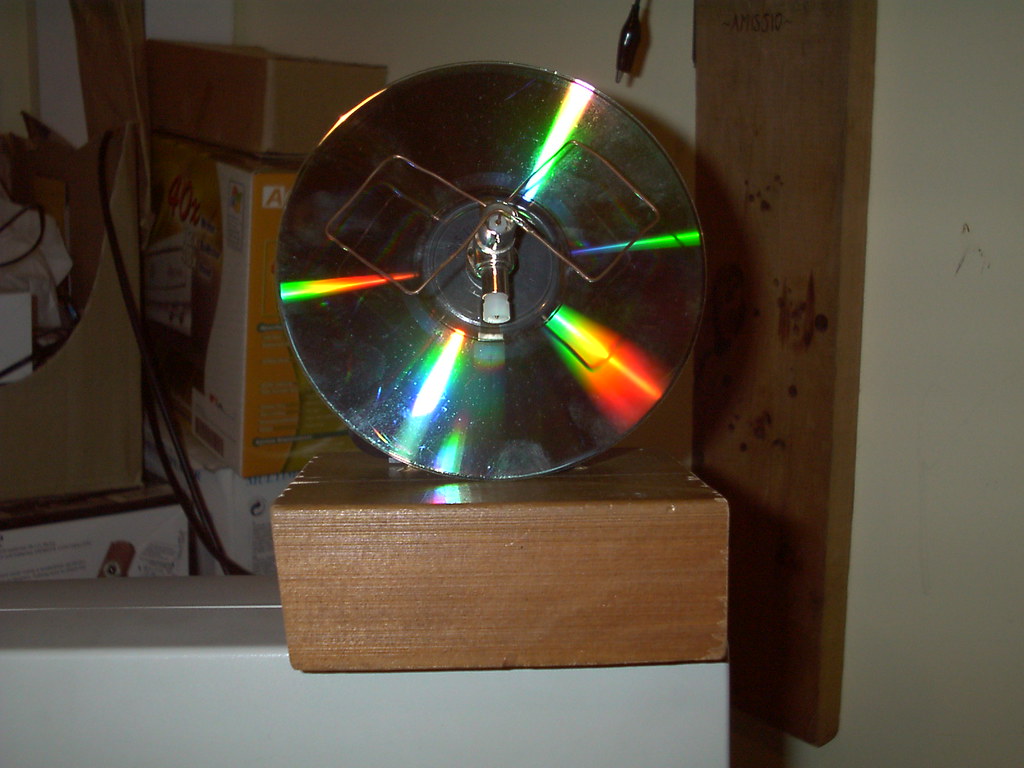
You could also try to build your own for cheap, like this (no idea if it's too directional for Wii U gaming purposes and you would need to adjust it from 2.4 to 5 ghz but anyway) :
b029d5d282b150933abfa8d8c77eec92.jpg
424929439_1f3eb6df9d_b.jpg

Put a reflector behind this to maximize performance:
diy-antenna-real.jpg


//EDIT: No matter what route you choose I would suggest to take a bit of time to learn about the different antennas and how they work. With that knowledge + a bit of DIY antenna knowledge you might even be able to tune the Wii U OEM antennas (by placing them better + adding a reflector, for example).
 
Last edited by V10lator,
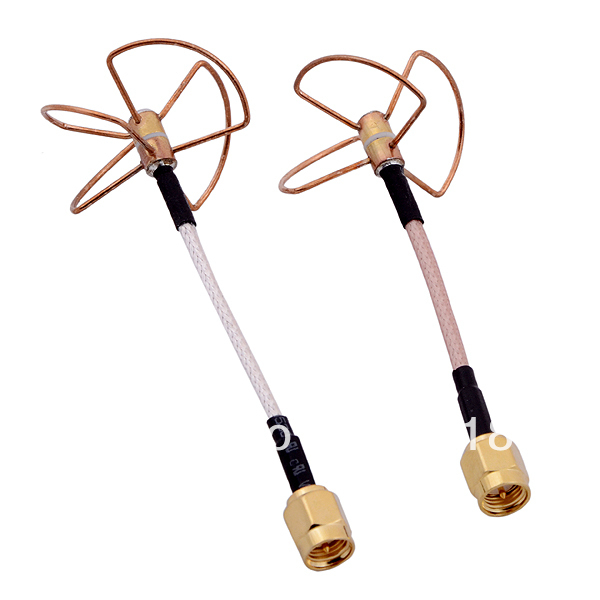
My next test will be with cloverleaf antennas such as the ones used for 5ghz FPV UAVs:
https://www.google.com/?client=firefox-b#q=fpv+cloverleaf&tbm=shop

I believe one should have 3 and one should have 4 elements (Tx, Rx). The thing with these is they cover all polarities well.

FPV-5-8-GHz-Straight-Shape-Cloverleaf-antennas-set-SMA-Male-connector.jpg
Cloverleaf antennas are circular polarized antennas and the Wii U / Gamepad uses Linear.

Putting CP antennas on the WII U while the gamepad has Linear will result in a massive loss, even CP to CP has a 3db loss over linear because of the way they radiate the RF in a corkscrew pattern vs on a much more focused single plane with Linear.

Linear will always beat CP unless reflections are a serious issue, the potential for polarization mismatch through gamepad orientation is mitigated by both the Wii U and gamepad using Diversity.

What im trying to find out is what frequency the Wii U / Gamepad talks on, it could be anywhere in a 700mhz range which isnt helpful for antennas :(
 
Last edited by steve_fox,

Site & Scene News

Popular threads in this forum