PROBLEM SOLVED!!!
So, for some preface, I just got CBHC successfully, works great!
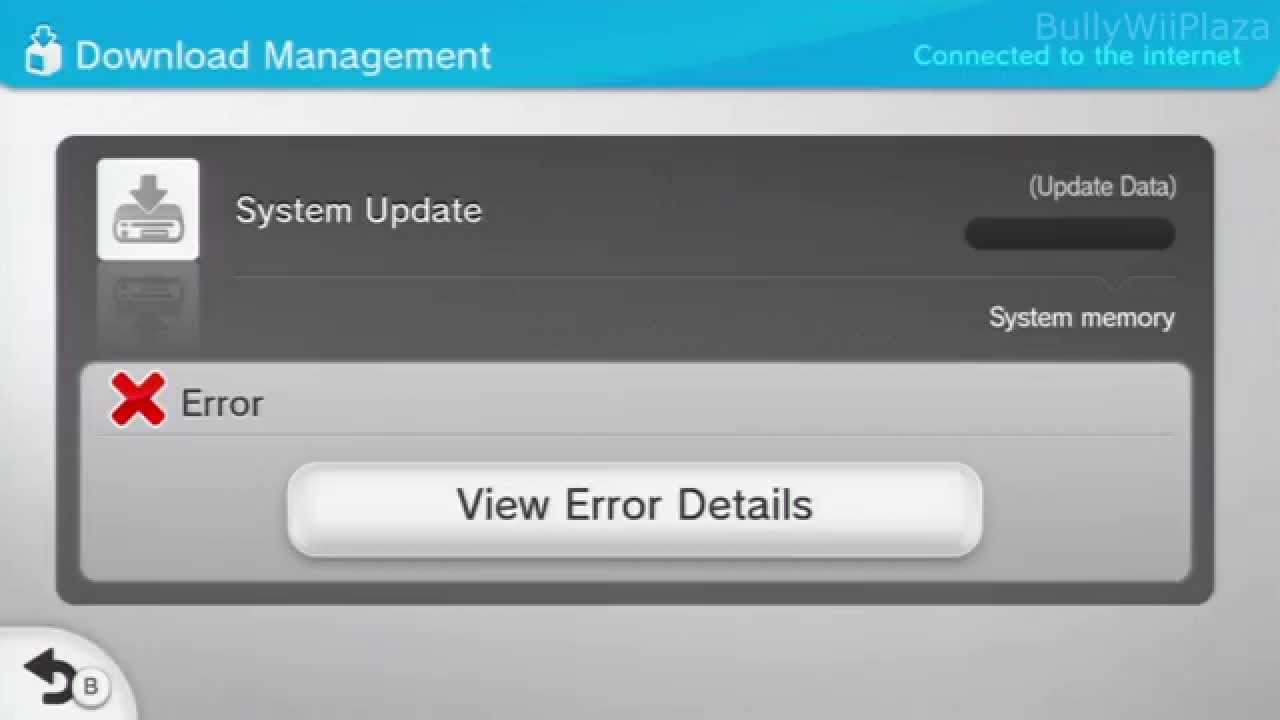
Now, I turned on my Wii U this morning, and it said there was a failed download, I open download management and it says to me that there was a "Failed System Update" on my Wii U. I am on 5.5.2 Firmware, which I thought was the latest firmware for the Wii U, so I'm not really sure what this is or what I should do.
Should I try clicking on it?
I did put up some DNS protection which was recommended to prevent my Wii U from updating, ultimately to protect it from bricking, so maybe that's why this is showing up, but I'm not really sure. What do I do?
It's so annoying constantly seeing "failed download" as a notification when I'm playing a game or just browsing the Wii U homepage. I really would like a fix for this
Now, I turned on my Wii U this morning, and it said there was a failed download, I open download management and it says to me that there was a "Failed System Update" on my Wii U. I am on 5.5.2 Firmware, which I thought was the latest firmware for the Wii U, so I'm not really sure what this is or what I should do.
Should I try clicking on it?
I did put up some DNS protection which was recommended to prevent my Wii U from updating, ultimately to protect it from bricking, so maybe that's why this is showing up, but I'm not really sure. What do I do?
It's so annoying constantly seeing "failed download" as a notification when I'm playing a game or just browsing the Wii U homepage. I really would like a fix for this
Last edited by jchillin111,