Hacking Supercard DSTWO Clarification and Questions

  • Thread starter Thread starter Miss Panda
  • Start date Start date
  • Views Views 10,664
  • Replies Replies 33
Terminator02 said:
wth is going on in here...

first of all, why didn't you just follow the iMenu guide like i told you to

if you honestly can't get ikureader set up just extract this to the root of your microsd card (see what is the root?)
Because I'm incredibly stupid and couldn't (and still can't) see how the imenu setup answered the questions I had that were completely unrelated to imenu, no matter how many times I read it through. As I pointed out to you when you told me to use it.

Thank you for that upload that was kind of you.
smile.gif
I already had those files in those places. Anyway I overwrote the previous files with your upload and it still does not appear as a plugin. Thanks any way but you are flogging a dead horse here.

Edited to answer your edit And yes I know what the root is.
 
OK let's see if we can figure this out properly, as if you downloaded & copied over Terminators files you SHOULD get it showing as a plugin
* Firstly - Look on your memory card root directory & do you have folders showing as
Code:
_dstwo
_dstwoplug
books
data
This is the BARE MINIMUM that you'll need, so you MIGHT have other folders etc in your root

* Now can you look inside your '/_dstwoplug/' folder & list ALL the files shown in that folder here - we might be able to see something that's amiss

* Next - When you say 'it still does not show up as a plugin' exactly WHAT do you [not] get

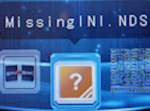
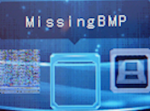
Do you get no new icon of the IKUreader OR do you get something like one of the following pictures
150px-MissingINI.png
150px-MissingBMP_file.png

I noticed in your original post your plugin menu looked like this
dstwopluginscreen.jpg

which seems to indicate you dont/didnt have a '/_dstwoplug/ folder
 
O.k Lets make this as easy as possible.

Please download this file and extract it to the ROOT of your memory card.

It contains the following:-
EOS 1.11
The latest DSTwo patch.
Moonshell 2 for SCDS2.
Ikureader fully set up as a plugin.

If you have done it right you will have the following in your root directory

_dstwo(folder)
_dstwoplug(folder)
books(folder)
data(folder)
moonshl2(Folder)
ds2boot.dat(file)

I have included moonshell so that you have a comparison as to how different plugins work.

Short of finding your address and coming round to your house to install everything this is easiest way to get you up and running.

 
the only question i see you asked is
QUOTE said:
I just want to know where to put stuff. And if I have options on where to put stuff
let me make this as simple as possible:

Follow the "How to set up iMenu" section of this guide, there is even a video to follow (don't bother with a back-up in step 1 and ignore steps 3.5 & 7)

Download IkeReader_4_iMenu.rar and extract it to the root of your microsd card


Edit: lol at 2 ninjas
 
CannonFoddr said:
@Densetsu9000: Oopps - some1 (including me) should've mentioned that you ONLY see the Stormbreaker Icon
gt1601.png
on DSi (XL) systems and NOT on DSLite

What you are seeing is normal for the DSTwo to show on a DSLite
Ah, thanks for the clarification. I do indeed use a DS Lite.
 
CannonFoddr said:
OK let's see if we can figure this out properly, as if you downloaded & copied over Terminators files you SHOULD get it showing as a plugin
* Firstly - Look on your memory card root directory & do you have folders showing as
Code:
_dstwo
_dstwoplug
books
data
This is the BARE MINIMUM that you'll need, so you MIGHT have other folders etc in your root

* Now can you look inside your '/_dstwoplug/' folder & list ALL the files shown in that folder here - we might be able to see something that's amiss

* Next - When you say 'it still does not show up as a plugin' exactly WHAT do you [not] get

Do you get no new icon of the IKUreader OR do you get something like one of the following pictures
150px-MissingINI.png
150px-MissingBMP_file.png

I noticed in your original post your plugin menu looked like this
dstwopluginscreen.jpg

which seems to indicate you dont/didnt have a '/_dstwoplug/ folder

Seriously you have been very kind but the horse is dead now.
smile.gif
Everyone will only get more pissed off. But yes my root is identical to that. No other files in there. And the plugin screen has remained unchanged from the picture in the original post. The contents of the_dstwoplug folder are the iku.ini the iku.nds and the iku.bmp. Only thing that has changed is when I put the SD card in my PC just now. Windows is wanting to fix it for some reason. I've reformated again.


QUOTE(Buleste @ May 1 2011, 08:09 PM) O.k Lets make this as easy as possible.

Please download this file and extract it to the ROOT of your memory card.

It contains the following:-
EOS 1.11
The latest DSTwo patch.
Moonshell 2 for SCDS2.
Ikureader fully set up as a plugin.

If you have done it right you will have the following in your root directory

_dstwo(folder)
_dstwoplug(folder)
books(folder)
data(folder)
moonshl2(Folder)
ds2boot.dat(file)

I have included moonshell so that you have a comparison as to how different plugins work.

Short of finding your address and coming round to your house to install everything this is easiest way to get you up and running.
Thanks for that I did as asked. On a freshly formatted card. Still no plugins showing. Neither moonshell or ikureader. The plugin page looks like the op picture.
 
OK - This might seem silly to ask but HOW did you format the memory card

I'm guessing you used Windows own method (which is really a non-standard way of formmatting memory cards).....

May I suggest using the 'Panasonic formatter' and doing a FULL format (not a 'quick' one)

I remember I had a problem once with a memory card that even when doing 'quick format' never cured the problem but a 'full' format did
 
CannonFoddr said:
OK - This might seem silly to ask but HOW did you format the memory card

I'm guessing you used Windows own method (which is really a non-standard way of formmatting memory cards).....

May I suggest using the 'Panasonic formatter' and doing a FULL format (not a 'quick' one)

I remember I had a problem once with a memory card that even when doing 'quick format' never cured the problem but a 'full' format did
I used Panasonic's sd formatter v3.0. I don't use Windows for formatting anything. I did do quick mode this time but when I got it (the sd card) yesterday I did a full format straight off before I used it.
I'll try another full format and start from scratch again. It will take a while though the SD Card is 16gb.

Edited to say that it won't recognise the card now at all so I can't format it. Windows recognises it but Panny formatter won't. It recognised it earlier.
 
mabilouz said:
Thanks for that I did as asked. On a freshly formatted card. Still no plugins showing. Neither moonshell or ikureader. The plugin page looks like the op picture.
I honestly cannot see what the *&$% you are doing wrong. I've just formatted an SD card with Windows formatter just in case that is what you used and copied the files from my archive that I posted straight to the root of the sd card and put it in my SCDS2 and it worked perfectly. First icon DS_GAME, second ikureader and third moonshell the other 2 were orange question marks because I had no other plugins installed.

I give up. There is nothing more that I can do for you.
 
Terminator02 said:
@Buleste if your card isn't already messed up the windows formatter only wipes it, the panasonic wipes it and fixes it
All I know is that the files I gave work perfectly so god knows what's going on.


The only good thing about all this is I read the install file for ikureader again and found out how to get my favourite fonts working with ikureader.

P.S. I do know the differences between the formatters.
 
Weird - Very weird.....

A [BRAND NEW] 16Gb card that was originally 'seen' but now it isn't & you've used Panasonic formatter as well BEFORE installing anything...

I can only come up with a couple more ideas.....

1. Card reader is playing up
2. The 16Gb card is either faulty (what make is it BTW ??) or a 'fake'

Have you got another memory card reader &/or memory card you could try ??

(If so - I would suggest trying the other memory card with the other card reader first to try out, & if that works - Then try the 16Gb card with the 'other' card reader just in case it was the card reader that damaged the card)
 
Buleste said:
I honestly cannot see what the *&$% you are doing wrong. I've just formatted an SD card with Windows formatter just in case that is what you used and copied the files from my archive that I posted straight to the root of the sd card and put it in my SCDS2 and it worked perfectly. First icon DS_GAME, second ikureader and third moonshell the other 2 were orange question marks because I had no other plugins installed.

I give up. There is nothing more that I can do for you.
No problem thanks for helping sorry for the hassle:)


QUOTE(CannonFoddr @ May 1 2011, 09:40 PM) Weird - Very weird.....

A [BRAND NEW] 16Gb card that was originally 'seen' but now it isn't & you've used Panasonic formatter as well BEFORE installing anything...

I can only come up with a couple more ideas.....

1. Card reader is playing up
2. The 16Gb card is either faulty (what make is it BTW ??) or a 'fake'

Have you got another memory card reader &/or memory card you could try ??

(If so - I would suggest trying the other memory card with the other card reader first to try out, & if that works - Then try the 16Gb card with the 'other' card reader just in case it was the card reader that damaged the card)
I took an old 2gb card out of my Wii and did a quick format I used my old card reader (from when I got my R4 back in the day, or maybe it came with the Edge I can't remember) I have been using the one that came with the DSTWO with the 16gb. The card is a Transcend from Amazon Uk (Amazon proper not a reseller). I've put everything back on from scratch downloading every thing again from here http://eng.supercard.sc/manual/dstwo/download.htm and here http://code.google.com/p/ikureader/.
I think you can guess what happened when I put it in the Dsi XL. I've tried the 16gb in the other reader and windows is still saying to fix it. But the panny formatter recognises it now so I'm doing a full format (overwrite). I've never used that mode before I
normally use full format (erase). I don't know if I have to format it again in erase mode before it can be used. Anyway I'll see what happens.

Thank you again very much, & don't worry Terminator02 and buleste I promise not to start any threads asking about adding cheat databases, bagplug or imenu. Your trauma ends here.
wink.gif


Edited: To add I woke up & couldn't sleep. So I followed what Exangel had done and set some files to hidden so I don't have to wade through loads of stuff, I just see my games. I then added the cheat.dat and checked it was working. And I've just got imenu up and running after a false start where it froze on me. I took everything off and reinstalled it all. Pity spinals theme page is still down. imenu knocks spots off of the DSTWO menu. it is so much more intuitive. Minor problem with ikureader not remembering what font I had set. But I think others are having this problem too. I couldn't have done this without you (hardware I can do, build things, take things apart but software I haven't a clue) so thanks again for your patience and kindness. I am now a very happy camper.
smile.gif
 

Site & Scene News

Popular threads in this forum