



nx2-layered 0.1.0 — run a game you own on Switch 2 in place of an installed title (kaiHEN LayeredFS)
This warranted a different post given it's a completely different process.
A new, separate tool. It used to be the experimental
Download: https://github.com/Olmectron/nx2-layered/releases/tag/v0.1.0
⚠ Read this first
On the PC (
On the console, each game's program shows its settings first: the donor, a save slot (1–9), and "Don't show this again" (hold B while opening it to bring them back). Press + or the Start button to start it.
Donor rules: a Switch game runs only over a Switch game, a native Switch 2 game only over a Switch 2 game, and a Switch 2 Edition over another Edition, or a Switch 2 game when there's none. Donor choice: automatic, the title you opened the homebrew menu over, random, or a specific title. The list shows what can start now, and warns when a donor's save is smaller than the game's.
If the donor's game card isn't inserted, a full screen tells you the steps, in order:
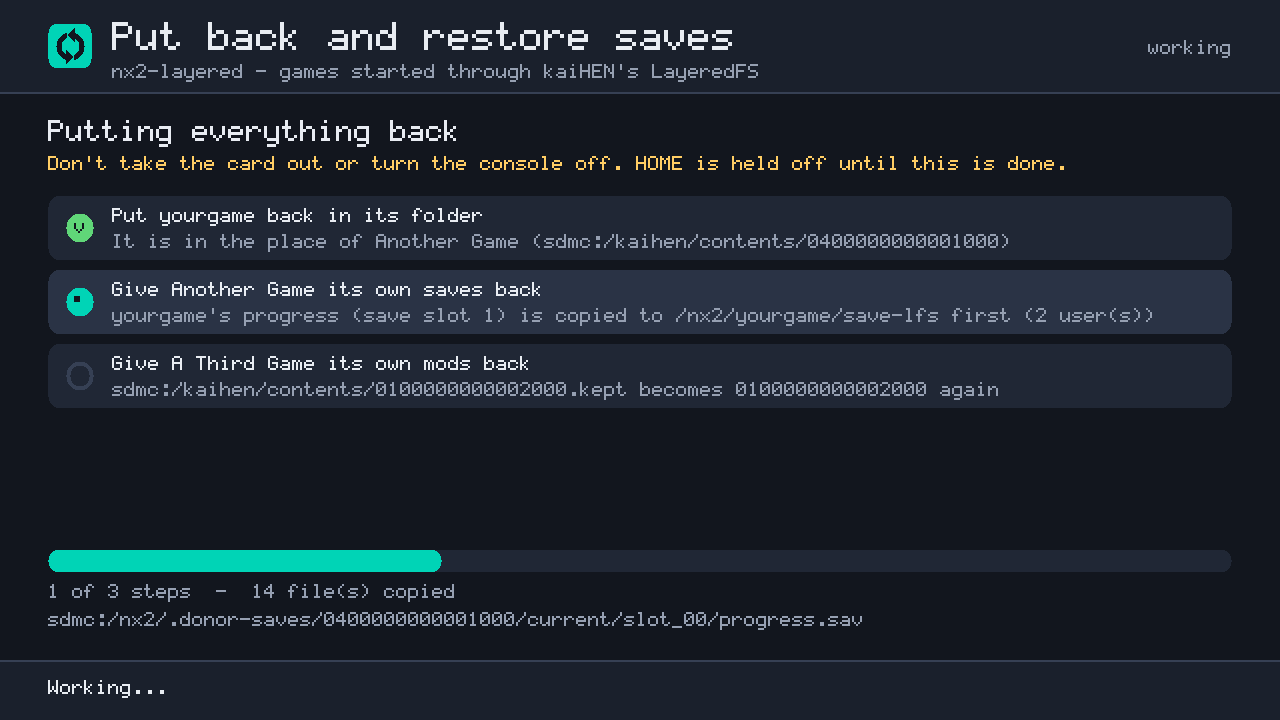
(nx2-layered) Donor options and (nx2-layered) Put back and restore saves are attached to the release, for
Also
Known limits
Reports: attach
This warranted a different post given it's a completely different process.
A new, separate tool. It used to be the experimental
--layeredfs option of nx2-relink. There's no port here: the game's own code and files go on the SD card as they are, and the console runs them in place of a title you have installed (the "donor"), with the game's own graphics driver and shaders.Download: https://github.com/Olmectron/nx2-layered/releases/tag/v0.1.0
⚠ Read this first
- It moves your installed games' saves around. The console sees the game as the donor title, so the game can only save into the donor's save. Before each run, the donor's saves are copied to the card, emptied and given the game's own. They are swapped back on the next start, or by Put back and restore saves. Back up your saves before using it.
- Experimental, use at your own risk, no warranty. Use only your own dumps: no games, keys or Nintendo files are provided.
- Needs kaiHEN 20261128.1 or later and an exFAT SD card.
On the PC (
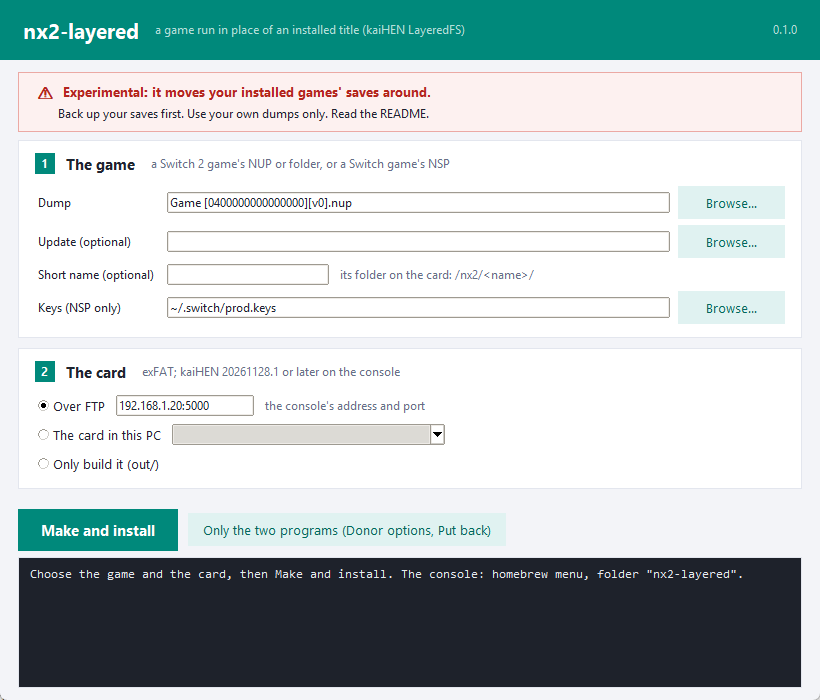
python nx2layered.py): pick the dump (NUP, folder, or a Switch NSP with your keys), its update, and the card (FTP or SD), then Make and install. The update is built in.
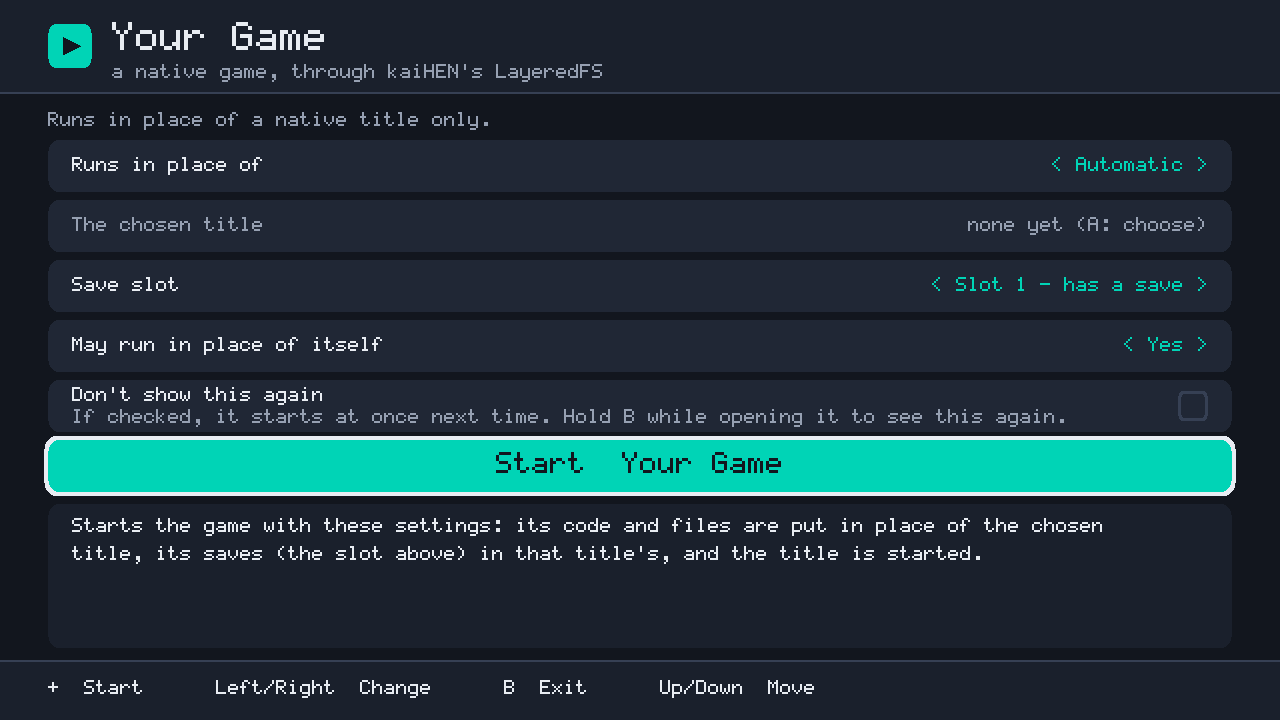
On the console, each game's program shows its settings first: the donor, a save slot (1–9), and "Don't show this again" (hold B while opening it to bring them back). Press + or the Start button to start it.
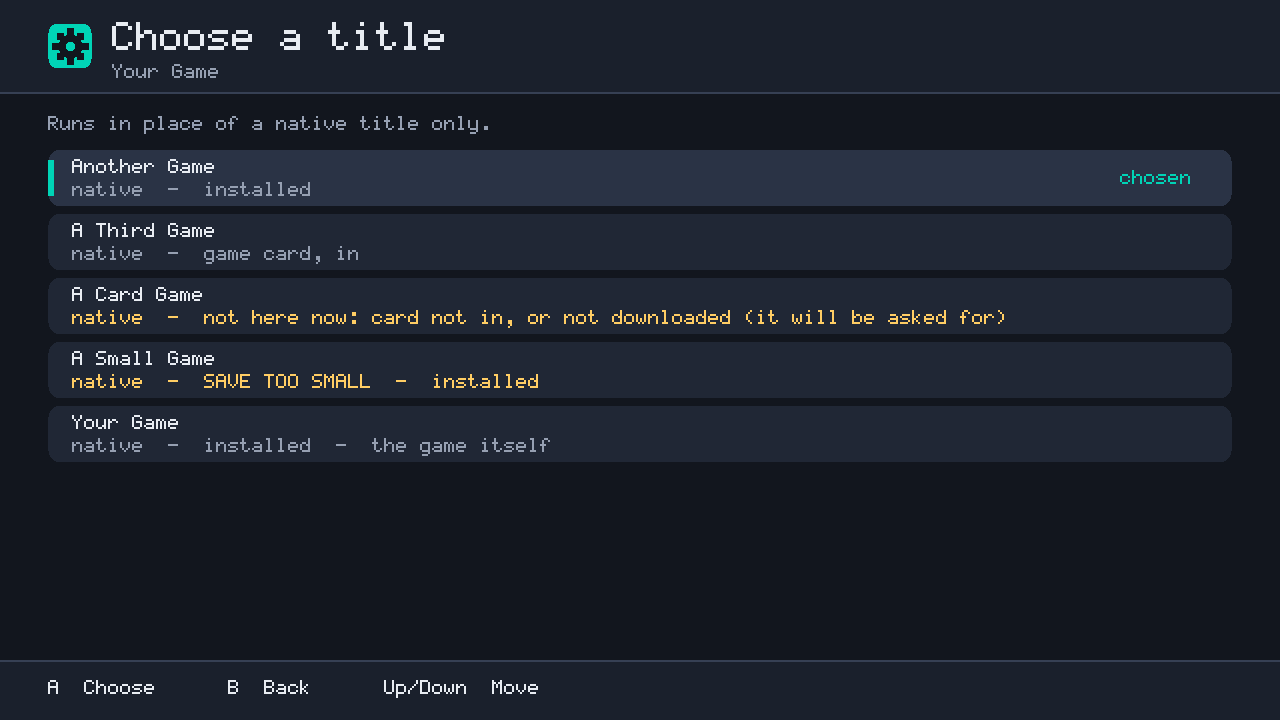
Donor rules: a Switch game runs only over a Switch game, a native Switch 2 game only over a Switch 2 game, and a Switch 2 Edition over another Edition, or a Switch 2 game when there's none. Donor choice: automatic, the title you opened the homebrew menu over, random, or a specific title. The list shows what can start now, and warns when a donor's save is smaller than the game's.
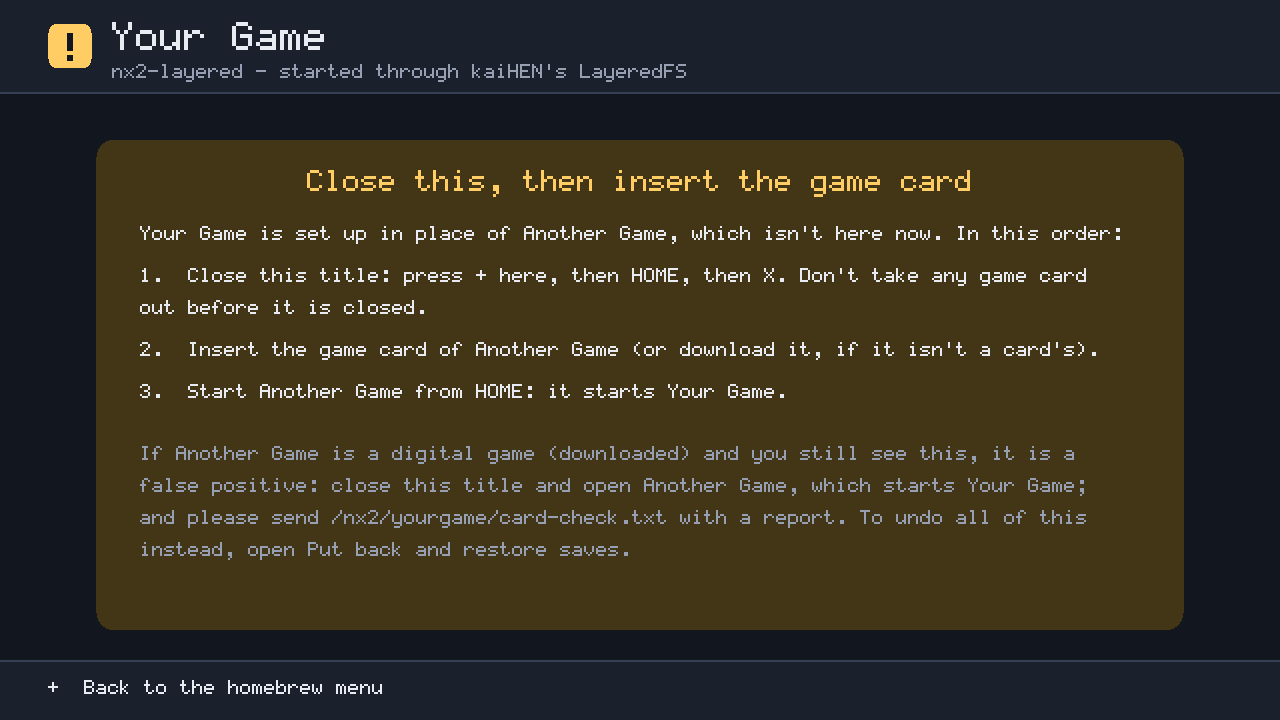
If the donor's game card isn't inserted, a full screen tells you the steps, in order:
(nx2-layered) Donor options and (nx2-layered) Put back and restore saves are attached to the release, for
/switch/nx2-layered/. Both are listed first in the folder. Restore puts everything back with progress on screen, and can bring back a donor's original saves.Also
- A missing file blocks the start and says which one. Any error reopens the settings with the reason.
- Files from nx2-relink's old LayeredFS option (
/nx2-relink/<game>/) can be moved to/nx2/the first time you open each game.
Known limits
- The game runs with the donor's permissions and memory (its main.npdm), so some games may not start over some donors.
- DLC isn't given to the game unless the donor has it installed.
- If you see "insert the game card" for a digital game, it's a false positive: close the title and open that game, and please share
/nx2/<game>/card-check.txt.
Reports: attach
/nx2/<game>/layered-log.txt (and card-check.txt or /nx2/restore-log.txt if you have them) and open an issue on GitHub.
Last edited by Olmectron,


