NTRBoot Released!

It's here!
ntrboot_checklist_2.png

Info


@Normmatt has created a way to run B9S .firm files from bootrom via a DSi Flashcard and a magnet! This works on every 3DS on any firmware version.

For installation without a PC, user @TheCyberQuake has created a pack which will automatically install B9S and copy over essential starter homebrew from the flashcard's SD to the 3DS's. This will mainly be used for PC-less B9S installations. If you have a PC with you, use 3ds.guide. Read more here: https://gbatemp.net/threads/481141/

How does this work?


This works because of a flaw in the bootrom. Before the bootrom boots the NAND, it checks to see if Start+Select+X is held down, and if the shell is closed. If these requirements are met, it will boot an NDS cartridge from the bootrom. This give that cartridge bootrom access. You might be wondering how you'd hold down buttons while the shell is closed, and why you need a magnet. If you put a magnet in a specific spot on the 3DS, it will go into sleep mode. Using this, you can boot the NDS cartridge with the buttons held down while in sleep mode! Using a reflashable flashcard, you can boot B9SInstaller using the flashcard, and easily install it on your 3DS.
The 2DS doesn't need a magnet since a switch puts it to sleep instead of a magnet.

What does this mean?


  1. Any 3DS model on any firmware can be hacked with minimal effort
  2. You can unbrick any 3DS model from any type of brick.
    - Remember, you don't need a NAND backup for this. Just do a CTRTransfer.
    - This does not apply to MCU bricks.
  3. Even consoles with fried NAND, or even the NAND chip physically removed, can use this
This is incredibly impressive stuff, and will most likely be released soon! edit: now!

FAQ


Q: Can Nintendo patch this?
A: Nope! Not without a new hardware revision.

Q: My flashcard is blocked by my firmware! Can I still use this?
A: Yes! The flashcard blacklist is not enabled on the bootrom.

Q: Why can't this work with my flashcard?
A: The installation requires you to flash NTRBoot to the flashcard's nand. Most DS flashcards, such as the original R4, have a ROM, which is not flashable.

Q: Can I install NTRBoot on my flashcard without another 3DS system?
A: If you can run NDS roms on your 3DS with it, then yes. If it's blocked on your 3DS version, then you'll need another 3DS system to use it.

Q: Will my 3DS flashcard work?
A: No, only the NDSi flashcards listed above.

Q: Will any other flash cards work?
A: Only the ones listed in the OP. However keep in mind that flashcards such as the DSTT, Supercard DS2 and R4 SDHC Dualcore are planned to be supported in the future.

Q: I tried to do this with my cartridge and it didn't work?
A: It doesn't work with regular DS cards.

Q: Can I unbrick from a ____ brick?
A: Considering the card has access to the bootrom, yes! This can unbrick any brick (except MCU), unless you've taken a knife to the motherboard.

Q: Can I install B9S on the latest firmware with this?
A: Again, since the card has access to the bootrom, you can do this easily! Just plug in your flashcard, boot up using the magnet and button combination, and install.

Q: Does this work on the New Nintendo 2DS XL?
A: Yes!

:arrow: Release
:arrow: Guide
:arrow: Free NTRBoot Flashing
:arrow: Free B9S Installations

Here is SciresM's post about this

Please see SciresM's presentation on bootromhax.
 
Last edited by Deleted member 381889,
Has anyone tested to boot with lid closed and a button card instead of magnet? (one that presses X+start+select when the lid is closed)
sure it would work, but seems a bit fiddly whe a cheap generic magnet would work, you could probably just use a cheap pair of headphones if you have them lying around
 
  • Acekard 2i HW-44
  • Acekard 2i HW-81
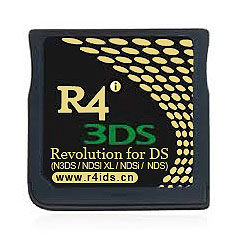
  • R4i Gold 3DS RTS
View attachment 95467 View attachment 95468
Planned:​
  • R4 SDHC Dualcore​
  • Supercard DS2​
View attachment 95466 View attachment 95465

Have fun!


INFO

@Normmatt has created a way to unbrick via a DS Flashcard and a magnet! This works on every 3DS on any firmware version.

How does this work?


This works because of a flaw in the bootrom. Before the bootrom boots the NAND, it checks to see if Start+Select+X is held down, and if the shell is closed. If these requirements are met, it will boot, an NDS cartridge from the bootrom. This give that cartridge bootrom access. You might be wondering how you'd hold down buttons while the shell is closed, and why you need a magnet. If you put a magnet in a specific spot on the 3DS, it will go into sleep mode. Using this, you can boot the NDS cartridge with the buttons held down while in sleep mode! Using a reflashable flashcard, you can flash, for example, B9S to the flashcard, and easily install it on your 3DS.


What does this mean?


  1. Any 3DS model on any firmware can be hacked with minimal effort
  2. You can unbrick any 3DS model from any type of brick.
    - Remember, you don't need a NAND backup for this. Just do a CTRTransfer.
    - This does not apply to MCU bricks.
  3. Even consoles with fried NAND, or even the NAND chip physically removed, can use this
This is incredibly impressive stuff, and will most likely be released soon! edit: now!

FAQ


Q: Can Nintendo patch this?
A: Nope! Not without a new hardware revision.

Q: My flashcard is blocked by my firmware! Can I still use this?
A: Yes! The flashcard blacklist is not enabled on the bootrom.

Q: Why can't this work with my flashcard?
A: The installation requires you to flash NTRBoot to the flashcard's nand. Not all flashcards have this!

Q: Will my 3DS flashcard work?
A: No, only NDS flashcards listed above.

Q: I tried to do this with my cartridge and it didn't work?
A: It doesn't work with regular DS cards.

Q: Can I unbrick from a ____ brick?
A: Considering the card has access to the bootrom, most likely yes! This can potentially unbrick any brick (except MCU), unless you've taken a knife to the motherboard.

Q: Can I install B9S on the latest firmware with this?
A: Again, since the card has access to the bootrom, you can potentially do this easily! Just plug in your flashcard, boot up using the magnet and button combination, and install.

Q: Does this work on the New Nintendo 2DS XL?
A: Yes!

:arrow: Source
:arrow: Release
:arrow: Guide

Here is SciresM's post about this

Please see SciresM's presentation on bootromhax.

(Flashcard images courtesy of http://www.nds-card.com )


Does dual core flash cart works?
 
does someone know whats the difference between the R4i Gold 3DS RTS and the R4i Silver 3DS RTS ?

could it be that the firmware will fit too on the silver version ?
 
Has anyone tested to boot with lid closed and a button card instead of magnet? (one that presses X+start+select when the lid is closed)
Don't see how. I couldn't even get it to work until I started letting go of the buttons while leaving the magnet in place (vice letting the buttons go and removing the magnet at the same time). Without the magnet, I kept booting to the home screen. Wasn't brave enough to try removing the magnet after the process was clearly working though...:unsure:
 
in the topic is said future support planned for

Supercard DS2
but the picture shows a Supercard DS2 "plus" -> will it mean both are supported ?
 
still nobody with an original AK2i HW-44 backup :/, i know it's a card almost gone extinct :D

I'm sure in a week or so there will be an entire repo of working backups for all compatible cards. I see a lot of people ether overwriting them or forgetting to save them in a cloud or something altogether Lol.
 
I'm sure in a week or so there will be an entire repo of working backups for all compatible cards. I see a lot of people ether overwriting them or forgetting to save them in a cloud or something altogether Lol.
I think I've gotten used to @d0k3's safety checks in everything for noobs. I expected the flasher to have option to rename backups and have overwrite confirmation.
 
At least for the Acekard 2i. I think there are several revision of the R4i Gold card and the backup only work for that particular revision. Things could get tricky as more cards are added.
I meant universal for each respective card, not necessarily a "one for all" backup.... I figure in a week or two everyone with a confirmed working legit/cloned card will end up submitting their backups for people with those same exact cards that lost theirs; or whatever.
 
hello,
i'm Gateway user on Old3DS.

I've this r4. I read that works :
card10.jpg

I've a second bricked Old3DS and i want to prepare my r4 to use NTRBoot.
I've also classic nintendo DS.

I've any chance to create a valid R4 'boot' card ?

Thank you for your time,
m.
 
So I flashed my good HW ID 81 Acekard and it works like a charm as far as I can tell. I can't test NTRBoot itself but it shows up as ak2 in the 3DS OS so I'm assuming it worked. It's good to have peace of mind regarding my 3DS now :)
 
  • Like
Reactions: linuxares

Site & Scene News

Popular threads in this forum