
- Joined
- Apr 18, 2013
- Messages
- 1,787
- Reaction score
- 1,763
- Trophies
- 2
- Location
- on the cool side of the pillow
- Website
- lawnmeower.de
- XP
- 3,268
- Country

Hi,
I've been trying to mess with the recent release of the NTR Cheat Tool but couldn't get it working.
I launched BootNTR 3.3 first. Then enabled its debugger and ran ftpd 2.2.
Opened NTR Cheat Tool on my computer and connected it to my 3DS.
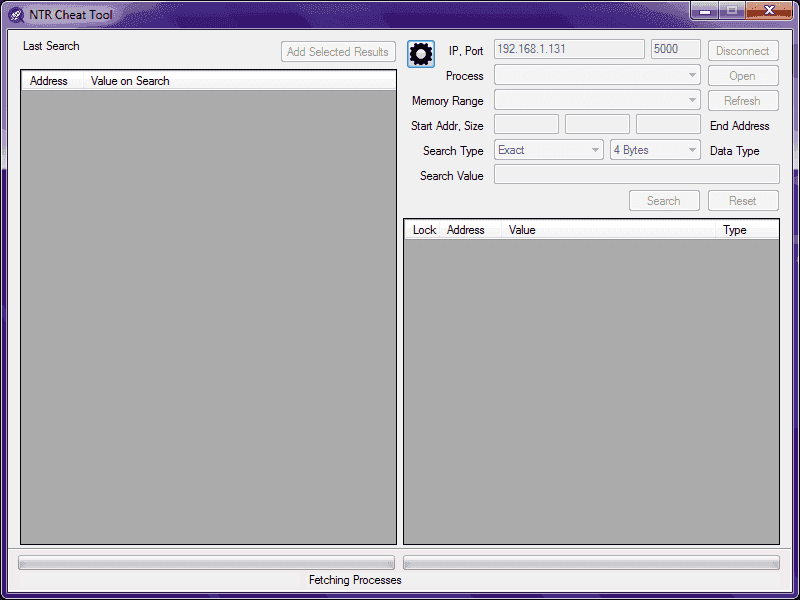
Worked fine so far. I can see my computer's IP on the 3DS and "220 Hello" on the top screen. But NTR Cheat Tool's GUI is still "disabled" (can't use any button) and it's stuck at "fetching processes".
Did I do anything wrong or used an outdated app?
I've been trying to mess with the recent release of the NTR Cheat Tool but couldn't get it working.
I launched BootNTR 3.3 first. Then enabled its debugger and ran ftpd 2.2.
Opened NTR Cheat Tool on my computer and connected it to my 3DS.
Worked fine so far. I can see my computer's IP on the 3DS and "220 Hello" on the top screen. But NTR Cheat Tool's GUI is still "disabled" (can't use any button) and it's stuck at "fetching processes".
Did I do anything wrong or used an outdated app?