Is this SSD fake?

  • Thread starter Thread starter Tristy
  • Start date Start date
  • Views Views 701
  • Replies Replies 7

Do you think this SSD is fake?

  • Yes

  • No

  • Not sure

  • Might be


Results are only viewable after voting.

Tristy

New Member
Newbie
Joined
Mar 10, 2025
Messages
3
Reaction score
0
Trophies
0
Age
28
XP
22
Country
Turkey
Hello,

Do you think this SSD is fake? How can I determine that?


Product Name: TwinMOS NGFFFGBM2280 512GB M.2 2280 SATA3 SSD 580MB-550MB/s 3D NAND


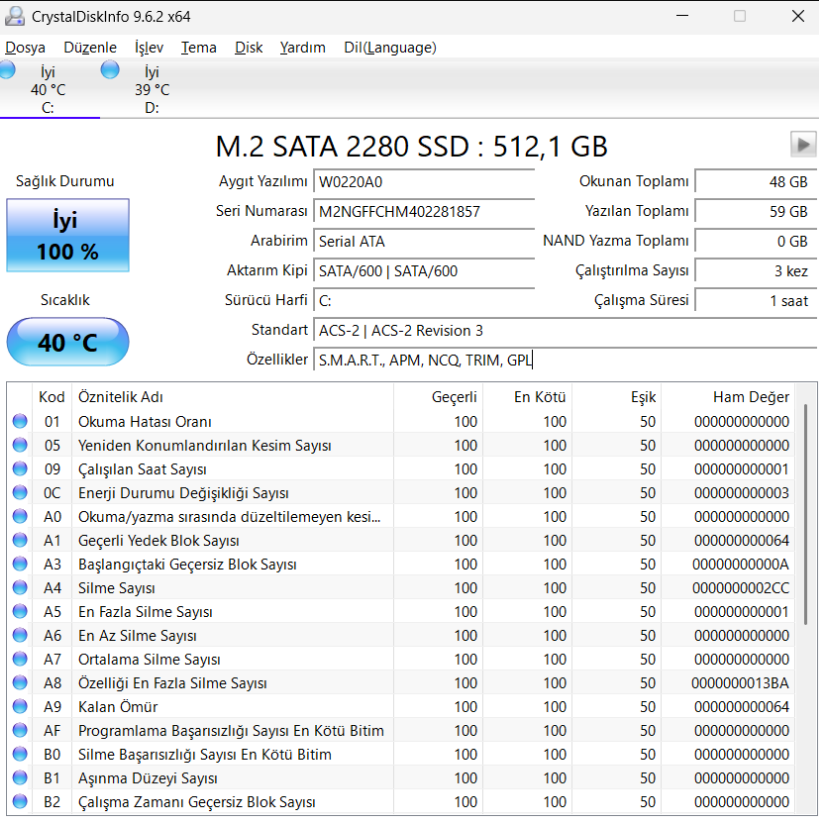
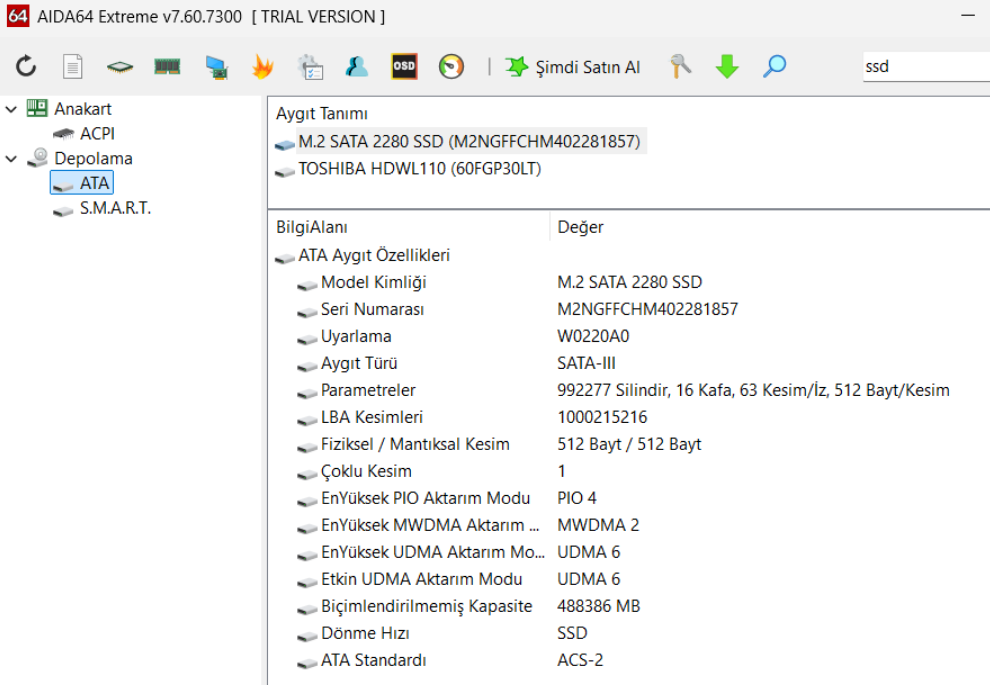
My problem is, no application was able to detect the TwinMOS name. I used H2testw, CrystalDiskInfo, CrystalDiskMark, and AIDA64, but they all just show: M.2 SATA 2280 SSD.
Also my write/read analysis are less than expected.

These are some of my tests (sorry for my system lang.):

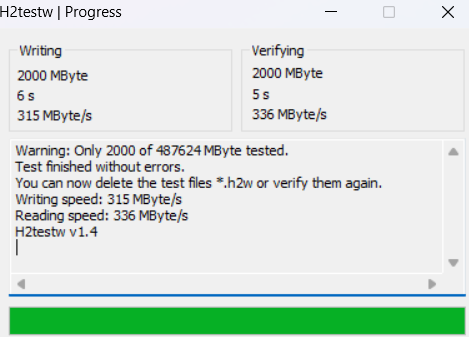
H2testw (tested only 2gbs):
1741644813647.png

CrystalDiskInfo:
1741644556534.png

CrystalDiskMark:
1741644586275.png


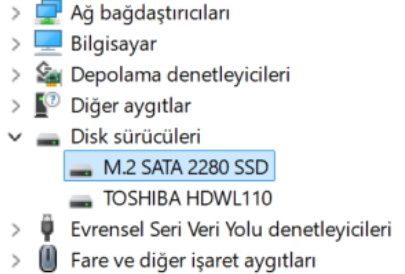
Device Manager:
1741644634193.png

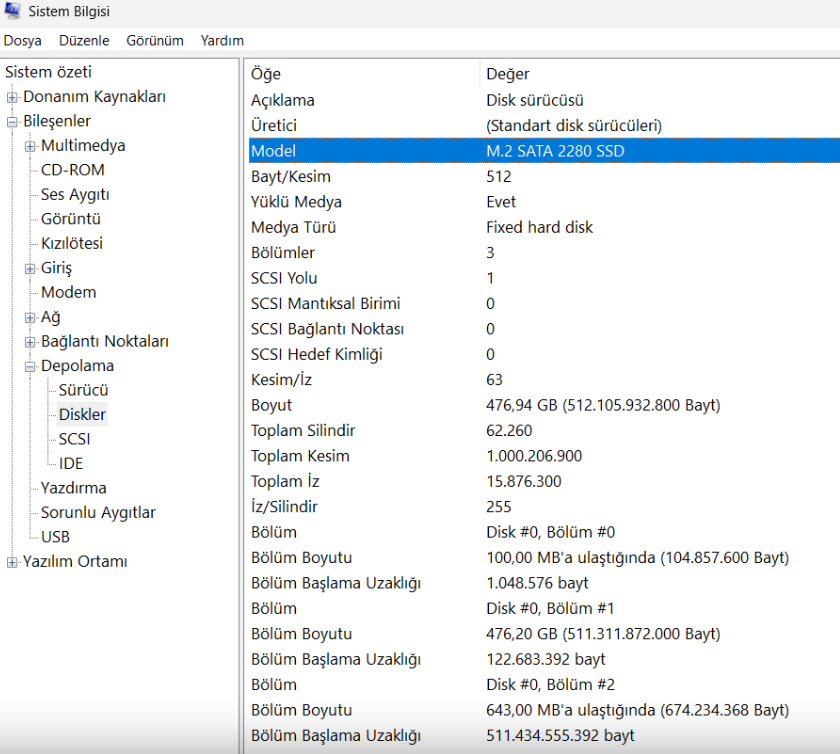
System information:
1741644659481.png
 
Hello,

Do you think this SSD is fake? How can I determine that?


Product Name: TwinMOS NGFFFGBM2280 512GB M.2 2280 SATA3 SSD 580MB-550MB/s 3D NAND


My problem is, no application was able to detect the TwinMOS name. I used H2testw, CrystalDiskInfo, CrystalDiskMark, and AIDA64, but they all just show: M.2 SATA 2280 SSD.
Also my write/read analysis are less than expected.

These are some of my tests (sorry for my system lang.):
Definitely shady but if it's passing H2testw then it at least stores what's advertised.
 
Hello,

Do you think this SSD is fake? How can I determine that?


Product Name: TwinMOS NGFFFGBM2280 512GB M.2 2280 SATA3 SSD 580MB-550MB/s 3D NAND


My problem is, no application was able to detect the TwinMOS name. I used H2testw, CrystalDiskInfo, CrystalDiskMark, and AIDA64, but they all just show: M.2 SATA 2280 SSD.
Also my write/read analysis are less than expected.

These are some of my tests (sorry for my system lang.):
If the drive was empty when you did the h2testw, then it's defective or, most likely, fake. Return it immediately.
Post automatically merged:

Definitely shady but if it's passing H2testw then it at least stores what's advertised.
It's fake and you should NEVER just use the storage available if it's significantly lower than the advertised capacity. That's just begging for issues.
 
If the drive was empty when you did the h2testw, then it's defective or, most likely, fake. Return it immediately.
Post automatically merged:


It's fake and you should NEVER just use the storage available if it's significantly lower than the advertised capacity. That's just begging for issues.
Oh I agree. All a successful h2testw does is confirms that it at least has the storage advertised. However everything else here is extremely shady.
 
  • Like
Reactions: Blythe93
If the drive was empty when you did the h2testw, then it's defective or, most likely, fake. Return it immediately.
Post automatically merged:


It's fake and you should NEVER just use the storage available if it's significantly lower than the advertised capacity. That's just begging for issues.

I tried these tests on a freshly formatted Windows 11. Do you all get the exact read/write values advertised by your card? I've never seen anything like that. I'm not saying this to defend it.
 
I tried these tests on a freshly formatted Windows 11. Do you all get the exact read/write values advertised by your card? I've never seen anything like that. I'm not saying this to defend it.
Nobody ever gets advertised speeds. But wait. This is important. The drive you tested with h2testw. Was it empty when you tested it?
 
  • Like
Reactions: Tristy
Nobody ever gets advertised speeds. But wait. This is important. The drive you tested with h2testw. Was it empty when you tested it?

First of all, thank you both for helping me. The drive I tested was not completely empty. If that had been the case, it wouldn't have been possible to test it with h2testw. I installed Windows 11 to the SSD using my Flash Drive. Also a couple of drivers, like nvdia and intel...
Post automatically merged:

I contacted the firm and showed them the problems. They said, 'We mainly accept the CrystalDisk tests,' and the test was fine. Also, they said they would replace my product with a brand-new one if I came across any problems in the future.
 
Last edited by Tristy,
First of all, thank you both for helping me. The drive I tested was not completely empty. If that had been the case, it wouldn't have been possible to test it with h2testw. I installed Windows 11 to the SSD using my Flash Drive. Also a couple of drivers, like nvdia and intel...
Post automatically merged:

I contacted the firm and showed them the problems. They said, 'We mainly accept the CrystalDisk tests,' and the test was fine. Also, they said they would replace my product with a brand-new one if I came across any problems in the future.
It is very easy to test your SSD without having anything installed to it. Create a bootable USB drive with either WinPE, WinToGo, a VHD, or even a Linux live USB. Then you can test the entire drive.

Or have the drive as a secondary drive in Windows.
 
  • Like
Reactions: Tristy

Site & Scene News

Popular threads in this forum