Hacking How to remove AutoRCM without user interaction?

  • Thread starter Thread starter slicer2k
  • Start date Start date
  • Views Views 3,955
  • Replies Replies 3

slicer2k

Active Member
Newcomer
Joined
Aug 9, 2017
Messages
40
Reaction score
7
Trophies
0
Age
45
XP
198
Country
Brazil
So i don't know what happened to my switch last night that i have connected to a crappy USB port that maybe fucked up my nsw it won't receive payloads, and won't be recognized in windows 90% of the time.
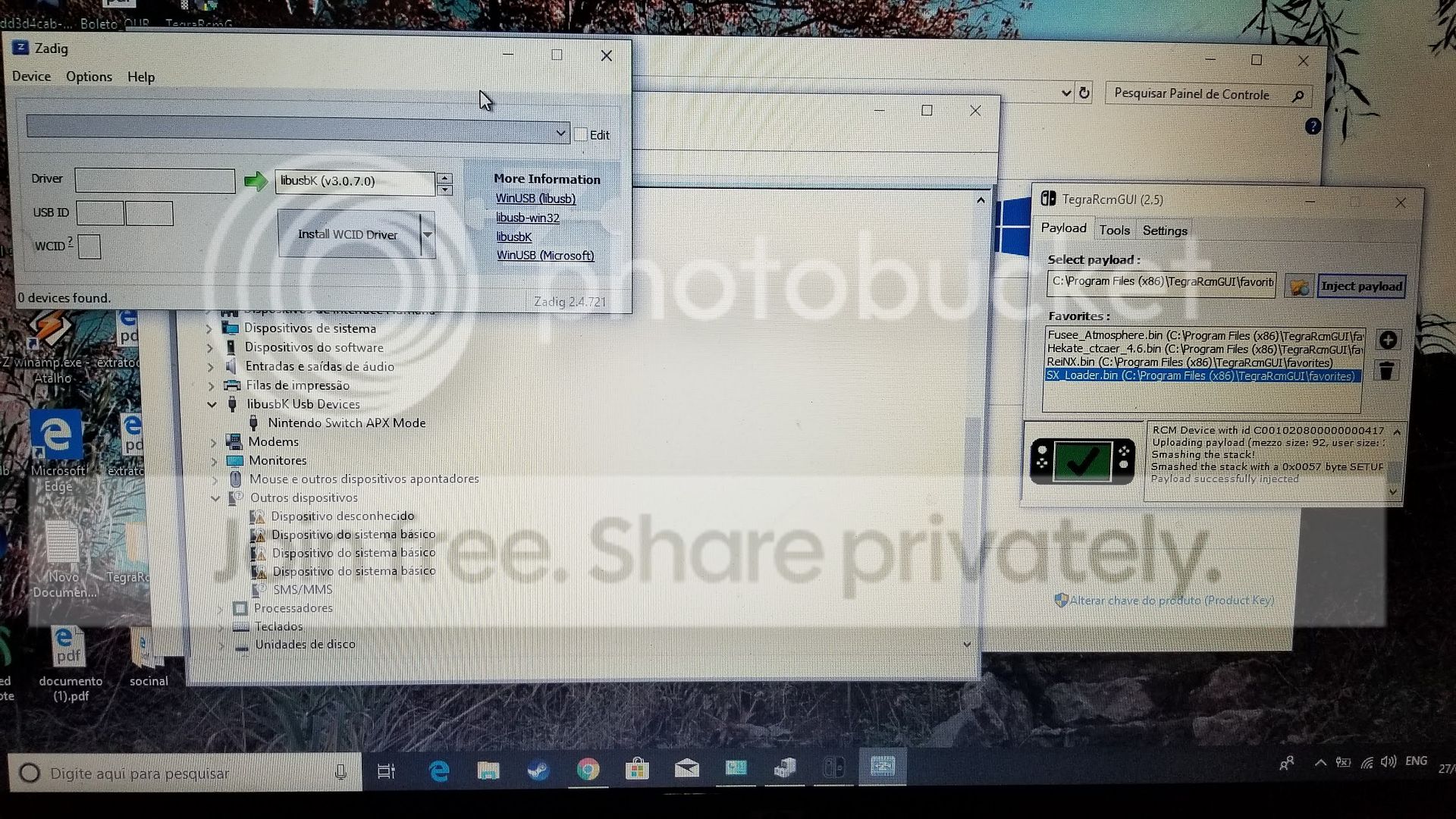
I'm trying to use TegraRCMsmash which gives me a message like smashed the stack with 0000x057 and nothing happens

So, my NSW is with autorcm and i would like to know if it's possible to remove it with tegrasmash or at least try it?

Thanks
 
So i don't know what happened to my switch last night that i have connected to a crappy USB port that maybe fucked up my nsw it won't receive payloads, and won't be recognized in windows 90% of the time.
I'm trying to use TegraRCMsmash which gives me a message like smashed the stack with 0000x057 and nothing happens

So, my NSW is with autorcm and i would like to know if it's possible to remove it with tegrasmash or at least try it?

Thanks
try using something else to push payload like rekado via android device
 
found another person with this problem:​

https://gbatemp.net/threads/windows-wont-recognize-switch-as-apx-device.502154/reply?quote=8122938


So I have this problem too. Device descriptor not recognized. I've tried Windows 10, 8, Ubuntu, the RCM Android App and SX Pro. Nothing works. Both RCM or normal mode, device descriptor failed.
A friend came over the other day with his switch. All my methods worked for him no problem. The same cables and everything worked for him and not me.

After weeks of trying everything I've come to the conclusion that it's hardware related. I've heard of people breaking something in the charging port or blowing a fuse related to the port.
Whatever it is, there is no fix for us unless we send it in for repair.

When a USB device is plugged into a port, it sends a device ID to the OS so the OS knows what it is, what drivers to load, etc.
My switch simply doesn't send an ID back to the OS. So no matter what I plug it into, I get the same results.

What I find interesting is that I can still dock it and play on my tv. The HDMI and charging still work.
I'm guessing the dock doesn't request the Device ID like everything else does.
I was hopeful that maybe the SX Pro doesn't bother with a Device ID check, but it doesn't work, so I'm guessing it does.

My one big guess is that I plugged my switch into a 3rd party USB-C hub (The ones most Mac users would need) when it was new before all the articles about how it's bad for you switch were released.
I'm guessing that the bad hub somehow triggered a fuse.

Either I get my switch repaired or I wait for non-rcm/usb port exploit.
Well, that's what I WOULD say if I hadn't just bought a used switch, tablet only, on ebay yesterday.



So my Switch is stuck forever in AutoRCM?


20190527_104918.jpg
 
Last edited by slicer2k,
Maybe try removing the SD card, backup all files on it, format the sd card, and insert the SD.

Uninstall any drivers related to Nintendo Switch device on your PC. Check Device Manager and remove any that linger.

Restart PC.

Use TegraRCMGUI. https://github.com/eliboa/TegraRcmGUI/releases

Run TegraRCMGUI. It will guide you through process and install drivers. It will tell you if your Switch is detected and in RCM, and then ready for payload insertion.

Try to insert Hekate payload.
https://github.com/CTCaer/hekate/releases/tag/v4.10.1

If the screen doesn't change, press power button and reinsert payload. It happens to me sometimes where...for some reason the Switch goes to sleep mode while i'm doing all that.
 
Last edited by Pluupy,

Site & Scene News

Popular threads in this forum