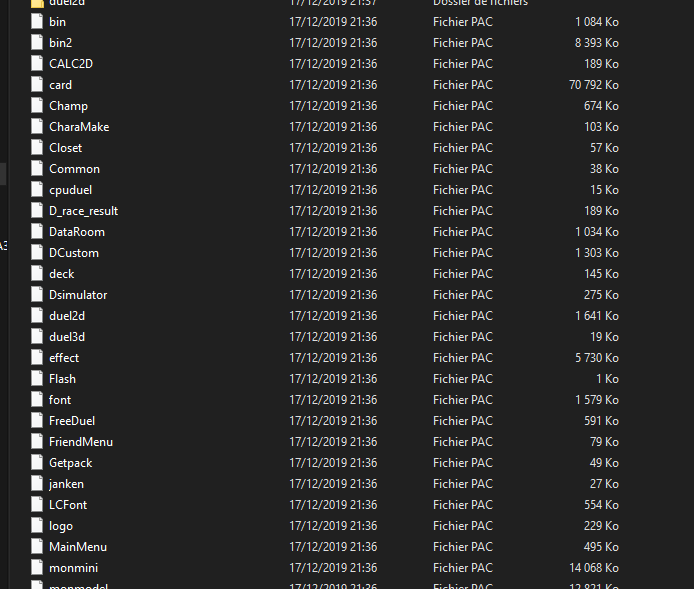
.pac is a fairly generic term in as much as there are at least 10 totally unrelated formats with .pac as the extension in DS ROMs that I can think of off the top of my head, and probably a lot more than that (pac being the first three letters of pack and one unpacks an archive, packs an archive...).
To that end you are going to have to look at the files themselves and see what goes.
For most DS formats I usually expect to see
Start of file.
Probably a short magic stamp that indicates file type, especially for formats Nintendo specifies, but it is not required
Some kind of either file length or at least length of the header section
As this is an archive format (though even without it) a list of file names (optional) and lengths or pointers (there are ways around these but they are rarer).
At this point the file after file after file until the end of the whole archive file. Sometimes they will be padded out so the addresses start at a round/multiple number, other times they will be end to end or near as.
I have seen the pointers at the end of the file, and I have seen each starting before the file in the archive so you have to jump from that one to the next to the next to the next...
The form the lengths/pointers will take can vary massively.
The most common is the most basic and is just the location of the file (possibly flipped because endianness). If it is this then it is easy enough to handle.
Two main variations on the above are offset and relative. Offset means you start counting somewhere else (typically the end of the header but not always -- I usually find where the files in the archive start, list them all down and compare them to see what goes here). Relative means you add value of the point (again possibly flipped) to the location you are at to get the final location -- if you are going through a file you know where you are at and what is there, not as useful as it once was (see relative jumps in older processors) but still makes some computing easier. It is possible to combine relative and offset but it is extremely rare (the main thing I would expect here would be for it to ignore the header or the first part of the header).
After this we get into fun stuff like shifts and blanking/operations. Shifts are an older means of doing things but I have seen it before in DS games, mainly in 3d formats but I think it was touch detective that did it in its main archive. In decimal numbers 53.0x10 is 530, which is to say you shift the decimal place, computers do this with 2 instead but the same principle applies.
Blanking is more to handle extras the devs might throw in. One of the earlier archive formats encountered on the DS was NARC (Nintendo Archive). It notably used one of the high bits in its pointers (if you use 32 bit pointers then you can address gigabytes of data, most DS files are less than 50 megabytes, you can lose one of those bits and still address gigabytes, two and still enough for any DS file I have ever seen...) to indicate that it was actually in a sub folder.
I have also seen formats (the Wizard of Oz game being the most notable for me) where each part of the file is both a length and an instruction on what to do so you go from one to the next.
In the case of text there is also fixed length, typically seen in menus if is going to be seen anywhere.
Theoretically you could have a file with an "end of file" type indicator and then another but that is computationally hard to do so not even text really ever does it in games.
Being more of an optical media or large hard drive affair I don't think I have ever seen sector addressing on the DS (general idea being rather than having pointers landing on individual bytes if you wanted then you say each say 512 byte (can be smaller, can be far larger) chunk is a sector so sector one, address blah within it. Wastes some space but allows you to address far larger files than simple pointers allow. Or if you prefer then when you viewed file size in Windows it might say size and size on disc, this is that in action.