Gaming How to create Stereoscopic 3D using 1 image for 3DS?

  • Thread starter Thread starter Hazard7
  • Start date Start date
  • Views Views 5,223
  • Replies Replies 17

Hazard7

Well-Known Member
Member
Joined
Mar 14, 2009
Messages
137
Reaction score
0
Trophies
1
XP
130
Country
Hi I already know how to create 3D mpo using the 3D feature on Youtube of 3D trailer and videos by print screen the side by side picture and put it on that mpo program. But I wanted to try create one by using 1 images like this image below and I want to know how I create it Stereoscopic 3D (by using the pictures side by side) with Photoshop CS5?

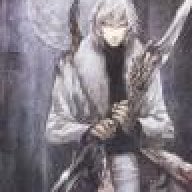
darknesstolight1.jpg
 
I'll bet you money that if you extract certain parts and change the shading you can make it 3D. You know, CTRL+X, then highlight certain things, etc. Like if you took the highlights on the trees and shaded them a bit, for example, you could make an image different enough for a slight 3D effect
tongue.gif
 
you can try editing the image to make it seem like its from another angle

i think someone did that here with a legend of zelda pic(or some other forum... i forgot)
 
AlanJohn said:
I don't think its possible... The only way to make a stereoscopic 3D image is to make 2 images from different angles.
There are workarounds to make an image give the depth feeling. It's not really worth the work it takes though.
 
Ikki said:
AlanJohn said:
I don't think its possible... The only way to make a stereoscopic 3D image is to make 2 images from different angles.
There are workarounds to make an image give the depth feeling. It's not really worth the work it takes though.

Says you. I'm sure a lot of people will get really good results out of it
tongue.gif
The more artistically inclined, at least. Not like me
tongue.gif
 
I tried making one of these myself and it worked but its not worth the time.
I am advanced in Photoshop usage but it still took me the same time to create a piece of digital art.

i could use Image Processing scripts for editting THOUSANDS of images simultaneously but it's too complicated to even setup the script.
 
IT can be done
biggrin.gif
but its a pain, i use CS5 like you and a fee program called "stereophoto maker" to come bind/save out the images in .mpo
in order to make them in Photoshop i fallowed this guys instructions http://www.youtube.com/watch?v=3r4M_KHt6aw
tip: you want the reverse order of what you do normally for the cross eye method
biggrin.gif
there is a button to this this easy
good luck to you ^^
 
mdlmemorybank said:
IT can be done
biggrin.gif
but its a pain, i use CS5 like you and a fee program called "stereophoto maker" to come bind/save out the images in .mpo
in order to make them in Photoshop i fallowed this guys instructions http://www.youtube.com/watch?v=3r4M_KHt6aw
tip: you want the reverse order of what you do normally for the cross eye method
biggrin.gif
there is a button to this this easy
good luck to you ^^

"it's a pain" pretty much sums it up. (well, for multiple images that is, if you want to make a single image, then it's worth it.)

WABAAMMM!!!
http://3dporch.com/Gnfr.mpo
 
Its not impossible.. Just hard to do depending on what you do...

Just goto photoshop and Cut and redraw the Image, Layer by Layer... and then adjust each layer for the 2 images...
 
It's not impossible, but it will always be inferior to a real 3d picture taken with a real 3d camera... That's because a real camera takes 2 full images with details from slightly different angles. Modifying 1 picture means you don't have those extra details, you're basically just stretching, blurring, and displacing.
 

Site & Scene News

Popular threads in this forum