
[Help] My 3DS won't boot after system update

  • Thread starter Thread starter gzmm
  • Start date Start date
  • Views Views 10,305
  • Replies Replies 31

gzmm

Member
Newcomer
Joined
Jul 24, 2021
Messages
12
Reaction score
6
Trophies
0
Age
29
XP
81
Country
Brazil
- What happened?
Console was unlocked and working (I believe with b9s), turned on, updated fw through wifi (coming from nintendo itself), turned off and then when trying to connect it didn't start anymore

- What happens now?
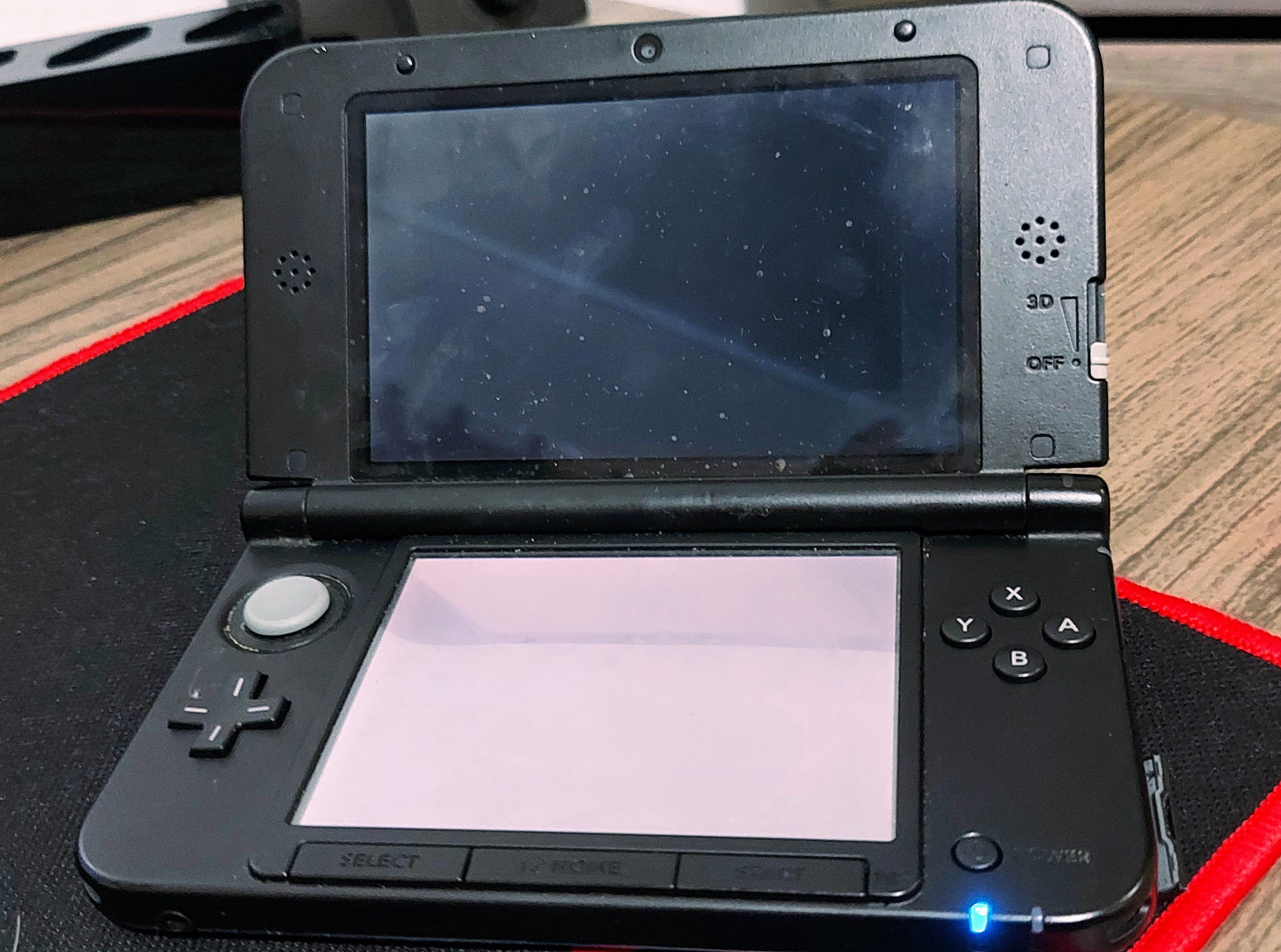
When turning on (with or without SD card), both screens turn on but nothing appears

20220820_194645.jpg


- What has been done so far
Formatted SD card (is as exFAT, 64gb) Put luma and b9s latest versions on SD

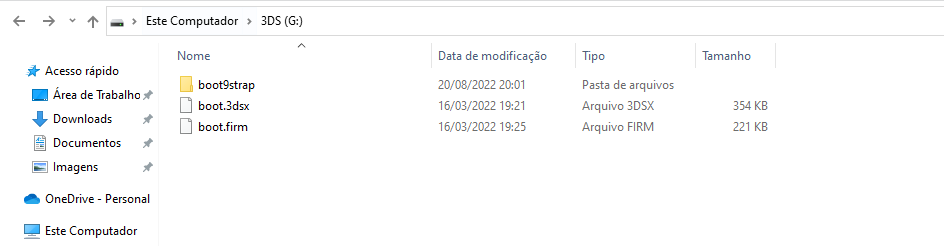
- How is the SD at the moment
1661036576067.png


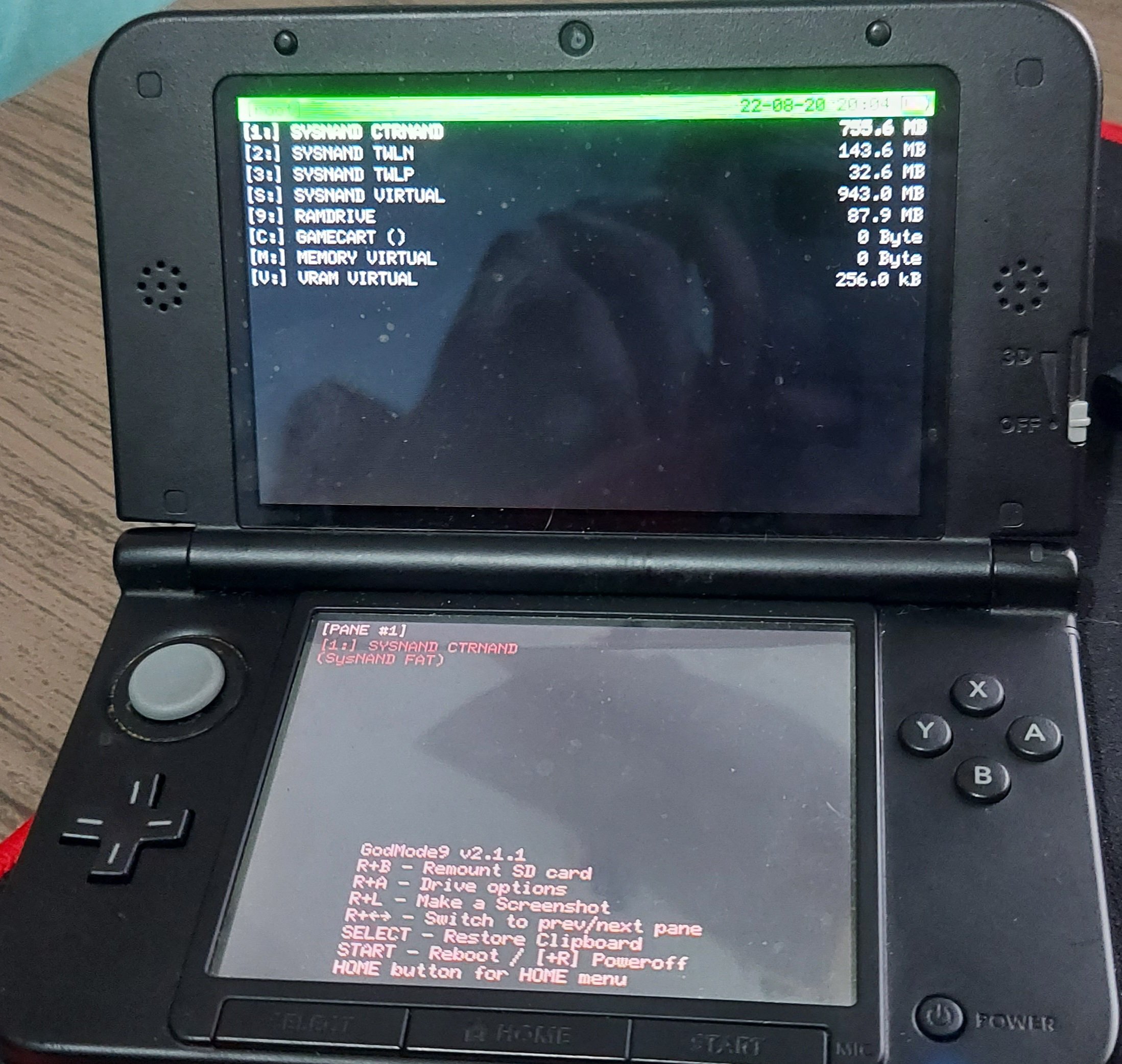
- When turning on the console holding START, opens godmode9

20220820_200459.jpg


- When turning on the console holding (X+Start+Select), the yellow led appears
SD FIRM missing, CTRNAND FIRM successfully loaded: yellow

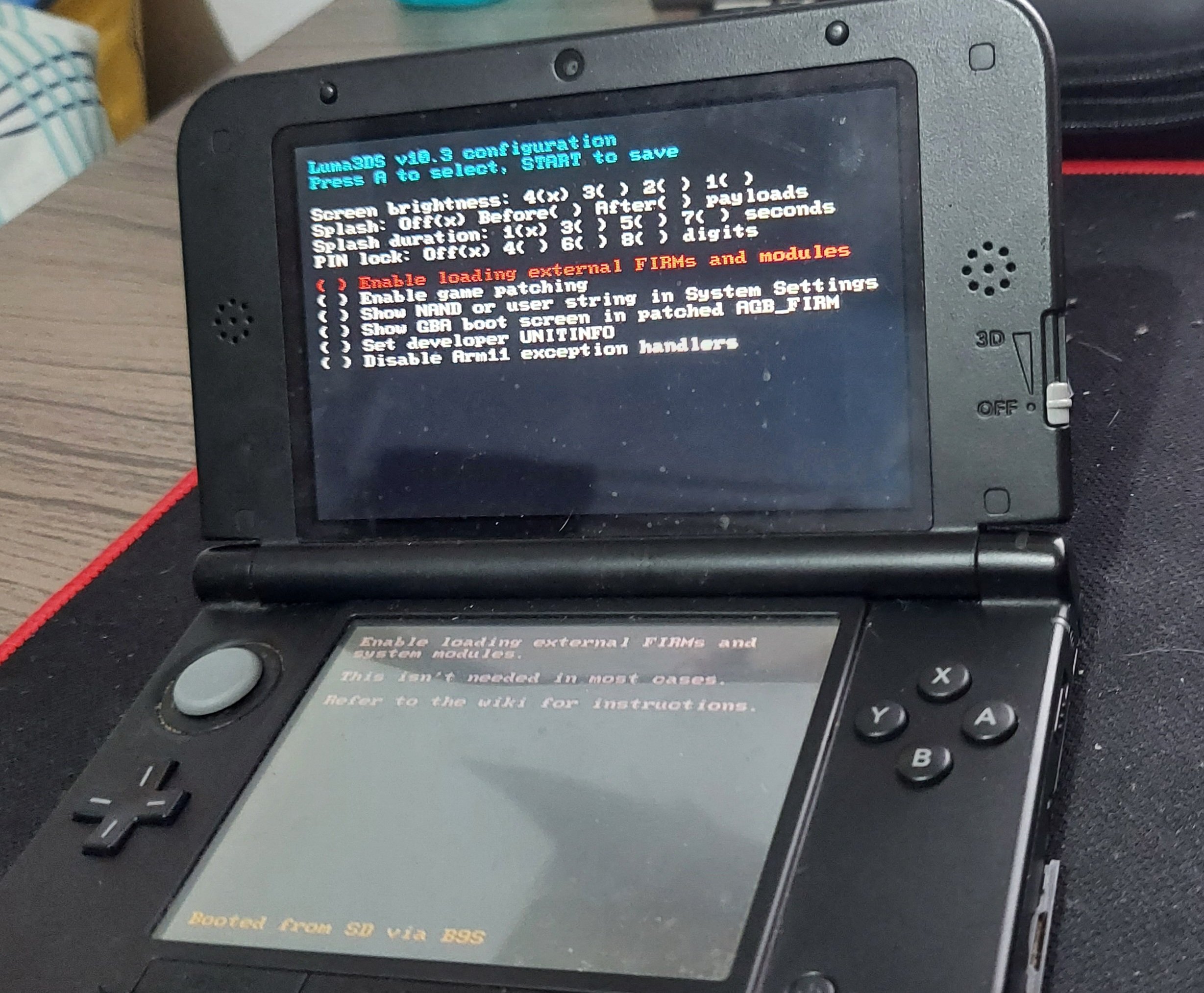
When I put the luma on the SD card again, it enters the config screen
20220820_202630.jpg


But when pressing START it goes back to the black screen (both screens are on, but no sign of life)
If necessary I have another my 3ds that is unlocked with everything up to date and working, if somehow I can transfer something

 
- What happened?
Console was unlocked and working (I believe with b9s), turned on, updated fw through wifi (coming from nintendo itself), turned off and then when trying to connect it didn't start anymore

- What happens now?
When turning on (with or without SD card), both screens turn on but nothing appears


View attachment 323516

- What has been done so far
Formatted SD card (is as exFAT, 64gb) Put luma and b9s latest versions on SD

- How is the SD at the moment
View attachment 323519

- When turning on the console holding START, opens godmode9


View attachment 323517

- When turning on the console holding (X+Start+Select), the yellow led appears
SD FIRM missing, CTRNAND FIRM successfully loaded: yellow

When I put the luma on the SD card again, it enters the config screen

View attachment 323518

But when pressing START it goes back to the black screen (both screens are on, but no sign of life)
If necessary I have another my 3ds that is unlocked with everything up to date and working, if somehow I can transfer something
Please format the card back to FAT32 as exfat will not be read by the console.
 
  • Like
Reactions: CoolMe
Update to latest version of Luma3ds which is version 11 and that should fix your problem. If I remember rightly your older version which is 10.3 doesn't work with the current 3ds firmware.
 
  • Like
Reactions: CoolMe
sadly, none of this works
First things first, you should format the sd card as Fat32 32kb cluster size (64kb if it's a +64GB card), use Guiformat. Then place the latest boot.firm from here on the root of the sdcard.
When it boots the first time to Luma3DS menu, click on "show nand user string.." and make sure it's checked, then press start.
 
  • Like
Reactions: gzmm and fmhugo
I wouldn't jump to that now, before trying the usual options first..
I would suggest checking the sd card for errors with h2testw, to make sure it's not faulty or defective.
Note: the sd card should be formatted as Fat32 32kb before and after the test.
Obviously backup your data before doing so.
Do the test with the read & write setting.
Post the result here.
 
Last edited by CoolMe,
  • Like
Reactions: gzmm
First things first, you should format the sd card as Fat32 32kb cluster size (64kb if it's a +64GB card), use Guiformat. Then place the latest boot.firm from here on the root of the sdcard.
When it boots the first time to Luma3DS menu, click on "show nand user string.." and make sure it's checked, then press start.

I wouldn't jump to that now, before trying the usual options first..
I would suggest checking the sd card for errors with h2testw, to make sure it's not faulty or defective.
Note: the sd card should be formatted as Fat32 32kb before and after the test.
Obviously backup your data before doing so.
Do the test with the read & write setting.
Post the result here.

i formated with this software, then i got to the luma3ds menu, but when i press start its go back to the black screen again
im testing the sd now
 
Well, seems like all the other cool technowizards here beat me to this.
Only thing I have to really add is that it MIGHT be possible a critical system title, such as the HOME menu, got foobar'd in the update. Rare, I know, but possible.

Once you have your H2testw results, hold the following button combo while powering your 3DS on: L + R + A + UP (with UP being up on the +Control Pad)
That should make it boot to the emergency update screen, which will let you try the update again to repair broken system titles.
 
  • Like
Reactions: gzmm
Well, seems like all the other cool technowizards here beat me to this.
Only thing I have to really add is that it MIGHT be possible a critical system title, such as the HOME menu, got foobar'd in the update. Rare, I know, but possible.

Once you have your H2testw results, hold the following button combo while powering your 3DS on: L + R + A + UP (with UP being up on the +Control Pad)
That should make it boot to the emergency update screen, which will let you try the update again to repair broken system titles.

Tried this, but nothing happens. The console turns on, both screen on, but nothing
 
  • Like
Reactions: jeffyTheHomebrewer
off topic, but I've only slept once over the past four days, so I'm exhausted/why I've been on here so frequently the past few days. can't go to sleep now though at 10 in the morning, gotta get my sleep schedule back in order tonight as I have a doctor's appointment tomorrow at 9 a.m.
 
  • Wow
Reactions: CoolMe
off topic, but I've only slept once over the past four days, so I'm exhausted/why I've been on here so frequently the past few days. can't go to sleep now though at 10 in the morning, gotta get my sleep schedule back in order tonight as I have a doctor's appointment tomorrow at 9 a.m.
Oh! boy.. You had/have trouble getting to sleep, or is it because of some condition that's preventing you from doing sleeping?
4 days is a bit much..
 
  • Like
Reactions: godreborn
Oh! boy.. You had/have trouble getting to sleep, or is it because of some condition that's preventing you from doing sleeping?
4 days is a bit much..
I think it's part of the condition I'm on disability for. Did so much that I eventually crashed. About to watch on patrol with my mother after she finishes watching church, don't want to mess up my sleep schedule further. Very tired.
 
  • Sad
Reactions: CoolMe

Site & Scene News

Popular threads in this forum




