Homebrew Help!!! 3DS Stuck on blackscreen

  • Thread starter Thread starter Trylk248
  • Start date Start date
  • Views Views 1,863
  • Replies Replies 16
  • Likes Likes 1

Trylk248

Honest helper and custom content creator.
Member
Joined
Oct 31, 2012
Messages
295
Reaction score
54
Trophies
0
Age
41
Location
Province of Québec
XP
443
Country
Canada
Heyo guys i need ur emergency skills! I installed yesterday "Corbenik" and since then, my 3ds is stuck on a blackscreen. If i remove the sd card it shuts down immediately after i power it on. Just saying : it occurs since i configured the CFW. Help? I am on FW11.3 with LUMA3DS, I have a NEW 3DS XL. I have NAND backup on my phone and microSDCard (microSD-C32Gb)
 
Last edited by Trylk248,
  • Like
Reactions: Ksalame
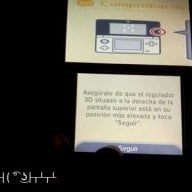
I'm having a similar issue with my JPN 2DS being stuck on the 3D slider setup screen on firmware 2.1.0. This is due to the corruption of A9LH. I do have Cubic Ninja to scan a QR code to unbrick my JPN 2DS. However, Cubic Ninja always freezes whenever I scan a QR code.
 
Last edited by Ksalame,
I don't think FW11.3 is working on this specific custom firmware yet, not sure but there where issues.

I would install LUMA CFW, since this is working
 
And what for me? I got the setup screenfor corbenik to work but i am stuck here. I can change options but cant boot on firmware
 
I don't think FW11.3 is working on this specific custom firmware yet, not sure but there where issues.

I would install LUMA CFW, since this is working
RXTools and ReiNAND are now the only CFWs that doesn't work with 11.3. Corbenik, SaltFW, and CakesFW all released nighties that work on 11.3.
And what for me? I got the setup screenfor corbenik to work but i am stuck here. I can change options but cant boot on firmware
If you updated to 11.3, you will need to download the latest nightly and latest firmware
All of those are provided here
https://j.chaos.moe/job/Corbenik/
 
  • Like
Reactions: Trylk248
I don't think FW11.3 is working on this specific custom firmware yet, not sure but there where issues.

I would install LUMA CFW, since this is working
Do you think you can help me access the Homebrew Menu using Cubic Ninja on my bricked JPN 2DS? I'm stuck on firmware 2.1.0.
 
  • Like
Reactions: Ksalame
Can i get my help plz? It still doesnt work
You've had multiple replies telling you what to do without you saying you tried any of them:
1) Turn on logging and post the log on the Corbenik thread.
2) Download the latest nightly Corbenik release, because it is required for use with 11.3

My recommendation: Corbenik isn't for you, install the latest Luma, it's the noob-friendly CFW.
 
  • Like
Reactions: Majickhat55
Ehh dont call me a noob k? And ok do i have to say im autistic high with very high adhd? I will post logging asap

--------------------- MERGED ---------------------------

You've had multiple replies telling you what to do without you saying you tried any of them:
1) Turn on logging and post the log on the Corbenik thread.
2) Download the latest nightly Corbenik release, because it is required for use with 11.3

My recommendation: Corbenik isn't for you, install the latest Luma, it's the noob-friendly CFW.
Well how do I proceed then? Firmware doesnt boot at all. I atead its the screen with options for Corbenik
 
Ehh dont call me a noob k? And ok do i have to say im autistic high with very high adhd? I will post logging asap
noob
1. a person who is inexperienced in a particular sphere or activity, especially computing or the use of the Internet.

You're clearly pretty inexperienced here. Corbenik, as described in its post title, is "Another CFW for advanced users", it is not meant to be exactly user friendly.

Well how do I proceed then? Firmware doesnt boot at all. I atead its the screen with options for Corbenik
Download the latest version of Luma (My understanding is 6.6 works fine with 11.3):
https://github.com/AuroraWright/Luma3DS/releases

Once downloaded, extract and copy just the "arm9loaderhax.bin" file to the root of your SD card, overwriting the Corbenik arm9loaderhax.bin that should already exist. Put the SD card back in your 3DS, and boot up.

You can find configuration and usage instructions on the Luma wiki here: https://github.com/AuroraWright/Luma3DS/wiki/Options-and-usage
 
  • Like
Reactions: retrofan_k
148709068639674268763.jpg
1487090735430-695521172.jpg
1487090772800865706623.jpg
1487090831443-690426226.jpg
 

Attachments

  • 1487090854768636417741.jpg
    1487090854768636417741.jpg
    300.8 KB · Views: 143

Site & Scene News

Popular threads in this forum