
Hi,
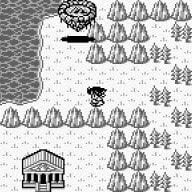
I am trying to set up GenesisPlus GX and it works well, but the screen shots do not show up for some reason. I have a set I downloaded from emumovies and it is in the gensplus/snaps/ directory on the SD card. If I take my own snapshot in game it will save over the one that was already in the snaps folder and it shows up next time I load the game. Exact same file name and I even resized the rest of the images I had to match the one taken in game.
Can anyone help? I am baffled.
I am trying to set up GenesisPlus GX and it works well, but the screen shots do not show up for some reason. I have a set I downloaded from emumovies and it is in the gensplus/snaps/ directory on the SD card. If I take my own snapshot in game it will save over the one that was already in the snaps folder and it shows up next time I load the game. Exact same file name and I even resized the rest of the images I had to match the one taken in game.
Can anyone help? I am baffled.