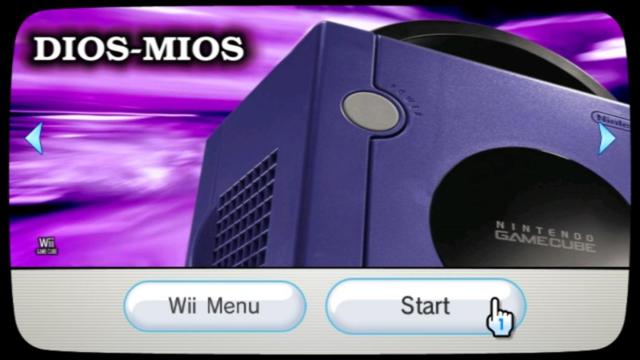
This is not the place to discuss what the Wii is capable, how many game and system it can emulate or how big your HDD need to be to fit all ROMS and ISO ever created since 30 years.
please keep this thread on DIOS MIOS (Lite) discussions only.
Thanks
DIOS MIOS is compatible with drives using 512byte/sector only, which limit the HDD size to 2TB.
If your drive is bigger than 2TB, then it's using 4096 bytes/sector, and DM will not work.
if your drive is smaller or equal than 2TB but it's a newly manufactured HDD (2012+), there are chances it's a 4096 bytes/sector too, and will not work with DM either.
Going down the compatability list, and Shadow the Hedgehog doesn't have any issues reported. I know for certain that some audio is missing under Dios Mios that is fixed with Devo. (listen after you finish the first level) Has anyone else found games not on the list that have issues?
Going down the compatability list, and Shadow the Hedgehog doesn't have any issues reported. I know for certain that some audio is missing under Dios Mios that is fixed with Devo. (listen after you finish the first level) Has anyone else found games not on the list that have issues?
Sonic Adventure 2 Battle, in the stage select screen the stage icons have a looped animation, they zoom in and out.
In DM they're stuck zoomed in until you return from a stage. In Devolution they are not.
Those issues you mention don't happen to me, all the sounds are there.
Hi there, I'm assuming this has probably been asked before in the past 240 pages but is there any improvements available to the Widescreen mode in DIOS MIOS?
ie: Games like Smash Bros Melee can be forced to widescreen, but there are black bars on either side that slightly distort the ratio.
I'm assuming this is the case with most games since many Gamecube games include black bars on the edge, but emulators seem to have gotten around this issue.
If this isn't possible with DIOS MIOS, can anyone point me a different direction? Thanks for the input in advance!
I tried Godzilla - Destroy All Monsters Melee (NTSC) clean 1:1 rip and game works fine until I win a match then it restarts my Wii, I tried converting to DiscEx and now after the match it freezes on black screen, can anyone confirm wither the game works or not?
Hi there, I'm assuming this has probably been asked before in the past 240 pages but is there any improvements available to the Widescreen mode in DIOS MIOS?
ie: Games like Smash Bros Melee can be forced to widescreen, but there are black bars on either side that slightly distort the ratio.
I'm assuming this is the case with most games since many Gamecube games include black bars on the edge, but emulators seem to have gotten around this issue.
If this isn't possible with DIOS MIOS, can anyone point me a different direction? Thanks for the input in advance!
I hace new Issue now... I have 80gb external hdd. It had reserved partition(was from a Computer...) but I delete such partition then format ntfs partition to fat32. I also make sure it is primary partition. Now.... I plug-in both ports of Wii and USBLGX/DiosMios Booter is not show the only one game in HDD? I know USB is work because I use flash drive before to load games.o
I hace new Issue now... I have 80gb external hdd. It had reserved partition(was from a Computer...) but I delete such partition then format ntfs partition to fat32. I also make sure it is primary partition. Now.... I plug-in both ports of Wii and USBLGX/DiosMios Booter is not show the only one game in HDD? I know USB is work because I use flash drive before to load games.o
I hace new Issue now... I have 80gb external hdd. It had reserved partition(was from a Computer...) but I delete such partition then format ntfs partition to fat32. I also make sure it is primary partition. Now.... I plug-in both ports of Wii and USBLGX/DiosMios Booter is not show the only one game in HDD? I know USB is work because I use flash drive before to load games.o
Yes there is only one partition(Fat32) in the HDD. USBLoaderGX is show size of the HDD but not show the game? I make sure USBLoaderGX is show wii and GC games.... DIOS MIOS booter is no show game list under "device: USB"
I think someone is say before USB is to only connect to port 0/1?
Yes there is only one partition(Fat32) in the HDD. USBLoaderGX is show size of the HDD but not show the game? I make sure USBLoaderGX is show wii and GC games.... DIOS MIOS booter is no show game list under "device: USB"
I think someone is say before USB is to only connect to port 0/1?
Before you use this software, make sure that your Wii has GameCube support. Wiis sold after late 2011 lack the GameCube controller and memory card ports, and can make no use of DIOS MIOS.
DIOS MIOS (DM) Format your USB devices 1st primary partition to FAT32 with 32KB cluster size or less. DM is looking on USB port 0 first, so if it takes a long time for the splash screen to appear, connect your device to the other port. If no splash screen appears at all, your HDD (usually the USB controller device is at fault not the HDD itself) is probably not supported. Slow HDDs seem to prove problematic for the faster extracted file (FST) format, so try .ISO first.
DIOS MIOS Lite (DML) Format your SD card to FAT/FAT32 with 64KB cluster size or less. You can only either have DM, or DML installed to the internal NAND FS at once; not both. You can however use the latest revision of SNEEK DIto browse titles stored on both USB and SD, and launch either DM or DML automatically.
The folders that DiscEX, GCReEx, and DMToolbox output are to be copied into a folder titled 'games' in the root of the USB or SD respectively. It's also very important to make sure your preferred backup loading software is up to date, and properly configured for use with the latest DM(L) release.
It’s about that time of year again where I check in with the community to see if we can get the front page aligned with what people are interested in knowing and what...
WiiCompiled is a new project that lets PC gamers play Mario Kart Wii natively on PC without emulation. Using static recompliation to convert the code into native PC...
The long awaited Grand Theft Auto VI Extended Look gameplay trailer has finally dropped on YouTube. As you all know, it had dropped 6 hours earlier on Netflix, and...
Though we knew all the way back in May that this was coming, the exact numbers remained a mystery for prospective Nintendo gamers in the UK. If you happen to have...
After being announced last week, the first of two broadcasts is set to go live later today with a stark focus on The Legend of Zelda and its 40th anniversary...
Thanks to the recent decomplication efforts; The Minish Cap 3DS brings the Game Boy Advance classic Zelda title to your 3DS.
The port takes full advantage of the 3DS...
In the wake of Sony's shift to a digital-only ecosystem within the next year, Xbox have today announced a surprising scheme. Aiming to offer physical buyers the same...
It is with a heavy heart that I announce the departure of our beloved Chary from the position of Chief Editor. Chary took over early 2021 and has done a wonderful job...
To celebrate its 25th anniversary, XBOX has launched pre-orders for the XBOX 25th Anniversary Collection. For the occasion, the trailer below was aired.
This...
GBAtemp is and always has been an independent community. Since 2002 our staff have voluntarily kept the site running, added new forums, features, provided constant...
It’s about that time of year again where I check in with the community to see if we can get the front page aligned with what people are interested in knowing and what...
After being announced last week, the first of two broadcasts is set to go live later today with a stark focus on The Legend of Zelda and its 40th anniversary...
It's been something of a quiet week in the gaming space, with the deluge of big hitters trying to find their place before GTA 6 launches really kicking off next week...
Though we knew all the way back in May that this was coming, the exact numbers remained a mystery for prospective Nintendo gamers in the UK. If you happen to have...
In the wake of Sony's shift to a digital-only ecosystem within the next year, Xbox have today announced a surprising scheme. Aiming to offer physical buyers the same...
The long awaited Grand Theft Auto VI Extended Look gameplay trailer has finally dropped on YouTube. As you all know, it had dropped 6 hours earlier on Netflix, and...
It is with a heavy heart that I announce the departure of our beloved Chary from the position of Chief Editor. Chary took over early 2021 and has done a wonderful job...
The second of a two-part special, a more traditional Nintendo Direct is set to air today. Unlike the Zelda Direct the contents of this one is still relatively up in...
Announced a few days ago, Nintendo of America have today launched their Customer Appreciation Sale. Featuring 30% discounts across a wide range of popular first-party...
A few days ago Chary stepped down as Chief Editor after 5 wonderful years, and everyone guessed the seat wouldn't stay empty for very long. Back in 2021 I proudly...