BetterBedrock NX
A Minecraft (Bedrock) toolkit for a modded Switch
Hi all! This is the new home of BedrockLink (its old thread). The scope grew, so it got a new name: it's now a toolkit for Minecraft on a modded Switch, and the big new feature is...
Vibrant Visuals on an original Switch
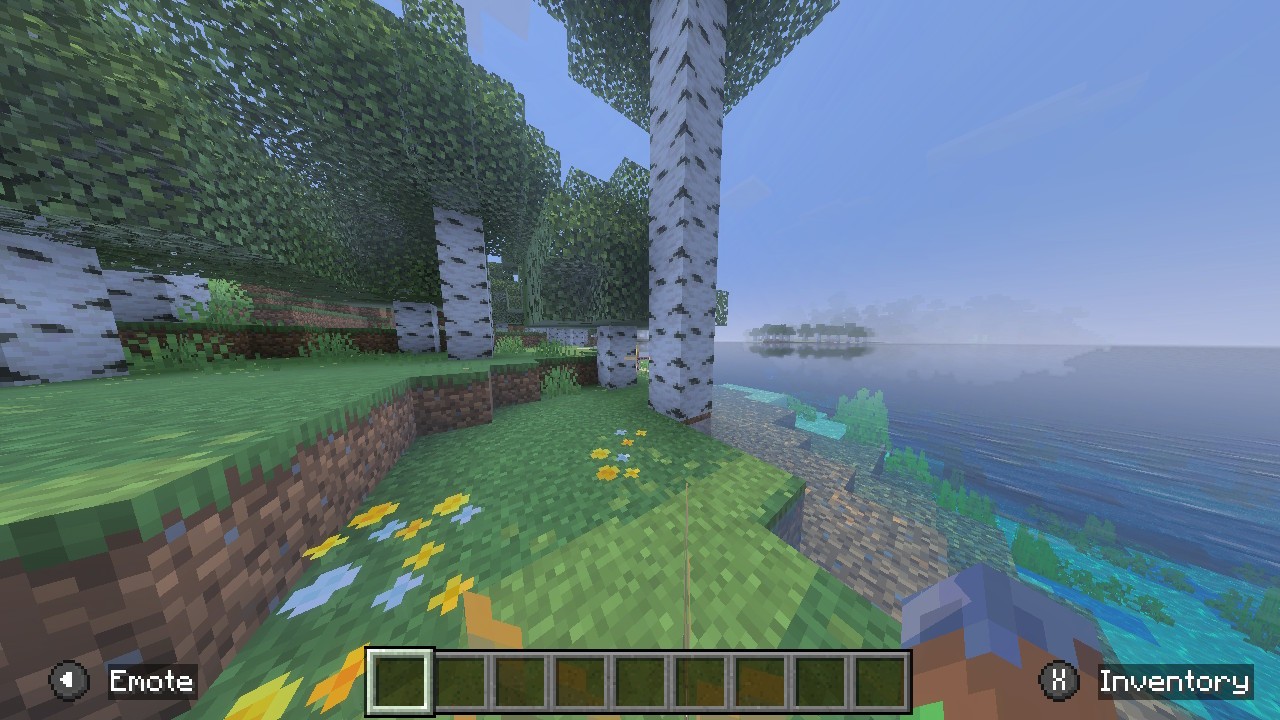
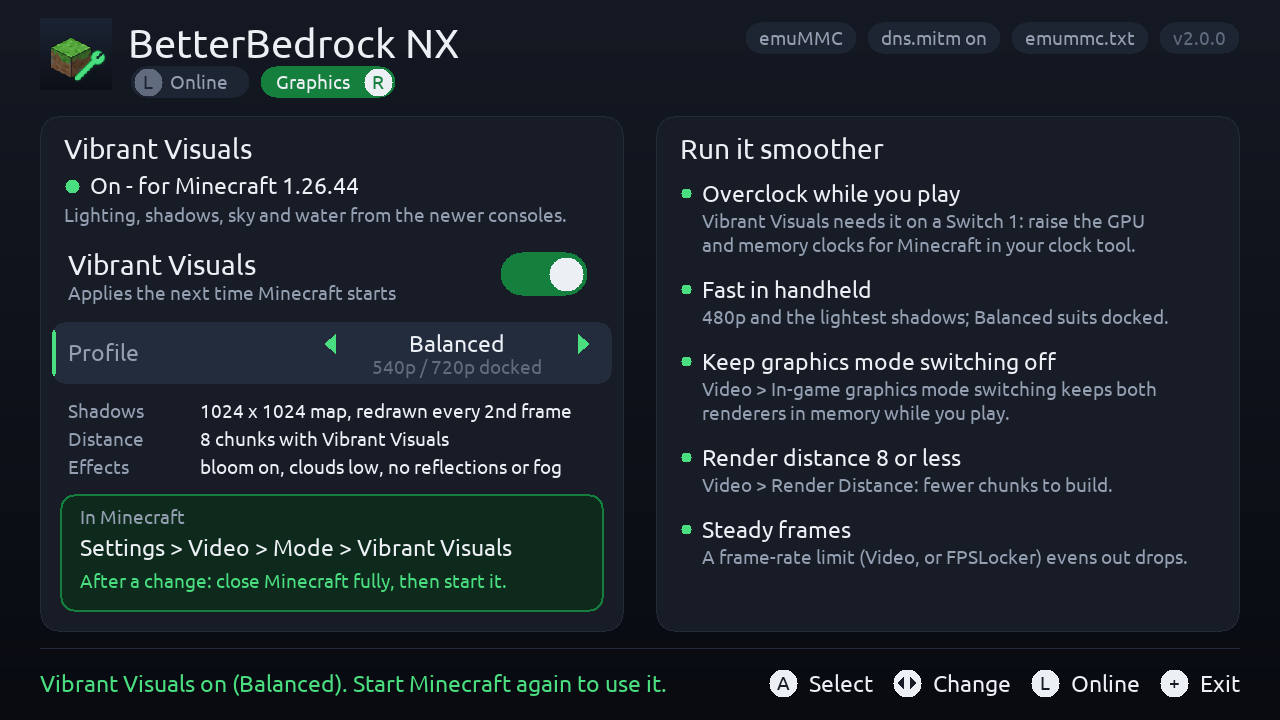
The Switch version of Minecraft ships everything Vibrant Visuals needs - the shaders (Vulkan, so they run on the Switch 1's GPU too), the PBR textures and the settings - because it shares its data with the Switch 2 version. The Switch 1 build just has it switched off in four places in the code. BetterBedrock NX switches it on with a small Atmosphère exefs patch for Minecraft 1.26.44, and adds Fast / Balanced / Quality profiles tuned for the Switch 1 (480p-720p, lighter shadows redrawn every 2nd frame, shorter Vibrant Visuals distance) through LayeredFS.
Be realistic: it needs an overclock. On my Mariko in handheld at a high overclock it ran at 20-25 fps with Mojang's own (Switch 2) settings; the profiles are lighter than those. It is not playable at stock clocks. Exactly what the patch changes, instruction by instruction: https://github.com/TomasUribe/betterbedrock-nx/blob/main/docs/vibrant-visuals.md
Everything it does
- Vibrant Visuals on/off and its profiles (Graphics page). Changes apply the next time Minecraft starts; switching it off removes everything it installed.
- Microsoft sign-in fix: Nextendo's Prelude (from 3.5.7) points Microsoft's sign-in servers at its own server (for Minecraft Dungeons II), which breaks Bedrock's Xbox Live sign-in. The fix comments out only those hosts lines, and can undo it.
- Join your own server: there's no "Add Server" on Switch, so one featured server in Play > Servers becomes a door to your server, through BedrockConnect (any port) or directly (port 19132).
- An Ultrahand/Tesla overlay to switch routing on and off in game.
Who it's for
Anyone who plays Minecraft (Bedrock) on a Switch that stays off Nintendo's servers - an emuMMC with Nintendo blocked (90DNS, a DNS blocker or Atmosphère's hosts file), or a banned console - with a community server setup such as Nextendo's Prelude for online play. Vibrant Visuals works offline too. It never contacts Nintendo and never changes the hosts lines that keep Nintendo blocked.
Requirements
- Atmosphère with an emuMMC and dns.mitm on (the default)
- Minecraft (Bedrock); for Vibrant Visuals exactly version 1.26.44, and an overclock tool (sys-clk, Horizon OC...)
- For your own server: a Bedrock or Geyser server
- Optional: Ultrahand or Tesla Menu for the overlay
Install
Unzip BetterBedrockNX-2.0.0.zip to the root of the SD card. Coming from BedrockLink: your settings carry over, and the first start removes the old app and overlay files.
Tested on: Switch (Mariko), firmware 22.5.0, Atmosphère 1.11.2, emuMMC, Minecraft 1.26.44, Nextendo Prelude 3.5.5 and 3.5.11, Horizon OC. That's my console only (not banned, Nintendo blocked by DNS) - reports from other setups are very welcome, especially FPS numbers with each profile.
Privacy: when you join through BedrockConnect, its server sees your gamertag (like any server you join). You can run your own BedrockConnect or use Direct.
Download: https://github.com/TomasUribe/betterbedrock-nx/releases/tag/v2.0.0
Source (GPL-2.0-or-later): https://github.com/TomasUribe/betterbedrock-nx
Credits: BedrockConnect by Pugmatt, Atmosphère, libtesla by WerWolv, devkitPro/libnx, SDL2; th4llium's vibrant-visuals-patcher and BetterRenderDragon showed where to start looking for the gate.
BetterBedrock NX is not affiliated with Nintendo, Microsoft, Mojang, Nextendo or BedrockConnect.