Homebrew Homebrew game Touhou Project on Switch - all ports in one place

  • Thread starter Thread starter Saekaze
  • Start date Start date
  • Views Views 560
  • Replies Replies 5
  • Likes Likes 8

Saekaze

Member
Newcomer
Joined
Jul 6, 2026
Messages
20
Reaction score
43
Trophies
0
XP
157
Country
Russia
Touhou Project on Switch – all ports in one place​

All my native Touhou Project ports for the Nintendo Switch now have one hub page:
https://github.com/saekaze/touhou-switch

Official games (ZUN / Team Shanghai Alice)

Fan games
  • 東方眠世界 ~ Wonderful Waking World by Oligarchomp — thWWW-switch (update!)

Note for Touhou 15
The first launch takes much longer than usual. The game's text needs Windows fonts that aren't in the game files, so the port builds the font from msgothic.ttc once and saves it to the SD card (fontcache/, ~55 MB). Let the loading bar finish. After that it starts normally.

No game files are included. You need your own copy of each game.
 
Last edited by Saekaze,
The Ports work perfectly with files i'm had.

My question is you can play with translate english version? I'm see someone put english files and play in switch.

My question is how to do this? What files need to put or change or nee removed to play with english patch?
 
icon.jpg


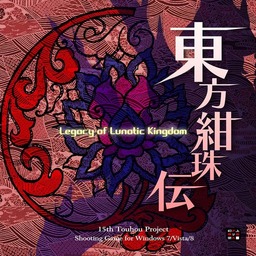
Touhou 15: Legacy of Lunatic Kingdom – Switch Port
東方紺珠伝 ~ Legacy of Lunatic Kingdom​


Features
  • The full game: Reimu, Marisa, Sanae and Reisen, Legacy and Pointdevice modes, every difficulty, all 6 stages and Extra, chapter checkpoints, endings, music room and replays
  • Original BGM streamed straight from your thbgm.dat, with the original loop points
  • Same default controls as my other Touhou ports, remappable in Option → Key Config
  • Touch controls in handheld mode (drag to move, tap menus)
  • 4:3 picture centred with pure black bars (OLED friendly)
  • Japanese title in hbmenu on consoles set to 日本語
  • Saves, replays, checkpoints and snapshots next to the game data

⚠️ First launch is long – only once!
The first start takes much longer than usual. This is normal, so let the loading bar finish and don't close the game.

Why: TH15 draws all of its text (menus, dialogue, spell card names) with Windows fonts, and those aren't in the game files. On the first start the port builds the font itself from msgothic.ttc (about 7,500 characters in 8 sizes) and saves it to the SD card as fontcache/ (~55 MB).

After that it's fine. Later launches just load the saved font and start normally.

Installation
You need your own copy of Touhou 15 v1.00b. No game files are included.

Code:
sd:/switch/touhou/touhou15/
    ├── touhou15.nro
    ├── th15.dat
    ├── thbgm.dat      (music, optional)
    └── msgothic.ttc   (from C:\Windows\Fonts, recommended)


Download
touhou15.nro – GitHub Releases

All my Touhou ports: https://github.com/saekaze/touhou-switch
1791316366716.png

Post automatically merged:

Update: 東方眠世界 ~ Wonderful Waking World (thWWW-switch update 2)

Download thwww.nro · Source / README

  • Stage 5 background fixed: the boat interior looks like the PC game again.
  • About 24% less CPU work on dense Lunatic patterns.
  • Remappable controls: Option → Key Config rebinds shot, focus, bomb and pause. Same defaults as my other ports (B shoot, A bomb, L/ZL focus, + pause, R/ZR hold to skip dialogue).
  • High scores and replays use your own name again (the game's name entry) instead of "SWITCH".

Overclock recommended for Lunatic: the port runs at stock clocks. At stock the hardest Lunatic spell cards reach about 55 FPS, because every bullet runs the game's GameMaker scripts through an interpreter. Tested docked with a ~1785 MHz overclock, they hold perfect 60 FPS; a much smaller overclock will probably also work.

Just replace thwww.nro in sd:/switch/thwww/, your save/ folder is kept.
 
Last edited by Saekaze,

Site & Scene News

New Hot Discussed User Submitted