



AnchorPS5
The homebrew store for your PS5
Hi everyone! I'd like to introduce AnchorPS5, a Windows desktop app I've been working on that gathers PS5 homebrew into a single catalog, downloads it already verified, and lets you know when a new version is out. Think F-Droid or the Wii Homebrew Browser: everything in one place, up to date, no more hunting for releases across GitHub.
 This is an alpha: it works, but it's still in development and things may change quite a bit. Bug reports and suggestions are very welcome.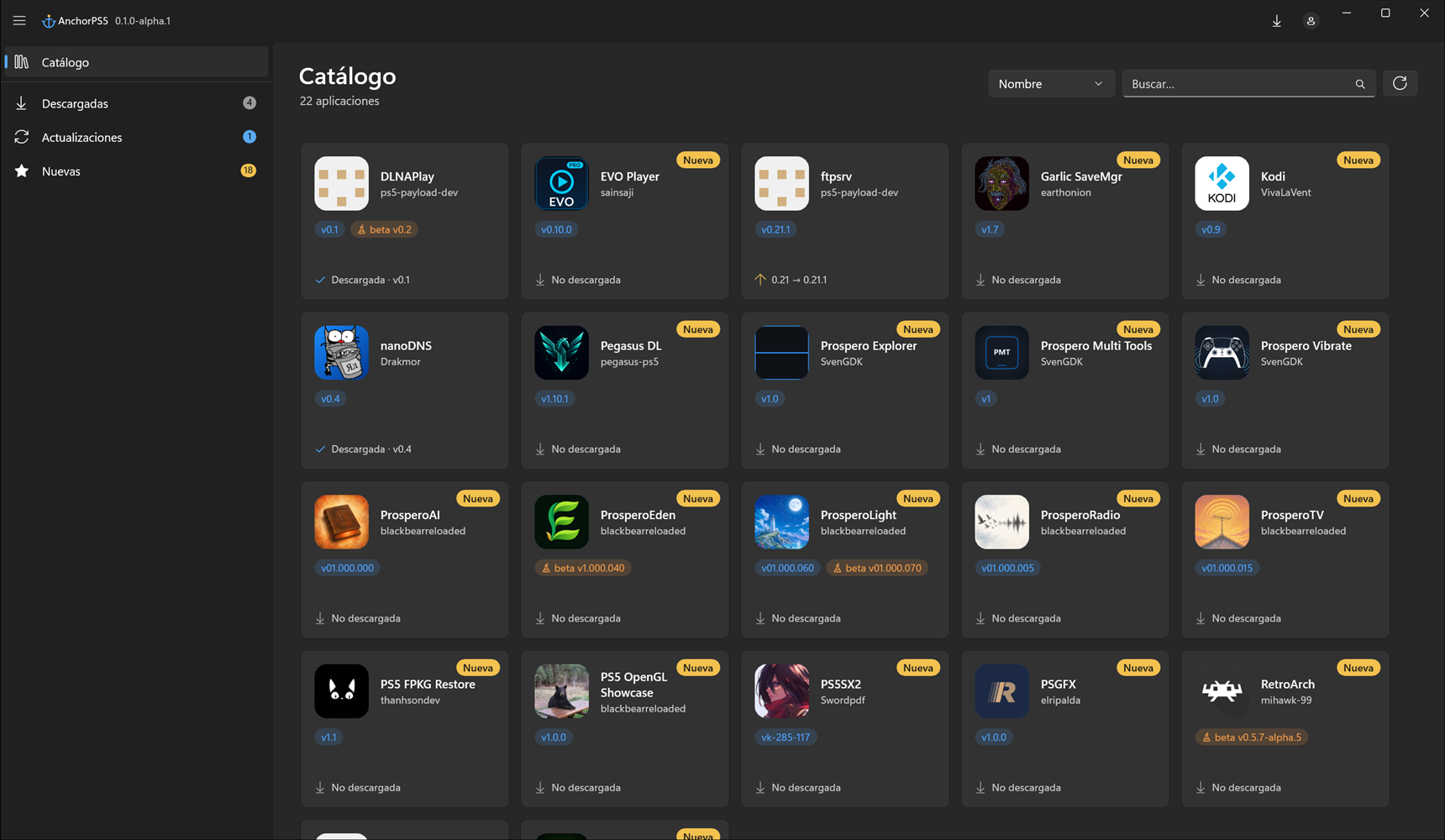
Features
- Homebrew catalog with search, sorting and sections: Downloaded, Updates and New. It keeps itself up to date.
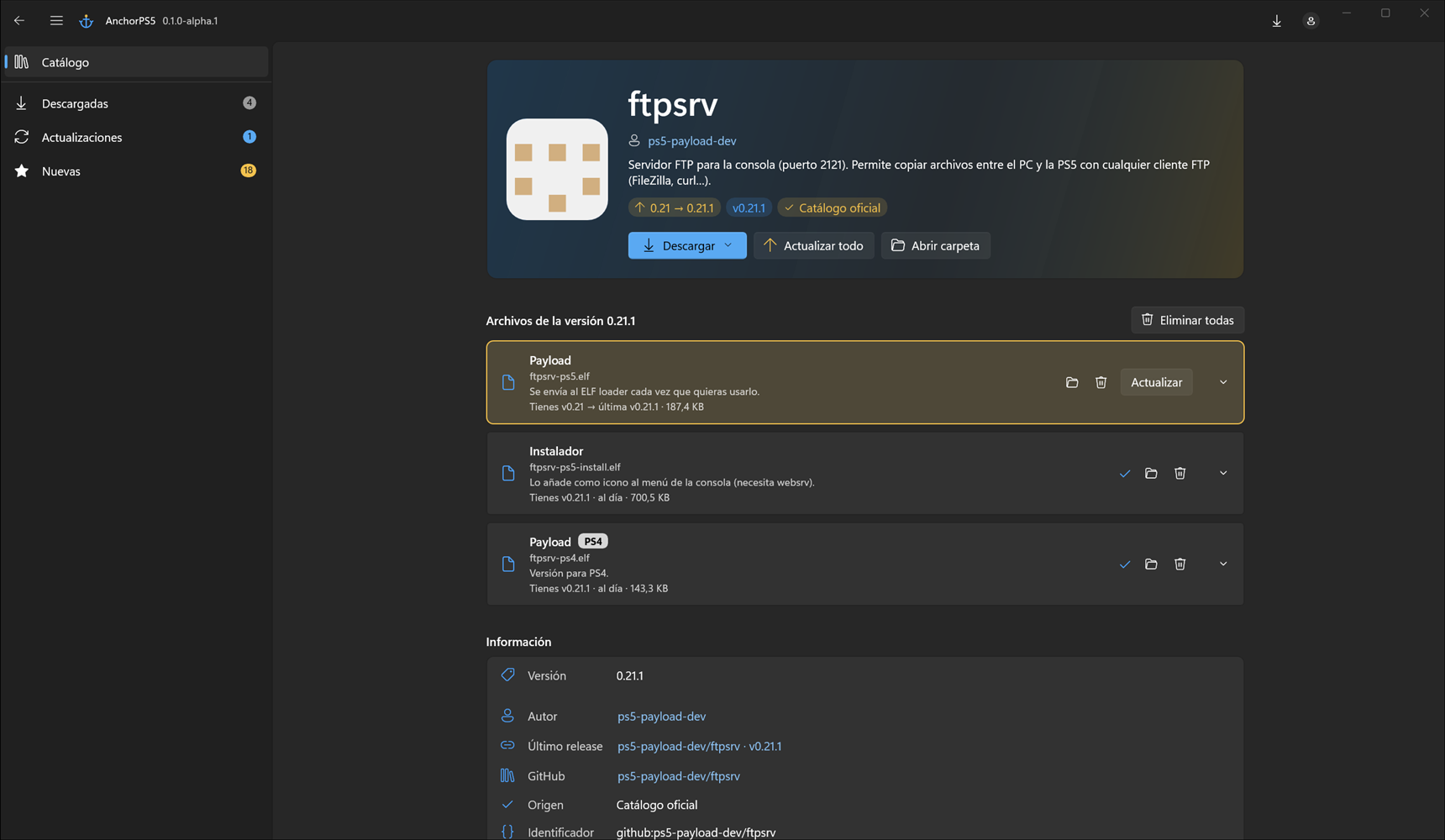
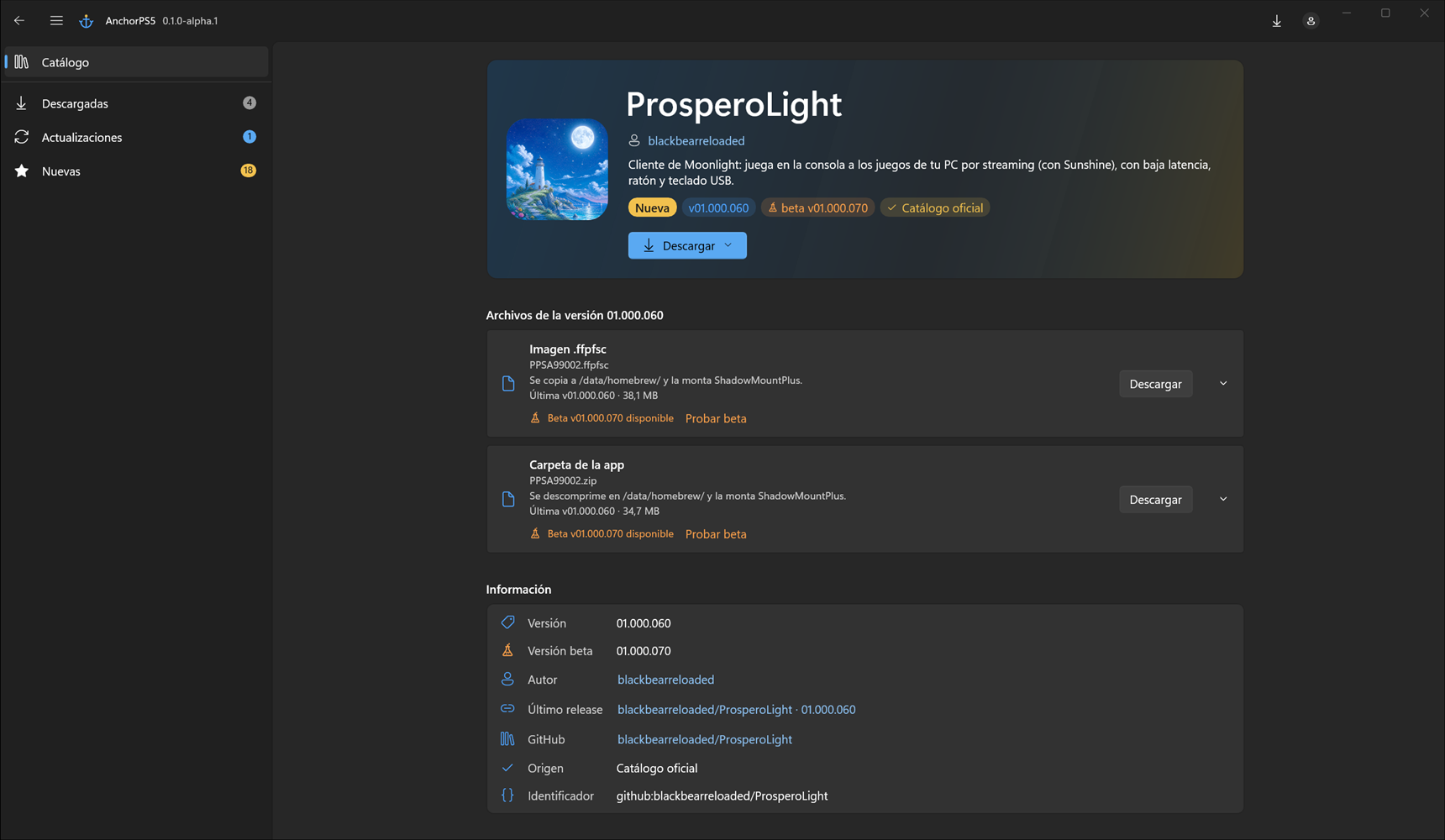
- Verified downloads: every file comes from its author's official GitHub release and is checked against its SHA-256. .zip, .7z and .rar files are extracted automatically (7-Zip bundled).
- Per-file updates (0.1 → 0.2) and an Update all button.
- Version history: previous versions are kept in case you want to roll back.
- Optional betas: try a file's beta and go back to stable whenever you want.
- PS4 tag on files that aren't meant for PS5.
- Your own apps: add apps to your copy of the catalog; they're kept when the official catalog updates.
- Self-updating: the app tells you about new versions and installs them in one click, without touching your settings.
- Available in English and Spanish, and translatable to any language by editing a JSON file.
Download
 https://github.com/Kuroge/AnchorPS5/releases
- Windows 10 (1809 or later) or 11, 64-bit. Nothing else to install.
- Download the .zip, extract it to a folder and run AnchorPS5.exe. It's portable: settings live in the config folder next to the exe.
- The app isn't signed (certificates cost money), so Windows SmartScreen may warn you the first time: More info → Run anyway. Every release includes its SHA-256 if you want to verify the zip.
- No GitHub account needed. Signing in is optional (it doesn't request any permissions on your account) and just lets data refresh more often.
Missing an app?
The catalog lives in a separate repo, and anyone can suggest apps straight from the GitHub website, no coding required. There's a step-by-step guide, and even a prompt so an AI can prepare the entry for you from the app's link:
https://github.com/Kuroge/AnchorPS5-catalogYou can also drop the link of any app you'd like to see in this thread and I'll take a look.
Source code & credits
- Source code (GPL v3): https://github.com/Kuroge/AnchorPS5
- Thanks to Huertas34 (from elotrolado.net) for the original catalog idea.
- And above all, to the authors of the homebrew in the catalog: AnchorPS5 only links their releases, all the credit is theirs.
If you run into a bug, the app's log is under About → Open logs; attaching it helps a lot. Feel free to post here or open an issue on GitHub.
Hope you find it useful!


