Homebrew Homebrew game Project [Release] Zelda: Link's Awakening DX HD — Alek's Ultimate NX Edition (Switch homebrew, 60fps, Flip Grip + touch second screen)

  • Thread starter Thread starter alexgg1014
  • Start date Start date
  • Views Views 682
  • Replies Replies 6
  • Likes Likes 7

alexgg1014

Well-Known Member
Newcomer
Joined
Jul 24, 2026
Messages
94
Reaction score
154
Trophies
0
Age
18
XP
279
Country
Mexico
cover.png


The Legend of Zelda: Link's Awakening DX HD
Alek's Ultimate NX Edition
Native Switch homebrew port · 60 fps · Flip Grip + touch second screen​

Hey everyone. After Minish Cap and A Link to the Past, here's the third Alek's Ultimate edition: a native Switch homebrew port of bighead's Link's Awakening DX HD (the fan HD remake, v2.0.8). Not an emulator — it's the game's own C# code compiled with NativeAOT for the Switch.
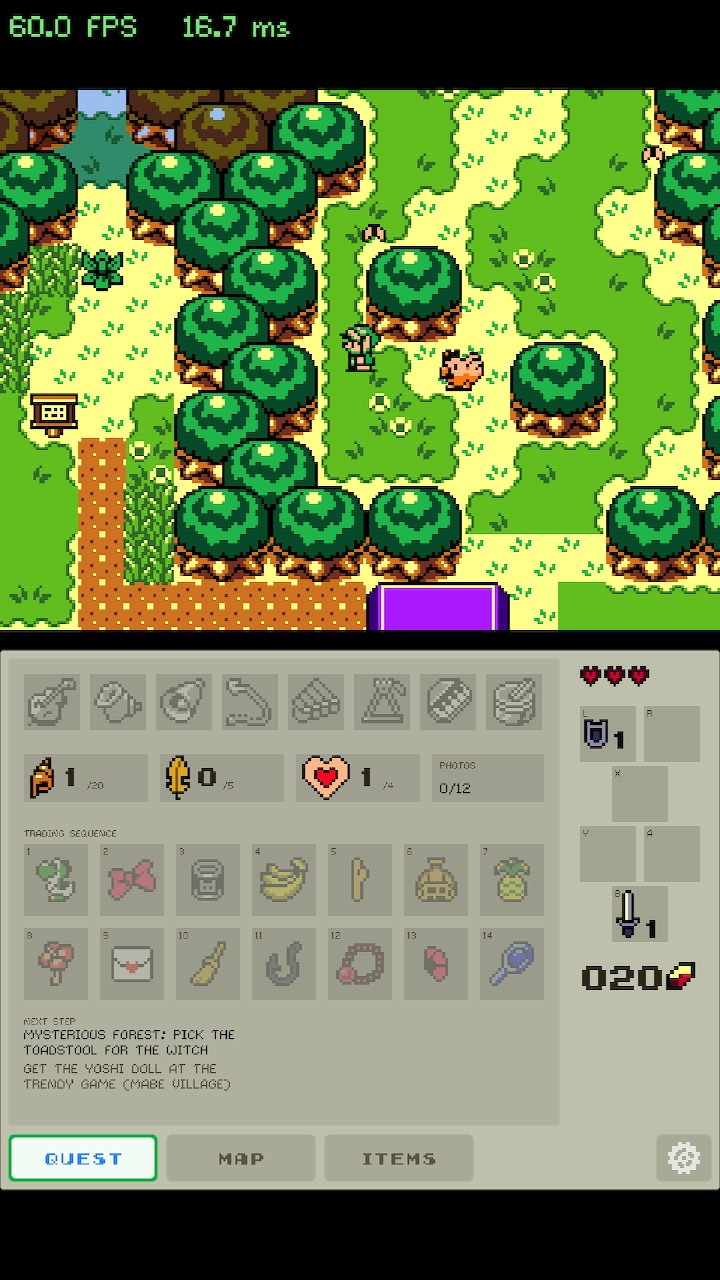
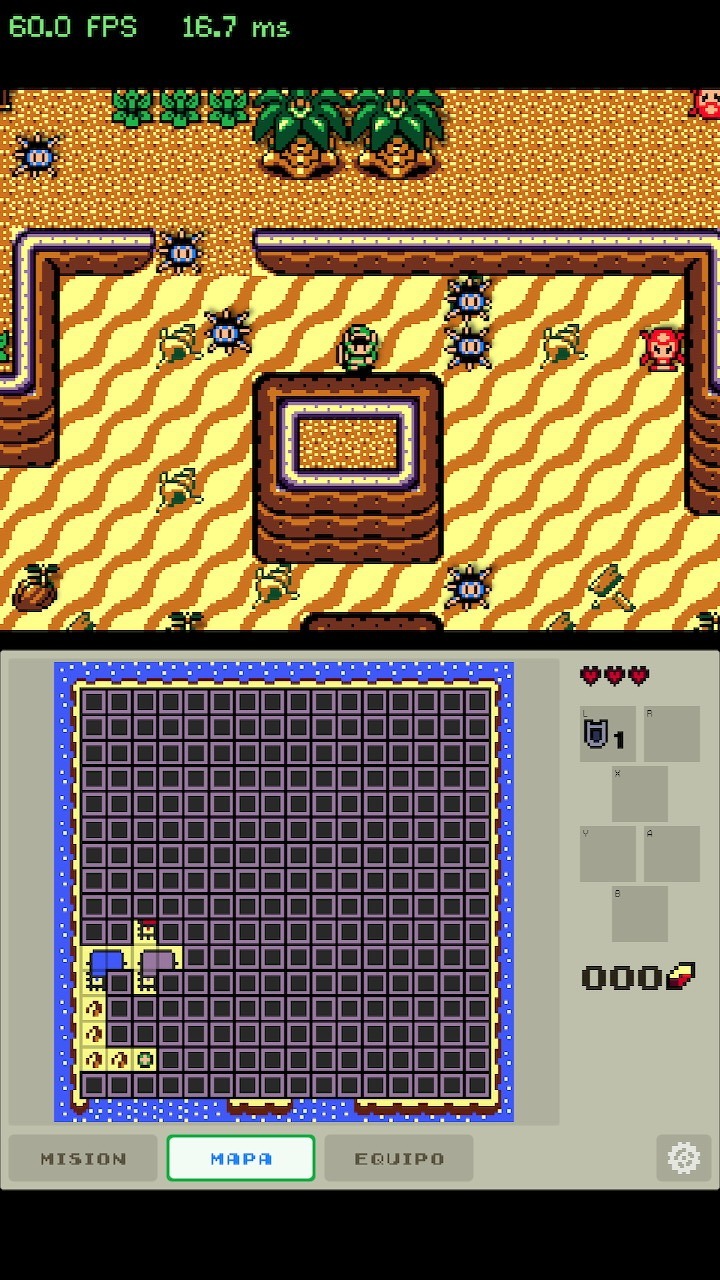
ss_flip_quest.jpg
ss_flip_map.jpg
ss_flip_settings.jpg

Features
  • 60 fps in handheld, no overclock — renders at 720p (the screen's real resolution). 1080p mode available for dock (30 fps).
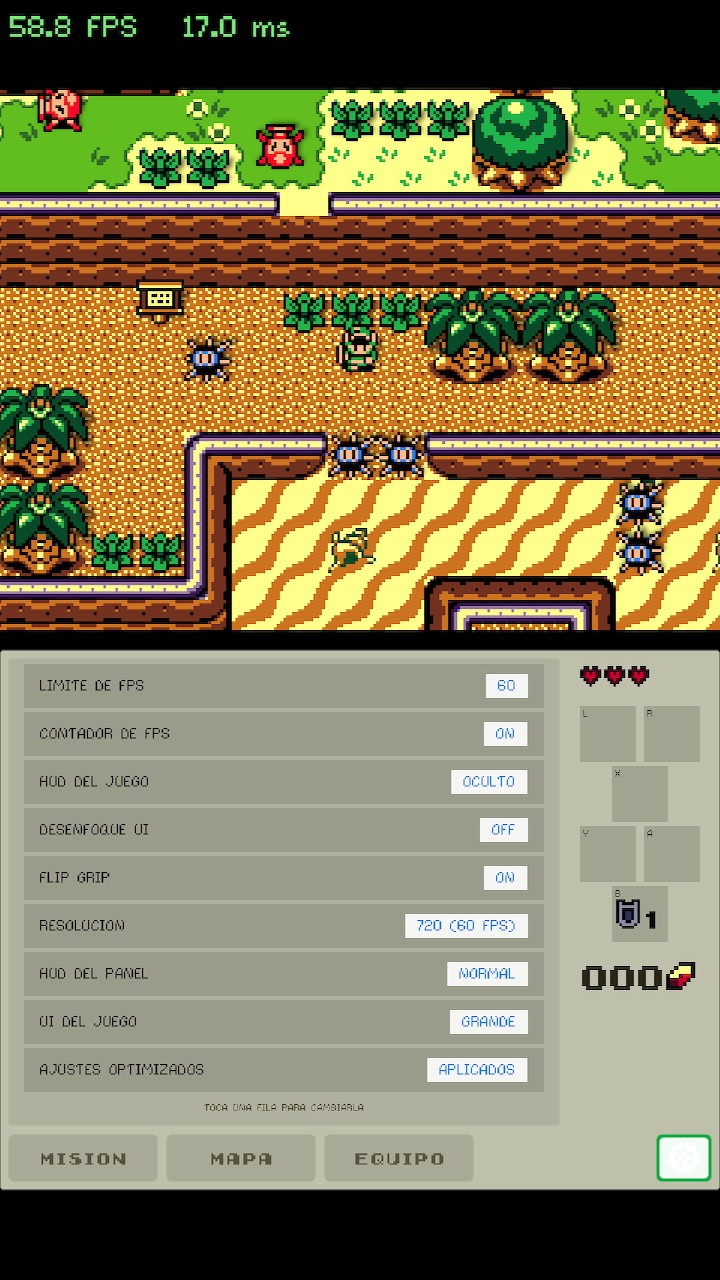
  • Flip Grip / portrait mode (L + R + X): game on top in 4:3, DS-style companion panel below.
  • Touch companion panel with four tabs:
    • Quest — instruments, seashells, golden leaves, heart pieces, photos, the 14-step trading sequence, and a "next step" story guide worked out from your inventory.
    • Map / Dungeon — auto-switches to the dungeon map when you enter one.
    • Items — tap an item to put it on A, or drag it onto any button (A/B/X/Y, L/R with 6-button mode).
    • Settings — fps limit, resolution, HUD, blur, Flip Grip, and an "optimized settings" preset.
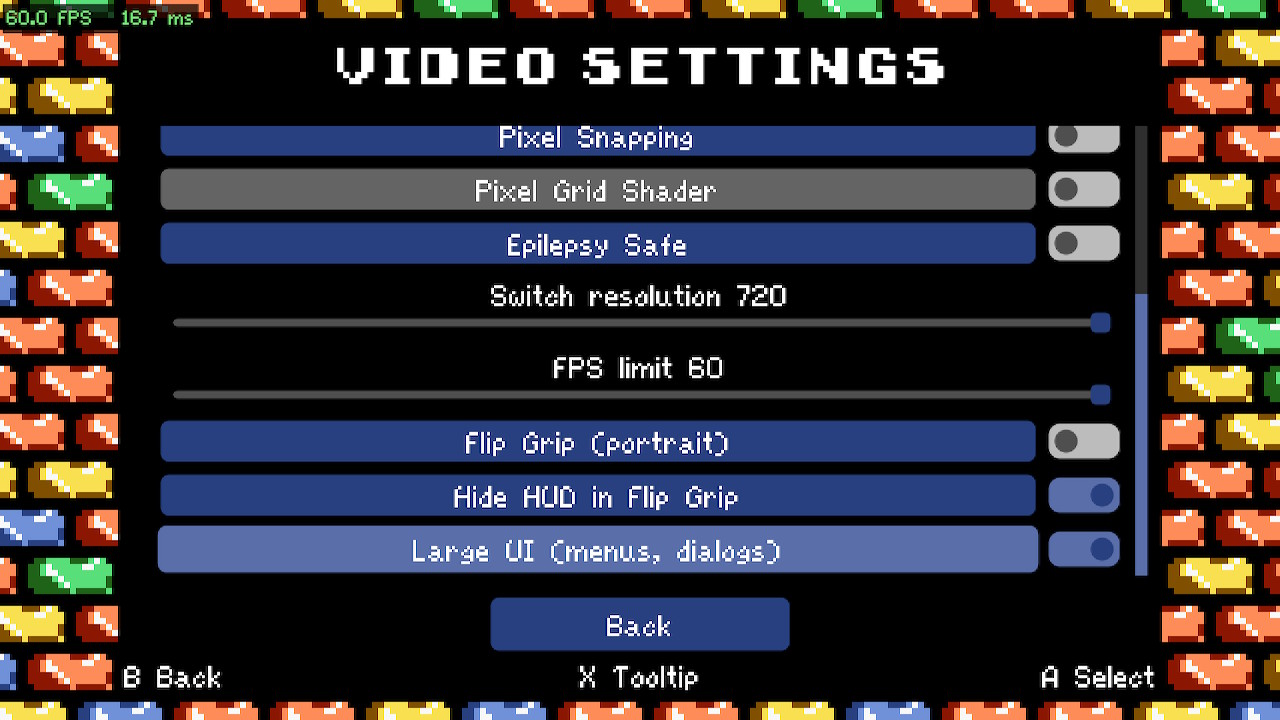
  • Switch options inside the game's own menu — Pause → Settings → Video.
  • Panel in English, Spanish, Portuguese, French, German and Italian.
  • Zero new art — everything on the panel is drawn from the game's own sprites and fonts.
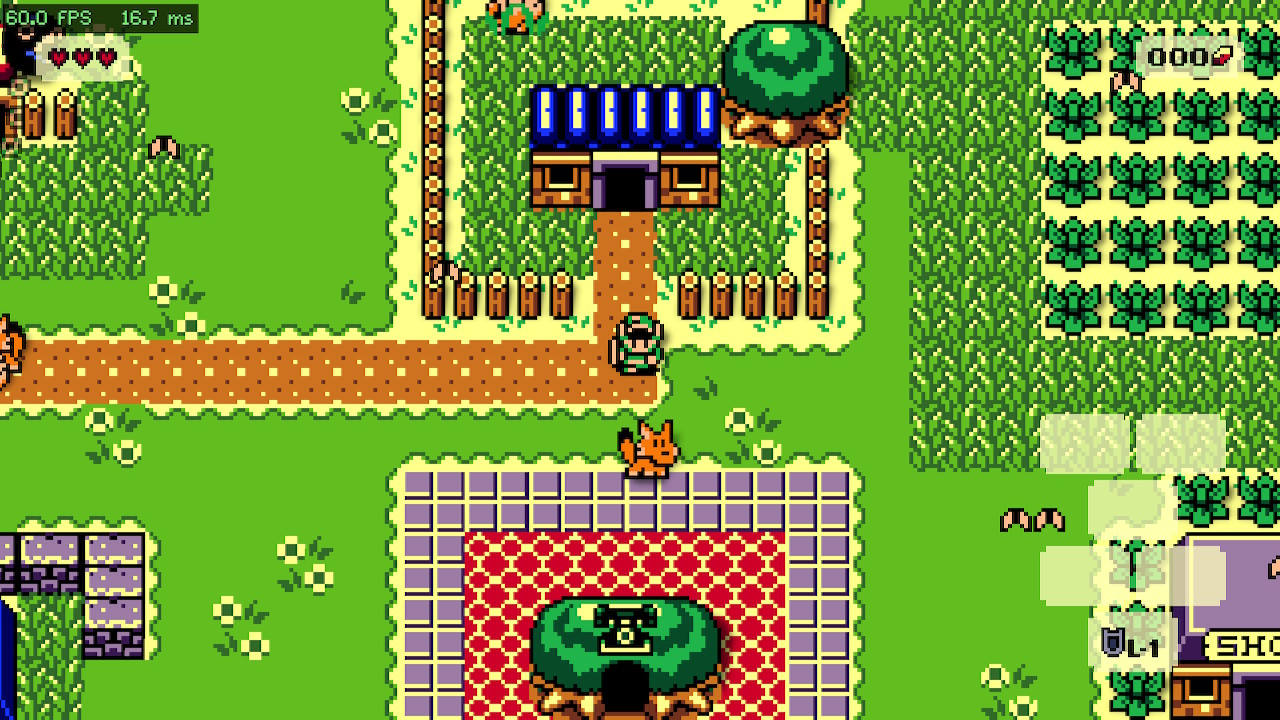
ss_normal_mabe.jpg
ss_video_settings.jpg

Requirements & install
  1. Switch with Atmosphère. Launch via title override (hold R on a game), not from the Album.
  2. Your own copy of Link's Awakening DX HD v1.0.0 + bighead's LADXHD Patcher v2.0.8. No game assets are distributed.
  3. Run the patcher with Platform: Windows, Target: OpenGL → Content/ and Data/.
  4. Copy ProjectZ.Switch.nro + Content/ + Data/ to sdmc:/switch/zelda-ladxhd/. Done.

Download
Release v1.0.0: https://github.com/Alexgg1014/The-L...lek-s-Ultimate-NX-Edition/releases/tag/v1.0.0
Repo, README (EN/ES) and source: https://github.com/Alexgg1014/The-Legend-of-Zelda-Link-s-Awakening-DX-HD-Alek-s-Ultimate-NX-Edition

Known issues
  • 1080p mode holds 30 fps (GPU bound); 720p is the default and hits 60.
  • Story guide and the Video-menu options are EN/ES only (the panel itself has 6 languages).
  • Docked mode is untested; Flip Grip is a handheld feature.

Transparency
This was built with Claude (Anthropic) as a coding assistant — the Switch layer, the NativeAOT/libnx crash hunting and the render fixes came out of pair-programming sessions, with me directing, testing every build on real hardware and making the calls. The cover was AI-generated and hand-edited. If something breaks it's on me, please report it (GitHub issues or this thread).

Credits
bighead — ladxhd_updated, the HD remake and its patcher · delsonazevedo — Zelda-LA-DX-HD-Updated, the first Switch port of LADXHD, which this edition started from · MonoGame, devkitPro/libnx, SDL2, Mesa · The Alek's Ultimate editions of Minish Cap and ALttP, donors of the second-screen design.
Not affiliated with or endorsed by Nintendo.
 
I gave it a test today, using the same data files as the previous version, and it crashes in launch. Do I need to update them?
 
Yeah u need to patch again to newest version https://gitlab.com/bighead.0/ladxhd_updated/-/releases/v2.0.8


Requirements & install
  1. Switch with Atmosphère. Launch via title override (hold R on a game), not from the Album.
  2. Your own copy of Link's Awakening DX HD v1.0.0 + bighead's LADXHD Patcher v2.0.8. No game assets are distributed.
  3. Run the patcher with Platform: Windows, Target: OpenGL → Content/ and Data/.
  4. Copy ProjectZ.Switch.nro + Content/ + Data/ to sdmc:/switch/zelda-ladxhd/. Done.
Post automatically merged:

v1.1.0 — In-game installer: no PC, no patcher

installer.png


The port now patches the game on the console. Installation is now:

  1. Copy ProjectZ.Switch.nro to sdmc:/switch/zelda-ladxhd/
  2. Next to it, create a folder original/ and put inside the Content and Data folders of your own untouched Link's Awakening DX HD v1.0.0 (copying the whole game folder in there also works)
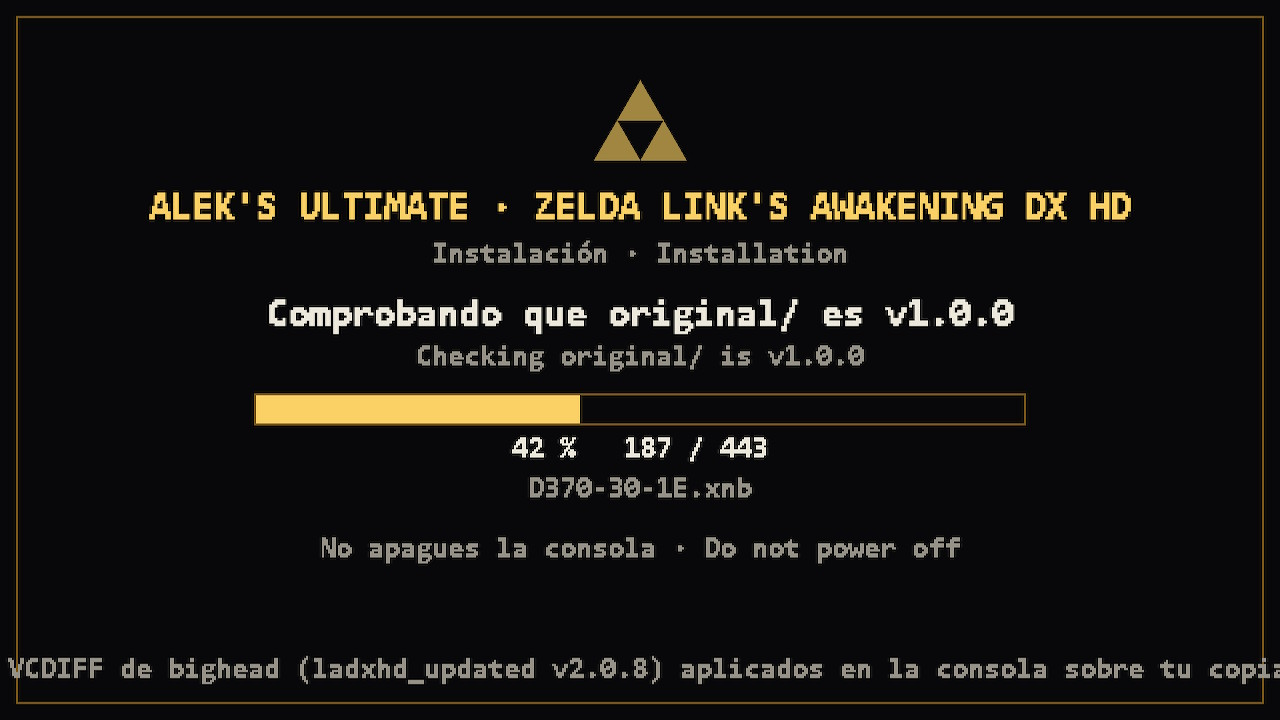
  3. Launch from hbmenu (title override). You get the screen above: it checks your copy really is v1.0.0, applies bighead's ladxhd_updated v2.0.8 patches (about a minute) and creates Content/Data. Then the game starts.

Notes
  • bighead's VCDIFF patches are embedded in the NRO with his explicit permission. No game assets are distributed — everything is generated from your copy, same as the official patcher does (the installer reimplements its logic and was verified byte-for-byte against it).
  • Already installed the manual way (patcher on PC + Content/Data)? Nothing changes, the NRO just starts the game.
  • Keep original/: future releases re-patch from it automatically when the upstream version changes. Just replace the NRO.
  • If it says "original/ is not Link's Awakening DX HD v1.0.0", you copied an already-patched folder — use the original v1.0.0 files.
  • Only one .nro in the folder, please: hbmenu lists them all and they look identical.

Download: https://github.com/Alexgg1014/The-L...lek-s-Ultimate-NX-Edition/releases/tag/v1.1.0
Source (Switch layer + installer): in the repo, source/.

Thanks again to bighead for the patches and the permission, and to delsonazevedo for the first Switch port.
Post automatically merged:

v1.1.0 — Instalador in-game: sin PC ni patcher

Copia ProjectZ.Switch.nro a sdmc:/switch/zelda-ladxhd/ y al lado una carpeta original/ con las carpetas Content y Data de tu Link's Awakening DX HD v1.0.0 sin tocar. Al lanzar, el NRO comprueba que es v1.0.0, aplica en la consola los parches v2.0.8 de bighead (un minuto, con barra de progreso) y crea Content/Data. Los parches van embebidos con permiso explícito de bighead; no se distribuye ningún asset. Si ya lo instalaste a mano, no cambia nada. Conserva original/: las próximas versiones vuelven a parchear solas al cambiar el NRO.
 
Last edited by alexgg1014,
Hi, is anyone working on a way to convert Gambatte .srm saves to the save format used by Alek's Ultimate NX Edition on Switch?

I've managed to extract the save data, including deaths, shells, hearts, inventory and dungeon progress, but haven't found a way to convert it. Manual transfer attempts cause the game to crash when loading the save.

Is there any existing tool or solution?
 
Hi, is anyone working on a way to convert Gambatte .srm saves to the save format used by Alek's Ultimate NX Edition on Switch?

I've managed to extract the save data, including deaths, shells, hearts, inventory and dungeon progress, but haven't found a way to convert it. Manual transfer attempts cause the game to crash when loading the save.

Is there any existing tool or solution?
Not that I know of, and it's harder than it looks.

The saves aren't encrypted. Each slot is two plain text files in SaveFiles/: save<N> (what the file
select screen shows) and saveGame<N> (the actual progress). Lines look like "i maxHearth 3" or
"s maria 2", so you can open them in any text editor.

The problem is that saveGame<N> is not a memory dump like the GBC SRAM. It's a list of named flags
that only exist in the HD remake: story events, which minimap tiles you discovered in each dungeon,
your items by name, plus the current map name and Link's position in pixels. So there's no direct
match with a .srm file. A real conversion would mean translating hundreds of original flags into
bighead's names, and many of them simply have no equivalent.

That's also why manual edits crash: the game loads a map or a state that doesn't match the flags.

What could work is a partial converter: read the .srm and write a save with hearts, shells, rupees,
items, instruments and the dungeons you already cleared, and put Link at a safe place (his house)
instead of the exact spot you were in. Playable, but not a perfect copy.

One more thing: this isn't Switch only. The save format is bighead's and it's the same on PC, so it
might be worth asking on ladxhd_updated too. If nobody is working on it, I may try a partial
converter at some point, but I can't promise when.
 
The one thing I don't like about this is the free-roam walking. Walking to the edge of each screen to load the next screen is absolutely the iconic way to play this game, and taking that away ruins the magic. Many of the areas are setup to only have 1 shown at a time. Like dungeons.
 
Not that I know of, and it's harder than it looks.

The saves aren't encrypted. Each slot is two plain text files in SaveFiles/: save<N> (what the file
select screen shows) and saveGame<N> (the actual progress). Lines look like "i maxHearth 3" or
"s maria 2", so you can open them in any text editor.

The problem is that saveGame<N> is not a memory dump like the GBC SRAM. It's a list of named flags
that only exist in the HD remake: story events, which minimap tiles you discovered in each dungeon,
your items by name, plus the current map name and Link's position in pixels. So there's no direct
match with a .srm file. A real conversion would mean translating hundreds of original flags into
bighead's names, and many of them simply have no equivalent.

That's also why manual edits crash: the game loads a map or a state that doesn't match the flags.

What could work is a partial converter: read the .srm and write a save with hearts, shells, rupees,
items, instruments and the dungeons you already cleared, and put Link at a safe place (his house)
instead of the exact spot you were in. Playable, but not a perfect copy.

One more thing: this isn't Switch only. The save format is bighead's and it's the same on PC, so it
might be worth asking on ladxhd_updated too. If nobody is working on it, I may try a partial
converter at some point, but I can't promise when.
I expected it probably wasn't possible, but I wanted to try anyway to recover my old save. Thanks for taking the time to explain it, and thanks for all the work you do on these Switch ports!
 

Site & Scene News