


Peace be upon all forum members.
A bit of background on why this exists.
I wanted something on Switch that actually handles the library side before RetroArch, not another playlist buried in RetroArch settings. RetroArch itself is fine; configuring playlists by hand is not, and there is not much help for art or metadata without doing everything yourself. The UI also feels dated compared to what people use on other handhelds.
Tico has a solid approach and I respect the work there. It just did not fit me for three reasons: batch scraping was not there yet for how I wanted to work, I could not customize save/load state keys the way I wanted, and managing tiles felt more tedious than I had patience for. What I wanted was closer to what I already do on my other devices: drop ROMs in folders, bring over media if I have it, scrape only what is missing, and move on. Themes matter to me too but not a deal breaker, but nice when you change things up now and then.
I had poked at this idea a few times before. More than once the answer from tooling and AI assistants was basically “this is borderline impossible on Switch” or too heavy to bother. Last week I tried again anyway and thought well, let’s just try and see where the limitation actually is. After a lot of iteration with agentic coding help, I ended up with something I actually use myself. It is not perfect, but it covers most of what I liked about ES-DE-style frontends on my ArkOS R36S and a similar setup on my Mangmi Air X.
WHAT NXSTATION IS
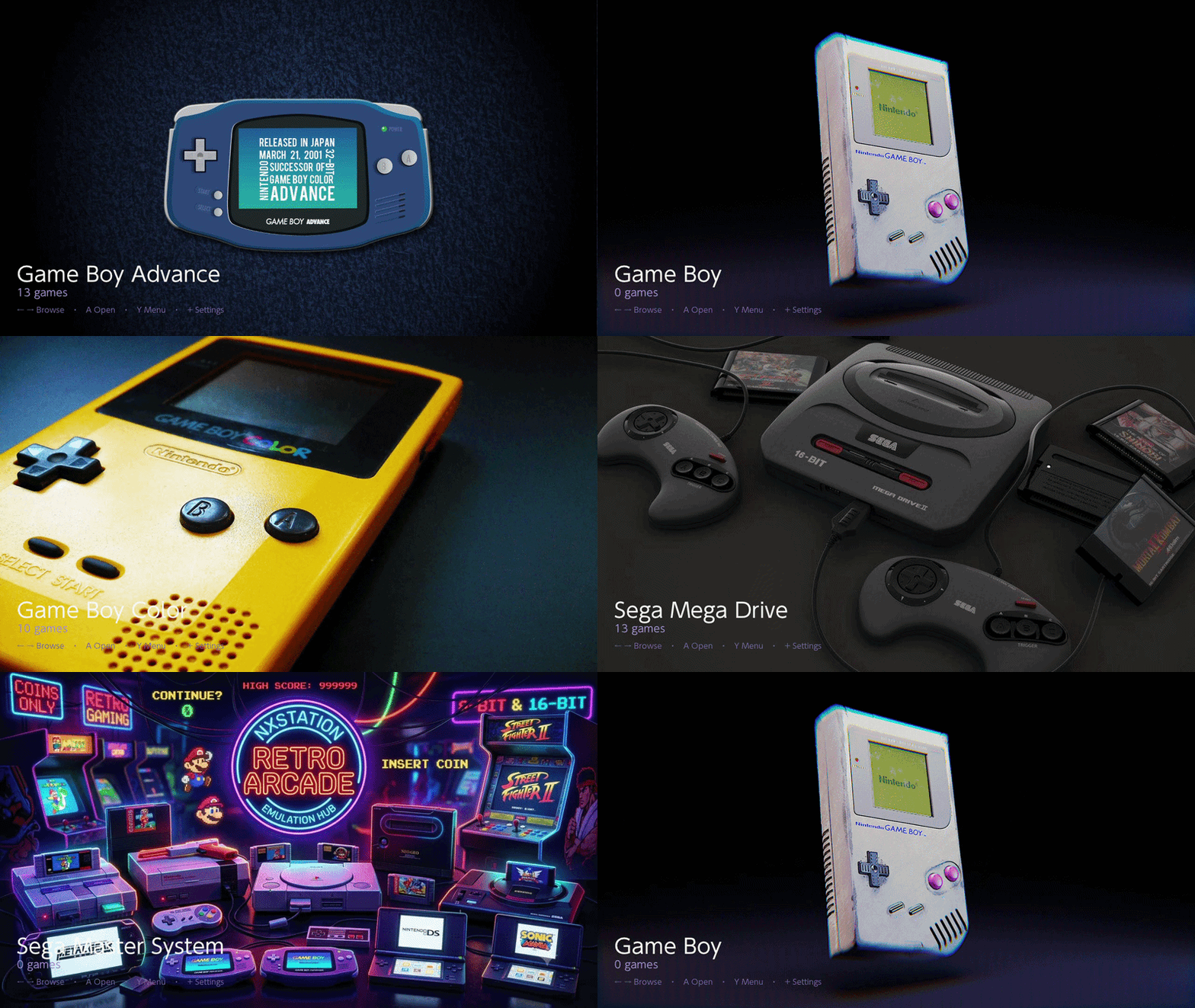
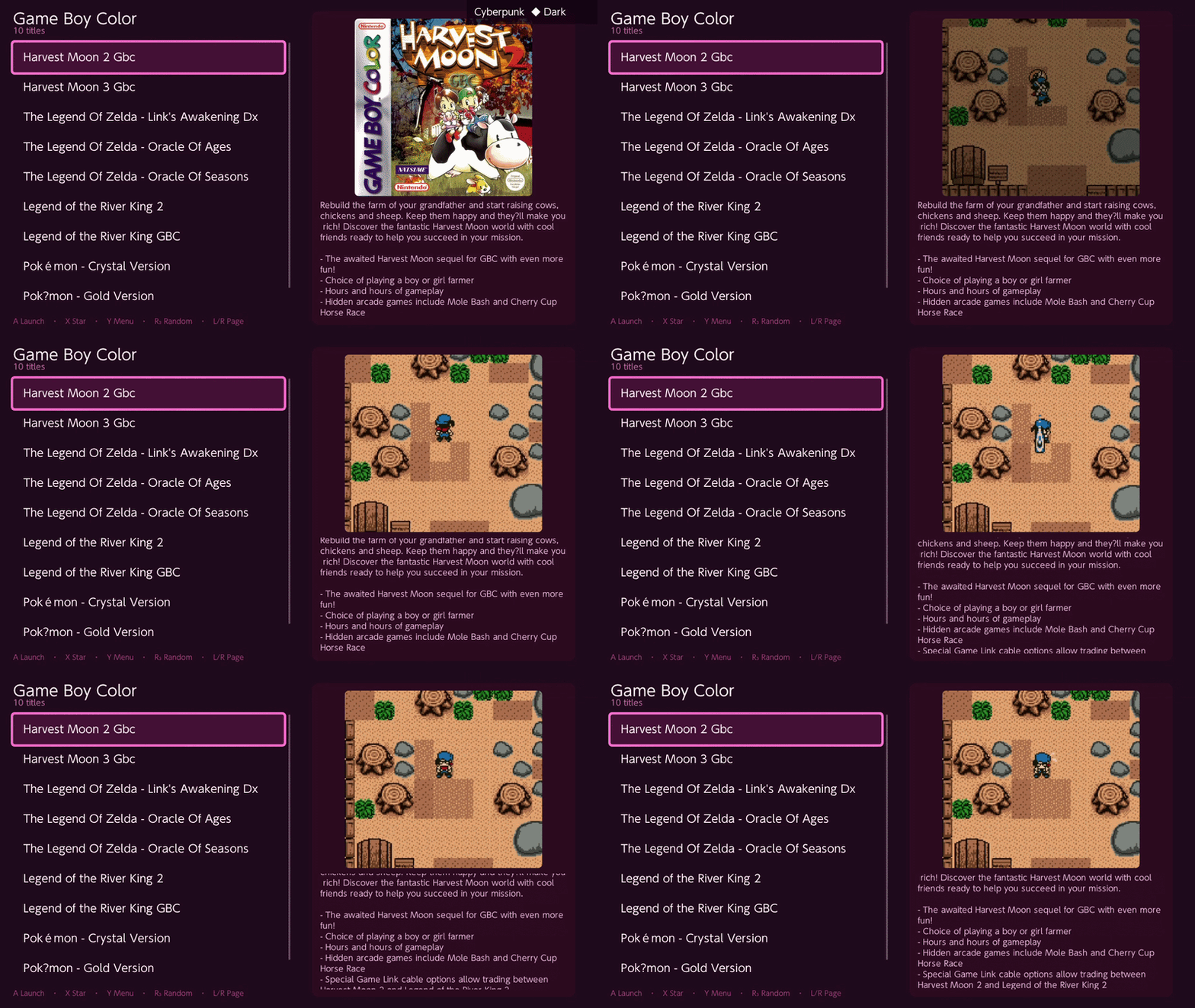
NXStation is a native Switch homebrew frontend (C++, Borealis UI). It scans your SD card, shows systems and games with box art and metadata, and launches through RetroArch. When you close a game, it tries to put you back where you were browsing. It is built around an ES-DE-style
roms/ folder layout, so if you already organize that way on a Pi or a Chinese handheld, you can copy media and gamelist.xml over without reinventing everything.MAIN FEATURES
- ES-DE-compatible folder layout and media (
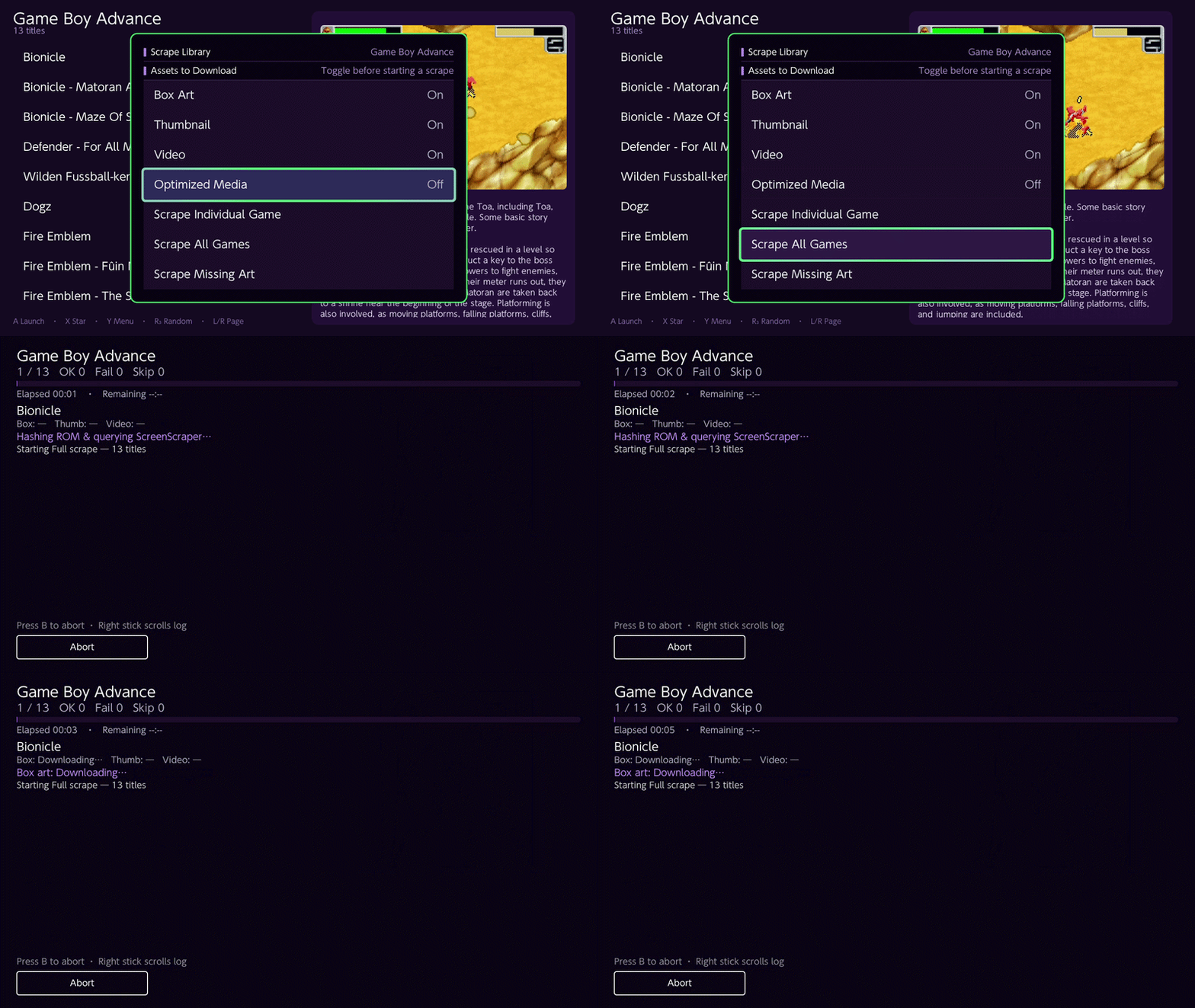
gamelist.xml, box art, thumbnails) - ScreenScraper.fr integration — single game or batch scrape; caches on SD card for offline browsing
- RetroArch as the emulator backend (per-system cores in config)
- List / carousel views, favorites, last played
- Search, jump-to-letter, random pick, screensaver
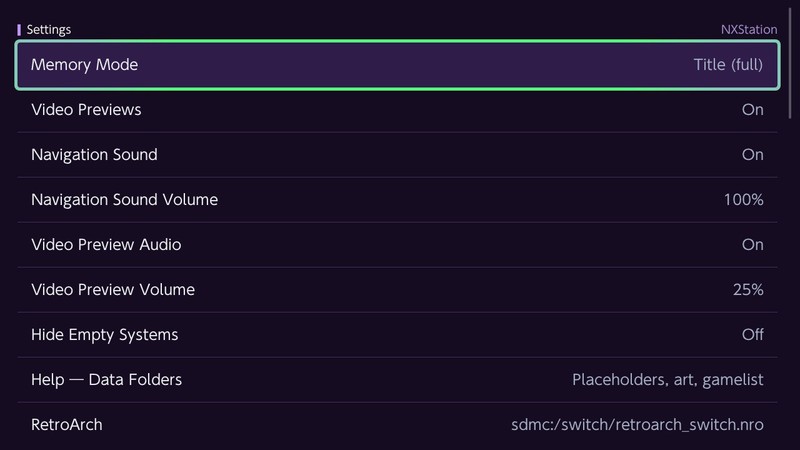
- Optional video previews in the game list (needs full RAM — see below)
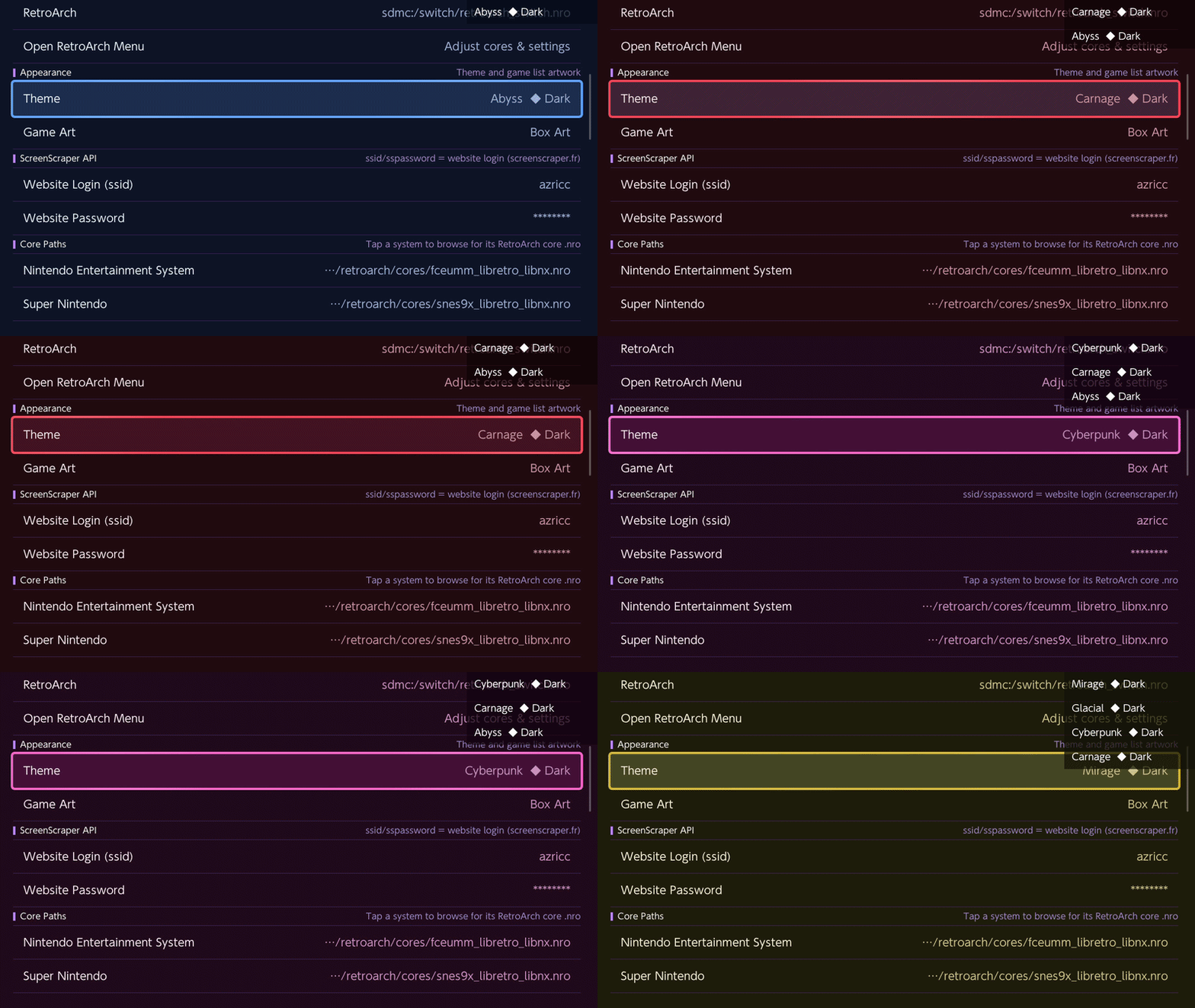
- Built-in color themes (dark/light sets) and some customization
- Optional Home Menu forwarder install from Settings (Title Override required to install)
SUPPORTED SYSTEMS (DEFAULT CONFIG)
20 folder IDs out of the box:
nes, snes, n64, gb, gbc, gba, nds, 3ds, megadrive, mastersystem, gamegear, dreamcast, psx, ps2, psp, pce, atari2600, cps1, cps2, neogeo. More can be added in roms_config.json if you have a matching RetroArch core.REQUIREMENTS
- Modded Switch with homebrew (Atmosphere, etc.)
- RetroArch for Switch installed (
sdmc:/switch/retroarch_switch.nroand cores undersdmc:/retroarch/cores/as usual) - Title Override is required. Hold R on a game icon on the Home Menu, launch homebrew from there, then start NXStation. The normal Homebrew Menu applet mode does not have enough RAM for video previews, caching, and stable launching — the app will tell you if you started wrong.
- Optional: ScreenScraper.fr account for scraping; Wi-Fi when you scrape
QUICK SETUP
- Download
NXStation.nrofrom GitHub releases - Copy to
sdmc:/switch/NXStation/ - Put ROMs in
sdmc:/roms/{system}/(example:sdmc:/roms/snes/) - Launch via Title Override as above
Example layout:
Code:
sdmc:/roms/
├── snes/
│   └── some_game.sfc
├── nes/
└── gba/
DOWNLOAD & LINKS
- Releases: GitHub — NXStation releases
- Source / issues: github.com/jiraiya78/NXStation
- Project page: nxstation.com
KNOWN LIMITATIONS
- Early release — expect bugs, missing polish, and things I have not thought of yet
- No ROMs, BIOS, or RetroArch in the project; frontend only
- Some planned ideas (background music, etc.) are not in yet
- I am not affiliated with Nintendo, RetroArch, ES-DE, or Tico — just a user building what I needed
PERSONAL NOTE
I have been around emulation and homebrew for a long time (close to 15 years), but honestly I probably will not play much on Switch right now. Work, family, and life take most of the time. Still, having the library set up properly on the console feels good. If NXStation saves someone else a bit of setup pain or makes today a little nicer the way it did for me while building it, that is rewarding enough for me.
Bug reports and feedback on GitHub are welcome. If something breaks on your setup, issues with logs or clear steps help a lot.
Peace and love.









 . I thought it was taken down together with GC. Will remove it from default system in upcoming fix. Thank you for highlighting


