
BCTO error running Tegra-What does it mean and what can I do?

intromission

Active Member
Newcomer
Joined
May 17, 2016
Messages
26
Reaction score
1
Trophies
1
Age
50
XP
154
Country
United States
Hadn't played the Switch in a while.


Tried resetting the Sd card, the card also reads fine on a computer, and I’ve confirmed it shows up in the Switch system settings. I've never had any issues with this process before and have had years trouble free. I haven’t made any changes either. Does anyone have any idea what I can do to get things working again?
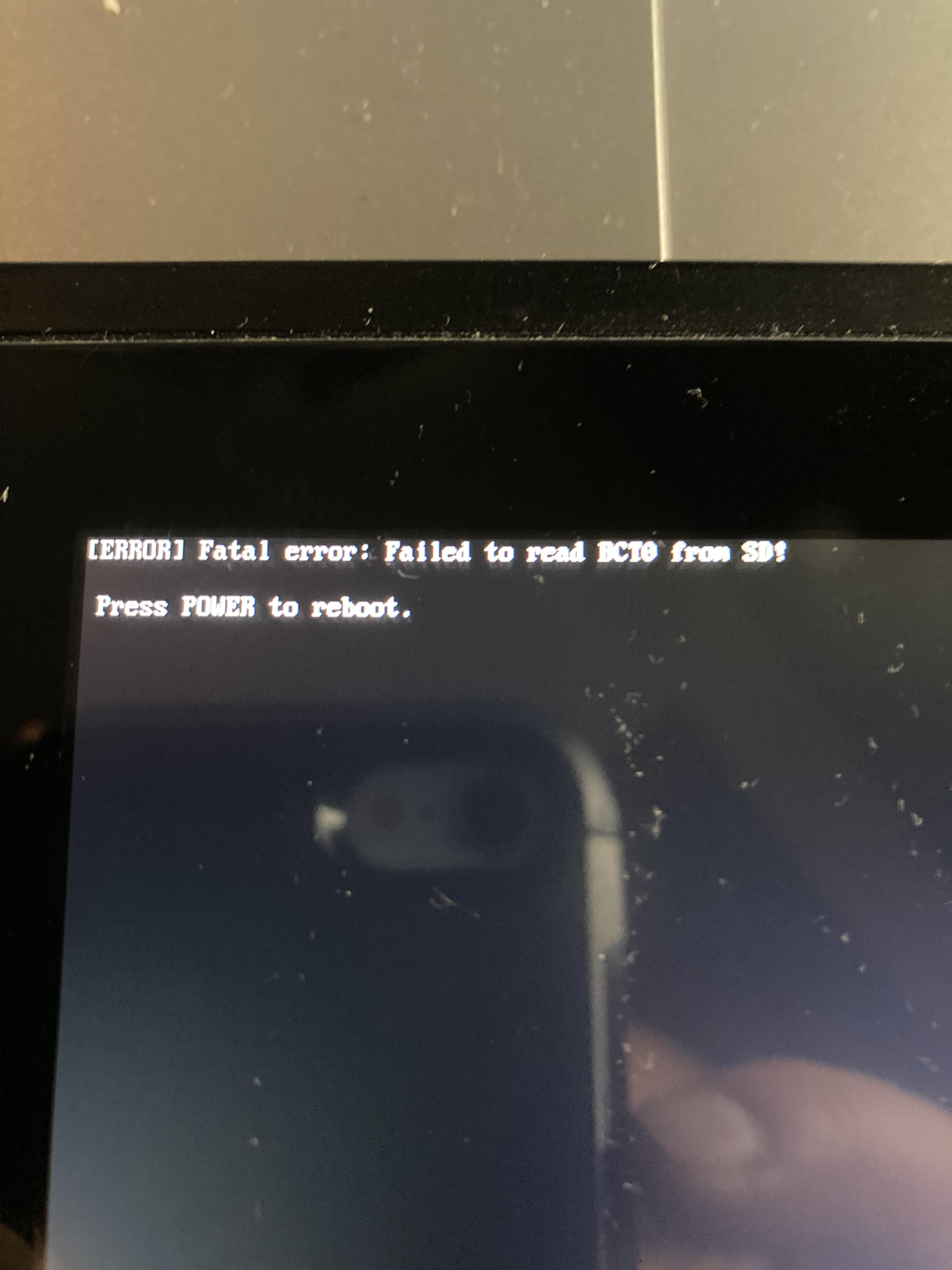


fal5epobd3fh1.jpeg
 
Last edited by intromission,
The term BCT0 refers to the header identifier for boot configuration files (specifically BCT.ini) in the Atmosphère custom firmware for the Nintendo Switch. This file is placed in the /atmosphere/ folder on your SD card and manages custom boot configurations, custom splash screens, and hardware patches.
 
The term BCT0 refers to the header identifier for boot configuration files (specifically BCT.ini) in the Atmosphère custom firmware for the Nintendo Switch. This file is placed in the /atmosphere/ folder on your SD card and manages custom boot configurations, custom splash screens, and hardware patches.
Thanks. So is it possible something became corrupted in that file alone and I could just swap it out?
 
Thanks. So is it possible something became corrupted in that file alone and I could just swap it out?

Just replace all the atmosphere and hekate files on your SD card, you current setup isn't properly config to boot.

Follow this.

 
Just replace all the atmosphere and hekate files on your SD card, you current setup isn't properly config to boot.

Follow this.

I tried that and when I used Tegra, nothing happened-Black screen.

I was worried I had bricked the console maybe, but a hard reset brought it back. I put back the old files I replaced and it reproduced the same problem again with the above error.

Went looking through the contents on my SD card on a mac and then a PC and could not locate a BCT.ini file.
There are numerous other .ini files in the Atmosphere config-templates folder but not that one. Could that be the issue?
 
I tried that and when I used Tegra, nothing happened-Black screen.

I was worried I had bricked the console maybe, but a hard reset brought it back. I put back the old files I replaced and it reproduced the same problem again with the above error.

Went looking through the contents on my SD card on a mac and then a PC and could not locate a BCT.ini file.
There are numerous other .ini files in the Atmosphere config-templates folder but not that one. Could that be the issue?

Best if you start from scratch if you got a setup that doesn't boot. Use a windows pc don't use a mac to do the setup.
 
  • Like
Reactions: intromission

Site & Scene News

Popular threads in this forum
