I put Atmosphere on my Switch very recently for the first time. I have the latest Atmosphere and Switch firmware versions. I've been using it with EdiZon with no problems so far. But now I'm playing Xenoblade Chronicles and when I bring up the EdiZon overlay menu it keeps crashing. And It only started doing this recently, I'm several hours into the game and I've used the overlay menu with cheats before with no issues at all. But then, my very first crash I was using the exp x32 cheat, and doing some battles, and the cheat didn't seem to be working. It worked on the first battle, and then after that I was actually getting less exp, not more. But I was running around in the open field and Atmosphere just crashed. So I figure ok, maybe it's a bad cheat or it doesn't work. So I went back into Atmosphere and Xenoblade Chronicles again and then after that, every time I bring up the overlay menu Atmosphere crashes. Not right away. Sometimes it takes a few seconds when I start scrolling down. Sometimes I scroll down then exit out of the overlay menu and it crashes. Every time I bring up the overlay menu it crashes. I even loaded an older save and it crashes on that one too with the overlay menu.
I did some googling and I've seen people get this error for a lot of reasons. The only one that could possibly apply to me is maybe my cheat text file has too many entries? I did watch a tutorial on how to create your own codes, and I recently added them to the cheat file, but it was only 3 codes, and only one line each. Maybe that has something to do with it? Btw the cheat that was activated during my first crash was not the cheat I created. I used that hours ago and it seems to have worked just fine. If something was wrong with the cheats I made though, wouldn't the cheats just not work or the cheats would crash the game itself, not crash all of Atmosphere, and the cheats I made weren't even activated during any of the crashes.
I'm using EdiZon snapshot build(1.0.0). I've read there's a new version out called EdiZon-SE, but I also read that some games are not compatible with it and it removed some features. I don't know if that's true or not. And again, I used EdiZon a ton on my previous game and had no issues whatsoever. And had no issues on this game until tonight. I don't know if you recommend upgrading or sticking with 1.0.0.
Any help on what could be causing these crashes would be of great help. Thanks.
Edit: I went into my crash report folder on my SD card and it says: "Process Name: ovlloader" and then "Type: Data Abort" further down lists "ovlEdiZon" a bunch in the text file. If that helps any.
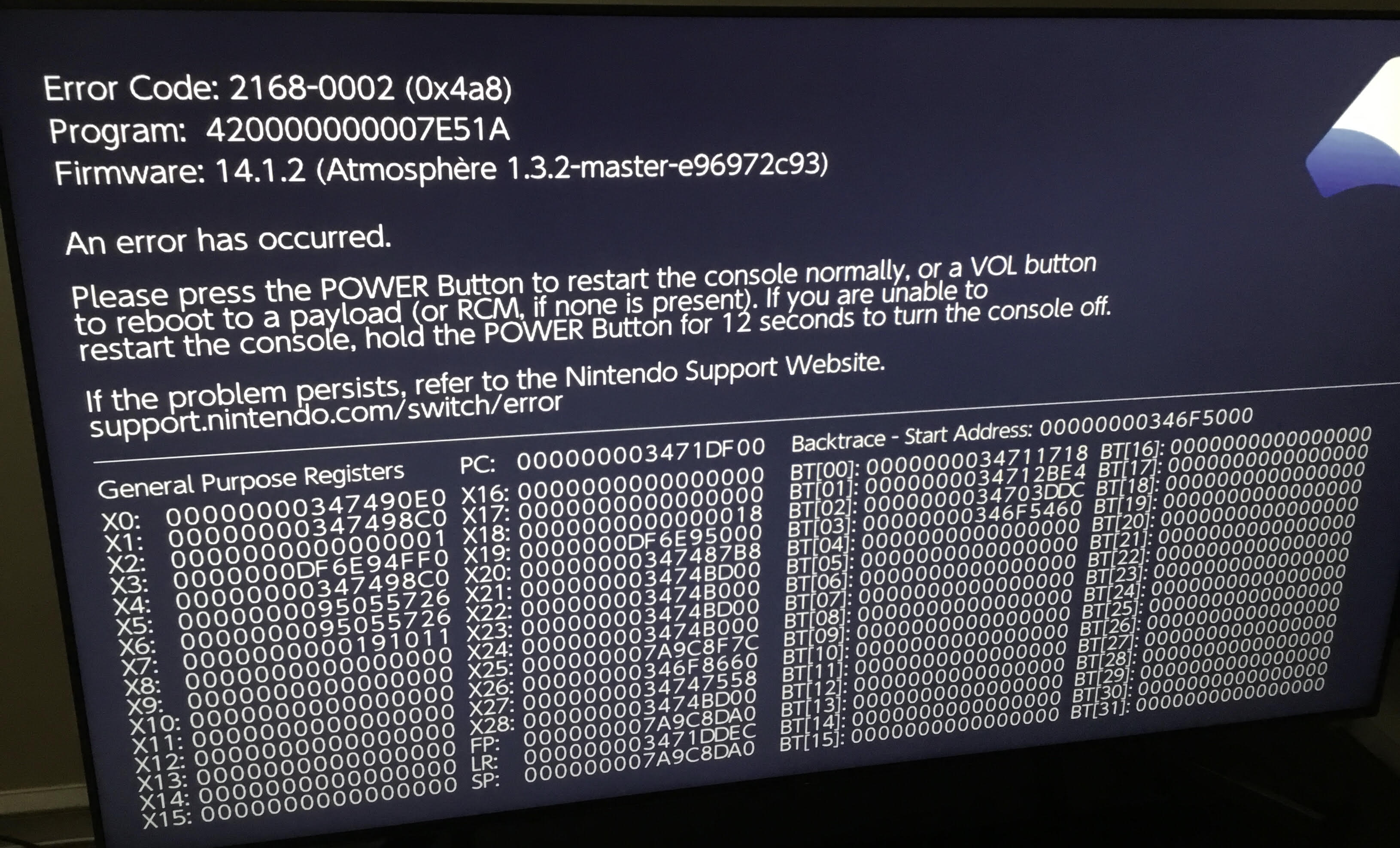
I did some googling and I've seen people get this error for a lot of reasons. The only one that could possibly apply to me is maybe my cheat text file has too many entries? I did watch a tutorial on how to create your own codes, and I recently added them to the cheat file, but it was only 3 codes, and only one line each. Maybe that has something to do with it? Btw the cheat that was activated during my first crash was not the cheat I created. I used that hours ago and it seems to have worked just fine. If something was wrong with the cheats I made though, wouldn't the cheats just not work or the cheats would crash the game itself, not crash all of Atmosphere, and the cheats I made weren't even activated during any of the crashes.
I'm using EdiZon snapshot build(1.0.0). I've read there's a new version out called EdiZon-SE, but I also read that some games are not compatible with it and it removed some features. I don't know if that's true or not. And again, I used EdiZon a ton on my previous game and had no issues whatsoever. And had no issues on this game until tonight. I don't know if you recommend upgrading or sticking with 1.0.0.
Any help on what could be causing these crashes would be of great help. Thanks.
Edit: I went into my crash report folder on my SD card and it says: "Process Name: ovlloader" and then "Type: Data Abort" further down lists "ovlEdiZon" a bunch in the text file. If that helps any.