[Release] UTheme – A Theme Manager for Wii U

  • Thread starter Thread starter Xziip
  • Start date Start date
  • Views Views 14,815
  • Replies Replies 35
  • Likes Likes 26

Xziip

Member
Newcomer
Joined
May 6, 2025
Messages
8
Reaction score
33
Trophies
0
XP
127
Country
China
Hello GBATemp community!


I’m excited to introduce UTheme. This is an open-source theme manager and installer with network download support. Download, preview, install and manage Wii U themes directly from your console!

banner.png


UTheme powered by Themezer API​

Thanks to Themezer for providing the public API; without it, this software wouldn't exist.


Features​

  • 🎨 Browse & Download Themes - Access themes from online repository
  • 🖼️ HD Preview - View high-quality theme previews before installing
  • 📦 One-Click Install - Automatic theme patching.
  • 🗂️ Theme Management - View, update, and uninstall installed themes
  • 🌍 Multi-Language - Support for Chinese, English, and Japanese
  • ⚙️ Settings - Customize logging, language, and music preferences

Installation​

  1. Download the latest release from Here
  2. Extract UTheme.wuhb to sd:/wiiu/apps/

File Structure​

sd:/
├── themes/ # Downloaded theme packages
├── wiiu/
│ ├── apps/
│ │ └── UTheme/
│ │ └── UTheme.wuhb
│ └── utheme.cfg # Configuration file
└── UTheme/
├── installed/ # Installed theme metadata
├── cache/ # Theme list cache
└── BGM.mp3 # Background music (auto-downloaded)
# BGM source : Shop - nico's nextbots


If you encounter any issues or have questions:
  • Check the logs in sd:/wiiu/logs/utheme.log (enable logging in settings)
  • Open an issue on github
You can support me on ko-fi: https://ko-fi.com/xziip

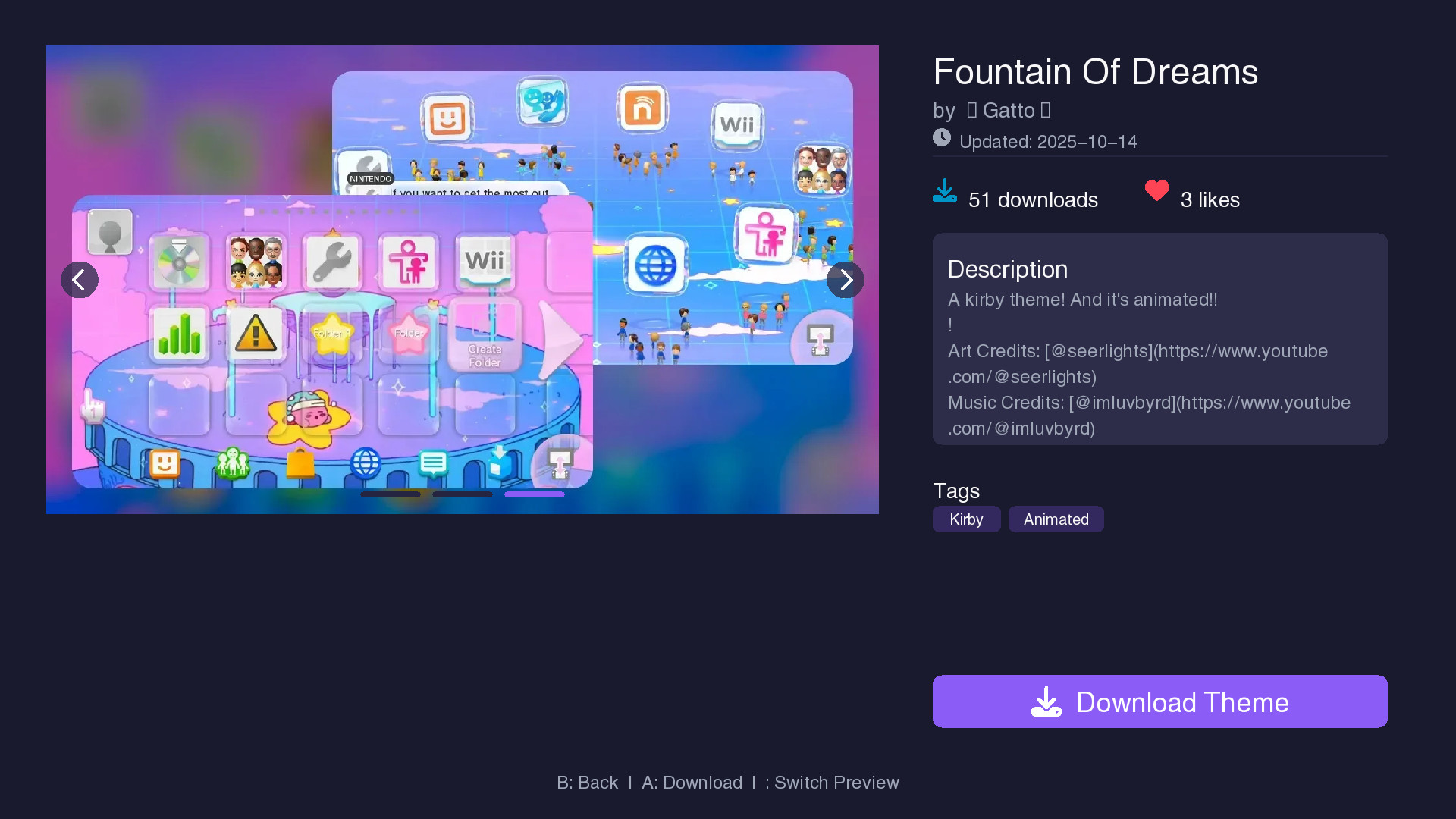
Screenshot:

detail.jpg

more screenshots: https://github.com/xziip/UTheme
 

Attachments

  • menu.jpg
    menu.jpg
    186.4 KB · Views: 35
  • UTheme.zip
    UTheme.zip
    5.4 MB · Views: 30
Hello GBATemp community!


I’m excited to introduce UTheme. This is an open-source theme manager and installer with network download support. Download, preview, install and manage Wii U themes directly from your console!

View attachment 547719


UTheme powered by Themezer API​

Thanks to Themezer for providing the public API; without it, this software wouldn't exist.


Features​

  • 🎨 Browse & Download Themes - Access themes from online repository
  • 🖼️ HD Preview - View high-quality theme previews before installing
  • 📦 One-Click Install - Automatic theme patching.
  • 🗂️ Theme Management - View, update, and uninstall installed themes
  • 🌍 Multi-Language - Support for Chinese, English, and Japanese
  • ⚙️ Settings - Customize logging, language, and music preferences

Installation​

  1. Download the latest release from Here
  2. Extract UTheme.wuhb to sd:/wiiu/apps/

File Structure​

sd:/
├── themes/ # Downloaded theme packages
├── wiiu/
│ ├── apps/
│ │ └── UTheme/
│ │ └── UTheme.wuhb
│ └── utheme.cfg # Configuration file
└── UTheme/
├── installed/ # Installed theme metadata
├── cache/ # Theme list cache
└── BGM.mp3 # Background music (auto-downloaded)
# BGM source : Shop - nico's nextbots


If you encounter any issues or have questions:
  • Check the logs in sd:/wiiu/logs/utheme.log (enable logging in settings)
  • Open an issue on github
You can support me on ko-fi: https://ko-fi.com/xziip

Screenshot:
View attachment 547718
more screenshots: https://github.com/xziip/UTheme
Looks great. Thanks for that. Is there also a compatibility check, which tells you if this theme is made for your console? Many of the US themes won't work on European consoles
 
  • Like
Reactions: Stanly20
Looks great. Thanks for that. Is there also a compatibility check, which tells you if this theme is made for your console? Many of the US themes won't work on European consoles
European Wii U consoles have more built-in language packs in the system menu, which means theme files need to be smaller to work properly. This issue is more likely to happen with unoptimized themes or those with animations. That’s why some themes may not work on European consoles unless they are optimized for size.

Thank you for your feedback! I will add a theme size check in the next version to help improve compatibility.
 
  • Like
Reactions: Technician
How do i copy over themes i downloaded from elsewhere? like where do i put the men.bps, men2.bps and cafe_barista_men.bps files?
 
  • Like
Reactions: laz305
How do i copy over themes i downloaded from elsewhere? like where do i put the men.bps, men2.bps and cafe_barista_men.bps files?
Package them into a ZIP file, then rename the file to [theme name ].utheme and place it in the wiiu/themes/ folder of the SD card.

Then, open "Manage Themes" in UTheme and click "X" to install the local theme. Select your theme and install it.
 
  • Like
Reactions: laz305
This app is incredible and I love it, but I just have one issue. Only the sound effects and background music loads, and nothing else. Any help would be appreciated, thank you!
 
I was able to download and install one theme (vista), but not the others; it gets stuck during the download.
 
I was able to download and install one theme (vista), but not the others; it gets stuck during the download.
Turn off UTheme and download it again
Post automatically merged:

This app is incredible and I love it, but I just have one issue. Only the sound effects and background music loads, and nothing else. Any help would be appreciated, thank you!
You can try disable SDCaffine and to load custom theme with Stylemiiu.
 
  • Like
Reactions: laz305
Hello GBATemp community!


I’m excited to introduce UTheme. This is an open-source theme manager and installer with network download support. Download, preview, install and manage Wii U themes directly from your console!

View attachment 547719


UTheme powered by Themezer API​

Thanks to Themezer for providing the public API; without it, this software wouldn't exist.


Features​

  • 🎨 Browse & Download Themes - Access themes from online repository
  • 🖼️ HD Preview - View high-quality theme previews before installing
  • 📦 One-Click Install - Automatic theme patching.
  • 🗂️ Theme Management - View, update, and uninstall installed themes
  • 🌍 Multi-Language - Support for Chinese, English, and Japanese
  • ⚙️ Settings - Customize logging, language, and music preferences

Installation​

  1. Download the latest release from Here
  2. Extract UTheme.wuhb to sd:/wiiu/apps/

File Structure​

sd:/
├── themes/ # Downloaded theme packages
├── wiiu/
│ ├── apps/
│ │ └── UTheme/
│ │ └── UTheme.wuhb
│ └── utheme.cfg # Configuration file
└── UTheme/
├── installed/ # Installed theme metadata
├── cache/ # Theme list cache
└── BGM.mp3 # Background music (auto-downloaded)
# BGM source : Shop - nico's nextbots


If you encounter any issues or have questions:
  • Check the logs in sd:/wiiu/logs/utheme.log (enable logging in settings)
  • Open an issue on github
You can support me on ko-fi: https://ko-fi.com/xziip

Screenshot:
View attachment 547718
more screenshots: https://github.com/xziip/UTheme
I need help, local themes need to install in uthemes format, and I don't know how to convert to a uthemes format
 
Finally, I was able to download almost all of them, reboot each time a theme was installed. An incredible app.
 
  • Like
Reactions: Arfuirl
Only three themes available for me, maybe because i'm a PAL user?

Well, whatever the case, all three are gorgeous. I left the Vista theme on, it feels just natural given that Wii U uses the same Aero, glass like style for its menu design.

Quick question, can this potentially brick my Wii U?
I dont think so, not if you're using Aroma and the StyleMii plugin
 
  • Like
Reactions: laz305
Only three themes available for me, maybe because i'm a PAL user?

Well, whatever the case, all three are gorgeous. I left the Vista theme on, it feels just natural given that Wii U uses the same Aero, glass like style for its menu design.


I dont think so, not if you're using Aroma and the StyleMii plugin
This may be a network issue. You can press the X key to refresh.
 
This may be a network issue. You can press the X key to refresh.
Interesting. I'll test that.

EDIT: Indeed, i was having a network issue, but now i have a completely different issue.

There needs to be a disclaimer for themes that *dont* run on PAL consoles. The New Horizons theme puts my Wii U on boot loop
 
Last edited by Osakasan,
Quick question, can this potentially brick my Wii U?
No
Post automatically merged:

Interesting. I'll test that.

EDIT: Indeed, i was having a network issue, but now i have a completely different issue.

There needs to be a disclaimer for themes that *dont* run on PAL consoles. The New Horizons theme puts my Wii U on boot loop

What's the size of your patched .pack file? You can find the stuck theme in sd:/wiiu/themes. Let me know so I can fix it in the next version.
 

Site & Scene News

Popular threads in this forum