[re_nsyshid] Wii U USB Device Emulator

  • Thread starter Thread starter deReeperJosh
  • Start date Start date
  • Views Views 15,216
  • Replies Replies 63
  • Likes Likes 29

deReeperJosh

Member
Newcomer
Joined
Apr 8, 2025
Messages
20
Reaction score
41
Trophies
0
Age
27
XP
110
Country
Spain
Hi all, first post here but I just wanted to share a project that I have been working on, temporarily titled re_nsyshid. Similar UI to re_nfpii (thanks to the creator for allowing me to repurpose some code)

You can find it here on the homebrew app store, or here on github.

It's an Aroma Plugin that allows you to use software to emulate USB Portal devices like the Skylanders Portal of Power, the Disney Infinity Base, and in future also hopefully the Lego Dimensions Toypad and Kamen Rider Summonride Ride Gate!

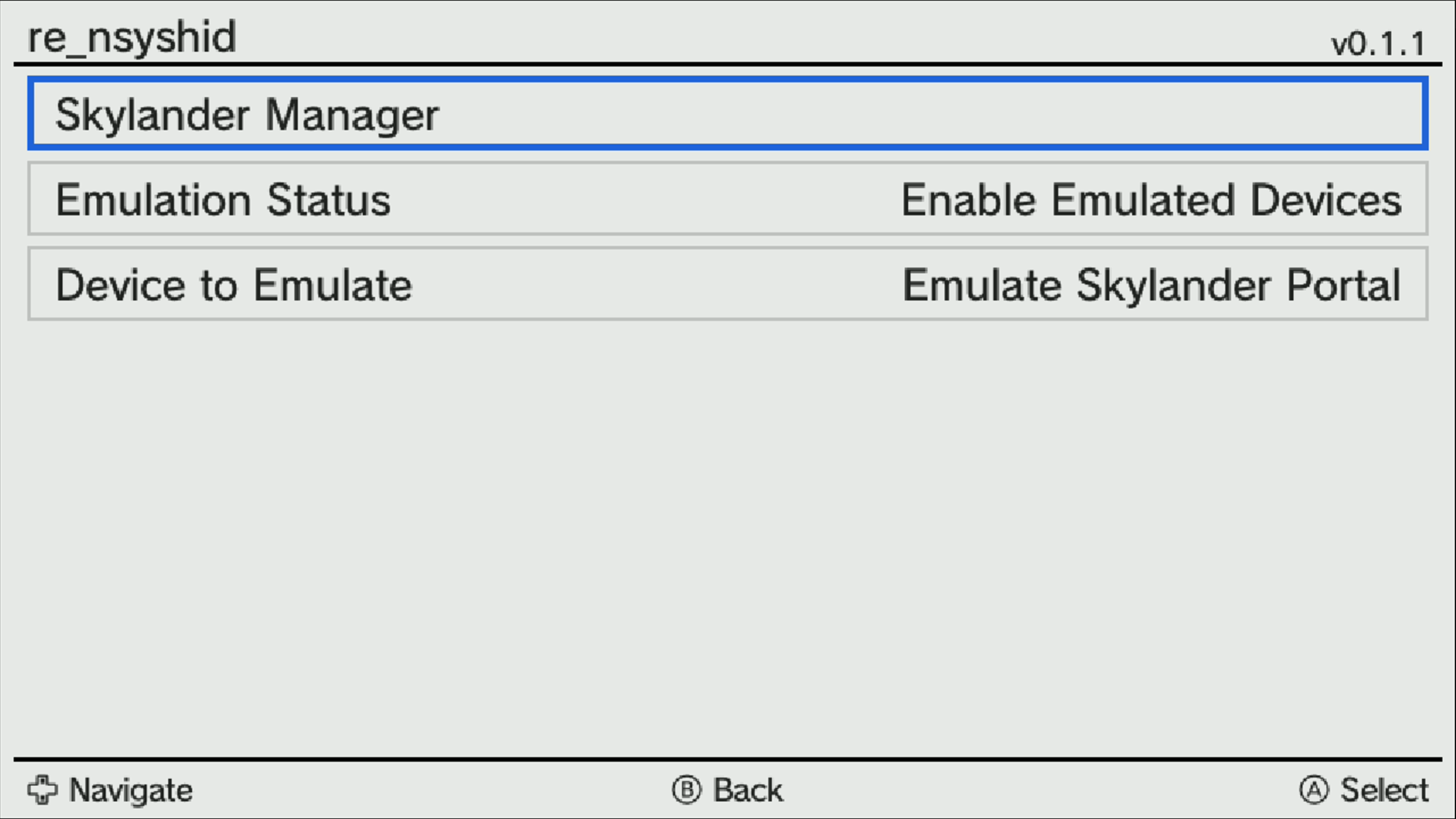
The theory is simple, I use some WUPS override methods to replace the nsyshid.rpl system library, and via the config menu you can turn Emulation on and off, meaning you can switch between using a real USB device or an emulated device (prior to starting a game), and you can also choose which device you want to emulate (currently only the Portal of Power and Infinity Base).

I have added some simple screenshots below, but please use the tool if you are interested and let me know what you think!

In game, waiting for Skylander:
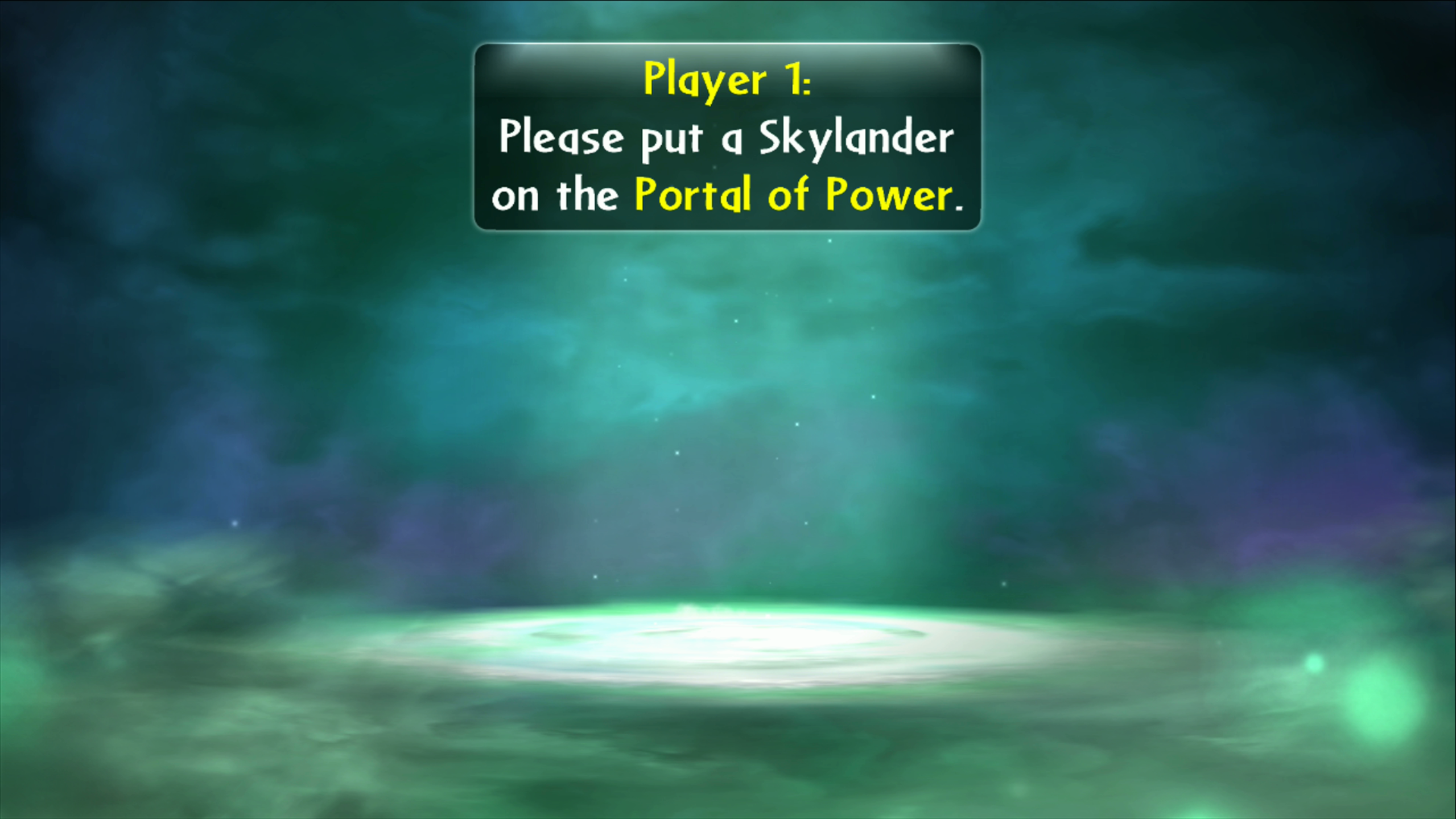
portal.png


In the plugin menu:
configmenu.png


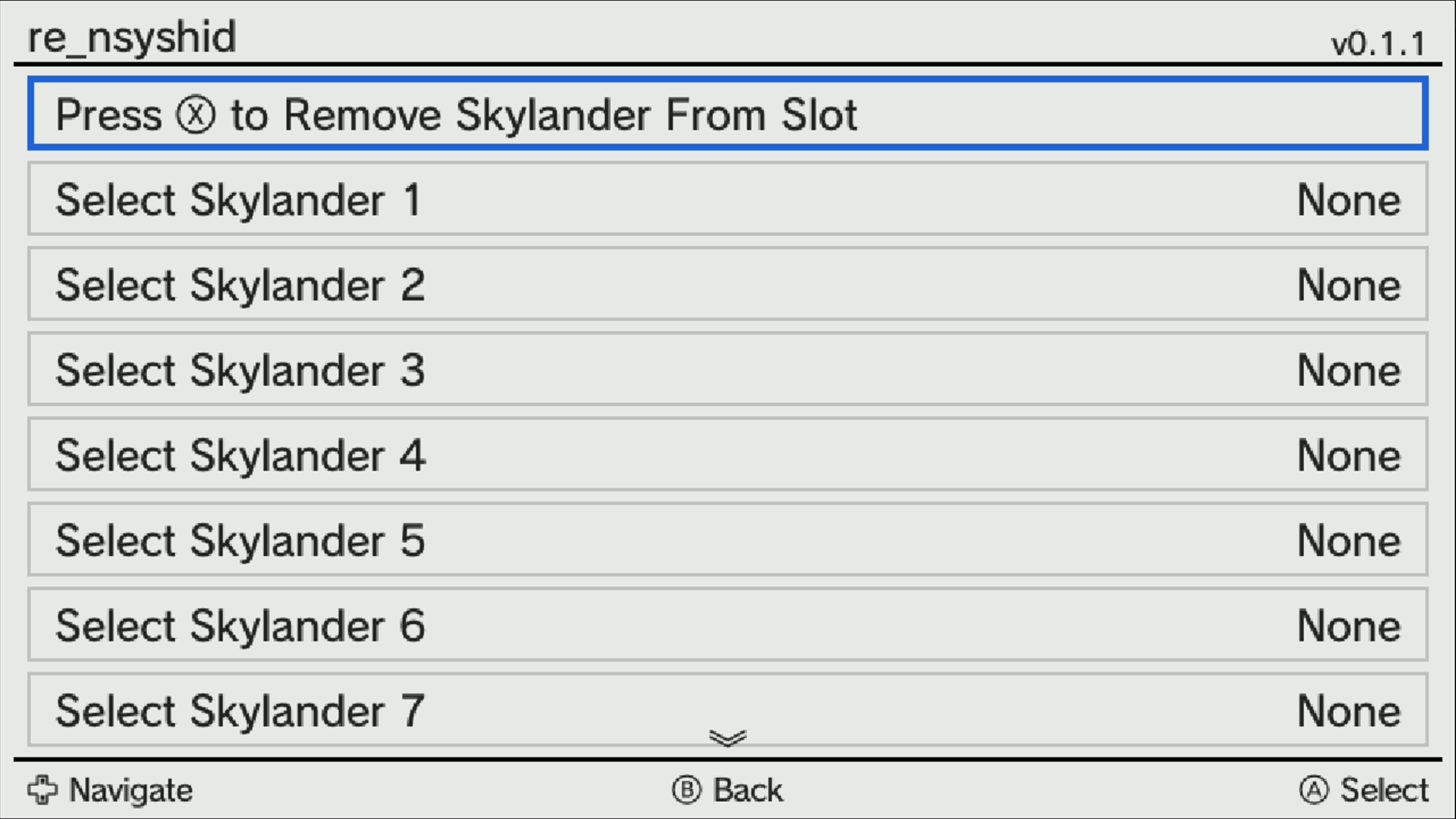
Skylander Manager
skylanderslots.png


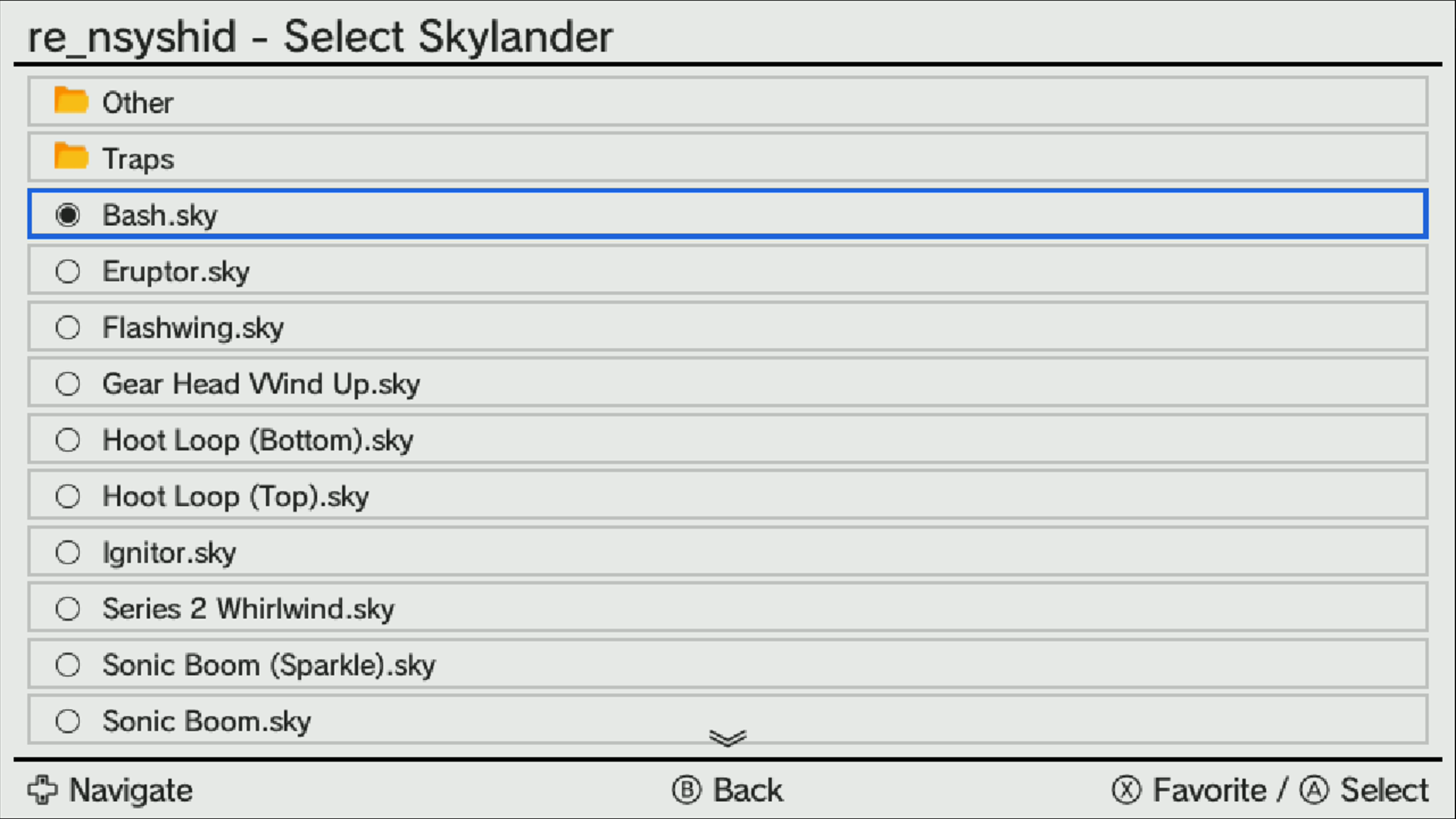
File Browser:
filebrowser.png


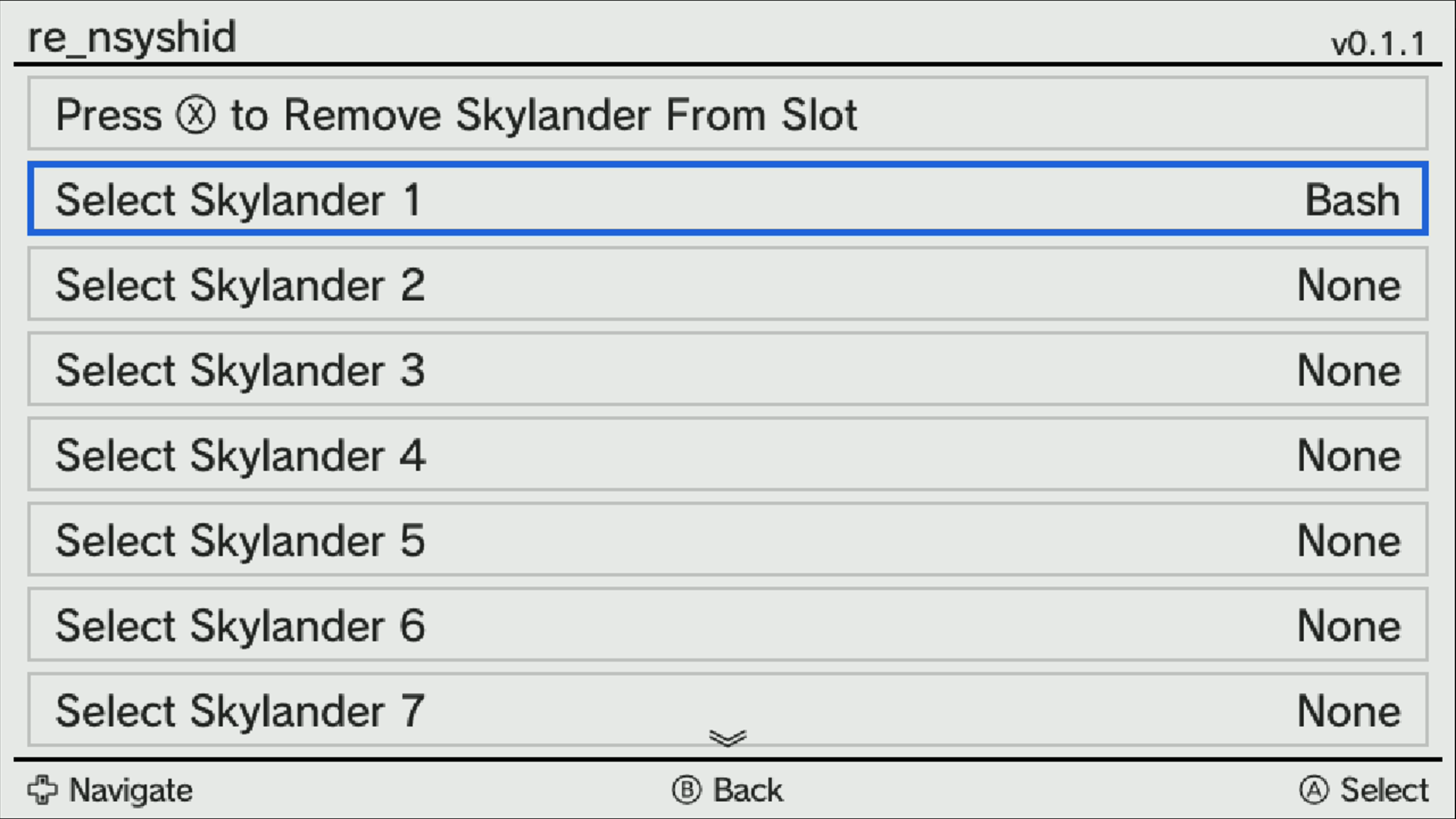
Skylander Loaded:
skylanderloaded.png


In game!
ingame.png
 
Last edited by deReeperJosh,
I can't post links as I am a new account, but it is on my github (same username as here), repository is called re_nsyshid
 
The latest release now also includes a Lego Dimensions Toypad! I don't have a capture card to show the config menu, but it is identical to the layout of a Toypad, and even displays the most recent colours sent from the game so that you know where to move your characters. If anyone has a capture card to get some screenshots for me that would be amazing
 
  • Like
Reactions: ChibiMofo
The latest release now also includes a Lego Dimensions Toypad! I don't have a capture card to show the config menu, but it is identical to the layout of a Toypad, and even displays the most recent colours sent from the game so that you know where to move your characters. If anyone has a capture card to get some screenshots for me that would be amazing
Im using the latest v0.3.1

There some skylanders supercharger that display unknown message but still function normaly

Barrel blaster - unknown (3240 16384)
Clown cruiser - unknown (3233 16384)

Bowser hammer slam - unknown (3424 16640)
Donkey kong turbo charge - unknown (3423 16640)

Also im using .bin files, not .sky
 
Im using the latest v0.3.1

There some skylanders supercharger that display unknown message but still function normaly

Barrel blaster - unknown (3240 16384)
Clown cruiser - unknown (3233 16384)

Bowser hammer slam - unknown (3424 16640)
Donkey kong turbo charge - unknown (3423 16640)

Also im using .bin files, not .sky
Just posted v0.3.2 which updates the id/var combos and naming conventions, so those should work as expected now :)
 
  • Like
Reactions: ChibiMofo
I also would like to know. Years ago, nfc-bank had them, but that site has been long gone & I never was able to find a replacement for it.
 
Yeah you can create every character in the game using my code on RPCS3 or Cemu, but you will need to create a lot of blank tags as well
 
you can create every character in the game using my code on RPCS3
Is there a tutorial for that somewhere? I always wanted to try the skylander games, but had not the desire to buy those rubbish amiboo figures or cards. So the emulation for that sounds great. If everything is manageable with your aroma plugin, then I will give it a try.
 
I haven’t made one for RPCS3, but the same code I made on Cemu as well and there is a video here

I've never actually played Lego Dimensions (always wanted to, but never wanted to spend so much money). Could you clarify something for me? That part in the video where you use a blank tag to create the batmobile - are you able to create basically any figure/vehicle/set at that point? Or do you have to actually play through the entire game & can only create them at relevant segments? I don't wanna have to play through the entire game just to grab all the .bins, you know?
 
I've never actually played Lego Dimensions (always wanted to, but never wanted to spend so much money). Could you clarify something for me? That part in the video where you use a blank tag to create the batmobile - are you able to create basically any figure/vehicle/set at that point? Or do you have to actually play through the entire game & can only create them at relevant segments? I don't wanna have to play through the entire game just to grab all the .bins, you know?
You can use the same blank tag and it can be constantly overwritten, so it can become any vehicle or gadget you want, but if you want to have every vehicle and gadget pre loaded on to blank tags then that is currently not possible, but should be easy enough to implement
 
Yeah I essentially want to have a separate .bin file for every single character/vehicle/gadget etc. so that I can add them to this area:

1744947793806.png
 
  • Like
Reactions: lordelan

Site & Scene News

Popular threads in this forum