

Since only a few people [maybe nobody..] manage to run the cheat-plugin TempAR for PS1 on Adrenaline
without crash or black-screen, I'm going to show you how to do this.
To open TempAR without errors, please follow these instructions.
NOTE: if you already have installed my Files (seplugins) you only need to follow point 3. and 4. .
1. If you have old versions of TempAR or CWCheat installed you need to delete these two plugins
and install my Files below seplugins for Adrenaline 7.x.
The download includes TempAR and CwCheat.
(NEW: for Adrenaline 8.0.2 use Adrenaline 8.0.2 Files and delete the old ones in seplugins)
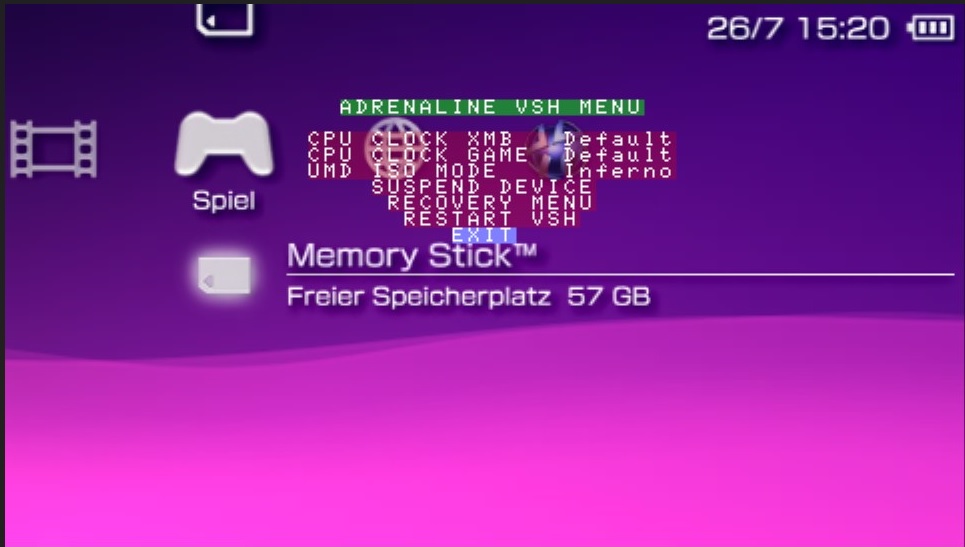
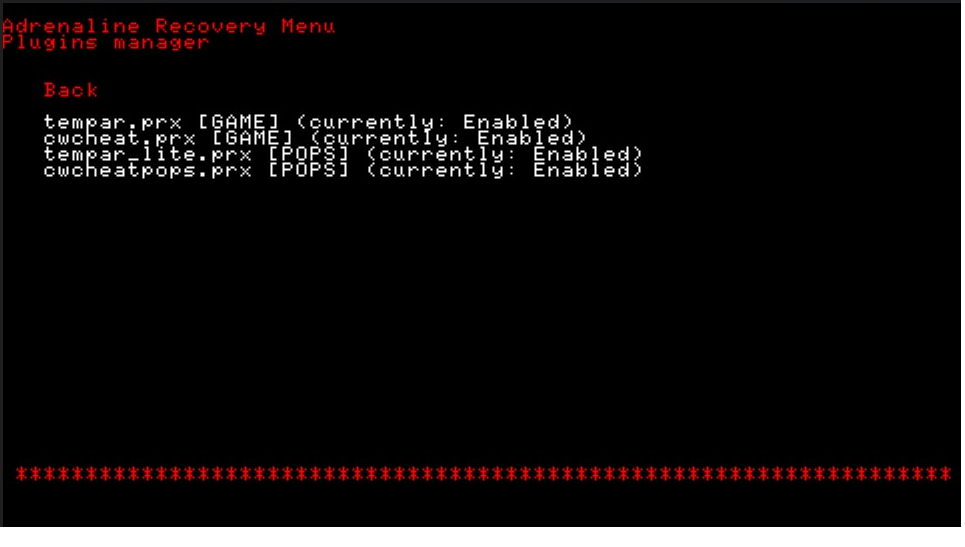
2. Set the settings exactly as in the picture below.
Push select to open Recovery Menu / Plugins / Enabled
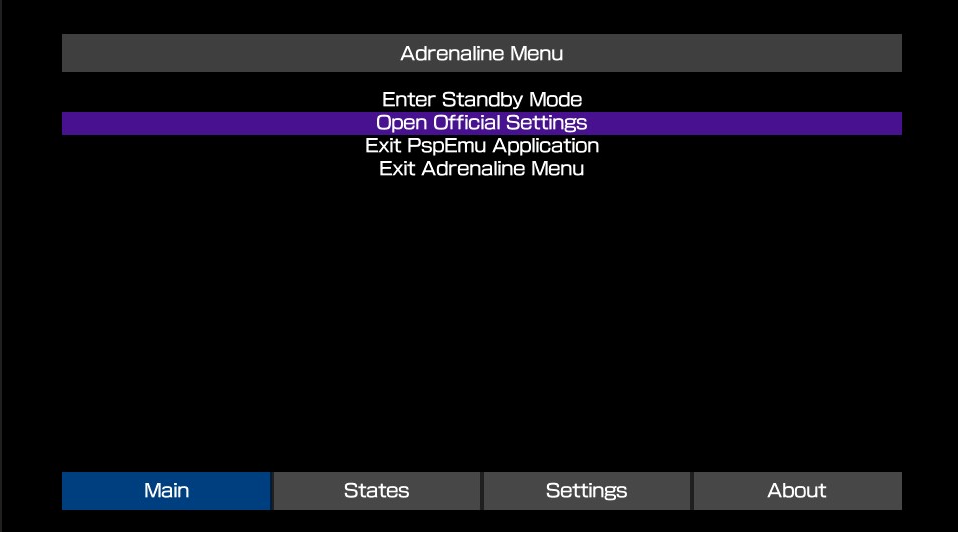
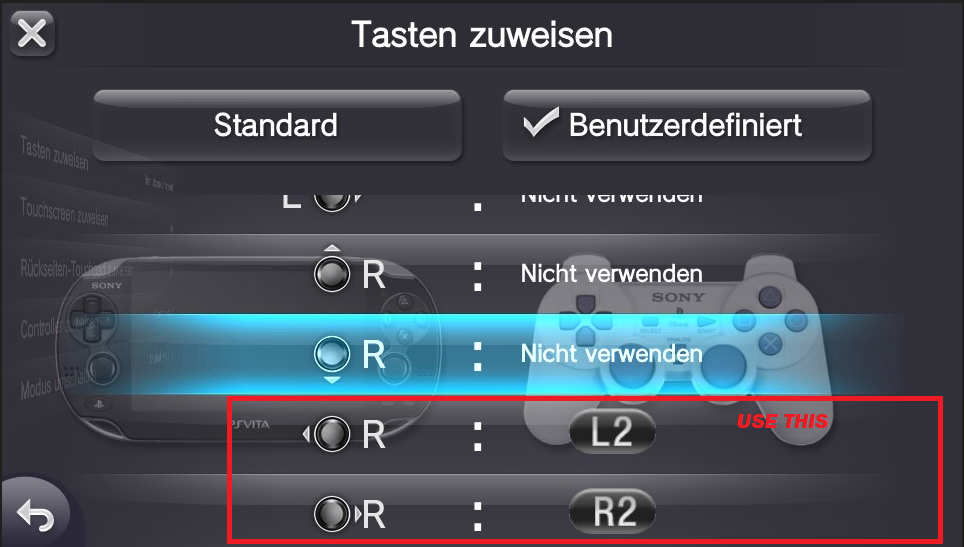
3. Use these settings to control TempAR without problems.
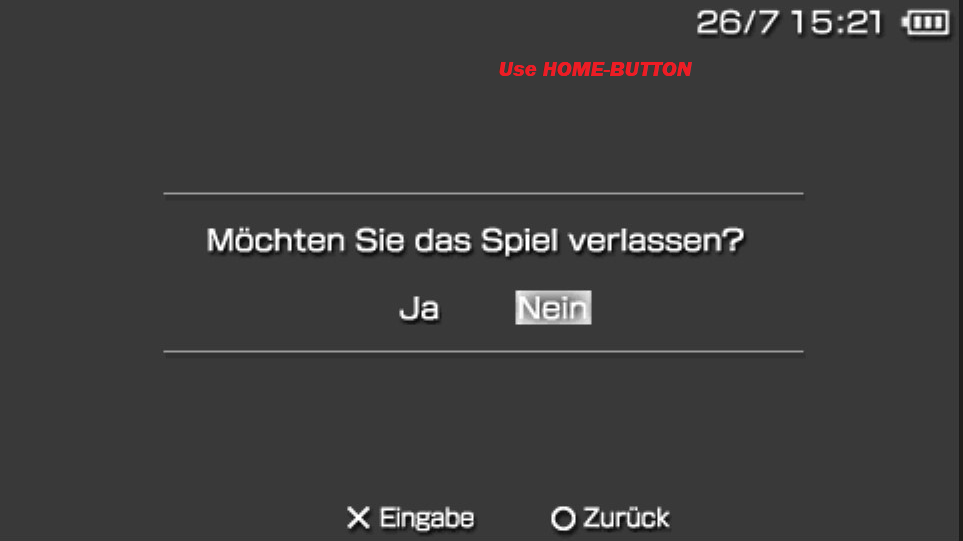
4. To open TempAR, press first the HOME BUTTON in game-play after that
hold DOWN+TRIANGLE to open TempAR and push HOME BUTTON again.
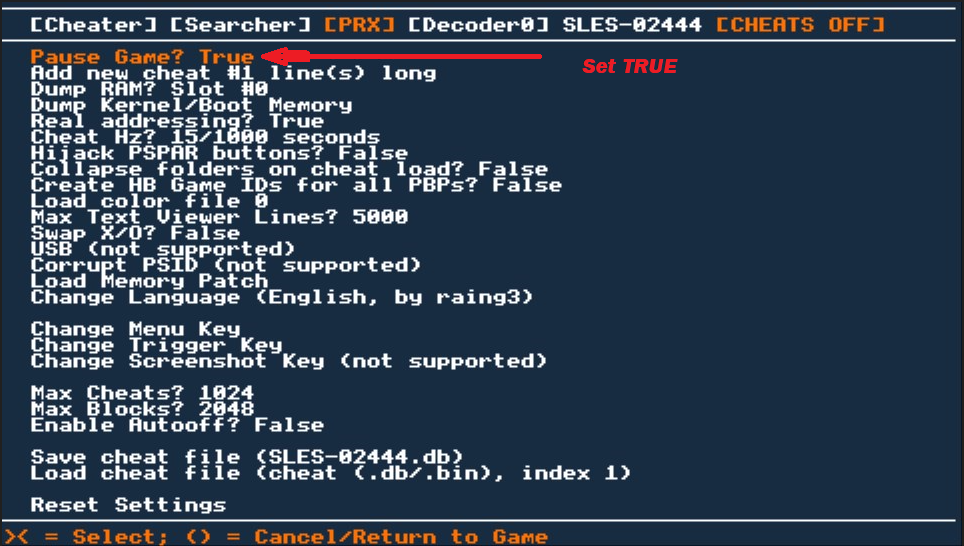
Please set [Pause Game True] in the TempAr menu.
That's it happy-cheating
without crash or black-screen, I'm going to show you how to do this.
To open TempAR without errors, please follow these instructions.
NOTE: if you already have installed my Files (seplugins) you only need to follow point 3. and 4. .
1. If you have old versions of TempAR or CWCheat installed you need to delete these two plugins
and install my Files below seplugins for Adrenaline 7.x.
The download includes TempAR and CwCheat.
(NEW: for Adrenaline 8.0.2 use Adrenaline 8.0.2 Files and delete the old ones in seplugins)
2. Set the settings exactly as in the picture below.
Push select to open Recovery Menu / Plugins / Enabled
3. Use these settings to control TempAR without problems.
4. To open TempAR, press first the HOME BUTTON in game-play after that
hold DOWN+TRIANGLE to open TempAR and push HOME BUTTON again.
Please set [Pause Game True] in the TempAr menu.
That's it happy-cheating
Attachments
Last edited by tomberyx,