ROM Hack Hollow Knight - 1080p | 720p resolution mod

  • Thread starter Thread starter cucholix
  • Start date Start date
  • Views Views 10,636
  • Replies Replies 22
  • Likes Likes 14

cucholix

00000780 00000438
Member
Joined
Jan 17, 2017
Messages
3,336
Solutions
1
Reaction score
2,348
Trophies
2
Age
46
XP
6,895
Country
Chile
Hollow Knight | only for v1.4.3.2 and v1.4.3.2b
Docked 1080p | Handheld 720p mod

Docked default (720p)
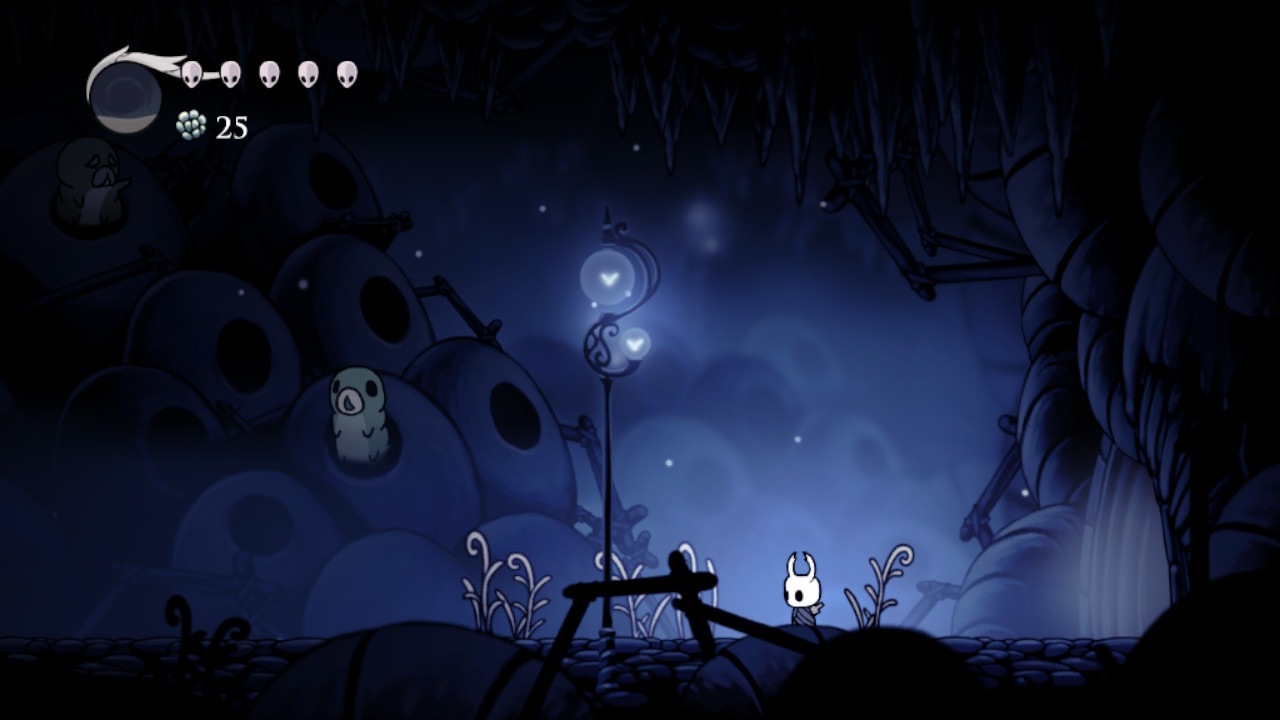
hollowk_720p_gameplay.jpg


Docked moded (1080p)
hollowk_1080p_gameplay.jpg


Only tested in early stages, no OC needed so far (it could change depending the stage)
 

Attachments

Last edited by cucholix,
Hollow Knight
Docked 1080p | Handheld 720p mod

Docked default (720p)
View attachment 341958

Docked moded (1080p)
View attachment 341959

Only tested in early stages, no OC needed so far (it could change depending the stage)

I love that you posts these, man. It’s pretty cool that you can do this stuff.

For the delta between 1080 and 720, where is the best place to look in these pics to see the biggest difference?
 
I love that you posts these, man. It’s pretty cool that you can do this stuff.

For the delta between 1080 and 720, where is the best place to look in these pics to see the biggest difference?
Not really, the game assets are not such high resolution, it's noticeable in text but should try by yourself the Switch screenshots are compressed and 720p max :p
 
Waiting toooooo long for this. I have to find where I hide my HK card game since I bought it from day one. Re-enjoy the game with better graphic. :yayswitch:
 
Most of the mods out there is working with every updated version (from oldest to latest) of the game.
Not in this case though. IPS patches are pretty hardcoded to specific game versions. OP should update to include such important info.

@up: nice timing.
 
Ok, so that’s easy enough to install and yes, I can see the difference on my TV. Had to reboot AMS but that makes sense in retrospect.

Is there somewhere I can read up on the science behind how this is done? Like, are the graphics somehow stored at higher resolution already and you’re unlocking them?
Is it similar to how cheats are found or is it from sifting through a game instruction at a time until you figure out how things work per each game?

Apologies for the Noob questions. I’m just genuinely curious about these kind of posts.
 
Ok, so that’s easy enough to install and yes, I can see the difference on my TV. Had to reboot AMS but that makes sense in retrospect.

Is there somewhere I can read up on the science behind how this is done? Like, are the graphics somehow stored at higher resolution already and you’re unlocking them?
Is it similar to how cheats are found or is it from sifting through a game instruction at a time until you figure out how things work per each game?

Apologies for the Noob questions. I’m just genuinely curious about these kind of posts.
Methodology behind those Unity res patches are working only on games without dynamic resolution.

You need to disassemble Unity game, find "UnityEngine.Screen::SetResolution" function either by following xref to string that registers this function or with il2cppdumper, then you follow xref to pointer used in this function to find calls that are setting res for handheld + docked and patch them. Nobody is stopping you from hardcoding one res inside SetResolution function.

IMG_20221208_053004.png

It's easier to do it on Unity 2017+ games because each function is registered through separate calls while older Unity games are registering in loop so you need to spend more time on matching pointers

Each engine is different, so you can't use this method to search values in other games.
 
Last edited by masagrator,
Methodology behind those Unity res patches are working only on games without dynamic resolution.

You need to disassemble Unity game, find "UnityEngine.Screen::SetResolution" function either by following xref to string that registers this function or with il2cppdumper, then you follow xref to pointer used in this function to find calls that are setting res for handheld and docked. Nobody is stopping you from hardcoding one res inside SetResolution function.

View attachment 341972

It's easier to do it on Unity 2017+ games because each function is registered through separate calls while older Unity games are registered in loop so you need to spend more time on matching pointers
Yikes! I certainly appreciate the information. I understand what you’re talking about at a very high level but I have some serious foundational gaps to fill in. Very cool stuff. Going to put it on my list of things to come back to when I’m smarter.

Thanks again!
 
I wonder why they went with such a low default for docked mode, what was the handheld defaul?
 

Site & Scene News

Popular threads in this forum