







Homebrew [Release] Vice3DS (C64 Emulator)

  • Thread starter Thread starter Badda
  • Start date Start date
  • Views Views 142,165
  • Replies Replies 529
  • Likes Likes 54
Thank you Badda, this is what I was doing.
I just noticed the tape drive wasn’t mounted so wouldn’t work, had to mount device now it works.
Thanks again, great release :)
 
@Badda When switching to True Drive Emulation via the soft button, the option "Virtual device traps" should also be disabled again, as some games can not be loaded otherwise.
Currently this always has to be done manually via the options when changing
 
Last edited by Muxi,
You're right - it's really easy. Just one small change in libSDL and it's pixel perfect: GPU_LINEAR -> GPU_NEAREST.
Will be part of v1.3

Using GPU_NEAREST will bring other problems: you can see it clearly with a resized image with vertical lines, because the resize is performed by scanlines and different lines use different offsets, so vertical lines come out a little "jagged".

Several people complained about this in my port of Handy and in the first games made with libSDL (the first version of libSDL had that setting), so in the end decided to move to GPU_LINEAR, that makes the images a little blurried, but better looking in some cases.

There is no best option, some people likes one solution, other people the other one.

Maybe adding an option to set that parameter could be the best thing to do. But there is no SDL function to do it, so you should add it to the init code making a custom version of the SDL lib.

Sorry that I can't help you with this now, I'm haveing fun coding on Atari Lynx now (just approaching 6502 ASM )
 
Using GPU_NEAREST will bring other problems: you can see it clearly with a resized image with vertical lines, because the resize is performed by scanlines and different lines use different offsets, so vertical lines come out a little "jagged".

Several people complained about this in my port of Handy and in the first games made with libSDL (the first version of libSDL had that setting), so in the end decided to move to GPU_LINEAR, that makes the images a little blurried, but better looking in some cases.

There is no best option, some people likes one solution, other people the other one.

Maybe adding an option to set that parameter could be the best thing to do. But there is no SDL function to do it, so you should add it to the init code making a custom version of the SDL lib.

Sorry that I can't help you with this now, I'm haveing fun coding on Atari Lynx now (just approaching 6502 ASM )

That's why it should only use GPU_NEAREST if there is no scaling involved:
Code:
C3D_TexSetFilter(&spritesheet_tex, this->hidden->fitscreen ? GPU_LINEAR : GPU_NEAREST, GPU_NEAREST);

https://github.com/devkitPro/SDL/pull/36
 
New version v1.3 is out. Here are the changes:
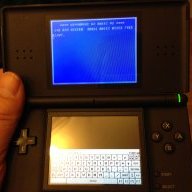
  • enhancement: button to show/hide the keyboard, more soft buttons below keyboard
  • enhancement: pixel perfect screen representation (required change in libSDL, thanks to @Vague Rant for the clue)
  • enhancement: paint color keys on keyboard with palette colors
  • enhancement: added help menu
  • enhancement: remember current directory for file dialogs across restarts
  • enhancement: standard soft button icons are copied to SD-card at initial startup, they can now be modified/amended by the user
  • enhancement: added some more helper menu entries in menu "Misc"
  • enhancement: added some soft button icons
  • bugfix: no more freeze when exiting via home- or power button
  • bugfix: roms added for all C64 machine types
  • bugfix: re-center display after machine type change
  • optimization: stripped some unnecessary code (vkbd, hvsc)
Important: As always - if you're updating from a previous version, make sure to delete the config directory on your SD-card /3ds/vice3ds/config before first starting the emulator. Otherwise new config settings, hotkeys and key mappings will not be updated and will not work. More specifically, I updated sdl-vicerc and sdl-hotkey-C64.vkm

https://github.com/badda71/vice3ds/releases

Have Fun! :yay3ds:
 
Last edited by Badda,
Excellent work, as always! Without exaggeration, I think it's clear now that this is the best portable Vice port, by far. Perhaps the best Vice port period?
Some crazy demos will only work with true drive emulation on, but that's to be expected.
Also I noticed a small issue, when I change the ROMs to JiffyDOS, it requires a restart of Vice3DS to make it work.
My personal recommendation is to run JiffyDOS, turn True Drive emulation on, and also drive sound emulation. This is the fastest and most compatible way to run everything.
There is one thing missing though to create the perfect experience :)
I had brought this up before. On a real C64, the processes don't pause when you insert a disk in the drive.
In all emulators I'm aware of, the emulation pauses so a settings menu pops up on the screen so you can insert a new disk image. Especially in demos you can feel the disruption. You have already done away with most screen interruptions by including soft keys, which change settings on the fly (like flipping the joysticks) which in other ports require a cumbersome entering of the settings menu and the subsequent interruption of the emulation flow.
So I suggest to have an option available where the settings menu loads into the lower screen, rather than the top screen, and keep the emulation running while you switch disks or whatever. Of course any settings change that requires a reset of the C64 will then do so after hitting B.
There is really no need to have the lower screen soft buttons available, or the virtual keyboard, while you are browsing through the emulator settings.
 
Will the config files be created in a different location from version 1.3? It is in any case under 3ds / vice3ds no config folder to find more after the setup there. I would like to have the sdl_sym.vkm adjusted individually (because of the assignment of the buttons)

Edit:
Sorry my mistake ...... it is now available!
 
Last edited by Muxi,
Excellent work, as always! Without exaggeration, I think it's clear now that this is the best portable Vice port, by far. Perhaps the best Vice port period?
Some crazy demos will only work with true drive emulation on, but that's to be expected.
Also I noticed a small issue, when I change the ROMs to JiffyDOS, it requires a restart of Vice3DS to make it work.
My personal recommendation is to run JiffyDOS, turn True Drive emulation on, and also drive sound emulation. This is the fastest and most compatible way to run everything.
There is one thing missing though to create the perfect experience :)
I had brought this up before. On a real C64, the processes don't pause when you insert a disk in the drive.
In all emulators I'm aware of, the emulation pauses so a settings menu pops up on the screen so you can insert a new disk image. Especially in demos you can feel the disruption. You have already done away with most screen interruptions by including soft keys, which change settings on the fly (like flipping the joysticks) which in other ports require a cumbersome entering of the settings menu and the subsequent interruption of the emulation flow.
So I suggest to have an option available where the settings menu loads into the lower screen, rather than the top screen, and keep the emulation running while you switch disks or whatever. Of course any settings change that requires a reset of the C64 will then do so after hitting B.
There is really no need to have the lower screen soft buttons available, or the virtual keyboard, while you are browsing through the emulator settings.

Thanks for the feedback :-)
As for the menu on bottom screen, I cannot promise anything but I will check into this. I believe this would actually require quite some work in the Vice SDL1-specific code. SDL1 is not quite as flexible as SLD2 ...
Another pretty challenging request from @TVL is to save the config files together with the snapshot. Apart from this, the crackling sound reappeared again with the introduction of the "hide keyboard" button.
@urherenow asked for a port of the C128 emulator - this does not seem to be very difficult but the challenge remains how to show a resolution of 640x200 on the 400x240 3DS screen (linear scaling??).
Anyways, still a couple of things to do until we can say that it is "finished" ... :D
 
  • Like
Reactions: TVL and Elwyndas
A big shoutout to @Badda and @spinal_cord and of course all tester and c64 enthusiasts in this thread! I am feeling like Christmas in June. I am thinking it’s about time getting me a N3DS now :D
 
  • Like
Reactions: Badda
This is so good. Thanks to @Badda for your efforts with this.

I'm very much LTTP when it comes to 3DS but that's usually how I roll when it comes to gaming and that means I can snap up a very capable portable console like the New 3DSXL second hand for an awesome price.

As for Vice3DS, I was wondering if a mapping feature would be possible to allow for mapping a button to keys eg space bar?
 
This is so good. Thanks to @Badda for your efforts with this.

I'm very much LTTP when it comes to 3DS but that's usually how I roll when it comes to gaming and that means I can snap up a very capable portable console like the New 3DSXL second hand for an awesome price.

As for Vice3DS, I was wondering if a mapping feature would be possible to allow for mapping a button to keys eg space bar?

Glad you like the port. A mapping is possible by editing the config files (it's on the ToDo list for the vice menu).
Here is a post that describes how:
https://gbatemp.net/threads/release-vice3ds-c64-emulator.534830/page-5#post-8594064
 
  • Like
Reactions: ne1weknow
I'd humbly suggest a VIC-20 emulator, but that system was quickly overshadowed by the C64 and I can't reasonably expect anyone to support it. I'll have to see if the Raspberry Pi or my Vita could do this.
 
I updated to Luma 10.0.1 and all of a sudden I have random crashes of Vice 3DS. I will do further testing if anybody else can report the same. Otherwise I just blame my intense messing with the configuration.
 
Glad you like the port. A mapping is possible by editing the config files (it's on the ToDo list for the vice menu).

Thanks, I got it working after further searches on those config files revealed what the numbers relate to.
 
  • Like
Reactions: Badda
@Badda the c64 port seems very good running. What about porting Amiga to 3ds...? Is there any chance?
And one stupid question: I don't need 3D - can i just get an new 2 DS XL (instead of 3ds) and run vice3ds (and all that other emus) ....?
(still thinking about getting me an 2DS/3DS, its just the Amiga missing...)
 
Last edited by Alfonx,
@BaddaI don't need 3D - can i just get an new 2 DS XL (instead of 3ds) and run vice3ds (and all that other emus) ....?

Yes, Vice 3DS works fine on 2DS, however, you are missing out on the emulation speed feature, which is controlled by the 3D slider. You can still adjust emulation speed by going through the menu though, or soft buttons.
 
  • Like
Reactions: Alfonx
If you keep in mind that it's an old system, sure. I preferred the 16-bit Amiga, but the C64 had its moments.
 

Site & Scene News

Popular threads in this forum