Hacking [Uncensor] Project Zero: Maiden Of Black Water

  • Thread starter Thread starter Elusivo
  • Start date Start date
  • Views Views 248,750
  • Replies Replies 389
  • Likes Likes 38
lol i was playing a little bit with the models for fun, and i did manage to play ingame with Shiragiku, but it obviously has shape issues :P, i used it in a ren's mission, dunno if the shape we see there is Ren's shape or what...
View attachment 124238 View attachment 124237

I failed at all my blind trial n error attempts to fix it, it mostly crashed the game.
If anybody has any idea on how to fix it, you're welcome!
That's really cool!
Btw the alternate kimonos look so good! I'll definitely use those next time i play ff5
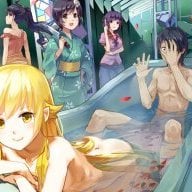
 
That's really cool!
Btw the alternate kimonos look so good! I'll definitely use those next time i play ff5
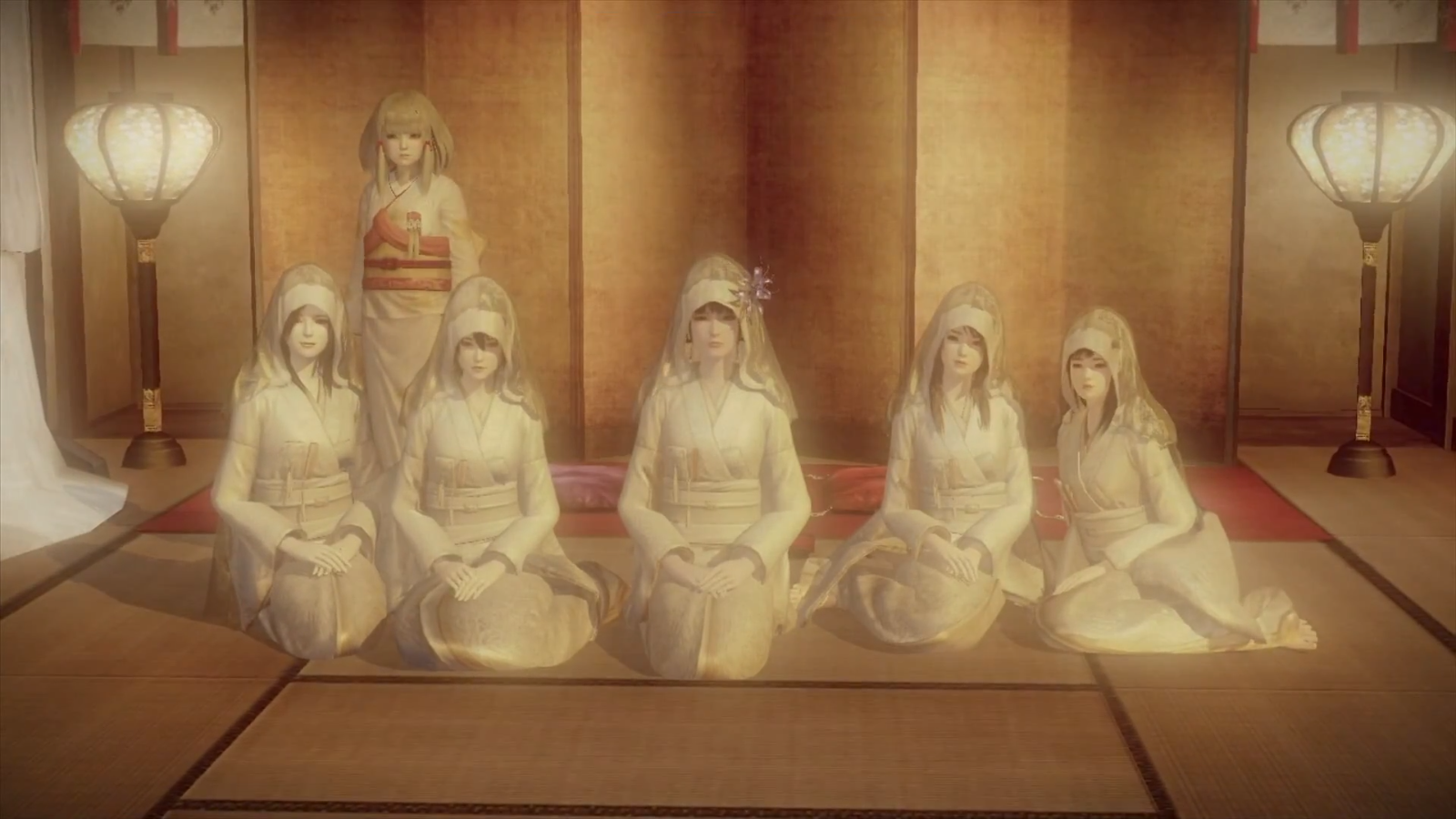
ye :P those are the priestesses outfit, I really like the way they look wearing makeup.

All_priestesses_in_Fatal_Frame_5.png

https://goo.gl/images/6Ne2xT
 
  • Like
Reactions: krueger96
Here is how you copy the files from SD to the game installed on USB:
  1. Copy patched files to folder patchpz on your SD-card and insert SD into WiiU.
  2. Run a fw.img with wupserver capabilities on WiiU.
  3. Run wupclient.py with the following commands:
Code:
"C:\Path\to\Python\python.exe" -i wupclient.py

mount_sd()

w.cp("/vol/storage_sdcard/patchpz/lens5_cafe.rpx", "/vol/storage_usb01/usr/title/00050000/101D0300/code/lens5_cafe.rpx")
w.cp("/vol/storage_sdcard/patchpz/archive00.lnk", "/vol/storage_usb01/usr/title/00050000/101D0300/content/archive00.lnk")

unmount_sd()

You need to have sigpatches applied or the game will freeze on startup.


Did you find out about the filename?
Hey can u give me more details please?.
1. Haxchi have wupserver capabilities?
2. U dont need to delete the original archives first?
3. In the commands section, after every line i have to press enter?
 
But i have installed the game (like 6gb) and the dlc (like 8gb). wich one should i patch?

U just need to search for the files that are to be patched, they are in the game folders, not the dlc. The dlc is basically just extra audio and video files.

Hey can u give me more details please?.
1. Haxchi have wupserver capabilities?
2. U dont need to delete the original archives first?
3. In the commands section, after every line i have to press enter?

1. i know there are some wupserver apps for hbl that I used before, dunno if it's those apps that are needed for the python script.
2. never used it, but is just a matter of trying. When in doubt tho, dun see any problems about deleting 1st.
3. also never used this python script but "enter" is pretty much guaranteed to be needed.
If u dun simply wanna reinstall the game (or can't) I think this is the fastest way to copy archive00 over, just make sure u use the correct path for the game version u have.

Sent from my X900+ using Tapatalk
 
Last edited by Elusivo,
  • Like
Reactions: cvskid
No matter what I do, I cannot get it working.
Trying with US game from WiiUSBH > JNUSTool > patch archive + lens using V5 Patch > NUSPacker > SD > Install using WUP Installed GX2 > freezes at launch stuck at splash screen.

I read somewhere that clearing your tickets can help, I only found Tik2SD, it just lists tickets, not really helpful like the 3DS TikSweeper.

Does anyone know what else I can do?
I have tried the US Game on CEMU, works.
Tried the patch game in CEMU, Works.
So these arent "bad" just the WiiU will not get past launch.

EDIT: Must note, I cant even get the unpatched US Game to work on the WiiU!

This used to work fine before my HDD change. other games work fine.
 
Last edited by HyeVltg3,
Hi,

That's weird, the issues i usually hear about is not being able to install the game, so i don't think u have a ticket problem.

Since you say ur using a new hdd, 1st thing that pops up in my mind is whether u have enough juice for it.
Are you powering the hdd externally or at least using an usb Y cable?

Since u got it working on cemu, this shouldn't be an issue, but make sure ur using the correct rpx patch for the original or patched archive00.

Also, when u say the unpatched game doesn't run too, did u uninstall and install it 100% new? If it's a 100% fresh unpatched install and it doesn't run it would also point to the hdd imo.

Anyway, dun remember if i tried this last patch i posted with the US game in my wiiu to be 100% sure that it indeed works, will try as soon as i have time to confirm it.

No matter what I do, I cannot get it working.
Trying with US game from WiiUSBH > JNUSTool > patch archive + lens using V5 Patch > NUSPacker > SD > Install using WUP Installed GX2 > freezes at launch stuck at splash screen.

I read somewhere that clearing your tickets can help, I only found Tik2SD, it just lists tickets, not really helpful like the 3DS TikSweeper.

Does anyone know what else I can do?
I have tried the US Game on CEMU, works.
Tried the patch game in CEMU, Works.
So these arent "bad" just the WiiU will not get past launch.

EDIT: Must note, I cant even get the unpatched US Game to work on the WiiU!

This used to work fine before my HDD change. other games work fine.


Sent from my X900+ using Tapatalk
 
Anyway, dun remember if i tried this last patch i posted with the US game in my wiiu to be 100% sure that it indeed works, will try as soon as i have time to confirm it.

The HDD is powered with its own AC Adapter, other games work fine so this is why I did not think it could be a HDD problem.
to clarify:
- Tried US 100% newly "gotten", hangs at launch screen
- Tried after patch (Archive then /patched/ folder rpx), hangs at launch screen.

=(
 
The HDD is powered with its own AC Adapter, other games work fine so this is why I did not think it could be a HDD problem.
to clarify:
- Tried US 100% newly "gotten", hangs at launch screen
- Tried after patch (Archive then /patched/ folder rpx), hangs at launch screen.

=(
That sucks, but at least it doesn't seem to be an issue with the patch since the original game crashes aswell.
I have no idea what problem you might have :\ ...

In the course of my dozens of patch debugging n shit, I only had crashes at the the splash screen when i was trying code mods, or when one of the files were improperly patched or forgotten to patch it, or when mixing patches.
You can send me a checksum of your rpx, archive00 and lfm files so I can see if they match.
Actually, I should probly add all the file hashes info in the OP so ppl can troubleshoot if needed.

I know @Kate0012 has problems installing the game and has to use tik2sd to find bad tickets and manually delete them. But the problem is only installing, after installed the game plays fine.

In my case I only had one single time a failure while installing the game, but after uninstalling it and rebooting, it then installed fine.

Sorry I can't be of more help.

Sent from my unknown using Tapatalk
 
Last edited by Elusivo,
hi, thanks for the patch, but i dont know what to do yet, i downloaded the game from WiiU USB Helper, how do i patch it? i dont know how to decrypt/encrypt the game and i dont see any archive00.ink file
 
Last edited by Kioroyolo,
hi, thanks for the patch, but i dont know what to do yet, i downloaded the game from WiiU USB Helper so i have a pirated copy, how do i patch it? i dont know how to decrypt/encrypt the game and i dont see any archive00.ink file
hi,

If u use Wiiu usb helper, it has an unpack function (right click on game from list) which should (i never used it) give you the correct decrypted files so u can patch them.

Then u can use Nuspacker https://gbatemp.net/threads/nuspacker-pack-files-into-installable-packages.447689/ to repack it so you can install the game in the WiiU.

Sent from my unknown using Tapatalk
 
please help me install the patch !!
I have successfully patched the archive00 file and the text (Patch successfully applied!)
but the lens5_cafe.rpx file failed patch and the writing (An error has occured! See log for more information).
please help me solve this problem
my fatal frame 5 has Project Zero Maiden of Black Water (EUR) WiiU Ready For Loadiine
 

Attachments

  • Screenshot_8.png
    Screenshot_8.png
    99.4 KB · Views: 382
  • Screenshot_17.png
    Screenshot_17.png
    93.7 KB · Views: 405
please help me install the patch !!
I have successfully patched the archive00 file and the text (Patch successfully applied!)
but the lens5_cafe.rpx file failed patch and the writing (An error has occured! See log for more information).
please help me solve this problem
my fatal frame 5 has Project Zero Maiden of Black Water (EUR) WiiU Ready For Loadiine

Hi,

I did try all versions of the game in the emulator and they work, so I dun really know what is the problem on ur end.

Also never had a patch fail. On your screenshot cannot read the entire log, what does the rest of the log say?
Just throwing ideas into the air - are you trying to patch a previously patched file, or maybe not enough disk space for a backup in case u selected it?

Sent from my X900+ using Tapatalk
 
thank you for the response
I have a question:
How do I patch the uncensored patch correctly? I still do not understand? do you have totorial videos? then I will be very helpful
the way I patch:

I use DeltaPatcherLite
1. Original file> content> archive00 and patch Xdelta> Patch Archive00.xdelta> successfully applied!
2. Original file> code> lens5_cafe.rpx and patch Xdelta> Archive00.xdelta Patch> An error has occurred: xdelta3: target window checksum mismatch: XD3_INVALID_INPUT
I previously patched archive00

Am I correct in patching? I think the storage of my laptop's hard disk is very much, but in step number 2 failed, you can see photos of my storage below, I ask for help to resolve this problem thank you
 
Last edited by ProjectGaming,
Hi,

Sorry for the delay.
Anyway, ur problem is quite simple, it's this:

2. Original file> code> lens5_cafe.rpx and patch Xdelta> Archive00.xdelta Patch> An error has occurred: xdelta3: target window checksum mismatch: XD3_INVALID_INPUT
I previously patched archive00

Archive00.xdelta is only and exclusively for patching the big Archive00 file, cannot be used on the rpx file.
To patch lens5_cafe.rpx you need to choose one of the lens5_cafe xdelta files from the "For Patched Archive00" folder, there's more than one so you can easilly repatch lens5_cafe.rpx to get the different outfit combinations that you prefer.
 
Last edited by Elusivo,
Hello,

I have a problem I managed to install Project Zero/Fatal Frame to my system but the dlc is only 672kb! Is this normal? I tested the game and it works I even used one of the game saves with the whole game completed and it seemed run just fine. I'm afraid to delete it and install it again for fear that it 8gb file size of the dlc won't go away. I really don't know what to do... please help.
 
Hello Guys

Do someone of you maybe have another link for patch? for some reason i can't use current link. i'm would be really glad if someone help me with that simple thing :D.
 
Hello guys,

How to Fix [NVIDIA GPU] [ShaderCache: 9b631864] [Titleld]: ffffffff-9b631864] /meta/ directory missing in game dump

Please respons

title name: Project Zero Maiden Of Black Water (EUR) WiiU Ready For Loadiine
folder game : code and content, meta folder nothing
 

Attachments

  • Screenshot_2.png
    Screenshot_2.png
    51.2 KB · Views: 380
Last edited by ProjectGaming,

Site & Scene News

Popular threads in this forum