
Official hakchi2 - NES Mini very simple pimp tool

  • Thread starter Thread starter Cluster
  • Start date Start date
  • Views Views 4,424,475
  • Replies Replies 18,558
  • Likes Likes 138
Just a word for EVERYBODY.

THANK YOU ALL FOR YOUR CONTRIBUTIONS.

Cluster et alli you know me, already. But again, thank you.

I have to say thank you because my kids are having a blast with the different games and mods I have crammed on both minis.
The frontend is really great for small kids, the form factor is a magnet to incite playing, and the ability to edit this on the fly with our own child-relevant brew has done wonders at home.

But the shared insights, the community helpful details, have been invaluable, for the joy these consoles have brought to our home.

So thank you all, oi polloi, you have done well!

Let us keep up this great gaming discussion!

From Russia with love.
 
Hey guys, excellent work here. So I installed dualboot on my SNESCM and I was wondering if there are any box arts around of a NES game cover with a SNES as the "game" and a SNES game cover with a NES as the "game". That way I could have in my games list a "game" that took me to the NES Classic boot and the same for the SNES.
 
Hi. Any chance I can resolve a C8 error on my nes Classic without being at my computer w/ Hakchi. I could re download hakchi at my friends house. But no access to original kernel. Would that help at all? Plz help!!! Thx.
 
Hi. Any chance I can resolve a C8 error on my nes Classic without being at my computer w/ Hakchi. I could re download hakchi at my friends house. But no access to original kernel. Would that help at all? Plz help!!! Thx.
Not really, it usuallyn error you get because you used too much space on the system. You'd have to remove some stuff to stop getting that error. Or turn the system off from the main menu and in a game.
 
  • Like
Reactions: geek_76
Anyone have an idea on what the max games in root is? I have 37 no folders. Works great. Nes classic i got up to 90 without folders. Obviously those games are smaller.
 
I've tried without success to run Fatal Fury Special running into the snes mini.
Black screen, then back to menu

Neogeo bios included, command line /fba, rom tested on mame

Don't know what I'm doing wrong.

Cadillacs and Dinossaurs runs marvelously

Any advice?
 
Got a request for an entire alphabet folders like the Back one I shared, here it is. (includes A to Z,#, Back<- and ...)
preview.png

https://drive.google.com/open?id=0BypfwUAp4q-4Vmo5MWJnNl81MjA
 
Last edited by The Frenchman,
  • Like
Reactions: Shadowtrance
2nd Core Update for the day:) Added MAME 2014 Core! It also favorably handles 7zip Compression! It is also a little bit of a space drainer, and somewhat cpu intensive. But, it is a good option for certain games that cannot run on MAME 2002/2005/2010. Added NEC PC-98 Core (NP2kai), which is a nice computer with many great games! Updated Info Files. And, lastly, did some refactoring of code. Enjoy today's second update! And, have fun with the MAME 2014 Core!
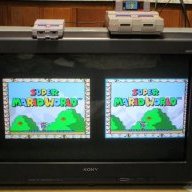
Here is a video of MAME 2014 in action, sorry for the crooked screen!


And, you can grab this updated Core Set from

https://github.com/KMFDManic/NESC-SNESC-Modifications/releases
 
I have the "_km_mame2010_9_22_17.hmod" installed and donpachi and other roms I try work. But dodonpachi and many other roms I try don't. How or when do you use the "dependencies" folder? I've seen mention of for example : "
OH MY GOD METAL SLUG WORKS!!!!

Just install MAME2010 core and mame bios hmod, set path to /bin/mame2010 and enjoy!" and "I reccomend everyone right now get mame2010 core and mame bios hmod, install and get dodonpachi rom and be utterly amazed." I guess I have the core installed, correct? How do you also add the bios? Do I do something the the neogeo.zip to make more roms work? How? Thanks for any help, I'm trying to learn.
 
I have the "_km_mame2010_9_22_17.hmod" installed and donpachi and other roms I try work. But dodonpachi and many other roms I try don't. How or when do you use the "dependencies" folder? I've seen mention of for example : "
OH MY GOD METAL SLUG WORKS!!!!

Just install MAME2010 core and mame bios hmod, set path to /bin/mame2010 and enjoy!" and "I reccomend everyone right now get mame2010 core and mame bios hmod, install and get dodonpachi rom and be utterly amazed." I guess I have the core installed, correct? How do you also add the bios? Do I do something the the neogeo.zip to make more roms work? How? Thanks for any help, I'm trying to learn.

When using MAME 2003/FBA, you install Bios Neo-Geo OLD. When using MAME 2010/FBA 2012/FBA 2012 Neo-Geo, you install Bios Neo-Geo NEW:) Only one can be installed at a time. If it is not working, then you are using the incorrect rom set, have improper command line, do not have retroarch installed, etc:)
 
So I just install "_km_bios_neogeo_new_req.hmod"" as an extra module? I don't mess around with "dependencies" or "sample" folders? Thanks again.
 
So I just install "_km_bios_neogeo_new_req.hmod"" as an extra module? I don't mess around with "dependencies" or "sample" folders? Thanks again.

I run most Neo-Geo Games through MAME 2003. But, here are the set-ups you would need for each.

OLD Neo=MAME 2003 & Bios Neo OLD Req & RetroArch, then command line to /bin/mame2003

NEW Neo=MAME 2010 & Bios Neo NEW Req & RetroArch, then command line to /bin/mame2010

For old, FBA also works, and for new FBA 2012 also works. You just have to adjust the command line for each of those Cores.
 
Thanks again, adding your comments to my archive to try and understand. So I do not do anything with samples or dependencies folders? And I can only use 2010 or 2003 one at a time, not both installed? What is the mame2010 bios that people are saying you also have to install? Sorry for so many questions, I just don't understand yet.
 
Thanks again, adding your comments to my archive to try and understand. So I do not do anything with samples or dependencies folders? And I can only use 2010 or 2003 one at a time, not both installed? What is the mame2010 bios that people are saying you also have to install? Sorry for so many questions, I just don't understand yet.

Arcade Cores generally take up quite a bit of space. I would recommend sticking with 1 at a time, if at all possible. Alternatively, once you get more accustomed to how things work, you can install FBA 2012 Neo Geo, which is a "small" Core, and ONLY runs Neo Geo Games:) In this case, you'd need NEW Neo-Geo Bios, FBA 2012 Neo Geo, and RetroArch, plus proper rom set and proper command line, which is /bin/neo
 
I'm not sure if many of the ones I'm trying to run are neo geo or not...Wut about dodonpachi? Can you please explain if there is a mame bios AND a mame core that needs installed? As I said before, I only have "_km_mame2010_9_22_17.hmod" installed as an extra module, but I've seen many saying also need to install some "bios"?
 
Today's Core Set Update:)

UPDATE 10-21-17

Updated Cluster's Save State Fix into RetroArch. Saves are no longer 2 Mb! The snapshots are now compressed.
Remember, if you do not see save states within Save State Manager, and do not mind ridding of them, you can use Factory Restore Settings from the actual Mini NES/SNES, itself! It will do absolutely no harm to your folders/games. It only wipes out save states and sram saves! I also updated Stella (Atari 2600). And, finally FCEUMM is updated, too! I can confirm SNES9x does, in fact, run BSX-Satellaview Games! But, some of them, such as F-Zero Grand Prix 1-4, require special patches to bypass the intro screens, unfortunately. Enjoy the Update!

https://github.com/KMFDManic/NESC-SNESC-Modifications/releases/

thanks for the update. Any chance to add the RTC modification to snes9x to allow the far east of eden zero translation to work?
 

Site & Scene News

Popular threads in this forum