Official hakchi2 - NES Mini very simple pimp tool

  • Thread starter Thread starter Cluster
  • Start date Start date
  • Views Views 4,418,034
  • Replies Replies 18,558
  • Likes Likes 138
Are you using windows XP?
No I'm on Windows 10. I had no problems with 2.11, and I have tried a fresh clean 2.12, and the problem is still happening. I've tried 3 different usb ports, nothing works. I have no clue why my PC and Hakchi won't see my nes mini anymore. Driving me nuts.
 
This line in retroarch-watchdog
Code:
[ -z "$smooth" ] || sed -i -e 's/video_smooth = "[^"]*"/video_smooth = "'$smooth'"/g' /etc/libretro/retroarch.cfg
is what updates the bilinear filter setting in retroarch.cfg. Removing (or commenting) it will keep it from doing so, so it'll obey whatever's been set in the RA menu. The line above it does the same for aspect ratio.
 
Last edited by missionfloyd,
I am trying, i have downloaded cores.zip and unzipped the mednafen_pce_fast in the user_mods, i also downloaded retroarch_mod.mod but it is only 1 mb, and i also have in the folder retroarch.hmod file...what do i do now ?
is the retroarch mod you have someone else's or the default from cluster? Also i don't get my cores from cores.zip. I did it separately. For example the gba core that was in it was bad. So I just deleted the core and added a better gba core. I didn't download cores.zip or someone else's hmod. So not sure on how to help you on that.
 
is the retroarch mod you have someone else's or the default from cluster? Also i don't get my cores from cores.zip. I did it separately. For example the gba core that was in it was bad. So I just deleted the core and added a better gba core. I didn't download cores.zip or someone else's hmod. So not sure on how to help you on that.

It is from the release page
https://github.com/pcm720/retroarch-clover/releases

But where do i get the cores then, and were do i delete them ?
All i originally had was the retroarch.hmod file but then pce wouldn't work
 
I am trying to run a PC Engine game on Hakchi 2 but so far no luck.
When i click on a game, nothing happens, it just returns, i put mednafen_pce_fast in the user_mods folder.
if you only need PC Engine and no bilinear filtering use my mod, no need to put cores elsewhere, it's all set. This also removes bilinear filtering from all aspects and adjusts ratio to fill the screen (not 16:9, just goes to the top and bottom of screen in 4:3)

http://www.filedropper.com/retroarch-nosmooth-bydjovelhahmod

--------------------- MERGED ---------------------------

It is from the release page
https://github.com/pcm720/retroarch-clover/releases

But where do i get the cores then, and were do i delete them ?
All i originally had was the retroarch.hmod file but then pce wouldn't work
try it and let me know if it suits you (you can delete it afterwards if its not what you were searching)
 
  • Like
Reactions: herm4n
if you only need PC Engine and no bilinear filtering use my mod, no need to put cores elsewhere, it's all set. This also removes bilinear filtering from all aspects and adjusts ratio to fill the screen (not 16:9, just goes to the top and bottom of screen in 4:3)

http://www.filedropper.com/retroarch-nosmooth-bydjovelhahmod

--------------------- MERGED ---------------------------


try it and let me know if it suits you (you can delete it afterwards if its not what you were searching)

Thanks but i have no clue how to install all that, dropping a core in a folder is okay but this requires study
 
It is from the release page
https://github.com/pcm720/retroarch-clover/releases
Okay first off go back to where you download retro mod. You will see 4 folders. Cloverton hack, retroarchhmod, source file ZIP and source file tar. Only download source file ZIP. Then unzip retroclover. Then move retroarchhmod FOLDER into your hakchi usernods folder and delete it
But where do i get the cores then, and were do i delete the previous one you had in there. Then you will have 3 files. The 2 that were in there already and now the actual retroarchhmod folder.
All i originally had was the retroarch.hmod file but then pce wouldn't work

Okay first off go back to where you download retro mod. You will see 4 folders. Cloverton hack, retroarchhmod, source file ZIP and sour file tar
It is from the release page
https://github.com/pcm720/retroarch-clover/releases

But where do i get the cores then, and were do i delete them ?
All i originally had was the retroarch.hmod file but then pce wouldn't work
It is from the release page
https://github.com/pcm720/retroarch-clover/releases

But where do i get the cores then, and were do i delete them ?
All i originally had was the retroarch.hmod file but then pce wouldn't work
 
Thanks but i have no clue how to install all that, dropping a core in a folder is okay but this requires study
unzip the file, you will get a folder. Move the entire folder to user_mods and don't change it's name.

On Hakchi go to Modules tab, unninstal module -> select the one you had before and click unninstall.
Then, when done, on the Modules screen again - > install module, check my module (retroarch-nosmooth) and install.
 
Okay first off go back to where you download retro mod. You will see 4 folders. Cloverton hack, retroarchhmod, source file ZIP and sour file tar
Download source file zip ob
Yes i see that
down load only the source file zip. Then unzip retro clover then go into retroclover folder and move retroarchhmod folder to usernods in hakchi and delete the other hmod you had you then will have the 2 files that were there and now this one right?
 
Download source file zip ob

down load only the source file zip. Then unzip retro clover then go into retroclover folder and move retroarchhmod folder to usernods in hakchi and delete the other hmod you had you then will have the 2 files that were there and now this one right?

Okay sorry to interrupt, Retro Clover is only needed if i want to have a shortcut to Retro Arch, right, which i do not want.
 
Okay sorry to interrupt, Retro Clover is only needed if i want to have a shortcut to Retro Arch, right, which i do not want.
The clover hack is to get retro as a shortcut. But I didn't do that. Click into retro clover folder in will have some files. It will have retroarchhmod folder towards the top. That is the only folder you need. Move it to usermods
 
unzip the file, you will get a folder. Move the entire folder to user_mods and don't change it's name.

On Hakchi go to Modules tab, unninstal module -> select the one you had before and click unninstall.
Then, when done, on the Modules screen again - > install module, check my module (retroarch-nosmooth) and install.

Can you add the CPS 1,2, FB and NeoGeo cores automatically in your module?
 
unzip the file, you will get a folder. Move the entire folder to user_mods and don't change it's name.

On Hakchi go to Modules tab, unninstal module -> select the one you had before and click unninstall.
Then, when done, on the Modules screen again - > install module, check my module (retroarch-nosmooth) and install.
I downloaded your smooth mod. But when I added from modules I had yours checked and the original one checked. And everything works fine.
 
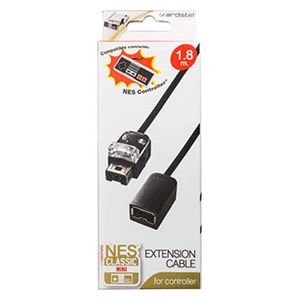
Pages ago I said my pdp fight pad licensed work well with my extension cable.

Edit:
131875.png
Missed that one, good to hear.
 
  • Like
Reactions: Truchen
Stupid question - we can upload ZIPPED roms correct? For all RA cores? Nevermind, see this was a feature of 2.11

Though i do wonder if it still works with all the RA cores.
 
Last edited by anth0ny,
I'm still waiting for somebody to put together a sexy pack system folder icons with not just SNES and Genesis but also Gameboy TurboGrafx and so on...
 

Site & Scene News

Popular threads in this forum