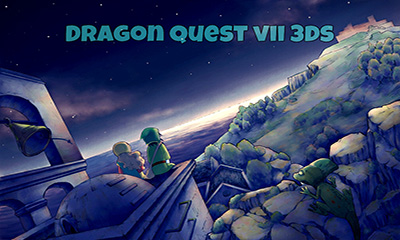
Here's to my fellow Shin Megami Tensei fans!
I couldn't find a good screenshot of this so I just made it from scratch. Took a while, but here it is!
Nicaea is a custom font (I traced it from a blurry screenshot like a scrub).
"A dead face delivery site", "beta ver.", "AuRei", etc is Minion Pro font.
Circles brushes used from HERE.
Custom background grid.
I will make the bottom portion if anyone requests.
Devil Survivor 2 Nicaea (splash_NICAEA.rar)
Devil Survivor 2 Nicaea GREEN (splash_NICAEAg.rar)
Devil Survivor 2 Luma3DS (splash_NICAEA_L3DS.rar)
Devil Survivor 2 Luma3DS GREEN (splash_NICAEA_L3DSg.rar)
Devil Survivor 2 ReiNAND(splash_NICAEA_RN.rar)
Devil Survivor 2 ReiNAND GREEN (splash_NICAEA_RNg.rar)
Devil Survivor DEMON SUMMONING PROGRAM Pixie (splash_DSPa.rar)
Devil Survivor DEMON SUMMONING PROGRAM Angel (splash_DSPb.rar)
Devil Survivor DEMON SUMMONING PROGRAM Jack Frost (splash_DSPc.rar)
Devil Survivor DEMON SUMMONING PROGRAM bottom (splash_NICAEA_bottom.rar) * THIS IS A BOTTOM SCREEN SPLASH. Mix and match with any of the top screen images!
Shin Megami Tensei, SMT and Devil Survivor are registered trademarks of Atlus U.S.A., Inc.
The separation I used was 70 pixels, but that was only from holding my N3DS XL up against the screen and seeing how big the gap was :') Nice splash though!
The separation I used was 70 pixels, but that was only from holding my N3DS XL up against the screen and seeing how big the gap was :') Nice splash though!
could you tell me how i could do this precise positioning thing for custom themes ? you know like vertically and i split the picture in half, i resize the top to 412x240 and bottom to 320x240 and i put them in the 512x256 pixel. <<<< this is what im usually used to in making custom themes.
i have asked in the theme thread as well, hoping for a quick answer , made me frustrate XD
Someone with skills as I have none you have been summoned to create 3D splashes for the community. You may not be a hero but if you succeed you will be a legend.
Someone with skills as I have none you have been summoned to create 3D splashes for the community. You may not be a hero but if you succeed you will be a legend.
Sony made a shocking announcement today, revealing that the company plans to move away from physical game releases in the future. Citing claims of how the industry is...
After much speculation, a lot of which being caused by dbrand's unceremonious reveal of their Companion Cube casing, the Steam Machine is finally available to order...
Remember when you could get an Xbox Series S for $300? Those were the days. Microsoft has today announced the latest in their console price hikes, seeing their...
The delays may be behind us, but the news isn't all good for Grand Theft Auto VI. Rockstar have today announced that pre-orders for the game will go live tomorrow, on...
Last month we got confirmation of a new model of Switch 2 to better comply with upcoming EU regulations. With the legislation set to come into effect in February of...
The end has come for the PlayStation 3 and the PlayStation Vita. After supporting the PSN Store on the PS3 and PS Vita since 2006 and 2011 respectively, Sony has...
In this time of economic uncertainty and rampant price hikes, the Steam sales stand as our final bastions of affordability for those opting to avoid the seas. The...
Indie developer Spiderware has today revealed the Steam Early Access launch date of the pixel art MMO, Soulbound. It originally launched for browser and Discord, and...
Apple have today announced price increases, primarily focused on their MacBook and iPad lines. These increases have already come into effect, with both prices and the...
Tired of waiting for Game Freak to bring Pokemon Emerald to modern platforms? We've got you covered with a brand new port in the works. Currently available on GitHub...
Sony made a shocking announcement today, revealing that the company plans to move away from physical game releases in the future. Citing claims of how the industry is...
After much speculation, a lot of which being caused by dbrand's unceremonious reveal of their Companion Cube casing, the Steam Machine is finally available to order...
Remember when you could get an Xbox Series S for $300? Those were the days. Microsoft has today announced the latest in their console price hikes, seeing their...
The delays may be behind us, but the news isn't all good for Grand Theft Auto VI. Rockstar have today announced that pre-orders for the game will go live tomorrow, on...
Last month we got confirmation of a new model of Switch 2 to better comply with upcoming EU regulations. With the legislation set to come into effect in February of...
The end has come for the PlayStation 3 and the PlayStation Vita. After supporting the PSN Store on the PS3 and PS Vita since 2006 and 2011 respectively, Sony has...
Tired of waiting for Game Freak to bring Pokemon Emerald to modern platforms? We've got you covered with a brand new port in the works. Currently available on GitHub...
Apple have today announced price increases, primarily focused on their MacBook and iPad lines. These increases have already come into effect, with both prices and the...
In this time of economic uncertainty and rampant price hikes, the Steam sales stand as our final bastions of affordability for those opting to avoid the seas. The...
Amidst news of layoffs and cancellations in the wake of Xbox's larger changes, Bethesda has today come out with a statement discussing their active projects. In this...