Homebrew Masher's Homebrew Launcher Mod Custom Themes Thread

  • Thread starter Thread starter JJTapia19
  • Start date Start date
  • Views Views 202,612
  • Replies Replies 669
  • Likes Likes 20
Third DLC.
Some things are still disturbing me...

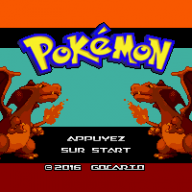
preview.png
preview-2.png


Smdh:
icon_48px.png
icon_24px.png
 

Attachments

Last edited by Gocario, , Reason: Fix shadow alpha to 0 #2 & adding smdh files
hax 2.5 came out so i was wondering how to use that as a secondry launcher still using this one i dont want ctrbootmanager how do i put a boot.3dsx in in the "3ds" folder.
 
hax 2.5 came out so i was wondering how to use that as a secondry launcher still using this one i dont want ctrbootmanager how do i put a boot.3dsx in in the "3ds" folder.

Just make a folder for it (maybe call it gridlauncher) and then rename the 3dsx file to whatever you named the folder, and put it in there. For example, gridlauncher and gridlauncher.3dsx.
 
Just make a folder for it (maybe call it gridlauncher) and then rename the 3dsx file to whatever you named the folder, and put it in there. For example, gridlauncher and gridlauncher.3dsx.
Ok il try it right now thanks.
 
How do you have Flipnote Studio? Is it a JAP console?

Nope when Club Nintendo was about to close they gifted the codes to download it from the eShop (for USA only tho) but I formatted my console and downloaded both Flipnote and Netflix and then I log in to my Nintendo Account (México's shop) and that was it.
 
  • Like
Reactions: fmkid
Nope when Club Nintendo was about to close they gifted the codes to download it from the eShop (for USA only tho) but I formatted my console and downloaded both Flipnote and Netflix and then I log in to my Nintendo Account (México's shop) and that was it.
Nice! So that's why I don't know anything about it. EU console here. :P
 
@JJTapia19 I guess you can push this version to the OP. I am using it for few days, I love it. But I am still open for advices.

I don't really want to continue this one, it's not WIP anymore then. But still incomplete. Push it if you want.


Edit: Add some words about the very long theme list (like: "Contains a lot of themes and colors, not recommended for epileptic persons"). ^_^
 
Last edited by Gocario,
  • Like
Reactions: JJTapia19
@JJTapia19 I guess you can push this version to the OP. I am using it for few days, I love it. But I am still open for advices.
I don't really want to continue this one, it's not WIP anymore then. But still incomplete. Push it if you want.
Edit: Add some words about the very long theme list (like: "Contains a lot of themes and colors, not recommended for epileptic persons"). ^_^
Added! :rofl2: Your theme looks great! hope more people can find it now with the theme list. :yay:
 
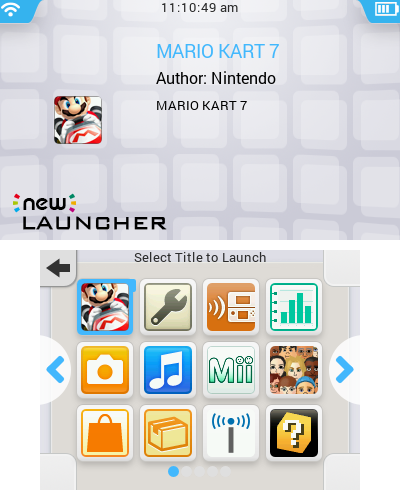
New 3DS Launcher theme, now with support for 3 rows!
hbl-grid-screenshot-3653896249.png


Top screen is slightly refined now.

If you want only have 2 rows, delete the "wallpaperbottom.png" and rename "wallpaperbottom2row.png" to "wallpaperbottom.png".

@mashers Hope I'm not bombarding you with suggestions, but I notice that on certain themes the page indicator is barely visible. Could we have the ability to change that?

I don't know why, but every time I attempt to use this theme and load the "Select Title to Launch" menu it freezes. Unless this theme is quite literally designed for the New 3DS and doesn't work on the Old 3DS, then I don't know why it's doing this. Everything runs fine when I'm using the default theme.
 
I don't know why, but every time I attempt to use this theme and load the "Select Title to Launch" menu it freezes. Unless this theme is quite literally designed for the New 3DS and doesn't work on the Old 3DS, then I don't know why it's doing this. Everything runs fine when I'm using the default theme.
Could you try again with the latest beta (B67).
 
Pokémon GB - v0.4
  • Added a Wallpaper for top screen info.
  • Added a Wallpaper for bottom screen gridless (quite empty).
  • Added a Progress Wheel (tip: it's not a wheel).
  • Oak is our Lord!

Yes, you can't read buttons... But Oak doesn't need buttons!


hbl-grid-screenshot-3655140450.png
hbl-grid-screenshot-3655140454.png
hbl-grid-screenshot-3655140470.png
 

Attachments

Site & Scene News

Popular threads in this forum