I used Photoshop to create the label graphics and After Effects (AE) to place it overtop of a picture that someone else took of their Gateway red card. Also used AE effects to help make it look like it was part of the photo.
Buddy can you give me the dimensions for the cover please if you don't mind. I need:- Width, Height, spines.width, inner diameter/splited part all in mm you may not need the last 2 not sure tbh its for CoverXP to save it as an option so it prints out perfect to fit
I used Photoshop to create the label graphics and After Effects (AE) to place it overtop of a picture that someone else took of their Gateway red card. Also used AE effects to help make it look like it was part of the photo.
print it on sticker paper and cut it out , i may actually make one of these soon, the sticker on mine has started peeling on the corner
personally i would love to get hold of the blue and red cases off OR/AS, just for the sake of it like, although my gateway pretty much stays in the console, it would be handy for the blue card to have a box as i keep loosing it....hmmm i have a spare NDS case i could probably throw the blue card in
Buddy can you give me the dimensions for the cover please if you don't mind. I need:- Width, Height, spines.width, inner diameter/splited part all in mm you may not need the last 2 not sure tbh its for CoverXP to save it as an option so it prints out perfect to fit
I used Photoshop to create the label graphics and After Effects (AE) to place it overtop of a picture that someone else took of their Gateway red card. Also used AE effects to help make it look like it was part of the photo.
It is already the proper size for printing. Just use Letter size paper and trim the crop area with scissors.
That's pretty cool, thanks for sharing.
I once printed a custom case insert for a 3DS game and remember it was hell to get the dimensions right... maybe I'll have more luck this time around. Printing stuff at exact dimensions can be a bitch.
lol yeah i know what you mean, i have printed out a few replacement labels for snes games on matte sticker paper....doesn't look too bad tbh, i have seen the glossy stuff on ebay, but i have like 2 packs of matte sticker paper still so don't feel the urge to buy any
That's pretty cool, thanks for sharing.
I once printed a custom case insert for a 3DS game and remember it was hell to get the dimensions right... maybe I'll have more luck this time around. Printing stuff at exact dimensions can be a bitch.
good tip for getting them pretty much perfect....print out a ruler first that you can then use to measure up against on the computer without loads of trial and error
Its not working for me properly m8 it keeps cutting the end off the cover. How can I print this cover off, what do I use?. If I just print it straight off it just prints of massive also if i use Windows Paint.
LoL true. I'll be their graphic design guy. I'll be their video guy too - that is actually what I specialize in. I'm tempted to make some videos and guides for Gateway Ultra's release...
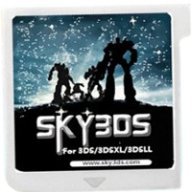
Oh and your Avatar reminded me that I need some help finding the image Sky3DS uses for their flashcart label. I need it to make a high resolution custom case insert for the Sky3DS.
It's a good time to be a first generation Pokemon fan. But when was it not a good time to be one? In recent weeks we've seen a native LOVE2D recreation of Pokemon Red...
Images for the rumoured Zelda-themed limited edition Switch 2 for The Legend of Zelda's 40th Anniversary have started to leak online.
The leak shows only the...
Hoenn to the ROM hacking scene is like Kanto to the official games. It's everywhere. At this point you've probably played through Pokemon Emerald with a party of...
After being announced last year, the fan-made remake Gamma Emerald has finally gotten its first early access release. A complete rebuild of fan-favourite Pokemon...
It’s about that time of year again where I check in with the community to see if we can get the front page aligned with what people are interested in knowing and what...
With the latest entry to the Fire Emblem series, Fortune's Weave, set to launch in September, Nintendo have today announced a new Nintendo Direct to put it soundly in...
Though we knew all the way back in May that this was coming, the exact numbers remained a mystery for prospective Nintendo gamers in the UK. If you happen to have...
Harbour Masters were cutting it close with this one, promising a release of their Banjo Kazooie PC port "Lighthouse" by the end of this month. And they did not...
So I got pretty lucky on this one. Having ordered the physical version of Oblivion Remastered on Switch 2, I had it delivered earlier today, beating out the official...
WiiCompiled is a new project that lets PC gamers play Mario Kart Wii natively on PC without emulation. Using static recompliation to convert the code into native PC...
It’s about that time of year again where I check in with the community to see if we can get the front page aligned with what people are interested in knowing and what...
Though we knew all the way back in May that this was coming, the exact numbers remained a mystery for prospective Nintendo gamers in the UK. If you happen to have...
Images for the rumoured Zelda-themed limited edition Switch 2 for The Legend of Zelda's 40th Anniversary have started to leak online.
The leak shows only the...
The long awaited Grand Theft Auto VI Extended Look gameplay trailer has finally dropped on YouTube. As you all know, it had dropped 6 hours earlier on Netflix, and...
After being announced last year, the fan-made remake Gamma Emerald has finally gotten its first early access release. A complete rebuild of fan-favourite Pokemon...
In the wake of Sony's shift to a digital-only ecosystem within the next year, Xbox have today announced a surprising scheme. Aiming to offer physical buyers the same...
GBAtemp is and always has been an independent community. Since 2002 our staff have voluntarily kept the site running, added new forums, features, provided constant...
Thanks to the recent decomplication efforts; The Minish Cap 3DS brings the Game Boy Advance classic Zelda title to your 3DS.
The port takes full advantage of the 3DS...
With the latest entry to the Fire Emblem series, Fortune's Weave, set to launch in September, Nintendo have today announced a new Nintendo Direct to put it soundly in...
Over the past week, rumors have started swirling as Redditors (probably correctly) deduced the title of the upcoming Elder Scrolls game, which will apparently be...