StarDust - a cross platform PC/DS 3D engine v1.0.0

  • Thread starter Thread starter Yacker
  • Start date Start date
  • Views Views 10,812
  • Replies Replies 25
  • Likes Likes 15

Yacker

Well-Known Member
Member
Joined
Apr 3, 2013
Messages
182
Reaction score
131
Trophies
1
XP
1,575
Country
United States
All in one 3D game engine, should handle everything you'd need for a 3D game on the DS, with bonus PC functionality. Made entirely in C (besides the PC XAudio2 interface, made in C++)
Features:
3D Collision:
-Sphere on mesh collision with acceleration structures
-Sphere on sphere collision
-Ray on mesh & sphere collision
Audio:
-Streamed music with loop points
-Custom SFX library
-Uses .wav files
Rendering:
-Supports both rigged & unrigged meshes with multiple materials
-Up to 30 bones can be used per mesh with hardware acceleration, 256 bones can be used per mesh at heavy cost of performance (on DS)
-Single bone weights, sorry, DS doesn't support multi-bone weights
-Supports sprites on both screens, and one 256x256 background for the bottom screen.
-Bottom screen emulation on PC
Tools:
-Custom blender exporter for models and animations (only 2.79 supported, apologies)
-Custom image converter supporting various texture, sprite, and background formats

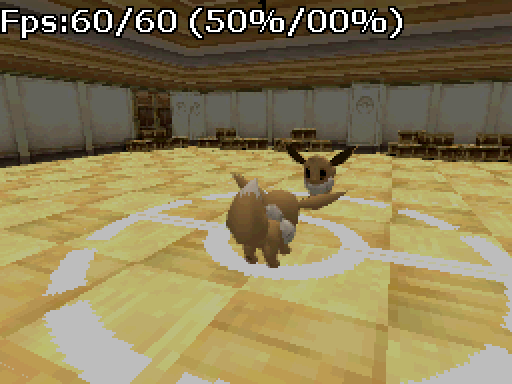
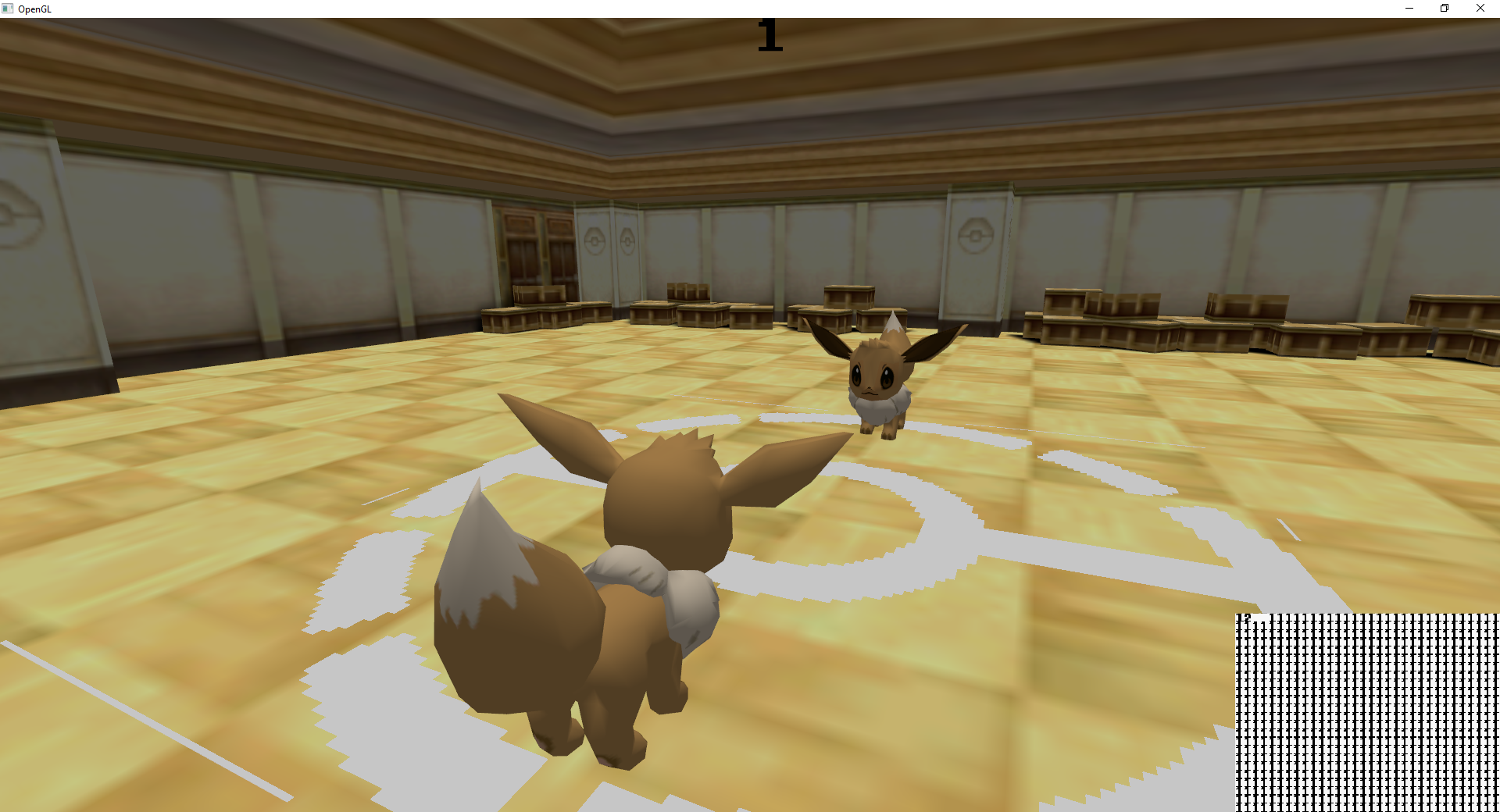
Screenshots of examples:
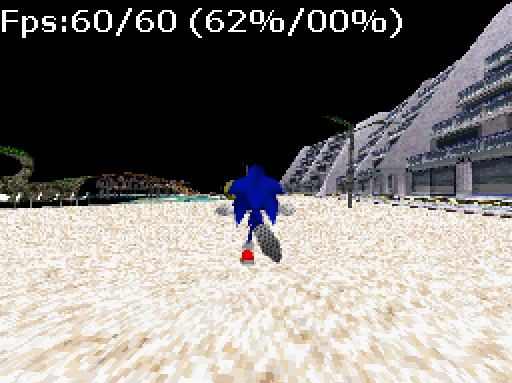
sadsnative.png

eeveefight.png


1683953391345.png


Check it out at https://github.com/Yackerw/StarDust-DS/tree/main
Check out an example project at https://github.com/Yackerw/StarDust-Example

More documentation coming soon, until then, please do reference the example & look through the files.

Edit: Documentation is complete.
 
Last edited by Yacker,
Documentation is roughly done (omitting functions intended only to be used internally) besides the math library, which should be relatively familiar to anyone who's used a 3D engine before anyhow. But, should I have missed something important, think there's something I should add, improve, or if you need help, don't be afraid to tell/ask me.
 
Updated to version 1.1.0, now includes asynchronous io. Really had to rack my brain for this one, getting asynchronous io going on the DS homebrew systems that don't normally support it. Wiki was updated with all relevant functions as well. Note: DeSmuME and No$GBA seem to somewhat dislike it with stuttering, but seems to work fine on real hardware & MelonDS
 
Are quads supported? Quads are neat, considering the DS's poly limit.

Are culling techniques supported?

Is the framerate 60 fps?

Also, would you consider adding some DS resolution screenshots/examples to your post too? That gives a better view on how it looks on DS hardware.

I don't like Blender 2.79's UI. Could I use a newer version of Blender, export my model to something like DAE or FBX, import it in 2.79 and then export it to the DS format?

What .wav types do you support? The DS supports PCM-8, PCM-16 and ADPCM at different Hz values.

Does playing back .wav files use a certain buffer size (and can you adjust that)? I hope the full file doesn't need to be loaded into RAM at once. Can multiple audios be played at the same time? Like, if you want an extra layer to a music track, or use sound effects and voice clips that shouldn't interrupt the music?
 
Last edited by Arrie,
Are quads supported? Quads are neat, considering the DS's poly limit.

Are culling techniques supported?

Is the framerate 60 fps?

Also, would you consider adding some DS resolution screenshots/examples to your post too? That gives a better view on how it looks on DS hardware.

I don't like Blender 2.79's UI. Could I use a newer version of Blender, export my model to something like DAE or FBX, import it in 2.79 and then export it to the DS format?

What .wav types do you support? The DS supports PCM-8, PCM-16 and ADPCM at different Hz values.

Does playing back .wav files use a certain buffer size (and can you adjust that)? I hope the full file doesn't need to be loaded into RAM at once. Can multiple audios be played at the same time? Like, if you want an extra layer to a music track, or use sound effects and voice clips that shouldn't interrupt the music?
Quads are not supported; originally I had thought to use triangle strips as the most efficient rendering method but found that it didn't actually reduce vram usage; i.e. under the hood the gpu converts quads & triangle strips to the very inefficient triangle lists it normally uses. It's unfortunate, so I reverted back to pure tris.

EDIT: ^ upon further examination this is NOT true, at least for quads. Quads stay quads in VRAM. I will look into implementing this at some point.

Not sure what culling techniques you are referring to; backface culling & frustum culling are both supported, though. Backface culling being a per-material setting and frustum culling being automatically applied to objects, using the hardware accelerated box test feature.

The framerate is up to 60 FPS, yes.

Yeah, sure I could add some DS resolution screenshots.

Yes you could use a newer version of Blender, export to DAE or FBX, import to 2.79 and then export. Just ensure your textures get carried over, since the DS uses texels instead of 0-1 for UV mapping.

It supports PCM-8 and 16 mono .wavs of any Hz.

Playing back .wav music files uses a buffer size of 4096, non-adjustable. All other wavs need to be loaded into memory; up to 16 sound effects can be played at once, including music, as per the DS' sound channel count. If you wanted an extra layer to a music track, you'd have to play a separate music track entirely I'm afraid. Streaming audio is difficult, so only one stream at a time is supported.
 
Last edited by Yacker,
  • Like
Reactions: Tarmfot
Would you consider implementing ADPCM in the future? And maybe a smaller buffer size or is this already the smallest/most efficient for RAM it can be?

I'm not sure I fully understand the rest of the audio stuff. I only know 16 as the limit of MIDI/SSEQ channels. A SSEQ usually uses about 16 WAV/SWAV samples which all get loaded into the RAM. And many SSEQs along with their SWAV samples can be loaded into RAM at the same time, so that can mean many many SWAVs for many many instruments but also sound effects that work the same way.
 
Would you consider implementing ADPCM in the future? And maybe a smaller buffer size or is this already the smallest/most efficient for RAM it can be?

I'm not sure I fully understand the rest of the audio stuff. I only know 16 as the limit of MIDI/SSEQ channels. A SSEQ usually uses about 16 WAV/SWAV samples which all get loaded into the RAM. And many SSEQs along with their SWAV samples can be loaded into RAM at the same time, so that can mean many many SWAVs for many many instruments but also sound effects that work the same way.
ADPCM is low on my priority list atm.

The DS has 16 hardware sound channels. I don't know how the official library handles things, maybe there's a software mixer involved to allow for more, but I only support the hardware channels for now. But to clarify; you can have as many sound effects loaded at once as you want, you can only have 16 playing at once though.

In other news: 1.1.1 is out now. Quads are now supported, rigged models are a bit more efficient, as well as some other minor changes.
 
  • Like
Reactions: Tarmfot
Version 1.1.2 is out now. Added quad strips & triangle strips to the model exporter, for even more efficient rendering.

This one was a pain. Everything from generating strips to un-stripifying them for PC rendering and collision meshes...but it was worth it in the end. Rendering doesn't get better than this.*

*barring strange hacks like sacrificing VRAM and framerate to split the screen in two for effectively two sets of 2048, for example. (see: super mario galaxy ds)
 
  • Like
Reactions: Tarmfot
Not a developer, but seeing a Sonic Adventure stage on a DS would be amazing. If only I had more knowledge on the matters I'd get into playing with it, but looks great well done!
 
Is it possible to make a game with this engine for 3DS, and do you have 3DS Inputs in the game? It would be sick to make more advanced games and make use of the 3DS's more powerful specs.
 
Is it possible to make a game with this engine for 3DS, and do you have 3DS Inputs in the game? It would be sick to make more advanced games and make use of the 3DS's more powerful specs.
The 3DS is completely different hardware. There is no support for it in Stardust.
 
Hello Poketard/Yackerw! =)
Is this engine supports animation blending? Like separate sda for lower body(legs, movement) and upper body(weapon anims).
Dynamic lights or, at least, vertex lightning?

Is this engine being considered only for experienced coders use, or is it intended to implement functionality for game designers without extensive coding experience in the future?

I tried to figure out how to implement timer for dynamic daycycle by changing values in
SetLightColor
SetAmbientColor
SetLightDir
but only figured out that C syntax is too complicated for me.
 
Hello Poketard/Yackerw! =)
Is this engine supports animation blending? Like separate sda for lower body(legs, movement) and upper body(weapon anims).
Dynamic lights or, at least, vertex lightning?

Is this engine being considered only for experienced coders use, or is it intended to implement functionality for game designers without extensive coding experience in the future?

I tried to figure out how to implement timer for dynamic daycycle by changing values in
SetLightColor
SetAmbientColor
SetLightDir
but only figured out that C syntax is too complicated for me.
There is no animation blending as of yet, but it was something I was considering adding. If this were something you really wanted, you may want to simply separate the upper and lower body into separate meshes for the time being.
It supports one directional light. I found the DS' hardware kind of strange and difficult to add more than one while maintaining expected output, and directional lights are the only lights supported. Likewise, yes, it is vertex lit; there is no support for pixel lighting on the DS.
There is some expectation of an understanding of general programming and, well, C. That's, unfortunately, going to be largely unavoidable if you want high performance on hardware like this.
 
Is this capable of being used in DS Game maker, or do i need a separate type of thing to run this properly?
I don't think it's compatible.
Post automatically merged:

Is there any progress with engine? Or import\export plugin? Working in blender 2.79 is such a pain.(unstable\crashes)
 
How can i set up this? bc i dont know if i have to open it with Visual Studio, VS Code, run make with cmd or what to do
 
How can i set up this? bc i dont know if i have to open it with Visual Studio, VS Code, run make with cmd or what
Download and install DevKitPro first, then, open devkit pro folder, launch msys2 command line, in command line enter folder with makefile, then type make and hit enter. In the end of the process you will get ready-to-run .nds rom
 
Download and install DevKitPro first, then, open devkit pro folder, launch msys2 command line, in command line enter folder with makefile, then type make and hit enter. In the end of the process you will get ready-to-run .nds rom
It gives me many compiler errors when doing so, errors about making pointer from integer without a cast
 
Last edited by MrToslett,

Site & Scene News

Popular threads in this forum