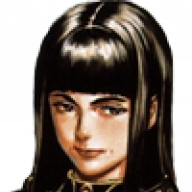

I've updated and improved the Valkyrie Profile 2 4K remaster to version 2 with smaller size, PCSX2 QT support, bug fixes, and new and improved AI upscale models
Credits: BoukObelisk and Neolvermillion / Haida
Installation instructions
Here are some comparison shots that we have made (both in 4K but vanilla vs remastered textures):
Here is the change log for the new version:
The individal settings I've used are the following (also included in the archive):
Things to keep in mind:
Credits: BoukObelisk and Neolvermillion / Haida
Installation instructions
- Download PCSX2 QT Nightly Build https://pcsx2.net/downloads/
- Make sure to get a BIOS for your PCSX2 build and set up your controller
- Download the VP2 4K Remaster archive and copy and paste the folders in the archive to your PCSX2 folder
- Use your Valkyrie Profile 2 NTSC iso (SLUS-21452) and boot it up through PCSX2
- I've included the proper settings for the game to be emulated properly. But when you start the game and make sure to go into Settings in-game and enable widescreen and not 4:3.
- Enjoy and be sure to always support tri-ace as they have stated they would like to make Valkyrie Profile 3, but it's up to Square Enix.
Here are some comparison shots that we have made (both in 4K but vanilla vs remastered textures):
https://imgsli.com/MTAyMTQ1/0/1
https://imgsli.com/MTA1NTYx
https://imgsli.com/MTAyMTQ1/2/3
https://imgsli.com/MTA1NjQ5/6/7
https://imgsli.com/MTA1NjQ5
https://imgsli.com/MTA1NTYy
https://imgsli.com/MTA1NTY1
https://imgsli.com/MTAyNjMy/4/5
https://imgsli.com/MTAyNjMy/6/7
https://imgsli.com/MTAyMTQ1/4/5
https://imgsli.com/MTA1NTU4
https://imgsli.com/MTA1NTcx/2/3
https://imgsli.com/MTA1NTcx/4/5
https://imgsli.com/MTA1NTcx/6/7
https://imgsli.com/MTA1NTcx/14/15
https://imgsli.com/MTA1NjQ5/2/3
https://imgsli.com/MTA1NTU5
Here is the change log for the new version:
-Reduced size of archive
-Re-upscaled environmental with new AI models
-Bug fixes
-QT build update
The individal settings I've used are the following (also included in the archive):
[EmuCore/GS]
upscale_multiplier = 6
MaxAnisotropy = 16
UserHacks_SkipDraw_Start = 15
UserHacks_SkipDraw_End = 15
AspectRatio = 16:9
Renderer = 12
LoadTextureReplacements = true
UserHacks = true
VsyncEnable = 1
UserHacks_TextureInsideRt = 1
UserHacks_TCOffsetX = 0
UserHacks_TCOffsetY = 0
UserHacks_HalfPixelOffset = 1
UserHacks_round_sprite_offset = 1
UserHacks_align_sprite_X = true
UserHacks_merge_pp_sprite = true
[EmuCore]
EnableWideScreenPatches = true
EnableCheats = true
Things to keep in mind:
-Very few areas might have upscaling bugs (artefacts on the edge of the screen), either ignore it or switch to software mode or set the Half-Pixel Offset setting to Special - Texture. However, this introduces vertical lines in cutscenes, so make sure to switch the Half Pixel Offset back to Normal to get the vertical lines away.
-The skipdraw is set to 15 in order to fix the broken depth of field effect. However, the subtitles will sometimes miss a letter with this setting enabled.
-The Cheats fixes the red graphical bugs in the introductory area and the shadows on Alicia. Make sure to keep them enabled if you are using the Skipdraw function.
Last edited by BoukObelisk,