
Hacking usb loader gx (forwarder) small problem

  • Thread starter Thread starter mannn57
  • Start date Start date
  • Views Views 5,534
  • Replies Replies 4

mannn57

New Member
Newbie
Joined
Feb 7, 2015
Messages
2
Reaction score
0
Trophies
0
Age
31
XP
61
Country
Serbia, Republic of
Hello, everyone ))
I softmoded my vWii on WiiU and to play Wii games - i use usb loder gx( last version)
I have very small problem - some games have black bars (monster hunter tri , resident evil 4 and ect) and i want play full screen games without black bars on my 16:9 fullhd tv. Any aspect ratio settings ?
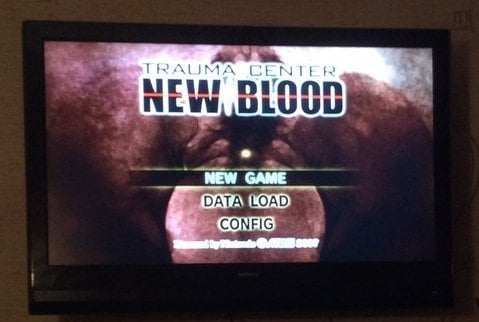
hq0zrASQAZo.jpg
sU7WjI-EhSs.jpg
 
Your title mention "forwarder", is that an issue only when launching the games using the forwarder?
When launching from the homebrew channel it works fine?
If the forwarder is not the issue, why mention it in the title?

You mention USBLoaderGX problem, does it work fine with other loaders?
if it's not an issue with USBLoaderGX why mention it?
based on the thread title, it looks like the issue is the loader and not the games.


Some games are just not working full screen.
try the aspect ration patch
There's also a "WiiU widescreen" option in the settings>features.

I've read that Resident evil doesn't work with 16:9, so set the WiiU widescreen setting to 4:3, You will have an even bigger black bars on the side, but the game will not look stretched.
 
  • Like
Reactions: mannn57
Hello, everyone ))
I softmoded my vWii on WiiU and to play Wii games - i use usb loder gx( last version)
I have very small problem - some games have black bars (monster hunter tri , resident evil 4 and ect) and i want play full screen games without black bars on my 16:9 fullhd tv. Any aspect ratio settings ?
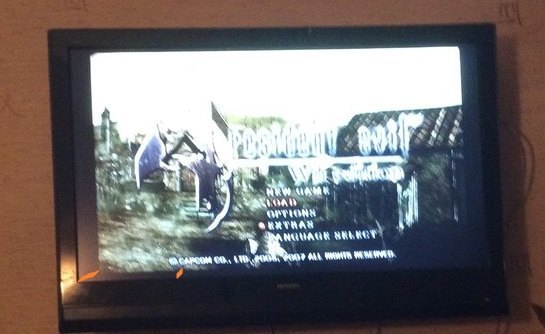
View attachment 15461View attachment 15462

this is normal, very few wii games have no black bars. Usually you can fix this easily by using your tv's 16x9 (i.e overscan) aspect ration setting (it seems you are currently using your tv's Screen fit aspect ration setting (this disables any overscanning)
 
The wii video is not a real 16:9, it only stretches the game's rendering engine to "look like widescreen" on a widescreen TV.
but the number of pixels doesn't match real 16:9 signal outputed by HDMI, and have the same width on either Normal or Widescreen setting. (only the pixel aspect ratio is affected)

wii = games often use 640x480
perfect 16:9 = 854x480


USBLoaderGX internally use video output to 708x480 if widescreen setting is detected. Still not a real widescreen ratio, but fit the screen correctly. so the console is probably "mapping" ~700 pixels width to fix the screen. if the game's internal width is less than 700 you will see little black screen.
I can try to hack this when launching games on vWii, but the picture will look stretched.
 
  • Like
Reactions: mannn57

Site & Scene News

Popular threads in this forum

