


Hi, I tried searching around for a month for a fix but still haven't found one.
All was well with my switch until I pulled the SD card while it was on, and it started spitting out "cannot mount SD card glitches"
So, stupidly, I tried to made a drag-and-drop SD Card backup onto a hard drive, formatted my SD card and tried to simply drag and drop my files back in, but all my stuff was missing.
I thought all was lost and tried making a new EmuMMC in RAW1. But it turns out, I actually had a file-based EmuMMC in ER00.
So I tried to set my EmuMMC to the ER00 in Hekate after deleting my old one, but now I'm back to getting this error:
"Unknown pkg version.
HOS version not supported!
Or emuMMC corrupt!
Trying backup bootloader...
found pkg1 ('').
Unknown pkg1 version
HOS version not supported!
Or emuMMC corrupt!
Failed to launch HOS!
press any key..."
How do I fix this?
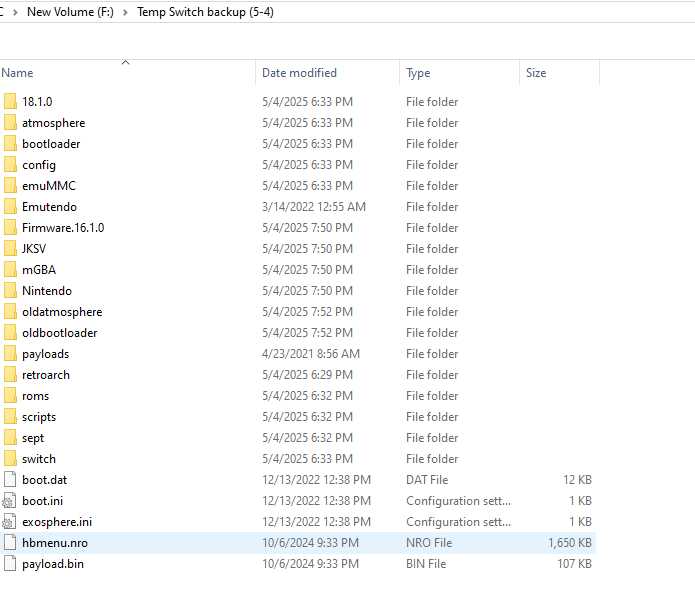
For reference, here is the drag-and-dropped backup
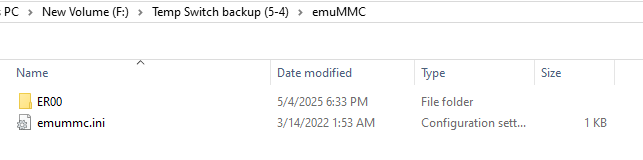
This is the EmuMMC folder:
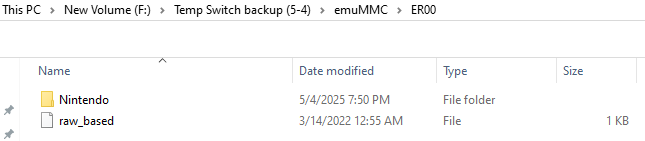
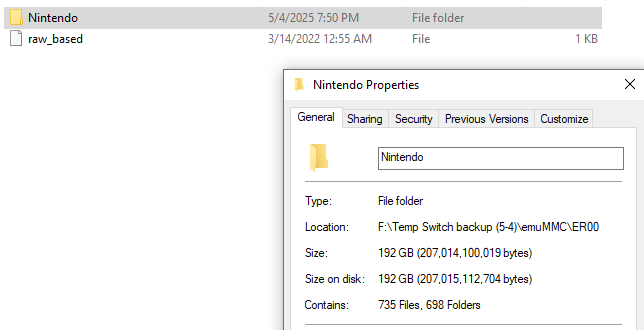
192GB was the same GB size my SD card held before all the errors.

Here is my current SD card set up, I tried (and probably messed up) trying to update my Atmosphere, Bootloader, switch, hbmenu.nro, hekate.bin, and payload.bin files.

All was well with my switch until I pulled the SD card while it was on, and it started spitting out "cannot mount SD card glitches"
So, stupidly, I tried to made a drag-and-drop SD Card backup onto a hard drive, formatted my SD card and tried to simply drag and drop my files back in, but all my stuff was missing.
I thought all was lost and tried making a new EmuMMC in RAW1. But it turns out, I actually had a file-based EmuMMC in ER00.
So I tried to set my EmuMMC to the ER00 in Hekate after deleting my old one, but now I'm back to getting this error:
"Unknown pkg version.
HOS version not supported!
Or emuMMC corrupt!
Trying backup bootloader...
found pkg1 ('').
Unknown pkg1 version
HOS version not supported!
Or emuMMC corrupt!
Failed to launch HOS!
press any key..."
How do I fix this?
For reference, here is the drag-and-dropped backup
This is the EmuMMC folder:
192GB was the same GB size my SD card held before all the errors.
Here is my current SD card set up, I tried (and probably messed up) trying to update my Atmosphere, Bootloader, switch, hbmenu.nro, hekate.bin, and payload.bin files.


