

PSP Homebrew Browser stuck at title image

  • Thread starter Thread starter spartan1096
  • Start date Start date
  • Views Views 3,029
  • Replies Replies 3

spartan1096

Member
Newcomer
Joined
Apr 1, 2024
Messages
11
Reaction score
5
Trophies
0
Age
30
XP
113
Country
China
Following the vita hacks guide to install Adrenaline and PSP Homebrew Browser, Adrenaline seems work (havent test any games yet) but when I try to launch PSP Homebrew Browser it just stuck at title image for the rest of eternity
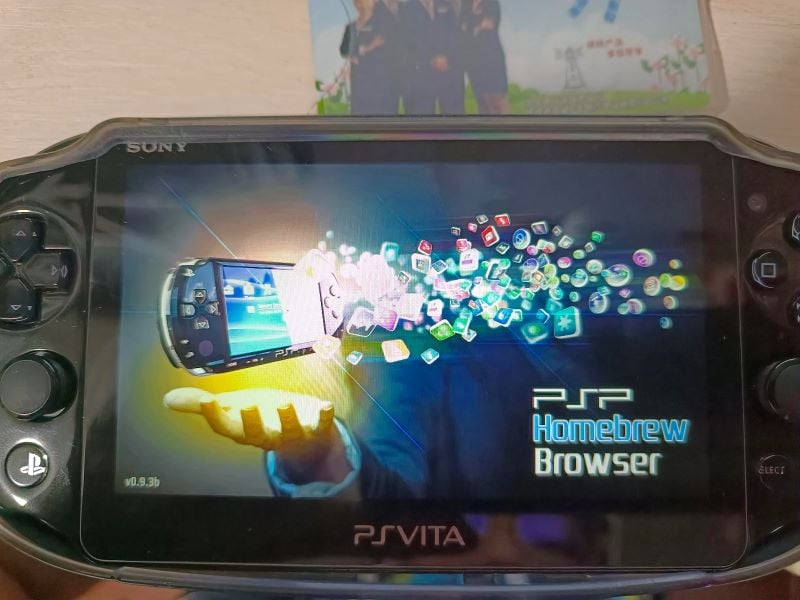
need-help-psp-homebrew-browser-stuck-at-title-image-v0-u4a42fnhj2tc1.jpg


I check config.txt it seems there is no typo
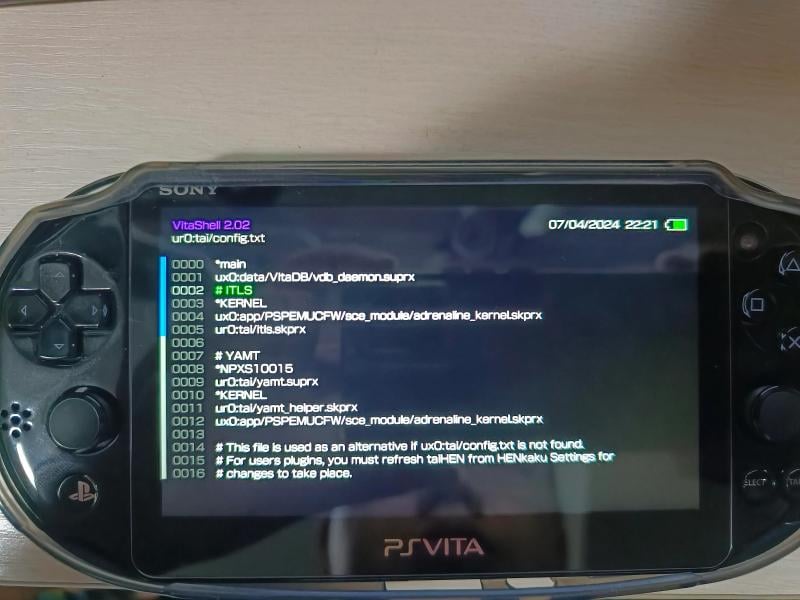
need-help-psp-homebrew-browser-stuck-at-title-image-v0-flyj0uzoj2tc1(1).jpg


I tried reboot, refresh config.txt in henkaku settings, uninstall then reinstall, uninstall then download from vitadb downloader, download from Better Homebrew Browser, but none work, I've done some searching but it seems that I'm the only one encountered this issue

 
I'm not familiar with the PSP Homebrew Browser, but just a question. I'm sure you know that, that very same browser is available for the Vita. Also there's the Better Home Brew Browser as well. So my question is what are you getting out of a PSP browser as opposed to a Vita browser?

Just asking!!!
Big_Grin.gif
 
  • Like
Reactions: slaphappygamer
I'm not familiar with the PSP Homebrew Browser, but just a question. I'm sure you know that, that very same browser is available for the Vita. Also there's the Better Home Brew Browser as well. So my question is what are you getting out of a PSP browser as opposed to a Vita browser?

Just asking!!! View attachment 430927
Honestly I don't know what I am doing, I just following vita hacks guide whick it tell me to install it. I do did some search about vita homebrew browser but it seems they are for vita-only homebrew
 
  • Like
Reactions: The_Dizzy_Vizzy

Site & Scene News

Popular threads in this forum