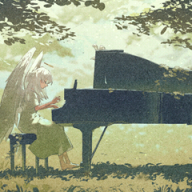
Since Zinnia’s (Higana’s: ヒガナ) model exists in both the field (overworld) version and the battle version (the one that appears when throwing a Poké Ball or during Mega Evolution), you can modify the function that loads the player’s model to instead load Zinnia’s model.
Since Zinnia’s (Higana’s: ヒガナ) model exists in both the field (overworld) version and the battle version (the one that appears when throwing a Poké Ball or during Mega Evolution), you can modify the function that loads the player’s model to instead load Zinnia’s model.
Oh, thats amazing to hear! Im sorry, im quite a noob when it comes to stuff like that, could you tell me how i could do it, and if it works on hardware?
EDIT: My dumbass just realised you literally said that this plugin is not available yet, right? lol
But when it is, do you think this is gonna be possible or atleast easy to do? Its been a dream to play as zinnia lmao
Oh, thats amazing to hear! Im sorry, im quite a noob when it comes to stuff like that, could you tell me how i could do it, and if it works on hardware?
Oh, thats amazing to hear! Im sorry, im quite a noob when it comes to stuff like that, could you tell me how i could do it, and if it works on hardware?
EDIT: My dumbass just realised you literally said that this plugin is not available yet, right? lol
But when it is, do you think this is gonna be possible or atleast easy to do? Its been a dream to play as zinnia lmao
It's very much incomplete, but you can actually do this already using Multi-Pokémon Framework. Since she has no running animation (or it's not assigned properly) the only functional animation is walking, but to that end it does technically function.
It's very much incomplete, but you can actually do this already using Multi-Pokémon Framework. Since she has no running animation (or it's not assigned properly) the only functional animation is walking, but to that end it does technically function.
Under Movement -> Etc. -> Model Swap there is an option for all characters with overworld models, Zinnia naturally appearing at the very bottom. She simply T-poses during battle since trainer and player Pokéball animations are handled differently by the game's code, but I'm sure Zetta_D probably has the know how to force the game to refer to her animation if he really wanted to (I certainly don't)
Under Movement -> Etc. -> Model Swap there is an option for all characters with overworld models, Zinnia naturally appearing at the very bottom. She simply T-poses during battle since trainer and player Pokéball animations are handled differently by the game's code, but I'm sure Zetta_D probably has the know how to force the game to refer to her animation if he really wanted to (I certainly don't)
I started looking into how the sequences are played (including the ones where the player throws the Pokéball at the beginning of the battle). I think I found the function that loads the files into memory and plays the sequences. By disabling it, I can remove the Pokéball throw – but it also disables the battlefield for some reason, as well as the shiny effects, attacks, etc.
Now I just need to find Zinnia’s animation ID and that should be it, I guess.
I started looking into how the sequences are played (including the ones where the player throws the Pokéball at the beginning of the battle). I think I found the function that loads the files into memory and plays the sequences. By disabling it, I can remove the Pokéball throw – but it also disables the battlefield for some reason, as well as the shiny effects, attacks, etc.
Now I just need to find Zinnia’s animation ID and that should be it, I guess.
Oh this is amazing! I hope you can achieve it, i think some time ago i saw that Zinnias pokeball throw had a different name to other characters (specifically the ones in which their animation worked while playing as them) so im guessing thats the reason for her tpose! Would the name of the animation be its id? Sorry, just trying to help out somehow!
It looks like Zinnia’s animation is hardcoded — the camera points to the opposing side, not to our player.
I’m not 100% sure I actually found the right thing or if it’s just an effect, but since it includes the Poké Ball throw, I think it really is the animation. You can play it, but it will only apply on the opposing side.
I also found the codes for other events, like the battle with Deoxys in space, etc.
It looks like Zinnia’s animation is hardcoded — the camera points to the opposing side, not to our player.
I’m not 100% sure I actually found the right thing or if it’s just an effect, but since it includes the Poké Ball throw, I think it really is the animation. You can play it, but it will only apply on the opposing side.
I also found the codes for other events, like the battle with Deoxys in space, etc.
These things that youve found are pretty cool! But im not sure, i mean, some models like Maxie and Archie have pokeball throwing animations that work when you swap your model over to theirs, atleast from what i saw other people playing as them. When i tried looking at Zinnias and the others files with someone though, it seems like they have extra animations for the pokeball throw that Zinnia doesnt have, specifically to fit the player side. It looks the same as when youre fighting them, same direction and everything, but their positions are tweaked a bit seemingly so theyre not off-camera, and the animations name is the same as the one for the players pokeball throw which is what i assume makes the game play them correctly, meanwhile Zinnias has a different name which is probably what makes her T-pose instead of load anything.
So im assuming that what you found might actually just be an effect, the same as the deoxys space entrance!
It looks like Zinnia’s animation is hardcoded — the camera points to the opposing side, not to our player.
I’m not 100% sure I actually found the right thing or if it’s just an effect, but since it includes the Poké Ball throw, I think it really is the animation. You can play it, but it will only apply on the opposing side.
I also found the codes for other events, like the battle with Deoxys in space, etc.
So yeah, i think that maybe by telling the game to look for a different animation name while using Zinnias file might be a way to fix the issue, or somehow renaming her pokeball throw animation name to the same one used by all the other characters. I can try checking their files again and send you some info about it that i can find, if it helps in any way!
While searching, I found the function that loads the files containing the 3D models, animations, etc.
If I load all of Zinnia’s data instead of Brendan’s, I do get the T-pose.
But if I only load Zinnia’s model and keep Brendan’s animations, I get this // she is animated but a bit buggy since she has extra textures.
Post automatically merged:
If I just put Zinnia’s animation on Brendan, here’s what I get.
Post automatically merged:
I can also apply the same method with Malva so she doesn’t stay in a T-pose and instead takes Brendan’s posture, but I still end up with those texture issues.
Post automatically merged:
OMG! By merging my two codes, I managed to get the animation !
While searching, I found the function that loads the files containing the 3D models, animations, etc.
If I load all of Zinnia’s data instead of Brendan’s, I do get the T-pose.
But if I only load Zinnia’s model and keep Brendan’s animations, I get this // she is animated but a bit buggy since she has extra textures.
I can also apply the same method with Malva so she doesn’t stay in a T-pose and instead takes Brendan’s posture, but I still end up with those texture issues.
Im impressed what youve managed to figure out so far, ive never seen some of this stuff be done by anyone modding these games! I also decided to dig myself a bit like i said into the models and their animations, and what i remembered was correct, it seems like multiple characters have both Motion_1 and Motion_6 animations, motion 1 seems to be for when youre battling them and motion 6 for when theyre being played as/are on the players side, with some containing minor tweaks so that they dont appear off-camera i guess for character like Maxie and Archie. I dont know why, but many characters have those present, but Zinnia is one of the exceptions. She only has Motion 1 for when you battle agaisnt her.
Maybe if theres a way to tell the game to look for and load Motion 1 when entering the battle instead of Motion 6 while having Zinnias model would lead to her having the correct animation. Another strange thing i noticed is how when playing Brendans and Mays animations with Zinnias model, everything seems to work just fine with her model not glitching out, which is weird, but also makes me think that ingame the bone weights are just handled differently which leads to the glitches and such, but im not sure if there would be a way to fix without having to export and reimport the battle models, which would lead to it being unusable on hardware, as that type of change seems to lead to crashes no matter what on real 3dses, and i havent seen any guides to fix it.
The animation I showed of Zinnia throwing a Pokéball is probably not in the model package; it must be in the Pokémon attack animations, shiny effects, mega-evolution animation, etc.
Post automatically merged:
I found a way to prevent models that don’t have a running animation from doing the T-POSE in the open world.
Instead of playing the running animation, I play the walking animation.
However, when I did this, the character kept the walking speed (so when I pressed B).
Then I noticed that the character’s speed was tied to the number of frames.
For walking there are 7 frames, compared to 4 frames for running.
So, I hooked into a function: when the running animation is called, I replace it with the walking animation, and when this condition happens, I reduce the number of frames to increase the speed. Here’s the result.
The animation I showed of Zinnia throwing a Pokéball is probably not in the model package; it must be in the Pokémon attack animations, shiny effects, mega-evolution animation, etc.
Post automatically merged:
I found a way to prevent models that don’t have a running animation from doing the T-POSE in the open world.
Instead of playing the running animation, I play the walking animation.
However, when I did this, the character kept the walking speed (so when I pressed B).
Then I noticed that the character’s speed was tied to the number of frames.
For walking there are 7 frames, compared to 4 frames for running.
So, I hooked into a function: when the running animation is called, I replace it with the walking animation, and when this condition happens, I reduce the number of frames to increase the speed. Here’s the result.
I am genuinely so happy with what you did for the walking, it fixes so many problems for whoever just wanna play with these characters without getting weird stuff :3
About the animations, the character models and the character animations are contained in different files, not in the same one. Models for the characters are stored in .BCH files, meanwhile their animations are stored in the next 4 following files (not sure if its all of them or just the first one). For example, Zinnias model is stored in the file "dec_20.BCH", and the file i merged with her on SPICA to have her animations is the file "dec_22.149". Character models are stored in these BCH files every 5 numbers, so Zinnia is 20, Brendan is 25, so on and so forth, and the files with numbers inbetween are related to the last model that appeared. Does that information help in any way? Maybe i could even send the files your way to analyse them or something.
For the pokémon, im not sure if theyre stored in the same folder as the human characters, so i dont know anything about em, im sorry. I also have acess to the chibi model files that are used in the overworld, including characters and some other stuff.
I am genuinely so happy with what you did for the walking, it fixes so many problems for whoever just wanna play with these characters without getting weird stuff :3
About the animations, the character models and the character animations are contained in different files, not in the same one. Models for the characters are stored in .BCH files, meanwhile their animations are stored in the next 4 following files (not sure if its all of them or just the first one). For example, Zinnias model is stored in the file "dec_20.BCH", and the file i merged with her on SPICA to have her animations is the file "dec_22.149". Character models are stored in these BCH files every 5 numbers, so Zinnia is 20, Brendan is 25, so on and so forth, and the files with numbers inbetween are related to the last model that appeared. Does that information help in any way? Maybe i could even send the files your way to analyse them or something.
For the pokémon, im not sure if theyre stored in the same folder as the human characters, so i dont know anything about em, im sorry. I also have acess to the chibi model files that are used in the overworld, including characters and some other stuff.
It’s about that time of year again where I check in with the community to see if we can get the front page aligned with what people are interested in knowing and what...
WiiCompiled is a new project that lets PC gamers play Mario Kart Wii natively on PC without emulation. Using static recompliation to convert the code into native PC...
The long awaited Grand Theft Auto VI Extended Look gameplay trailer has finally dropped on YouTube. As you all know, it had dropped 6 hours earlier on Netflix, and...
After being announced last week, the first of two broadcasts is set to go live later today with a stark focus on The Legend of Zelda and its 40th anniversary...
Thanks to the recent decomplication efforts; The Minish Cap 3DS brings the Game Boy Advance classic Zelda title to your 3DS.
The port takes full advantage of the 3DS...
In the wake of Sony's shift to a digital-only ecosystem within the next year, Xbox have today announced a surprising scheme. Aiming to offer physical buyers the same...
It is with a heavy heart that I announce the departure of our beloved Chary from the position of Chief Editor. Chary took over early 2021 and has done a wonderful job...
It's that time again folks, an update for the Switch and Switch 2, and a surprisingly big one at that! At lease for folks on the Switch 2. The most notable feature...
The second of a two-part special, a more traditional Nintendo Direct is set to air today. Unlike the Zelda Direct the contents of this one is still relatively up in...
To celebrate its 25th anniversary, XBOX has launched pre-orders for the XBOX 25th Anniversary Collection. For the occasion, the trailer below was aired.
This...
It’s about that time of year again where I check in with the community to see if we can get the front page aligned with what people are interested in knowing and what...
After being announced last week, the first of two broadcasts is set to go live later today with a stark focus on The Legend of Zelda and its 40th anniversary...
It's been something of a quiet week in the gaming space, with the deluge of big hitters trying to find their place before GTA 6 launches really kicking off next week...
In the wake of Sony's shift to a digital-only ecosystem within the next year, Xbox have today announced a surprising scheme. Aiming to offer physical buyers the same...
The long awaited Grand Theft Auto VI Extended Look gameplay trailer has finally dropped on YouTube. As you all know, it had dropped 6 hours earlier on Netflix, and...
It is with a heavy heart that I announce the departure of our beloved Chary from the position of Chief Editor. Chary took over early 2021 and has done a wonderful job...
The second of a two-part special, a more traditional Nintendo Direct is set to air today. Unlike the Zelda Direct the contents of this one is still relatively up in...
Announced a few days ago, Nintendo of America have today launched their Customer Appreciation Sale. Featuring 30% discounts across a wide range of popular first-party...
A few days ago Chary stepped down as Chief Editor after 5 wonderful years, and everyone guessed the seat wouldn't stay empty for very long. Back in 2021 I proudly...
After an accidental leaking of their review video from Linus Tech Tips last week, we somewhat knew that news on Steam's latest VR venture was imminent. Today the...