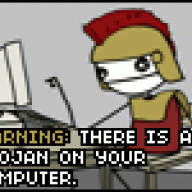
Hacking Now repairing Preloader issues HELP

  • Thread starter Thread starter rockbmi
  • Start date Start date
  • Views Views 4,919
  • Replies Replies 18

rockbmi

Well-Known Member
Member
Joined
Jul 31, 2007
Messages
620
Solutions
1
Reaction score
115
Trophies
2
Age
39
XP
3,336
Every time i turn my wii off and then on i get that message, is it because ive patched ios60 or something. Ive only noticed since i installed the usb loader 1.1. channel
 
You probably have the Preloader set to shut down command set to something other than off. Just launch Prelaoder and check the settings.

Nevermind, didn't see the "off and then on" part.
 
Okay fixed it just hit all the buttons on the wii remote now its to the menu thanks

Although I can get to the menu it is coming up repairing everytime I boot the wii and I cant get rid of it
 
April fools
biggrin.gif
crediar got you!!
wink.gif


Just set the date to something other than 1st April and it won't bother you anymore
biggrin.gif
 
I'm having the exact same error.
I tried a falsh drive on iso loader (which didn't work) so I pressed A to restart then I got the error
frown.gif


Any ideas, i'm affraid to reinstall preloader just in case I brick.


Is this seriously a April fools?
If so you got me good if so then I did have a brick..............in my pants
smile.gif
 
Argh I keep forgetting that Europe is already on April 1st. I'm glad I live in the US so I don't actually participate in any of you guys April Fool's activities (Theyre only March 31st activities here
tongue.gif
)

ploggy said:
If so you got me good if so then I did have a brick..............in my pants
smile.gif

Damn you must have been constipated to shit out something that hard.
 
Maximillion said:
Okay fixed it just hit all the buttons on the wii remote now its to the menu thanks

If you power off the Wii to red, press power and hold reset will it load PreLoader?

LOL, nastly little Aprils Fools Joke. Gonna have sh1t loads of threads started tomorrow bout this one!
 
Lol git I was a bit worried never usually have any problems Im always so careful, got me good sat the for ages just staring at the screen thinking shit shall I turn it off dint think of clicking some buttons.
Yeah there gonna be loads of people worrying about this one haha
 
This pissed me off this morning. I had read about it yesterday, but what the joke also does it change how the autoboot works. Even when you set preloader to autoboot to the system menu, as long as it's Apr 1, it will bring up the message, and then go to the preloader screen.

Now, I have found that if you change the date (eg. Apr 2), then that "Repairing" screen does not come up, and autoboot to the system menu works fine.

Great work on preloader. I didn't want to upgrade to 4.0 until preloader was avaliable, so now I can go get a big SDHC card for all my GHWT/RB2 DLC.

Hope that info helps with anyone annoyed with preloader today.

 

Site & Scene News

Popular threads in this forum