nesDS (6/14/2007)

  • Thread starter Thread starter shaunj66
  • Start date Start date
  • Views Views 5,105
  • Replies Replies 21

shaunj66

GBAtemp Administrator
Administrator
Joined
Oct 24, 2002
Messages
12,348
Reaction score
22,037
Trophies
7
Age
41
Location
South England
Website
www.gbatemp.net
XP
32,217
Country
United Kingdom


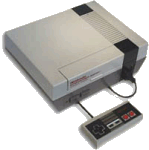
nesDS (6/14/2007)

Now with DLDI support!


nesds.gif
Loopy has updated nesDS to include full DLDI support! Unfortunately, nothing else seems to be new at the moment. Download below.
Loopy said:
Update:

DLDI support added (6/14/2007)
download.gif
Download
icon11.gif
Source


Saves do work but remember you need to hit the touchscreen and save manually there (after an ingame save if you go that route or just use it for normal saves).
 
For anyone that doesn't know, you bring up the options screen by touching the touchscreen.

SRAM data is not written to a save file automatically. You have to go to the File tab and click "Save SRAM". SRAM data is loaded automatically next time you start the game.

Save states work (also in the File tab), but you only get one per game.

There is currently no way to save your settings.
 
Hey guys, I think it would be better to also post an original link with the source of the news when you post these things. This way people who are interested can get more information.
 
How do I use this? Do I just put the ROMs in the same directory, put it in my SC DS One And run it?

Is there any sort of patching that needs to be done or whatever? I never truly understood how DLDI works.
 
hmm, i'm still a bit confused about saving instructions.
Save state works great, but for normal saves is this the right way to go;

save in game
go into menu: save sram

??
 
save in game
go into menu: save sram
???
profit

Basically, the SRAM data (what the NES game would normally save, as in Final Fantasy or Zelda) is only written to a file when you use the "Save SRAM" option in the File tab of the options.

Use that option to save the data to a file, then that data will be loaded automatically next time you load that same game.

 
Where does the SRAM save go in the slot-1 cards now with the DLDI patching?
Btw, I'm still using my SCSD Slot-2 for homebrew like this. Legacy stuff FTW!
 

Site & Scene News

Popular threads in this forum