That may not be possible due to the limitations of the GBA, but I will consider it for when I add some new features as that would be cool to have. Nice idea, thank you!
Whenever I try to use the 120x80 with the 80x80, it doesn't show the full art. Do you think it would be possible to have them at the same time
Post automatically merged:
Whenever I use the Japanese box art, it crops it to 80x80. Do you think it would be possible to have them both at the same time, so we can have the full box art for Japanese games
List-view scrolling has been refined to remove flickering, menu stability has been improved, and the occasional navigation crashes should now be resolved. This release also includes several smaller menu optimisations and UI refinements.
I am having an issue however with version 1.3 of the scraper.
I'm trying to make custom images for my folders and the way it's formatted I can't actually see the "Build artwork" button at the bottom of the app. It seems like the app is too tall and it wont let me either scroll down to the button or resize the window vertically to make it shorter.
It actually took me a while to realize that there was a build artwork button since you can't see it. You can se it though if you drag the app to the top, but the moment you let go, the app is made full screen since you have it pulled to the top of the screen.
I can see the button if I scale down my screen's 3840x2160 below the recommended 300% down to 250%, but I'd rather have it at the default size. If there's something that you can do to fix that, I would be grateful! Thanks for making this program...for someone like me that likes to customize things to my liking, it's very cool.
I am having an issue however with version 1.3 of the scraper.
I'm trying to make custom images for my folders and the way it's formatted I can't actually see the "Build artwork" button at the bottom of the app. It seems like the app is too tall and it wont let me either scroll down to the button or resize the window vertically to make it shorter.
It actually took me a while to realize that there was a build artwork button since you can't see it. You can se it though if you drag the app to the top, but the moment you let go, the app is made full screen since you have it pulled to the top of the screen.
I can see the button if I scale down my screen's 3840x2160 below the recommended 300% down to 250%, but I'd rather have it at the default size. If there's something that you can do to fix that, I would be grateful! Thanks for making this program...for someone like me that likes to customize things to my liking, it's very cool.
Thanks a lot for the bugfix update! It's really appreciated.
There's still some extra bit of polish I believe we could have, like:
- Hiding systems files at the root of the SD card, like ezkernelnew.bin and SYSTEM, as well as common system metadata files like .Trash, .Trash-1000, .DS_Store and whatever is put on SD cards by Windows.
- Bringing the adjacent thumnails closer to the focused one in Box mode, as there is plenty of empty space.
- Not shrinking adjacent thumbnails as they are hard to read, especially in Box mode as there is plenty of room to display them.
Minimal and possibly controversial but what about renaming Title and Box to Wide and Square? Boxes aren't square in Japan, but that's not the reason why I suggest that: I don't like using title screens or box fronts and I'm building a set of square thumbnails like we find on modern consoles, with an illustration and a title logo but no other logo whatsoever around.
If we keep the names then I agree with @JackKiyTheGamerGuy it'd be nice to have Box be able to handle box sizes, though as a UI dev I believe it's not the way to go and sizes should be consistent, especially if we want to implement my previously mentioned spacing refinement suggestions. I mean, it would likely be manageable as we only show 3 thumbnails at a time so it's not like the possibilities matrix would explode, especially if each adjacent thumbnail is handled individually, but that would still increase the complexity of a critical piece of code.
Post automatically merged:
I played a bit with the sources and noticed that there is a mix of or LF and CR+LF for new lines, all within the same file. That makes my IDEs and text editors trip up and add tons of changes to files by making automatically making it consistent. What about standardizing on a single one, whatever it is? Something like an .editorconfig file would help. I'm happy to submit such a fix, but whoever does that will show up everywhere in git blame.
Thanks a lot for the bugfix update! It's really appreciated.
There's still some extra bit of polish I believe we could have, like:
- Hiding systems files at the root of the SD card, like ezkernelnew.bin and SYSTEM, as well as common system metadata files like .Trash, .Trash-1000, .DS_Store and whatever is put on SD cards by Windows.
- Bringing the adjacent thumnails closer to the focused one in Box mode, as there is plenty of empty space.
- Not shrinking adjacent thumbnails as they are hard to read, especially in Box mode as there is plenty of room to display them.
Minimal and possibly controversial but what about renaming Title and Box to Wide and Square? Boxes aren't square in Japan, but that's not the reason why I suggest that: I don't like using title screens or box fronts and I'm building a set of square thumbnails like we find on modern consoles, with an illustration and a title logo but no other logo whatsoever around.
If we keep the names then I agree with @JackKiyTheGamerGuy it'd be nice to have Box be able to handle box sizes, though as a UI dev I believe it's not the way to go and sizes should be consistent, especially if we want to implement my previously mentioned spacing refinement suggestions. I mean, it would likely be manageable as we only show 3 thumbnails at a time so it's not like the possibilities matrix would explode, especially if each adjacent thumbnail is handled individually, but that would still increase the complexity of a critical piece of code.
Post automatically merged:
I played a bit with the sources and noticed that there is a mix of or LF and CR+LF for new lines, all within the same file. That makes my IDEs and text editors trip up and add tons of changes to files by making automatically making it consistent. What about standardizing on a single one, whatever it is? Something like an .editorconfig file would help. I'm happy to submit such a fix, but whoever does that will show up everywhere in git blame.
These are all great suggestions, thank you! I’ll have a look at what’s practical.
For hiding system files, I think the best approach may be to add an option in the settings menu to hide common system/kernel files from the file browser. Since it can still be useful for users to access those files directly on the device if they need to delete anything.
On the thumbnail layout, I’m a little cautious about changing how the two modes behave individually, as that would add quite a bit of complexity, especially with how it integrates into the customiser program. The smaller adjacent thumbnails were originally a deliberate design choice to help convey movement, particularly when browsing icons. That said, I’m not against revisiting it in future. I did test larger adjacent thumbnails before, but at the time I felt it made the UI feel more crowded and a bit more static.
For the artwork mode names, I chose the current labels because they’re clear for people using the default setup, which is my main priority. That said, I can see the argument for names like ‘Wide’ and ‘Square’, and I’m not opposed to reconsidering them if that ends up being clearer overall.
Looping back to thumbnail dimensions, I may look into allowing different dimensions with different packs, but I’d need to be cautious because it’s a delicate part of the kernel. It had to go through a lot of optimisation to get it running at the current speed.
As for the mixed line endings, yes, there’s still a fair bit of mess in the kernel source. Some of that is due to it being inherited from multiple authors over time. I do plan to clean it up!
I’m away from my computer for a few weeks now so there won’t be any more work done until July. But please keep the suggestions coming in the meantime.
Thanks a lot for the bugfix update! It's really appreciated.
There's still some extra bit of polish I believe we could have, like:
- Hiding systems files at the root of the SD card, like ezkernelnew.bin and SYSTEM, as well as common system metadata files like .Trash, .Trash-1000, .DS_Store and whatever is put on SD cards by Windows.
- Bringing the adjacent thumnails closer to the focused one in Box mode, as there is plenty of empty space.
- Not shrinking adjacent thumbnails as they are hard to read, especially in Box mode as there is plenty of room to display them.
Minimal and possibly controversial but what about renaming Title and Box to Wide and Square? Boxes aren't square in Japan, but that's not the reason why I suggest that: I don't like using title screens or box fronts and I'm building a set of square thumbnails like we find on modern consoles, with an illustration and a title logo but no other logo whatsoever around.
If we keep the names then I agree with @JackKiyTheGamerGuy it'd be nice to have Box be able to handle box sizes, though as a UI dev I believe it's not the way to go and sizes should be consistent, especially if we want to implement my previously mentioned spacing refinement suggestions. I mean, it would likely be manageable as we only show 3 thumbnails at a time so it's not like the possibilities matrix would explode, especially if each adjacent thumbnail is handled individually, but that would still increase the complexity of a critical piece of code.
Post automatically merged:
I played a bit with the sources and noticed that there is a mix of or LF and CR+LF for new lines, all within the same file. That makes my IDEs and text editors trip up and add tons of changes to files by making automatically making it consistent. What about standardizing on a single one, whatever it is? Something like an .editorconfig file would help. I'm happy to submit such a fix, but whoever does that will show up everywhere in git blame.
Hey Merle, at least on Windows I’m able to add “hide” to the property of files/folder on the SD card (right click, properties, check “hide”) and they are then hidden on GBA
Hey Merle, at least on Windows I’m able to add “hide” to the property of files/folder on the SD card (right click, properties, check “hide”) and they are then hidden on GBA
Oh neat, I didn't know that feature of FAT32, thanks for letting me know! While there are ways, it sadly it's not so simple on my system, and it's a nice individual workaround, but I'd say it should be handled by the kernel at least for files specific to it.
I found this fork of jagoomba color that has some improvements, I tried their install method of just placing their release .gba into SYSTEM/PLUG/gbc.gba but there's some wonky graphics. I'm assuming it's maybe some implementation difference between original SimpleDE and DS Style. Wondering if there's a way I could add this to DS Style to get it to work? If not, no worries Thanks
Hi, Not sure if anyone is interested, but I've been working on adding Thai language support to the kernel and creating a Thai font for it. It's been a fairly tedious process, but it's making good progress.
I should be able to open a PR sometime next week if everything goes smoothly.
P.S. If there are any mistakes in the screenshots, it's because I'm using Google Translate for now. I'm focusing on getting the rendering working correctly first and will clean up the translations later.
Hi, Not sure if anyone is interested, but I've been working on adding Thai language support to the kernel and creating a Thai font for it. It's been a fairly tedious process, but it's making good progress.
I should be able to open a PR sometime next week if everything goes smoothly.
P.S. If there are any mistakes in the screenshots, it's because I'm using Google Translate for now. I'm focusing on getting the rendering working correctly first and will clean up the translations later.
I found this fork of jagoomba color that has some improvements, I tried their install method of just placing their release .gba into SYSTEM/PLUG/gbc.gba but there's some wonky graphics. I'm assuming it's maybe some implementation difference between original SimpleDE and DS Style. Wondering if there's a way I could add this to DS Style to get it to work? If not, no worries Thanks
Is there a thread or something for premade DS style themes for the Omega de? . This all got really complicated since I last looked when Frankie made the purple theme lol
Is there a thread or something for premade DS style themes for the Omega de? . This all got really complicated since I last looked when Frankie made the purple theme lol
All of the default “DS Style” looks are now bundled into the main kernel download.
In the settings menu, you can choose any of the original DS colours, as well as light or dark mode.
For alternative looks, there are two themes I made linked on the Customiser download page, plus any others that people make themselves using the Customiser program that have been posted here. These can be put in a THEMES folder on the root of the SD card, and switched between on the device (how the earlier versions switched colours or light/dark)
So if you just want the DS-style interface with colour and light/dark options, the main download already includes everything you need.
If enough people make alternative themes it’d probably be a good idea to start a new thread so it’s easy to browse them all. So far though I believe there’s just the yoshi one based on a slightly older DS Style version.
I've been following your work since version 3.0 and I'm so happy for what you accomplished since then ! I've been using the customizer and having a lot of fun building my own theme.
Question : is there a way to boot directly to the game list ?
Instead of scrolling then selecting the gba folder everytime, booting directly here :
I've been following your work since version 3.0 and I'm so happy for what you accomplished since then ! I've been using the customizer and having a lot of fun building my own theme.
Question : is there a way to boot directly to the game list ?
Instead of scrolling then selecting the gba folder everytime, booting directly here :
Right now, you can turn the Remember setting on, which will boot to the last game you played. However, I'm almost done with the new version which contains a ton of customisation settings, including an option to boot to any screen you like (Start page, SD card, NOR, Last played game, Recents list, and Favourites list). So you will be easily able to achieve this soon. You will be able to hide the system files from the root of the SD card and keep your games on the root to achieve what you want. The new version should be done at some point next week! It'll come with many more customisation options too.
It’s about that time of year again where I check in with the community to see if we can get the front page aligned with what people are interested in knowing and what...
Images for the rumoured Zelda-themed limited edition Switch 2 for The Legend of Zelda's 40th Anniversary have started to leak online.
The leak shows only the...
Hoenn to the ROM hacking scene is like Kanto to the official games. It's everywhere. At this point you've probably played through Pokemon Emerald with a party of...
After being announced last year, the fan-made remake Gamma Emerald has finally gotten its first early access release. A complete rebuild of fan-favourite Pokemon...
WiiCompiled is a new project that lets PC gamers play Mario Kart Wii natively on PC without emulation. Using static recompliation to convert the code into native PC...
With the latest entry to the Fire Emblem series, Fortune's Weave, set to launch in September, Nintendo have today announced a new Nintendo Direct to put it soundly in...
Though we knew all the way back in May that this was coming, the exact numbers remained a mystery for prospective Nintendo gamers in the UK. If you happen to have...
So I got pretty lucky on this one. Having ordered the physical version of Oblivion Remastered on Switch 2, I had it delivered earlier today, beating out the official...
The long awaited Grand Theft Auto VI Extended Look gameplay trailer has finally dropped on YouTube. As you all know, it had dropped 6 hours earlier on Netflix, and...
Thanks to the recent decomplication efforts; The Minish Cap 3DS brings the Game Boy Advance classic Zelda title to your 3DS.
The port takes full advantage of the 3DS...
It’s about that time of year again where I check in with the community to see if we can get the front page aligned with what people are interested in knowing and what...
Though we knew all the way back in May that this was coming, the exact numbers remained a mystery for prospective Nintendo gamers in the UK. If you happen to have...
Images for the rumoured Zelda-themed limited edition Switch 2 for The Legend of Zelda's 40th Anniversary have started to leak online.
The leak shows only the...
The long awaited Grand Theft Auto VI Extended Look gameplay trailer has finally dropped on YouTube. As you all know, it had dropped 6 hours earlier on Netflix, and...
In the wake of Sony's shift to a digital-only ecosystem within the next year, Xbox have today announced a surprising scheme. Aiming to offer physical buyers the same...
After being announced last year, the fan-made remake Gamma Emerald has finally gotten its first early access release. A complete rebuild of fan-favourite Pokemon...
Thanks to the recent decomplication efforts; The Minish Cap 3DS brings the Game Boy Advance classic Zelda title to your 3DS.
The port takes full advantage of the 3DS...
GBAtemp is and always has been an independent community. Since 2002 our staff have voluntarily kept the site running, added new forums, features, provided constant...
With the latest entry to the Fire Emblem series, Fortune's Weave, set to launch in September, Nintendo have today announced a new Nintendo Direct to put it soundly in...
Over the past week, rumors have started swirling as Redditors (probably correctly) deduced the title of the upcoming Elder Scrolls game, which will apparently be...





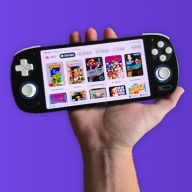





 . This all got really complicated since I last looked when Frankie made the purple theme lol


