Ticobro - AIO Tico Management App

  • Thread starter Thread starter TheStonedModder
  • Start date Start date
  • Views Views 5,243
  • Replies Replies 26
  • Likes Likes 17

TheStonedModder

Well-Known Member
Member
Joined
Dec 25, 2022
Messages
2,613
Reaction score
3,704
Trophies
2
Age
29
XP
8,023
Country
United States
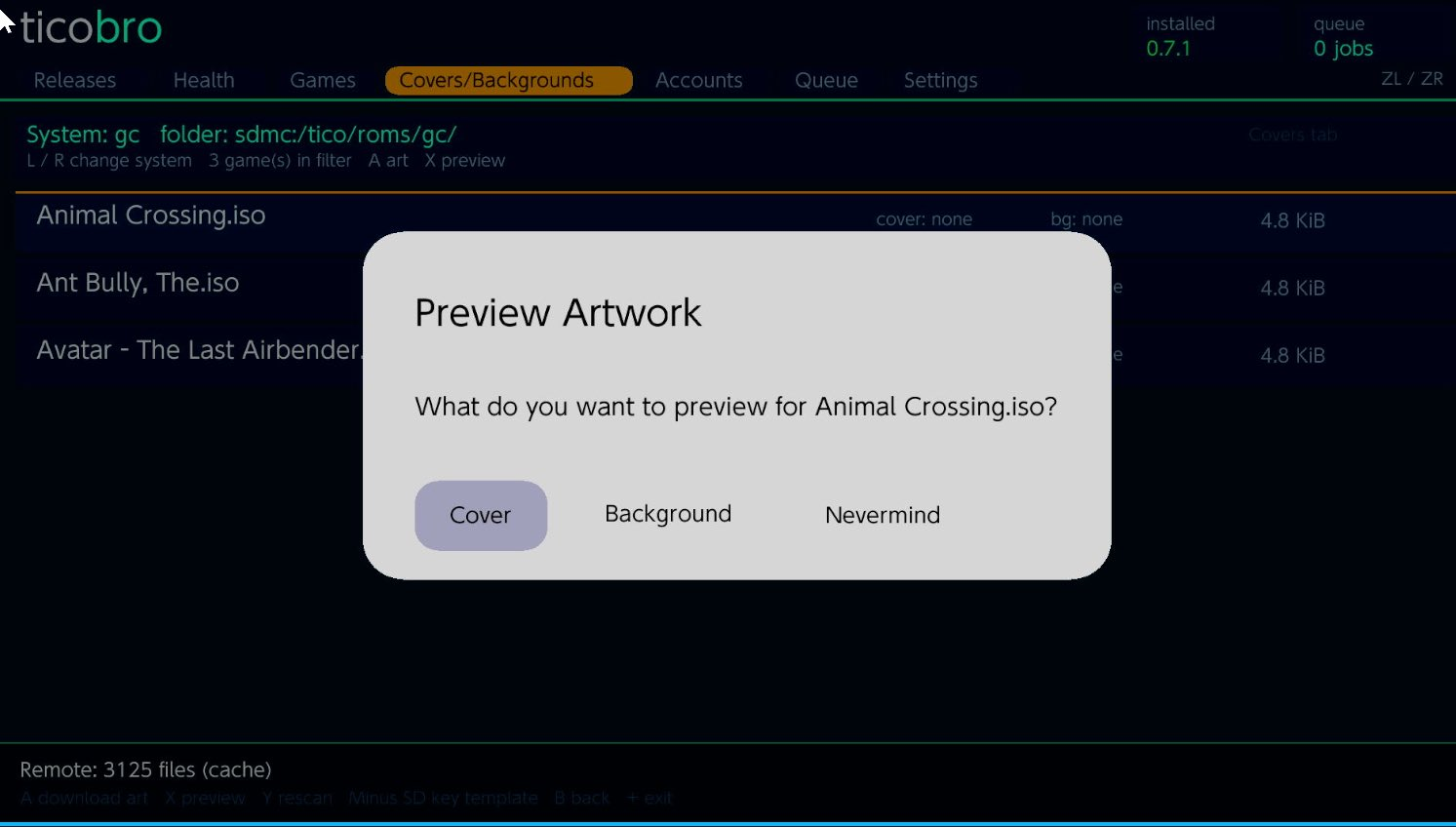
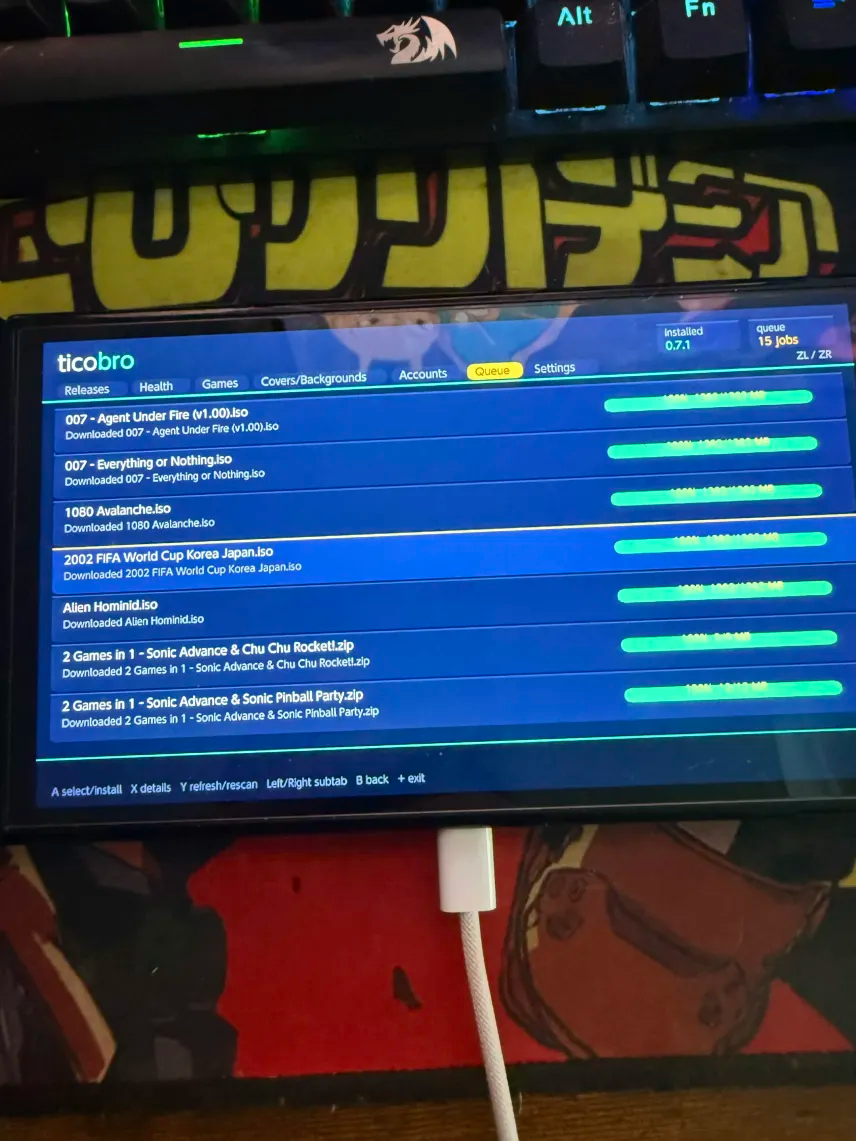
Introducing, Ticobro! The AIO app to handle all of your Tico needs!

Current features:
Ticobro Update checker. Only manually install this app one time!

Github release fetching (for updating/downgrading Tico from Dan's page)

Games tab for local and remote management including backup downloads from archive.org! You will need to provide your own S3 keys for this function to work Those can be found here https://archive.org/account/s3.php

Steamgriddb integration for cover and background downloading https://www.steamgriddb.com/

Tico Account management - configure your steamgriddb API keys directly from Ticobro! https://www.steamgriddb.com/

Multi language support! Simply save a language.json file to /switch/ticobro/lang/ and it will appear in the settings tab of the app!

For bug reports, feature requests, and early updates. Please consider joining the discord https://discord.gg/8bBxnyVJZy as this is where I post all of my projects and beta builds -- otherwise please feel free to report any bugs or request features within this thread as well!

Built using plutonium from @XorTroll -- https://xortroll.github.io/Plutonium/

oGrIJUd.png

48nt2G2.png

9LoPbgK.png

zLhxCMp.png

O6lKwDX.png

9eThVFb.png

mrplKhj.png

image.png

IMG_0527.png


Download: https://github.com/ItsDeidara/Ticobro/releases
 
Last edited by TheStonedModder,
if you want to use a pc or another device every time Tico gets an update or to manage your backups and covers. Then by all means.

I prefer to keep things to one device when possible. Especially when they have to be updated
Apart from the update part (indeed weird tico doesn't include a self updater, since it has an updater for cores), the cover and retroschievements credentials both can be set once in tico settings
 
Apart from the update part (indeed weird tico doesn't include a self updater, since it has an updater for cores), the cover and retroschievements credentials both can be set once in tico settings
when I started this users where struggling to set that part up.
 
  • Like
Reactions: digdat0
looks good, but you need to add this
-search function
-edit rom path
-fast scroll
 
looks good, but you need to add this
-search function
-edit rom path
-fast scroll
If no bugs are reported after a few days I can add quality of life features

That being said I do not have any intentions to support custom paths. That’s is opening up a whole can of worms I don’t want to touch tbh so this app will support whatever formats and structure Tico expects by default
Post automatically merged:

I don’t speak Spanish but there’s a Spanish guide on using ticobro if anyone needs help

 
Last edited by TheStonedModder,

Any idea as to why I get a black screen upon launching ticobro? System freezes completely and needs a hard reboot every time. I'm on 20.3.0 / AMS 1.10.2 with HB menu 3.6.1 / Nx-hbloader 2.4.5. Do I need to update to a specific firmware to launch ticobro?
 
Any idea as to why I get a black screen upon launching ticobro? System freezes completely and needs a hard reboot every time. I'm on 20.3.0 / AMS 1.10.2 with HB menu 3.6.1 / Nx-hbloader 2.4.5. Do I need to update to a specific firmware to launch ticobro?
Are you positive it’s a system freeze? It can take a minute or so to launch sometimes for wine reason
 
Are you positive it’s a system freeze? It can take a minute or so to launch sometimes for wine reason
For some reason my account got locked out so i just made a new one. I left it for 5 mins and definitely looks like a system freeze. All buttons are unresponsive and have to hold PWR button 15 seconds to force turn off the console. It happens every time. All other homebrew apps work fine. I grabbed the original github nro file and then also tried the AIO version and they both have same results.
 
For some reason my account got locked out so i just made a new one. I left it for 5 mins and definitely looks like a system freeze. All buttons are unresponsive and have to hold PWR button 15 seconds to force turn off the console. It happens every time. All other homebrew apps work fine. I grabbed the original github nro file and then also tried the AIO version and they both have same results.
Please send me the error log from your ticobro folder
 
Just updated to 22.0.0 with AMS 1.11.1 and getting the same issue. As soon as i hit A button on Ticobro it locks up. Does not seem to show an error log in the Ticobro folder either.
PXL_20260502_122106114.jpg
ticobro.png
 
If no bugs are reported after a few days I can add quality of life features

That being said I do not have any intentions to support custom paths. That’s is opening up a whole can of worms I don’t want to touch tbh so this app will support whatever formats and structure Tico expects by default
Post automatically merged:

I don’t speak Spanish but there’s a Spanish guide on using ticobro if anyone needs help


Thank you for posting this, I don’t know why when I was adding the repos, they don’t appear but when I got this, they appeared. I’m going to look at the file to see if I was just adding something that just wasn’t supported. Looking at your images though, was I just typing the ghostware one wrong. Thank you for your app, even if I have most of these games already it’s nice to have and I really liked that it works.
 
  • Like
Reactions: digdat0

Site & Scene News

Popular threads in this forum