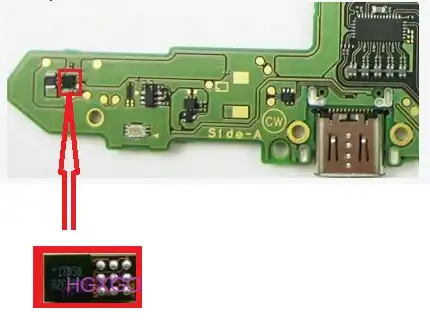
Hi everyone, just wanted to see if anyone has some additional insight on this problem I'm having.
So the switch was working fine, but I left it to charge overnight and the next morning it won't turn on or charge (battery seemed to have drained). It was a switch that I bought off someone recently. I opened the switch and saw corrosion around the battery charger port and around BQ24193 (might be water damage). I cleaned both sides of the board with 99% IPA as best I can with a toothbrush and, plugged in power cord and measured the battery connector pins and saw no voltage. I tried turning on the switch with another fully charged battery and the switch turns on fine which means it's probably the charging circuit.
I start checking for shorted Caps around BQ24193 and also M92T36 and found 2 caps around BQ 24193 that were shorted (both sides short to ground, PIC 1). I also found that the fuse was bad, so I temporarily bridge that connection for now. I removed the 2 caps circled in blue since they were tied to the same pin (PMID pin 23) and still saw a short across the pads. I then removed BQ24193 and that seems to have fixed that short, but the Cap that was not removed circled in red to the left, was still shorted. I went ahead and removed that Cap to see if the cap was damaged, but when I checked the pads they were still shorted. From the BQ24193 datasheet it seems like one pad goes to PGND (pins 17,18) and the other is SYS (pin 15,16). I'm stuck at this point since it's hard to debug without the schematics so I wanted to see if anyone had any ideas of what it might be or have experienced something similar. Thanks!
So the switch was working fine, but I left it to charge overnight and the next morning it won't turn on or charge (battery seemed to have drained). It was a switch that I bought off someone recently. I opened the switch and saw corrosion around the battery charger port and around BQ24193 (might be water damage). I cleaned both sides of the board with 99% IPA as best I can with a toothbrush and, plugged in power cord and measured the battery connector pins and saw no voltage. I tried turning on the switch with another fully charged battery and the switch turns on fine which means it's probably the charging circuit.
I start checking for shorted Caps around BQ24193 and also M92T36 and found 2 caps around BQ 24193 that were shorted (both sides short to ground, PIC 1). I also found that the fuse was bad, so I temporarily bridge that connection for now. I removed the 2 caps circled in blue since they were tied to the same pin (PMID pin 23) and still saw a short across the pads. I then removed BQ24193 and that seems to have fixed that short, but the Cap that was not removed circled in red to the left, was still shorted. I went ahead and removed that Cap to see if the cap was damaged, but when I checked the pads they were still shorted. From the BQ24193 datasheet it seems like one pad goes to PGND (pins 17,18) and the other is SYS (pin 15,16). I'm stuck at this point since it's hard to debug without the schematics so I wanted to see if anyone had any ideas of what it might be or have experienced something similar. Thanks!
Attachments

Last edited by sakket89,