
Homebrew [Release] S3SH - SSH Client for 3ds

  • Thread starter Thread starter Kartik
  • Start date Start date
  • Views Views 12,114
  • Replies Replies 8
  • Likes Likes 6

Kartik

Well-Known Member
Member
Joined
Jun 6, 2015
Messages
655
Reaction score
860
Trophies
1
Location
github
XP
2,914
Country
India
Hey people.I made a simple SSH client months ago but didn't release, guess today's the day :).

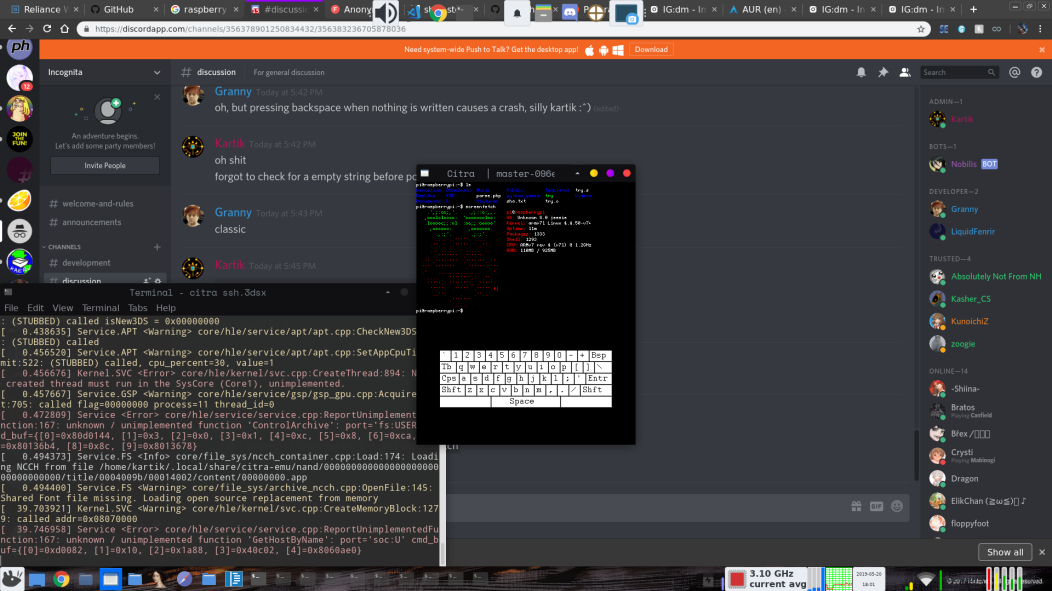
Here is a screenshot of it being connected to my rpi:-
d60F81P.png

Source:-
https://github.com/hax0kartik/S3SH

You can grab the 3dsx from:-
https://github.com/hax0kartik/releases


There are most likely some bugs which will cause it to not work. If it doesn't work for you, please report here with the steps to reproduce your issue or on the github issue tracker :)

~Enjoy!
 
Last edited by Kartik,
Noob question:

This is for...?
Remote (text shell) access to a computer with an SSH server.


SSH Client on the 3DS. A really interesting and good idea. *grabs test console*

While I prefer typing into a terminal with a hardware keyboard, more homebrew for the 3DS is always good. Thank you for doing this work!

I was able to connect to a test account on my laptop after enabling password authentication (normally using public/private key). I'm not a developer and surely can't be of much use in terms of helping on such a project, but I can tell you my test results:

Laptop running openSUSE Leap 15.0 ––––– OpenSSH_7.6p1, OpenSSL 1.1.0i-fips 14 Aug 2018
  • Connection is successful. I can use the terminal mostly like expected
  • Cannot type upper case letters. The "shift" button on the virtual keyboard makes the keyboard itself switch to upper case and special characters – but still types lower case letters and numbers
  • Pressing (Home) gives an ARM11 exception – data abort ––– I have no idea how to exit the client
  • No fault tolerance. Giving a wrong hostname or wrong login credentials seems to softlocks the client.
 
Remote (text shell) access to a computer with an SSH server.


SSH Client on the 3DS. A really interesting and good idea. *grabs test console*

While I prefer typing into a terminal with a hardware keyboard, more homebrew for the 3DS is always good. Thank you for doing this work!

I was able to connect to a test account on my laptop after enabling password authentication (normally using public/private key). I'm not a developer and surely can't be of much use in terms of helping on such a project, but I can tell you my test results:

Laptop running openSUSE Leap 15.0 ––––– OpenSSH_7.6p1, OpenSSL 1.1.0i-fips 14 Aug 2018
  • Connection is successful. I can use the terminal mostly like expected
  • Cannot type upper case letters. The "shift" button on the virtual keyboard makes the keyboard itself switch to upper case and special characters – but still types lower case letters and numbers
  • Pressing (Home) gives an ARM11 exception – data abort ––– I have no idea how to exit the client
  • No fault tolerance. Giving a wrong hostname or wrong login credentials seems to softlocks the client.
* Add a oh fk I messed up gif * for the keyboard thing and as for as the home button stuff... I forgot to add it :p. These things should be fixed by the next version. Thanks for the report :)
 
Very nice, another way for me to :gun: my docker containers when they start to use too much of my internet band.
Any plains for supporting Mosh?
 
Last edited by evertonstz,
Hey people.I made a simple SSH client months ago but didn't release, guess today's the day :).

Here is a screenshot of it being connected to my rpi:-
d60F81P.png

Source:-
https://github.com/hax0kartik/S3SH

You can grab the 3dsx from:-
https://github.com/hax0kartik/releases


There are most likely some bugs which will cause it to not work. If it doesn't work for you, please report here with the steps to reproduce your issue or on the github issue tracker :)

~Enjoy!

Oh, I would have liked to turn my Nintendo 3DS into a SSH server.

Also, you forgot to type "/S3SH/" in the "Releases" link.
 
* Add a oh fk I messed up gif * for the keyboard thing and as for as the home button stuff... I forgot to add it :P. These things should be fixed by the next version. Thanks for the report :)
I'm aware I'm rather late to this party, but can we please get a release that fixes these bugs?
(also maybe don't show the password on screen while typing it?)
 
Last edited by Firepup6500,

Site & Scene News

Popular threads in this forum