TX Presents SX INSTALLER v1.1

TX is back with nice update to their 'SX Installer' app, check out all the details below:
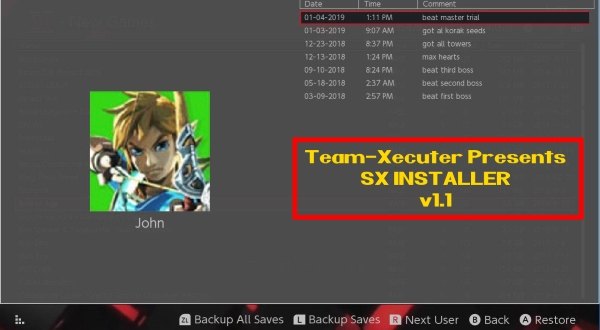
SX_APP_11.jpg

Near the end of 2018, TX released their stand-alone SX INSTALLER app, and now in the New Year, they have updated it with a bunch of 'bug fixes' and a ton of improvements, check it out below, we are sure you will love this nice update to their SX app, like the amazing new feature to backup and restore your game saves, that will come in handy for many of our loyal SX OS users! :)
Your friends at Team-Xecuter are back again with another major update for the always improving SX Installer V1.1

As it becomes a more and more powerful tool, you will find now not only lots of stability improvements, but also key new features like touch screen support and the never seen before ability for the user to be able to drag the list of games.

We will let you discover the rest, please find below the change log for v1.1:
  • Fixed "delete after install"
  • Fixed file browser copy progress bar.
  • File browser delete now works for SD, FTP, and USB HDD.
  • File browser rename now works for SD and FTP.
  • File browser can now write to SD, FTP, and USB HDD, so files can be copied to FTP and USB HDD now.
  • Single click back up all game saves!
  • Added Touch Screen support everywhere!
  • Added ability to preload meta images.
  • Images are now stored in image database files, as some fat32 users ran into SD card issues with the sheer number of image files before. /switch/sx/cache/ and /switch/sx/icons/ can now be deleted.
  • Added support for backing up and restoring game saves.
  • There is an option to specify the game save backup directory, which supports SD, FTP, and USB HDD. So you can backup and restore your save games from across the network or from your hard drive.
  • Improved stability for network installs.
  • Improved translations for ZH, NL, and RU.
  • Added confirmation dialog for deleting files.
More to come soon on all fronts, and as usual do not hesitate to email us for bug reports and suggestions, or to utilize our TX Community for support from fellow users like yourself. Our motivation is your satisfaction.

—< Team-Xecuter - Rocking the Switch in 2019 and beyond! >—

:arrow: Source: MaxConsole
 
Last edited by garyopa, , Reason: added missing 'touch screen' feature from bulleted list!
Great update, not regretting my purchase and now becoming more value for money with all the features Being included. No, I’m not a shill, I like an easy life!

@Ev1l0rd learn to read before jumping the gun, or better still don’t comment!
 
It’s their

If you're going to correct someone's spelling for their - at least spell it properly in the context it was written.

It should actually be There - not Their.

Do you know the difference between Their, There and They're and how they are used?
 
Is this thing different from the other similar apps by having the extra features that require the key file already built in? Or does this app require the user to provide the key file as well?
 
I don't think so: https://github.com/digableinc/tinfoil It's a re-themed version of this.
Do you realize the one who made this is the one who is making TX Installer aka @blawar ?
+ He said that he will only update and add new exclusive features to TX Installer.

--------------------- MERGED ---------------------------

If you're going to correct someone's spelling for their - at least spell it properly in the context it was written.

It should actually be There - not Their.

Do you know the difference between Their, There and They're and how they are used?

No it’s their (possessive)

I’m not trying to correct him. I’m just approving that TX owns TX Installer and that they made it.

You tried to correct me but you just looked like an idiot :rofl2:
 
Last edited by NeoSlyde,
Be careful not to flood this thread with "these". Let us focus and keep this thread strictly for SX Installer and to help others with any issues. You are welcome to create a new thread to discuss "those".
The problem is that there is no problem.
Blawar is now working with TX so they legitimately own it.
 
SX Installer 1.0 didn’t let me install my self-made Doki Doki Literature Club NSP. The nsp just went blank and when I pressed install, an empty progress box appeared that did nothing. Thought I messed up the NSP but Goldleaf was able to install it, as well as the regular installer on the SX OS menu. I don’t intend to try it with this new version as I have given up on the game on switch due to other issues, but I hope the install issue fixed.
 
  • Like
Reactions: KingMuk
SX Installer 1.0 didn’t let me install my self-made Doki Doki Literature Club NSP. The nsp just went blank and when I pressed install, an empty progress box appeared that did nothing. Thought I messed up the NSP but Goldleaf was able to install it, as well as the regular installer on the SX OS menu. I don’t intend to try it with this new version as I have given up on the game on switch due to other issues, but I hope the install issue fixed.

It sounds like you need to enable unsigned code installation. That is blocked by default for the safety of the user.
 
SX Installer 1.0 didn’t let me install my self-made Doki Doki Literature Club NSP. The nsp just went blank and when I pressed install, an empty progress box appeared that did nothing. Thought I messed up the NSP but Goldleaf was able to install it, as well as the regular installer on the SX OS menu. I don’t intend to try it with this new version as I have given up on the game on switch due to other issues, but I hope the install issue fixed.

Did NOT know DDLC was ported over to the Switch. Thanks for unintentionally informing me dude.
 
Did NOT know DDLC was ported over to the Switch. Thanks for unintentionally informing me dude.
You’re welcome, but be aware that there are some crash issues on Switch. The game was also ported to the 3DS, PSP and PS Vita.

It sounds like you need to enable unsigned code installation. That is blocked by default for the safety of the user.
Thanks for letting me know. I will try it next time I want to install an unsigned nsp.
 

Site & Scene News

Popular threads in this forum