TX Presents SX INSTALLER v1.1
TX is back with nice update to their 'SX Installer' app, check out all the details below:
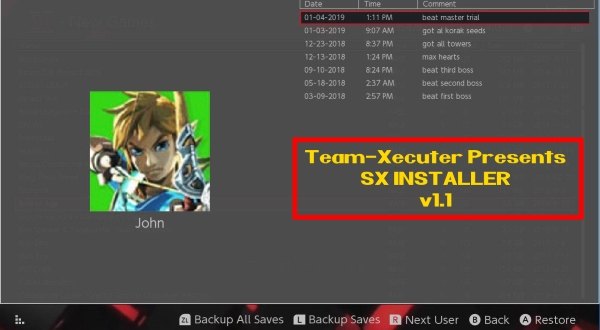
Near the end of 2018, TX released their stand-alone SX INSTALLER app, and now in the New Year, they have updated it with a bunch of 'bug fixes' and a ton of improvements, check it out below, we are sure you will love this nice update to their SX app, like the amazing new feature to backup and restore your game saves, that will come in handy for many of our loyal SX OS users!

More to come soon on all fronts, and as usual do not hesitate to email us for bug reports and suggestions, or to utilize our TX Community for support from fellow users like yourself. Our motivation is your satisfaction.Your friends at Team-Xecuter are back again with another major update for the always improving SX Installer V1.1
As it becomes a more and more powerful tool, you will find now not only lots of stability improvements, but also key new features like touch screen support and the never seen before ability for the user to be able to drag the list of games.
We will let you discover the rest, please find below the change log for v1.1:
- Fixed "delete after install"
- Fixed file browser copy progress bar.
- File browser delete now works for SD, FTP, and USB HDD.
- File browser rename now works for SD and FTP.
- File browser can now write to SD, FTP, and USB HDD, so files can be copied to FTP and USB HDD now.
- Single click back up all game saves!
- Added Touch Screen support everywhere!
- Added ability to preload meta images.
- Images are now stored in image database files, as some fat32 users ran into SD card issues with the sheer number of image files before. /switch/sx/cache/ and /switch/sx/icons/ can now be deleted.
- Added support for backing up and restoring game saves.
- There is an option to specify the game save backup directory, which supports SD, FTP, and USB HDD. So you can backup and restore your save games from across the network or from your hard drive.
- Improved stability for network installs.
- Improved translations for ZH, NL, and RU.
- Added confirmation dialog for deleting files.
—< Team-Xecuter - Rocking the Switch in 2019 and beyond! >—
Source: MaxConsole
Last edited by garyopa,
, Reason: added missing 'touch screen' feature from bulleted list!