



The Legend of Zelda: The Minish Cap – Alek's Ultimate NX Edition v0.1.0
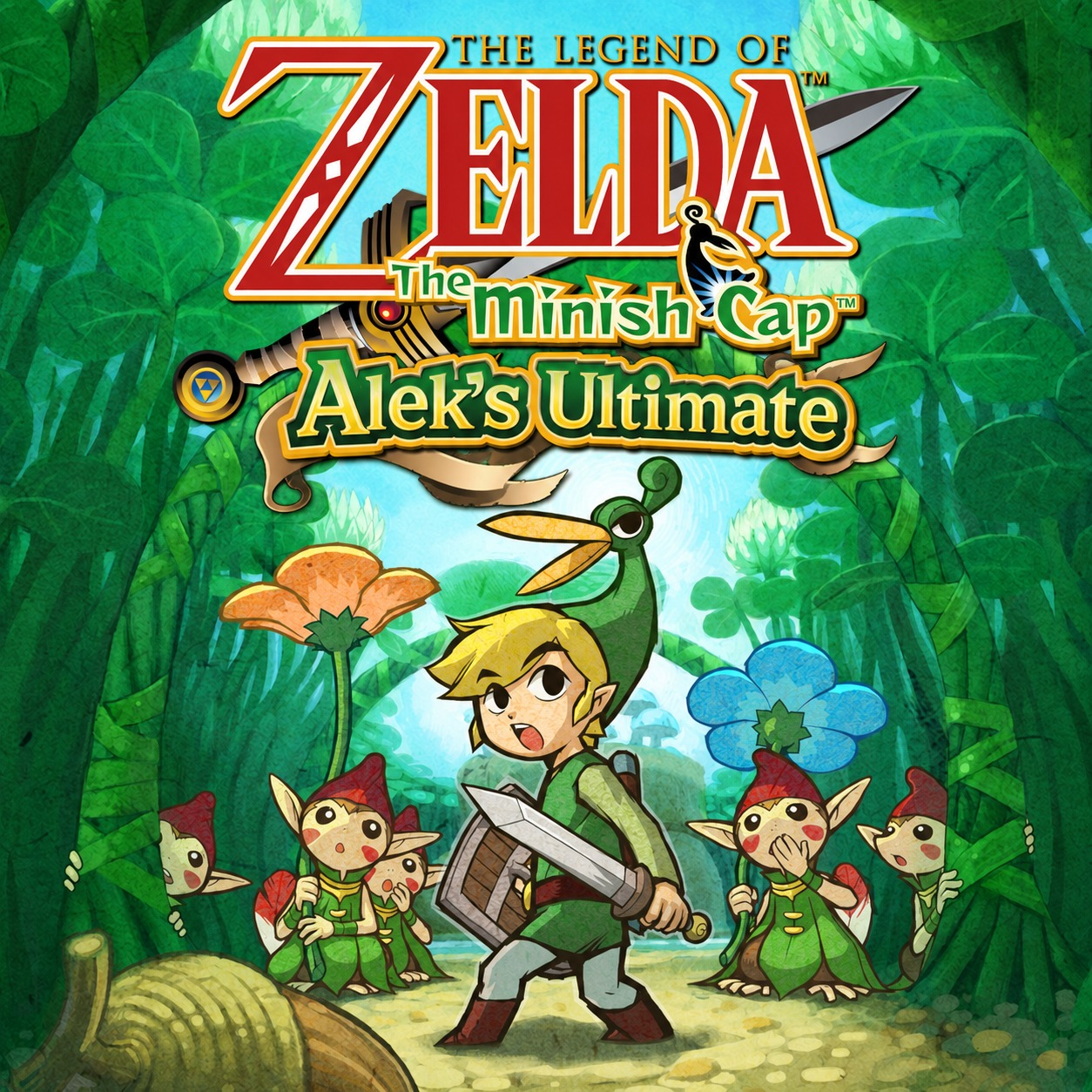
Hi! I’ve been working on a personal Nintendo Switch-focused version of The Legend of Zelda: The Minish Cap, mainly because I wanted a proper dual-screen style experience on Switch with a layout that also works well when the console is rotated vertically.
What started as something for my own use ended up becoming much more complete than I originally expected, so I decided to share it in case anyone else wants to play it, improve it, fork it, or use it as a base for further work.
This is an unofficial fan project and does not include a ROM.
Download / source
GitHub Repository:
The Legend of Zelda: The Minish Cap – Alek's Ultimate NX Edition
Release:
Lastest Version
Important:
Do not redistribute game ROMs with this project.
Main features
Dual-screen UI
The second-screen panel is split into four main sections:
QUEST
Displays progression/context information and story guidance.
MAP
Shows overworld and dungeon mapping information where available.
ITEMS
Shows equipped items and shortcut information.
CONFIG
Contains the port-specific settings for gameplay, controls, display, achievements and system behavior (USE Minus - button to access) .
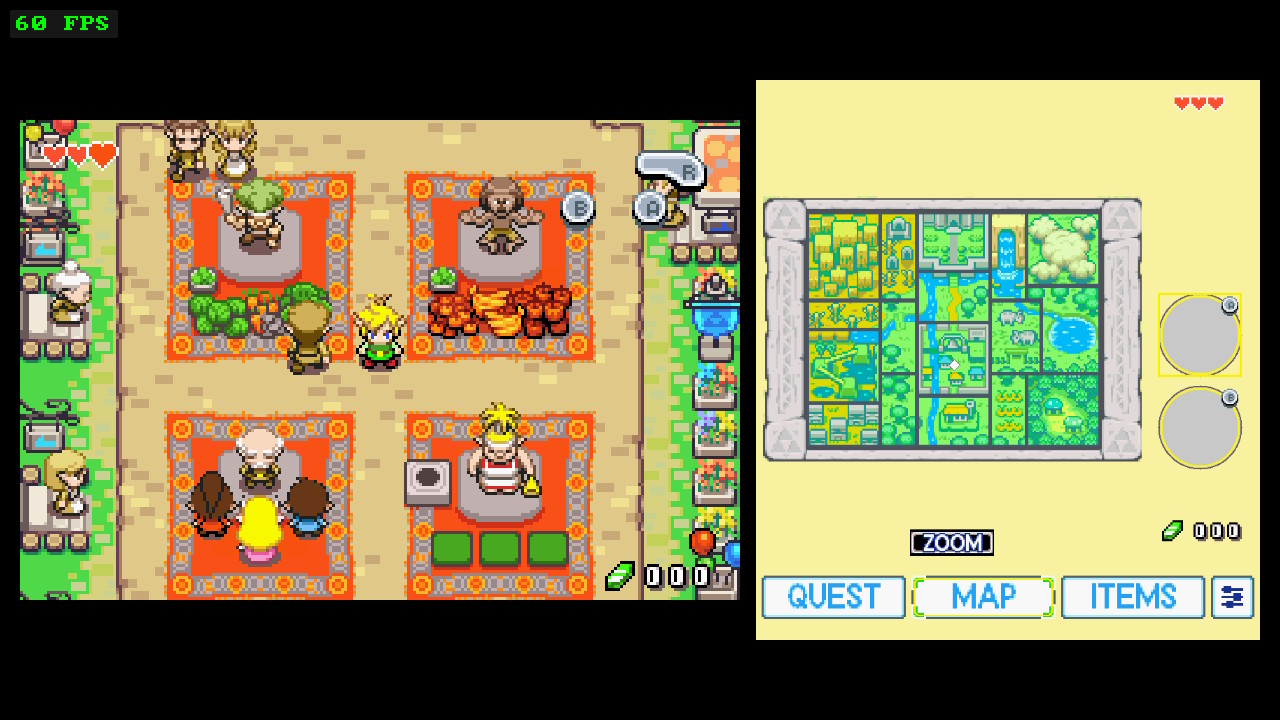
FLIP 270 / vertical play
FLIP 270 is designed for physically rotating the Switch and works especially well with a FlipGrip-style setup.

Localization
The recommended/tested base is the USA ROM.
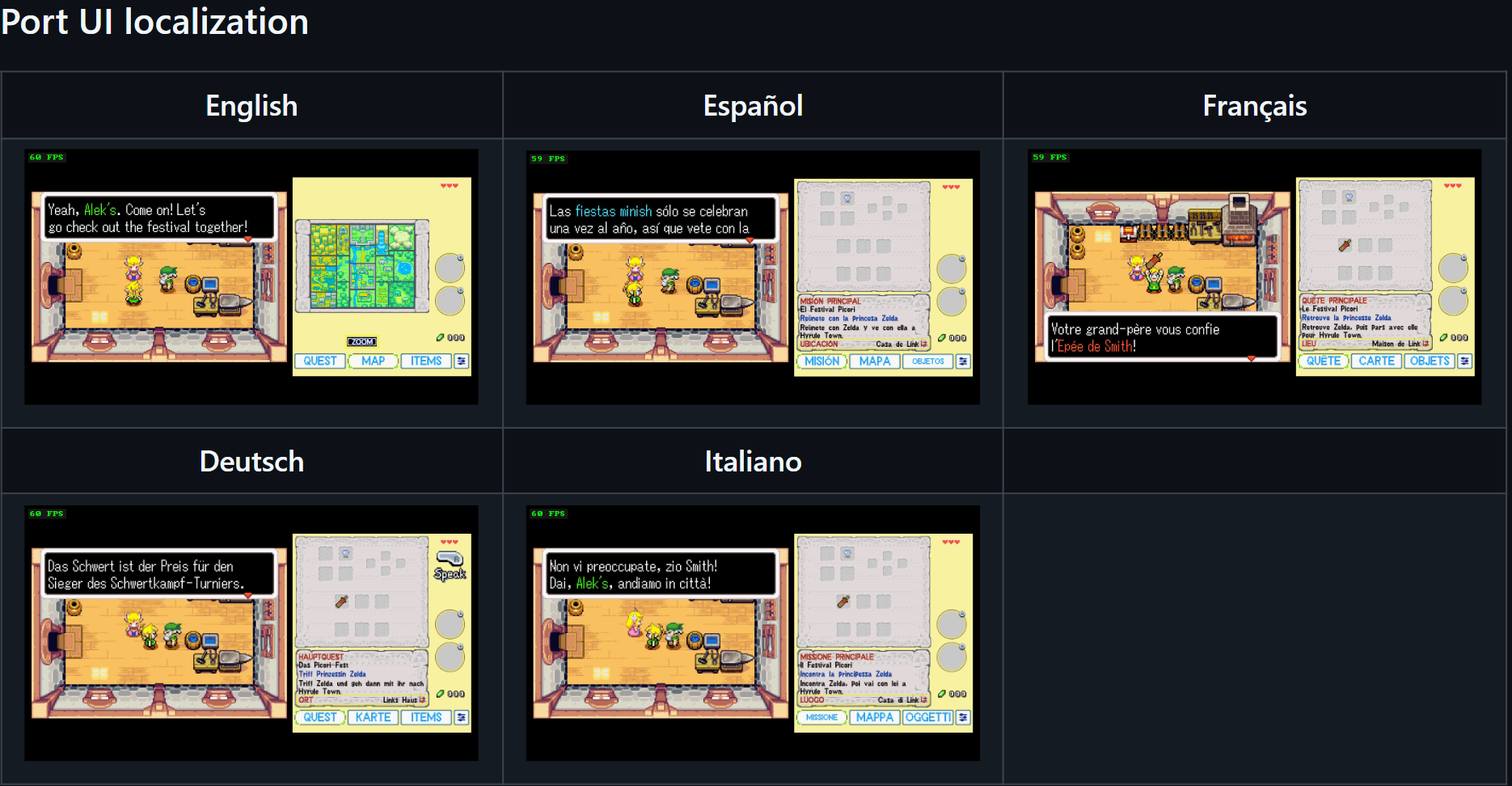
The port adds its own multilingual UI layer for port-specific menus and features in English, Spanish, French, German and Italian.
The original game's dialogue/localization remains part of the original game data; this project does not claim authorship of Nintendo's official translations.
Performance
NORMAL has the most performance headroom.
DUAL and FLIP are more demanding. On the hardware I tested, a 1224 MHz CPU clock is recommended for performance closer to a consistent 60 FPS.
This is optional and does not guarantee locked 60 FPS in every scene.
Startup time was also significantly improved during development. On my tested hardware, subsequent launches were observed at roughly 13–14 seconds, although actual startup time can vary depending on SD-card speed and system conditions.
Installation
The planned/recommended install layout is:
You must provide your own legally obtained compatible ROM.
No ROM is included and no ROM download links are provided.
The USA release is the recommended/tested base.
Reference USA SHA-1:
The current loader does not use this SHA-1 as a mandatory runtime check; it is included as a reference for the tested USA dump.
RetroAchievements
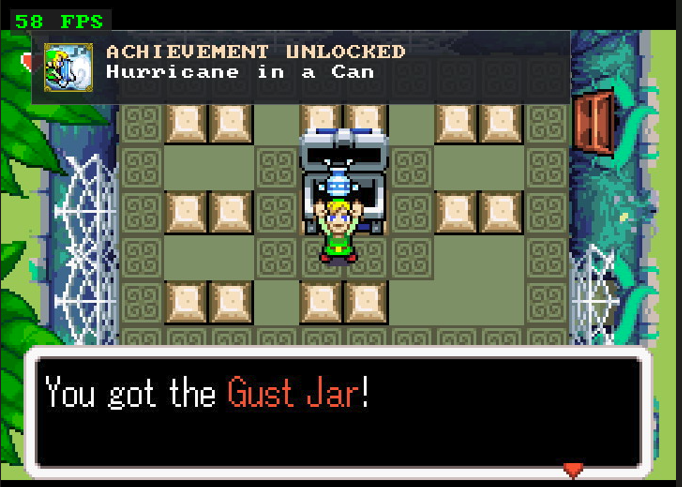
The port includes working RetroAchievements integration with:
Known issues
Current known limitations include:
Project background / AI transparency
This is a personal project that I originally made for my own use.
Development was significantly assisted by AI tools including:
They were used for code investigation, debugging, implementation planning, review, documentation, upstream comparison and repetitive development tasks.
Project direction, feature choices, visual decisions, real Switch hardware testing, validation and release decisions were handled manually.
This is not a codebase generated from scratch by AI. Most of the project derives from existing upstream decompilation and native-port work, which have their own development histories and authorship. I do not make assumptions about which tools or workflows those upstream maintainers may have used.
Project status
I do not plan to maintain this project forever.
My goal is to keep improving it until I consider it fully playable and stable for the way I want to use it. After that, updates may become infrequent or stop entirely.
If anyone wants to fork it, improve it, add features, clean up parts of the codebase or use it as a base for another project, that is absolutely welcome as long as the relevant upstream terms are respected.
Credits / upstream projects
This project would not exist without the work of many upstream projects and contributors.
Major references/bases include:
There are also additional third-party libraries and contributors listed in the repository’s CREDITS and THIRD_PARTY_NOTICES files.
If any upstream author would like attribution or redistribution wording adjusted, please let me know and I’ll correct it.
Feedback
If you try it, I’d appreciate feedback especially about:
Bug reports with exact reproduction steps and hardware context are especially useful.
Thanks to everyone whose work made this possible.
Hi! I’ve been working on a personal Nintendo Switch-focused version of The Legend of Zelda: The Minish Cap, mainly because I wanted a proper dual-screen style experience on Switch with a layout that also works well when the console is rotated vertically.
What started as something for my own use ended up becoming much more complete than I originally expected, so I decided to share it in case anyone else wants to play it, improve it, fork it, or use it as a base for further work.
This is an unofficial fan project and does not include a ROM.
Download / source
GitHub Repository:
The Legend of Zelda: The Minish Cap – Alek's Ultimate NX Edition
Release:
Lastest Version
Important:
Do not redistribute game ROMs with this project.
Main features
- NORMAL mode for standard single-screen gameplay
- DUAL mode with gameplay + second-screen panel
- FLIP 270 mode for vertical/FlipGrip-style play
- Touchscreen interaction for the second-screen UI
- QUEST / MAP / ITEMS / CONFIG tabs
- Localized port UI in:
- English
- Spanish
- French
- German
- Italian
- English
- RetroAchievements support
- Rich Presence
- Achievement unlock notifications and badges
- Port-managed Autosave + Load Autosave
- Return to Title
- Custom Action Hint options
- Configurable panel size / spacing / display geometry
- Fast Boot improvements
- Various UI and rendering fixes
- Deepwood Shrine rotating-barrel affine rendering fix
- Corrected X/Y shortcut behavior for Switch controls
Dual-screen UI
The second-screen panel is split into four main sections:
QUEST
Displays progression/context information and story guidance.
MAP
Shows overworld and dungeon mapping information where available.
ITEMS
Shows equipped items and shortcut information.
CONFIG
Contains the port-specific settings for gameplay, controls, display, achievements and system behavior (USE Minus - button to access) .
FLIP 270 / vertical play
FLIP 270 is designed for physically rotating the Switch and works especially well with a FlipGrip-style setup.
Localization
The recommended/tested base is the USA ROM.
The port adds its own multilingual UI layer for port-specific menus and features in English, Spanish, French, German and Italian.
The original game's dialogue/localization remains part of the original game data; this project does not claim authorship of Nintendo's official translations.
Performance
NORMAL has the most performance headroom.
DUAL and FLIP are more demanding. On the hardware I tested, a 1224 MHz CPU clock is recommended for performance closer to a consistent 60 FPS.
This is optional and does not guarantee locked 60 FPS in every scene.
Startup time was also significantly improved during development. On my tested hardware, subsequent launches were observed at roughly 13–14 seconds, although actual startup time can vary depending on SD-card speed and system conditions.
Installation
The planned/recommended install layout is:
Code:
/switch/tmc/
    tmc_aleks_ultimate_nx_v0.1.0.nro
    baserom.gba
You must provide your own legally obtained compatible ROM.
No ROM is included and no ROM download links are provided.
The USA release is the recommended/tested base.
Reference USA SHA-1:
Code:
b4bd50e4131b027c334547b4524e2dbbd4227130The current loader does not use this SHA-1 as a mandatory runtime check; it is included as a reference for the tested USA dump.
RetroAchievements
The port includes working RetroAchievements integration with:
- Account login
- Game recognition
- Rich Presence
- Achievement unlocks
- Badge display/cache
- Logout
Known issues
Current known limitations include:
- Some heavier scenes may dip below 60 FPS in DUAL / FLIP.
- After visiting the Deepwood Shrine rotating barrel, returning to the title screen in the same session may show temporary affine/visual artifacts. Restarting the application restores the title screen normally.
- Some map markers are intentionally hidden when no valid map transform is available.
- True widescreen is not part of v0.1.0.
- Manual Save Game is not exposed in the current RELEASE build.
- Emulator compatibility is experimental; real Nintendo Switch hardware is the primary tested target.
Project background / AI transparency
This is a personal project that I originally made for my own use.
Development was significantly assisted by AI tools including:
- ChatGPT
- Claude / Claude Code
- OpenAI Codex
They were used for code investigation, debugging, implementation planning, review, documentation, upstream comparison and repetitive development tasks.
Project direction, feature choices, visual decisions, real Switch hardware testing, validation and release decisions were handled manually.
This is not a codebase generated from scratch by AI. Most of the project derives from existing upstream decompilation and native-port work, which have their own development histories and authorship. I do not make assumptions about which tools or workflows those upstream maintainers may have used.
Project status
I do not plan to maintain this project forever.
My goal is to keep improving it until I consider it fully playable and stable for the way I want to use it. After that, updates may become infrequent or stop entirely.
If anyone wants to fork it, improve it, add features, clean up parts of the codebase or use it as a base for another project, that is absolutely welcome as long as the relevant upstream terms are respected.
Credits / upstream projects
This project would not exist without the work of many upstream projects and contributors.
Major references/bases include:
- zeldaret/tmc — original Minish Cap decompilation
- Project Picori / 999sian/tmc — native-port foundation and major technical infrastructure
- HayatoG/tmc — direct Switch development base
- samyost1/tmc-android — dual-screen implementation/reference and related port work
- EstebanPdN/zelda-tmc-3ds — Nintendo dual-screen adaptation/reference
There are also additional third-party libraries and contributors listed in the repository’s CREDITS and THIRD_PARTY_NOTICES files.
If any upstream author would like attribution or redistribution wording adjusted, please let me know and I’ll correct it.
Feedback
If you try it, I’d appreciate feedback especially about:
- DUAL / FLIP performance
- Touch behavior
- Map behavior
- RetroAchievements
- Any area with rendering problems
- First-time installation / setup
Bug reports with exact reproduction steps and hardware context are especially useful.
Thanks to everyone whose work made this possible.
Attachments

Last edited by alexgg1014,





 BTW if u want to use The second screen U should Put a little Overclock for more stability


