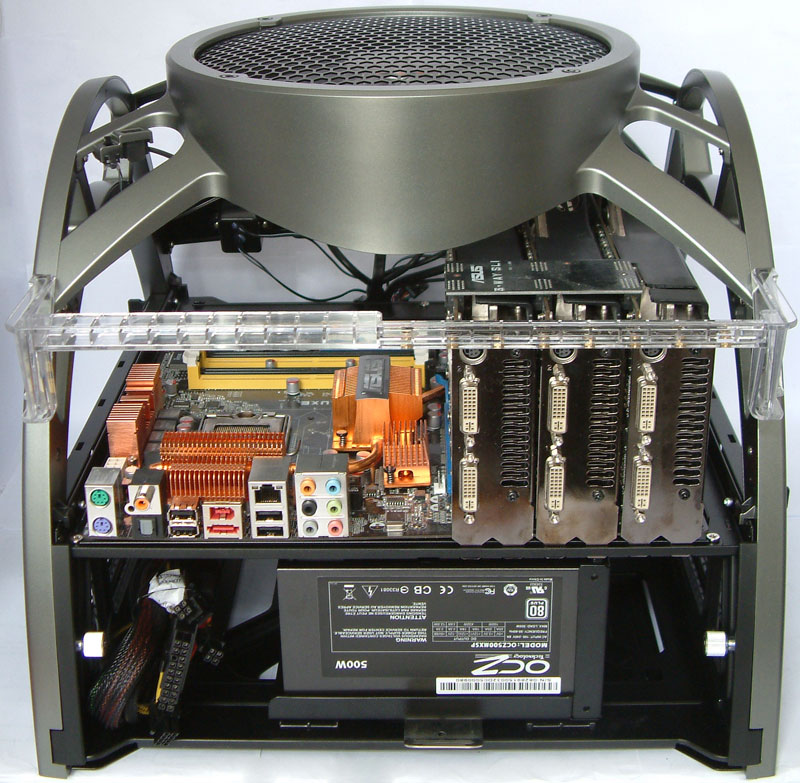
Gaming PC without case

  • Thread starter Thread starter MrCooper
  • Start date Start date
  • Views Views 3,250
  • Replies Replies 12

MrCooper

Well-Known Member
Member
Joined
Apr 2, 2010
Messages
165
Solutions
1
Reaction score
0
Trophies
0
Age
32
Location
The United States of retard
Website
Visit site
XP
145
Country
United States
Right now I'm considering taking my PC out of it's case and mounting it to a piece of wood. The PC isn't something special and I'm getting pissed off that it's a "compact" PC. It is a Dell Optiplex gx520 regular desktop version. The case requires me to have low-profile PCI cards to properly mount them. I may some heat problems because of my CPU being a P4 clock @ 3.4GHz. And dust may be a problem.

Really, all I was wondering is...is this a good idea and if so, any tutorials you'd recommend
 
Open air cases do exist, and are usually recommended for people who change motherboards a lot. There are three main things to be weary about when choosing an open air case (or just leaving it open). Firstly, you will need support fans pointed at the motherboard - usually one pointed at the HSF and the other pointed at the graphics. Second, dust and foreign objects (e.g. hairs) will be a constant hassle and possible cause of short circuiting. Finally, you'll need to make sure the motherboard is well supported. Just putting it on a wooden board will probably cause damage (motherboards tend to have spikey solder points on the back - if you put pressure on those points, it could damage components). What some people have done is just get a set of those ATX mount screws that screw the motherboard into the case and fit them into wooden boards, although it's preferred to use rubber mounts as that will absorb vibrations.

Don't forget that you'll need a place to put the extra components such as DVD, HDD, etc.

Generally I would think it's better just to get a slightly bigger case than try an open air solution.
 
Metal PC cases serve another purpose as well... grounding/dissipation of static charge.
That's also why the Motherboard has metal rings around the screw holes, the screw contacts the metal ring, the metal ring contacts the standoff, the standoff connects to the case to allow for dissipation of charge.

As Originality said, the level of dust collection would be far higher with it being open, though admittedly far easier to clean since you could use a can of compressed air from practically every angle. I recently just lost my PSU due in no small part to the fact that it was full of dust (dust caused it to become insulated, keeping the heat in and something popped) though the PSU was something I very rarely cleaned (it was usually the front case fan, CPU fan and graphics card fan).
 
You're talking about antec skeleton:
06.jpg

08.jpg
 
save up and buy a new computer, it isnt worth it to do all that to an outdated computer

at the very least you could probably track down some dell cases
 
Lee79 said:
You can also get Tech bench's like this
"And for $145 dollars it actually comes in at a pretty decent price range"
FOR A FEW PIECES OF ACRYLIC WITH HOLES CUT INTO IT??? That's outrageous.
For that price I'd be looking at getting started on liquid cooling.
 
if you really want to . . .
just make sure that you clean it up constantly with it being in an open area , there will be a lot of dust and hair . after that , cooling is also important , and you wouldn't want it over heating .

then again , if you had to worry about all those open benches and stuff , you might as well have used that money to invest in a new case and parts for a newer computer .
 

Site & Scene News

Popular threads in this forum